Best AI Tools for Trading Strategy Development
The best AI tool depends on the strategy-development task. This comparison looks at three approaches: our charting platform, Vela, with Quant, our coding agent, built in; Trade Ideas’ stock-scanning and backtesting tools; and MetaTrader 5’s Expert Advisor environment. These are different approaches to research and automation; the comparison does not establish a winner for trading returns or backtest accuracy.
- LuxAlgo: Build and test custom Pine Script® strategies with Quant directly in Vela.
- Trade Ideas: Research U.S. stock setups with scanners, Holly AI entry and exit ideas, and OddsMaker backtesting. Its event-based workflow suits traders starting from scanner conditions.
- MetaTrader 5: Develop MQL5 Expert Advisors, use the Strategy Tester, and connect through a supporting broker. Current desktop versions also include AI assistance for development and testing.
Choose by the market, rules, data, and execution workflow you need. AI can help express or investigate an idea; it does not remove the need to inspect code, test untouched data, and verify live execution separately.
Best AI Stock Trading Software in 2026: Which Platform Is Actually Worth Using?
Third-party overview from Modest Money. Product versions, features, and prices may differ from those shown; use the current official sources linked below for the comparison.
Quick Comparison
| Feature | LuxAlgo | Trade Ideas | MetaTrader 5 |
|---|---|---|---|
| AI workflow | Quant in Vela | Holly AI stock signals and scanner research | AI Assistant plus MQL5 development and testing |
| Custom logic | Describe Pine Script® rules to Quant; review generated code | Configure supported alerts and filters without code | Build or adapt MQL5 Expert Advisors, including with AI assistance |
| Historical data | 5,000–50,000 native bars by plan; TradingView data is a separate environment | Check OddsMaker’s available test period and stock coverage | Broker, symbol, and tester-mode dependent |
| Backtesting | Native strategy runs with explicit costs and sizing | Event-based OddsMaker tests across stocks or watchlists | Multi-currency testing, forward tests, optimization, and real-tick mode when available |
| Typical fit | Chart-based strategy development | U.S. equity scanning and event-based research | Expert Advisor development and broker-connected operation |
| Cost structure | Free entry plan; paid limits and features | Subscription; backtesting and AI features depend on tier | Free terminal; possible broker, AI-provider, hosting, and marketplace costs |
Choose the workflow first: LuxAlgo for developing strategies inside Vela, Trade Ideas for stock scanner research, or MetaTrader 5 for MQL5 Expert Advisors and broker-connected testing. Ease of use and suitability depend on the actual task.
1. LuxAlgo
AI-Powered Features
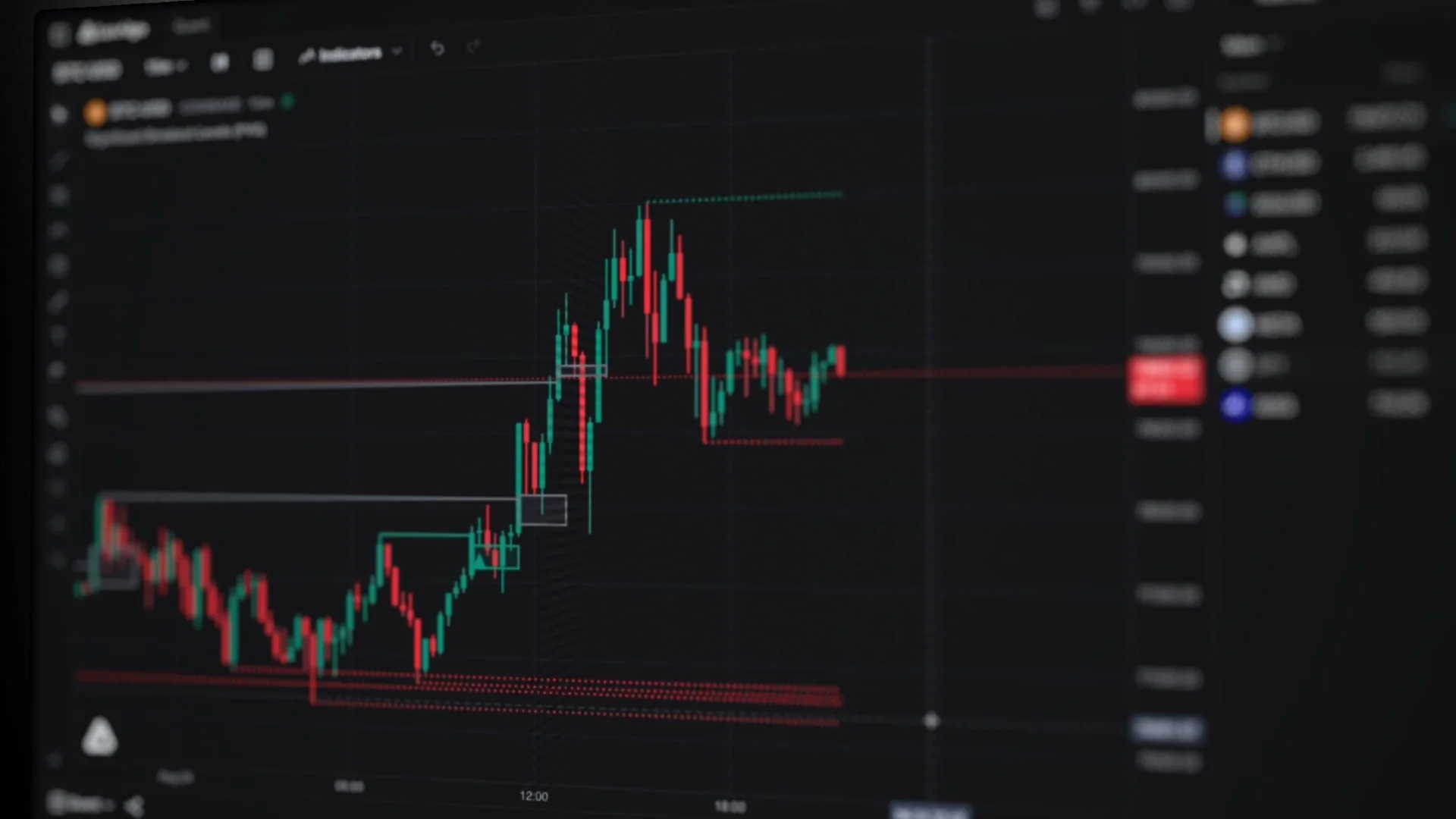
Quant is the coding agent built into Vela. Describe explicit rules, provide a chart image, or revise an existing script. Quant can generate and debug Pine Script® indicators and strategies; strategies can then be run in the native backtester. Quant code repair is included with Premium and above. Review the logic and assumptions before interpreting results. See the Quant documentation for the workflow.
Backtesting Capabilities
The chart-centered workflow in Vela is designed to help traders see whether a strategy holds up outside a single chart screenshot. Instead of only focusing on signal generation, the platform supports validation through strategy metrics such as net profit, profit factor, win rate, and maximum drawdown. That makes it easier to compare variations of the same idea across multiple timeframes, assets, and market regimes.
For a concrete comparison, ask Quant to create a moving-average crossover strategy with an optional RSI filter. In the native backtester, keep symbol, interval, date sample, exits, sizing, and costs fixed. Save the unfiltered baseline, then compare the filtered run’s trade count, drawdown, and profit factor. Check individual trades and untouched data before deciding whether the added rule helps.
Strategy alerts and webhooks can support monitoring or a separately configured execution workflow, subject to plan limits. LuxAlgo does not place broker orders itself. Test delivery, symbol mapping, order size, and broker responses separately; a successful backtest or alert does not establish that live orders will fill as expected.
Pricing and Accessibility
LuxAlgo has a Free tier and four paid tiers. The main differences for strategy research include credits, available history, and automation limits:
- Free: 500 monthly credits and 5,000 historical bars. Includes Quant and Library access, with plan limits.
- Essential: 2,000 monthly credits, 10,000 historical bars, and live CME futures data.
- Premium: 5,000 monthly credits and 20,000 historical bars.
- Ultimate: 25,000 monthly credits and 30,000 historical bars.
- AI Ultra: 100,000 monthly credits and 50,000 historical bars.
Every plan opens 16 charts per tab and includes Quant, with 500 monthly credits on Free and more on each paid tier. That makes LuxAlgo a practical option for traders who want to start with no-code or low-code workflows and later move into more advanced Pine Script® development. You can compare plans on the LuxAlgo pricing page.
2. Trade Ideas
AI-Powered Features
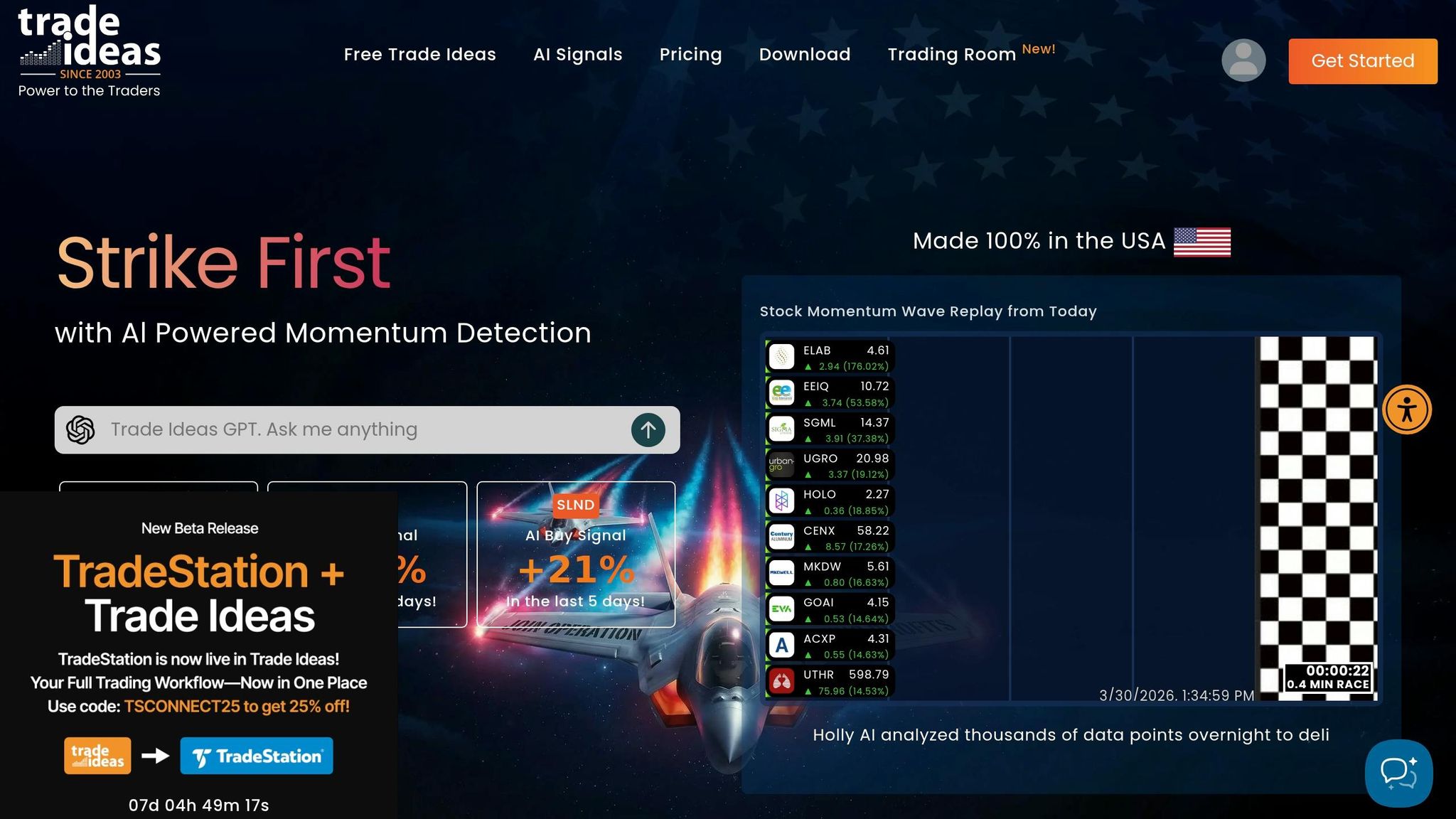
Holly AI selects strategies after overnight backtesting and optimization, then displays entry and exit ideas during the trading day. This differs from asking a coding agent to implement your own rules. Traders should evaluate the selected strategies and execution assumptions rather than treat the AI label as evidence of an edge.
Another notable feature is TI Wave, which overlays buy and sell signals directly on charts. It also leans heavily into intraday scanning and momentum workflows, which makes the platform particularly attractive to traders focused on U.S. equities. If your style depends on quick decision-making and market breadth rather than building custom indicators from scratch, Trade Ideas has a clear niche.
Backtesting Capabilities
OddsMaker provides event-based, no-code backtesting of scanner conditions across stocks or selected watchlists. Its reported outputs include profit factor, win rate, maximum drawdown, equity curves, and trade breakdowns. This is a distinct research workflow, not merely a paper-trading simulator.
Before choosing it for a research project, check the available test dates, supported events, session treatment, and execution assumptions. Its scanner-based design differs from writing an unrestricted custom strategy. Historical coverage alone does not determine test quality, and no comparative accuracy benchmark was performed for this article.
Pricing and Accessibility
The official pricing comparison separates Standard scanning and paper-trading features from Premium AI signals and backtesting. Compare monthly billing with the annual total and confirm the specific tools you need. An annual-equivalent monthly price is not the same as a month-to-month subscription.
Trade Ideas Pro is a Windows desktop application. The vendor lists Parallels or a cloud Windows environment for Mac users, and also links to web access. Check feature availability in the version you intend to use rather than assuming desktop and web parity. Broker connections are a separate consideration when moving from research to execution.
3. MetaTrader 5
AI-Powered Features
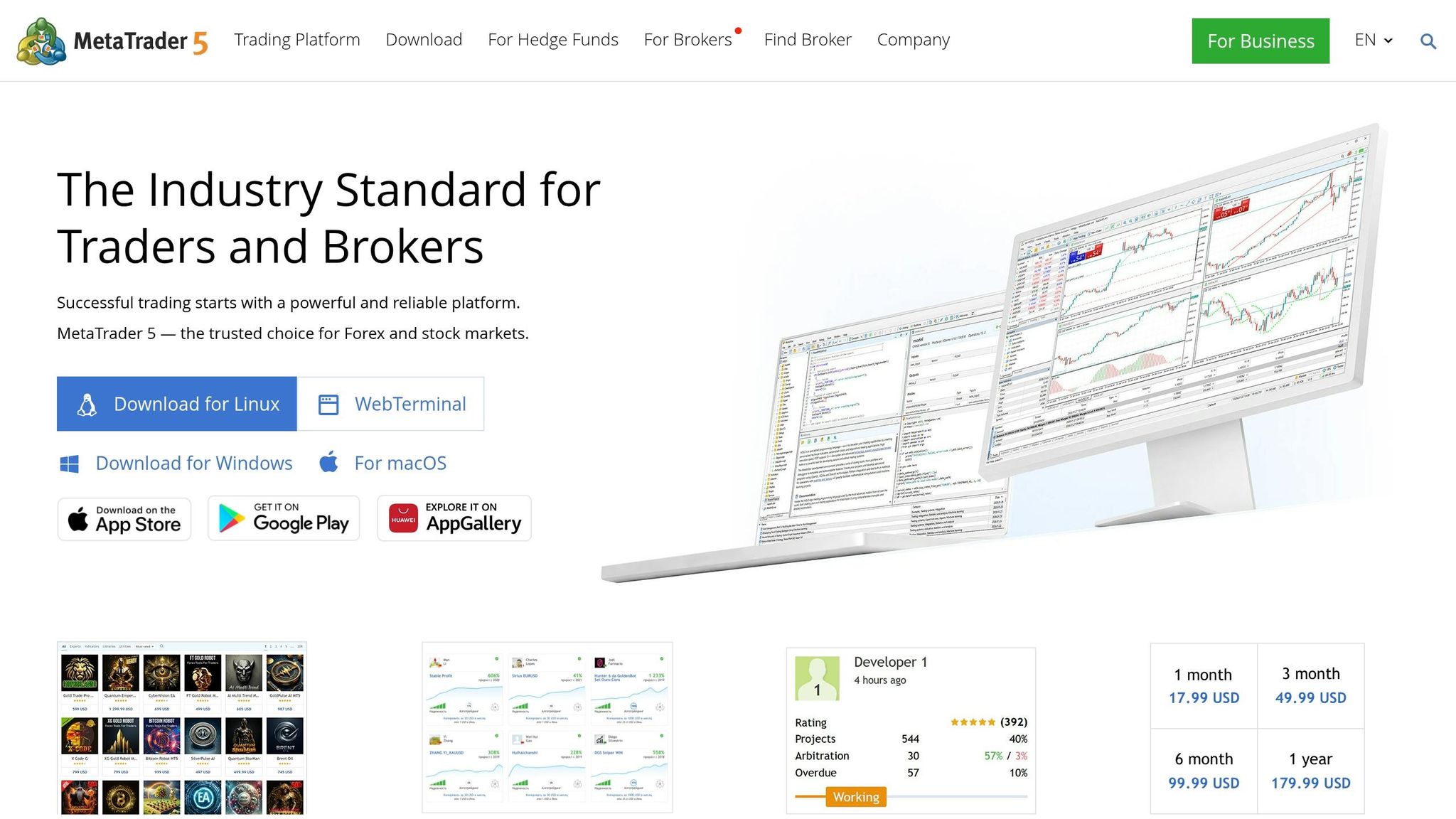
MetaTrader 5 combines MQL5 Expert Advisor development with an increasingly capable AI Assistant. Build 6180, released September 3, 2026, expands AI access to tester reports, optimization, settings, and logs. This updates the older picture of MT5 as a purely manual coding environment. Availability depends on the installed version and AI configuration.
When paired with the MQL5 Cloud Network, MetaTrader 5 can distribute heavy optimization tasks across a large network of remote agents. That makes it attractive for systematic traders who want to test many parameter combinations quickly, especially in forex and CFD environments where MT5 remains widely used.
Backtesting Capabilities
MetaTrader 5’s main edge is its advanced Strategy Tester. It supports multiple testing modes, multi-currency strategy testing, forward testing, and optimization workflows that appeal to traders who care about precision and control. For the highest-fidelity testing, MetaTrader 5 also supports “Every tick based on real ticks” mode when the underlying data is available.
Tester modes, data quality, spreads, costs, and order assumptions still need careful configuration. Real-tick data can improve how historical paths are represented, but it does not guarantee the most accurate result or reproduce every live execution condition. AI assistance does not remove the need to understand and maintain the Expert Advisor.
Pricing and Accessibility
MetaTrader 5 is typically free to download through brokers, which keeps the base platform cost low. However, the broader MQL5 ecosystem can add expenses through paid indicators, Expert Advisors, VPS services, or marketplace tools. In other words, the software itself may be free, but serious automation workflows can still become expensive depending on what you add.
MT5 suits users whose workflow depends on its Expert Advisor, tester, and broker ecosystem. Include AI-provider charges, data access, and hosting in the cost comparison when relevant; confirm which features are available in the specific terminal and account you use.
Advantages and Limitations of Each Platform
Each platform has a distinct use case, so the best choice depends on whether you value ease of use, live market scanning, or technical depth.
LuxAlgo suits chart-based development: Quant helps express a custom rule set in Pine Script®, and native backtesting makes it possible to inspect the result in the same workspace. Its limits include available market data, history, plan capacity, and the need to review generated code.
Trade Ideas connects stock scanning with event-based testing through OddsMaker. It is a practical candidate when research begins with alerts and filters across a stock universe. Check whether its available data period and supported rules cover your project.
MetaTrader 5 provides Expert Advisor development, configurable tester modes, optimization, and AI assistance in current desktop versions. It suits work tied to supporting brokers and the MQL5 ecosystem. The trade-off is responsibility for configuring, inspecting, and maintaining the system.
Here’s a quick summary of the trade-offs:
| Evaluation task | LuxAlgo | Trade Ideas | MetaTrader 5 |
|---|---|---|---|
| Build one baseline | Ask Quant for explicit rules; inspect script and trades | Configure scanner conditions and test them in OddsMaker | Build or adapt an Expert Advisor and inspect its tester results |
| Change one variable | Compare saved native runs with fixed assumptions | Compare a supported filter change against the original setup | Compare parameters using a fixed tester configuration |
| Check execution | Validate any external alert-to-broker workflow separately | Test simulation and supported broker connections | Test the EA in the target broker’s demo environment |
Ultimately, the right platform comes down to your level of expertise, preferred market, and whether you prioritize coding flexibility, live scanning, or speed from idea to backtest.
Conclusion
Choose the AI trading platform that matches the way you actually work.
LuxAlgo is a candidate when you want to move from a chart idea to a custom strategy in one native workspace. Use Quant to build and inspect the rules, then compare controlled backtests.
Trade Ideas is better suited to active stock traders who want AI-assisted scanning, curated opportunities, and intraday decision support.
MetaTrader 5 remains a strong option for advanced users, including developers and systematic forex traders, who want detailed backtesting control and are comfortable working in MQL5.
Each platform serves a different trading need. Aligning the software with your market, workflow, and technical skill level matters more than choosing the platform with the longest feature list.
FAQs
How do I choose the right AI trading tool for my style?
Start with the task: custom chart-based strategy development in LuxAlgo, stock-scanner research in Trade Ideas, or MQL5 Expert Advisors and broker-connected testing in MetaTrader 5. Check the data, supported rules, costs, and execution workflow you need. Current AI assistance can reduce coding effort, but generated or selected strategies still require review and testing.
What backtesting metrics matter most before going live?
Before deploying a strategy, pay close attention to net profit, maximum drawdown, profit factor, win rate, and risk-adjusted performance measures such as the Sharpe ratio. No single metric tells the whole story, so the goal is to judge whether the strategy is both profitable and stable across different conditions.
You should also review how sensitive the strategy is to parameter changes, because unstable results often point to overfitting rather than genuine robustness.
How can I avoid overfitting when optimizing a strategy?
Use out-of-sample testing, forward testing, and realistic assumptions for slippage, spreads, and transaction costs. It also helps to keep strategy logic as simple as possible and test it across multiple market regimes instead of optimizing only for one narrow historical period.
If you build strategies in Pine Script®, tools like Quant can help you iterate on Pine Script® logic more quickly, but the final test is still whether the strategy remains consistent once conditions change.
References
LuxAlgo Resources
- LuxAlgo
- Backtesting with Quant
- LuxAlgo Quant
- Quant Documentation
- LuxAlgo Pricing
- Stress Testing for Trading Strategies
External Resources
Read next