Relative Momentum Index
 By LuxAlgoJun 15, 2026
Relative Momentum Index is an indicator on Vela, our next-generation charting platform, written in Pine Script®.
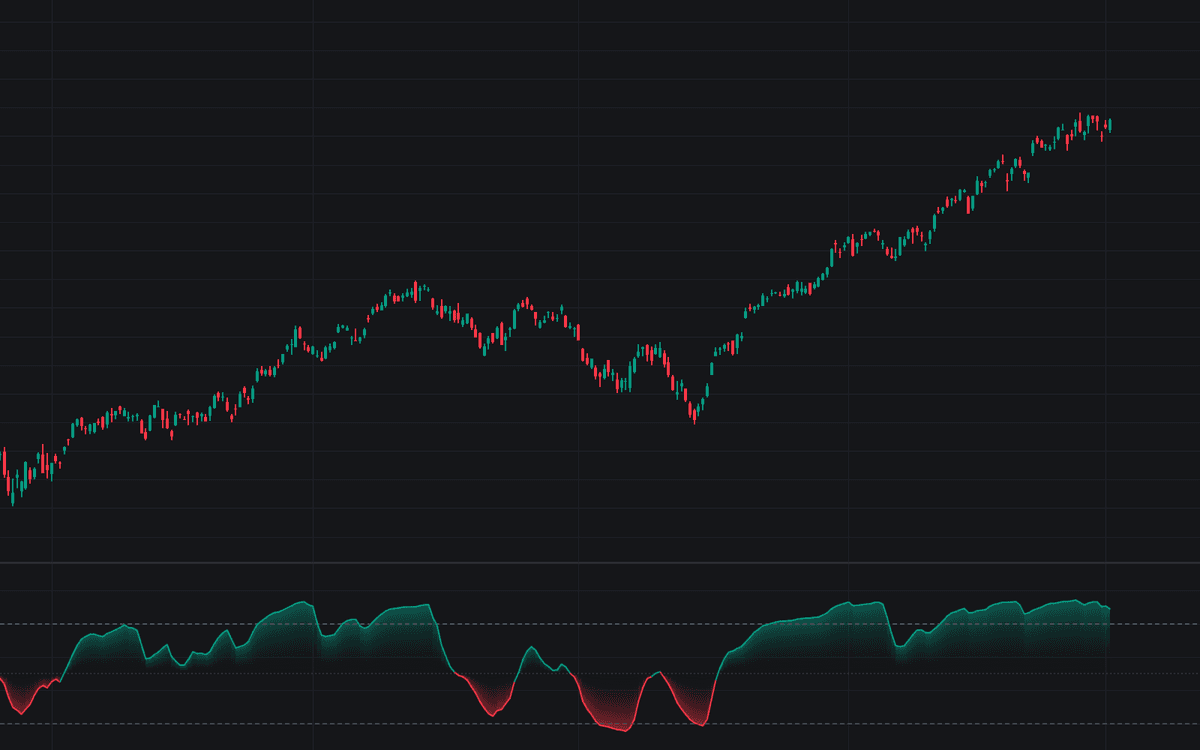

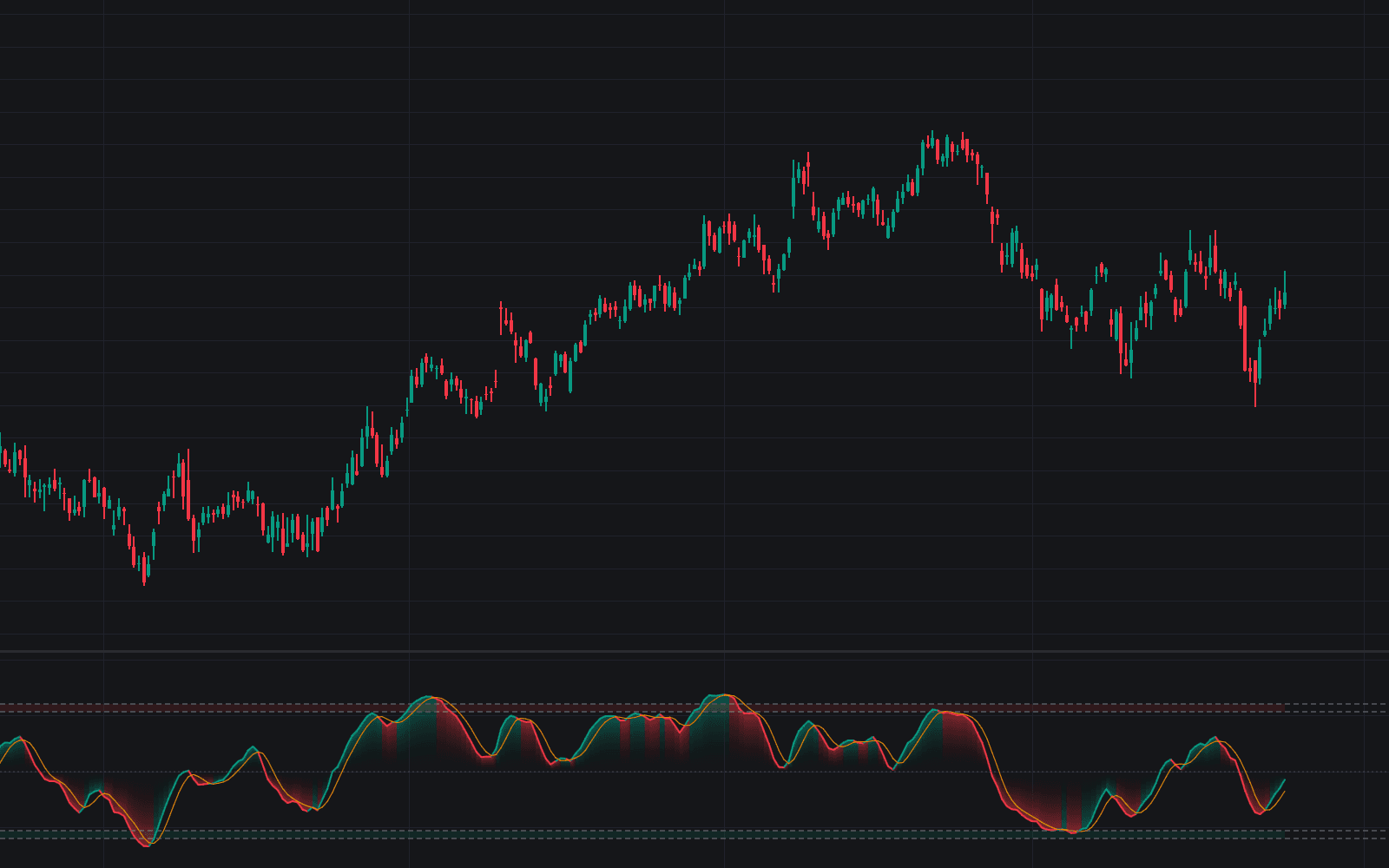
Relative Momentum Index measures each up and down change against the close 5 bars back rather than between consecutive bars, then applies the same Wilder smoothing and 0-100 scaling RSI uses. This is the definitive clean implementation of the Relative Momentum Index: the multi-bar momentum step widens the line's swings, so the build ships with 80/20 bands rather than the 70/30 convention, colors the line around its 50 midline, and anchors a gradient fill to the center of the range.
How to Trade the Relative Momentum Index?
- Zone exits: the cross back below 80 or back above 20 is the classic threshold timing event; optional circles tag those bars.
- Midline crosses: above 50 the smoothed multi-bar pressure is net bullish, below 50 net bearish, a simple bias read between extremes.
- Extreme readings: RMI reaches its bands more readily than a bar-to-bar oscillator, so treat a pinned reading as trend strength to monitor rather than an automatic fade.
Six alerts mirror the pane exactly (entries into and exits out of both zones, plus both midline crosses), alongside the rest of the momentum family.
Relative Momentum Index Settings
- Momentum Length (default 5): bars back each change is measured against. A step of 1 collapses the index into RSI; larger steps smooth further and add lag.
- Smoothing Length (default 14): Wilder smoothing applied to the up and down components before scaling.
- Source (default close): price series the changes are measured on.
- Overbought (default 80) and Oversold (default 20): zone thresholds. Calibrate them to the instrument.
- Show Zone Exit Markers (default disabled): circles on threshold exits; remaining Style inputs set colors.
Frequently Asked Questions
Free to use
Run it on Vela. Go further with a paid plan.
- Up to 500 Custom Alerts, with webhook automation
- Up to 10× the chart history of Free
- Orderflow lookback up to full history
- More Quant usage to customize it, plus extra usage when you need it
- Futures data alongside crypto, stocks, forex and commodities

Related indicators
Run it on Vela. Make it yours with Quant.
Open this indicator free on Vela, our next-generation charting platform. Then ask Quant, our coding agent built into Vela, to retune it or turn it into a backtested strategy of your own.