All indicators

Birdies

By LuxAlgoSep 19, 2024

Static chart image
Support and ResistanceForecastingPatterns

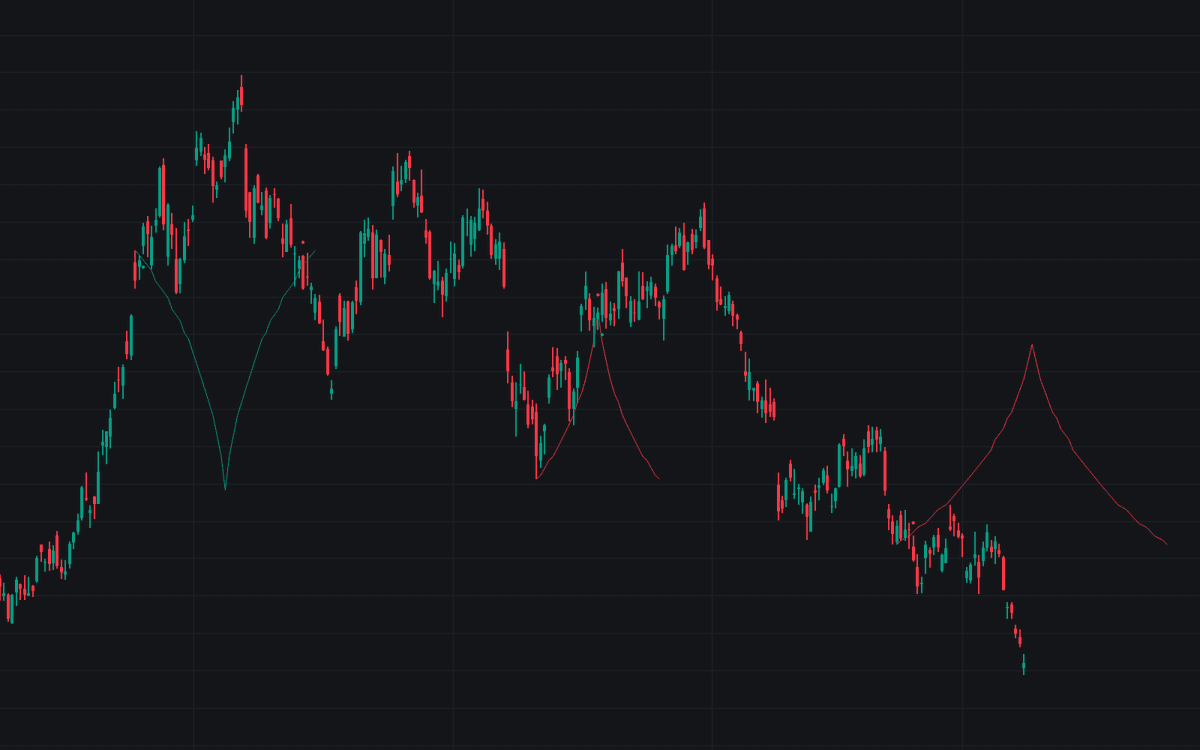
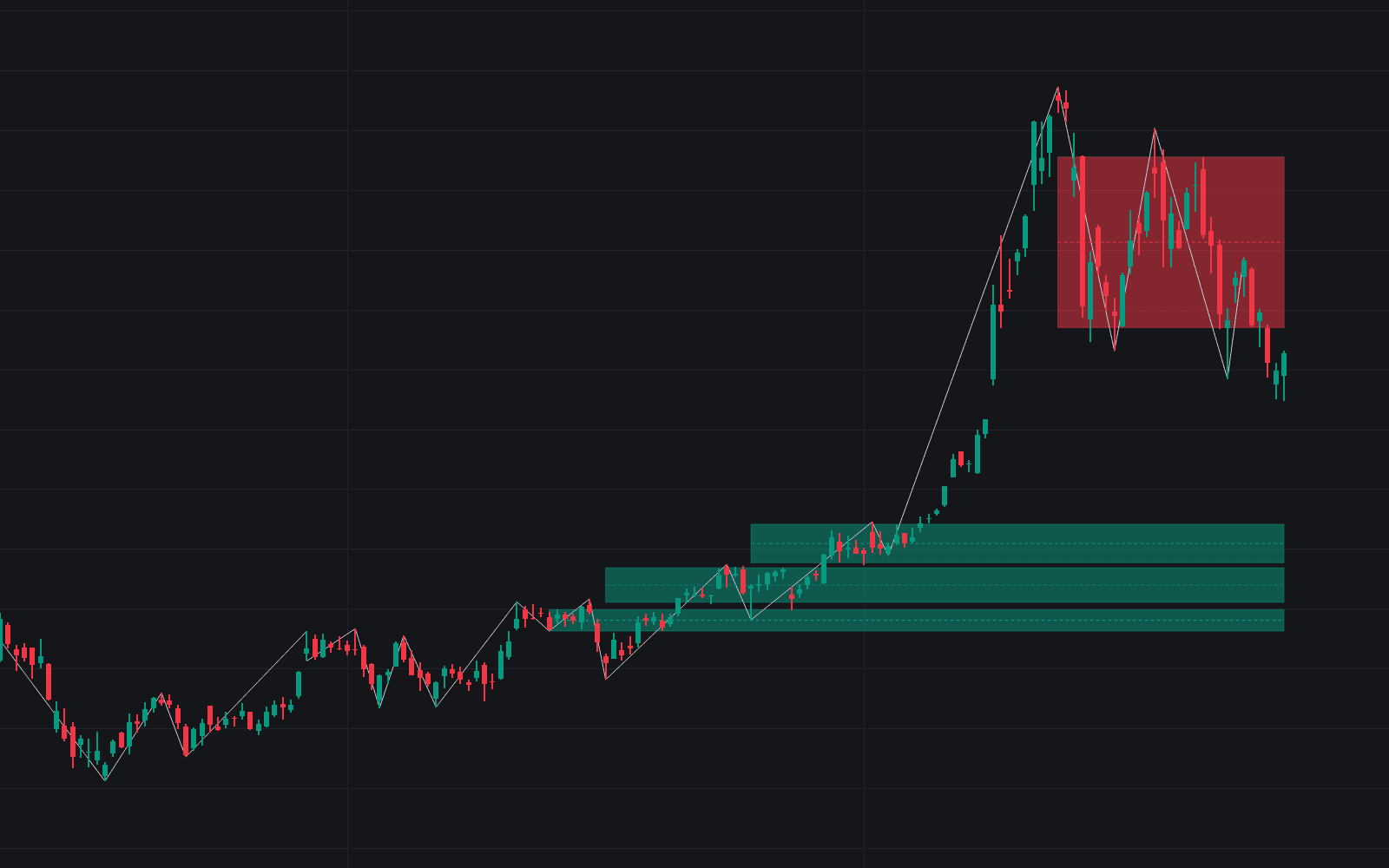
The Birdies indicator offers a groundbreaking technique for deriving support and resistance curves, forming these curves based on a circle that links the most recent swing high and low points. This innovative approach produces a specific, customizable curve segment that acts as a crucial trigger, issuing visual breakout signals at pivotal moments.

How to Trade the Birdies Indicator?

Birdies Indicator

When the script detects a valid swing point, it projects a pattern resembling a bird, hence the name "Birdies." With numerous customization settings, this indicator suits various trading strategies, offering traders flexibility and focus.

Identifying Trends & Support/Resistance Levels

Indicator Trend Tool

The Birdies indicator's color fill patterns and wing boundaries are critical for understanding market trends and pinpointing potential support/resistance zones. As illustrated, these "Birdies" align precisely with pullback areas and key support/resistance levels, offering insightful decision-making data.

Support Resistance Example

Swing Length & Fine-Tuning with Buffer

Swing Length Adjustment

This indicator allows for adjustment in Swing Length, where higher settings provide more extended Swing Levels. Traders can customize and refine the indicator’s behavior using specific filters found under "Settings" – "Validation."

Swing and Buffer Validation

To prevent unnecessary noise on your charts, the Birdies indicator includes three essential filters:

  • Minimum X-Distance: Specifies the minimal number of bars required between each Swing.
  • Minimum Y-Distance: Sets the least bar requirement between consecutive Swings.
  • Buffer (Multiple of ATR): Establish a buffer zone to minimize false signals.

Swing Validation

These settings work together, creating a zone in which a new Swing can only be deemed valid when outside the defined parameters. For instance, a Swing High may only be accepted once a certain number of bars have elapsed, with the difference between it and its predecessor exceeding the ATR multiplied by the "Minimum Y-Distance."

Buffer Usage

The buffer aspect draws a line above/below the "Birdy," based on the ATR measurement at formation, ensuring only valid signals pass this buffer threshold to deliver cleaner data for making trades.

Delving into Birdies Technical Details

Birdies Technicals

At its core, Birdies are formed from a circle that fits between two Swing points. The left-wing curve extends from the newest "Swing point" to the very last point on the circle before crossing its core line, while the right wing mirrors this formation.

Origine Option

Activating the "Origine" setting will render a line connecting the initial and most recent Swing, adding further visual clarity.

Birdies Visualization Style Options

Within the Birdies indicator, traders can choose between different visualization styles:

  • Birdy: Displays a bird-reminiscent shape that helps visualize connections between the last Swing High and Low.

Birdy Style

  • Combined Wingtips: Extends the first option by connecting wingtip ends, establishing horizontal interest levels.

Should you decide to minimize visual clutter, you can set "Birdy" to "None"—shift focus to fill colors to identify trend shifts.

Color Fill Option

  • Left Wing: Displays only the left half of the pattern, providing alternative breakout signal interpretations.

Customizing the Indicator Settings

  • Swing Length: Determine the observation period for swing determinations—longer settings equate to longer-term Swing Levels.

Validating Swings

  • Minimum X-Distance: The least bar count between Swings.
  • Minimum Y-Distance: Minimal required bars separating Swings.
  • Buffer (ATR Multiplier): Designate additional price room for valid signals.

Indicators Styling Options

  • Bullish/Bearish Patterns: Toggle visibility and colors.
  • Buffer Zone: Enable or adjust display colors.
  • Color Fill: Show or exclude fill between Birdies if applicable.
  • Origine Line: Display or hide the line connecting Swing Points.

Computational Enhancements

  • Calculated Bars: Adjust to evaluate fewer bars, optimizing performance or processing speed, if needed.

FAQ

What is the Birdies indicator? The Birdies indicator identifies market trends and support/resistance zones through patterns shaped like birds, relying on swing highs and lows.

How can I access the Birdies indicator? You can get access on the LuxAlgo Library for charting platforms like TradingView, MetaTrader (MT4/MT5), and NinjaTrader for free.

Can I customize the Birdies indicator settings? Yes, multiple settings including style, swing length, and buffer validation can be customized to fit your specific trading strategy.

Free indicator

Get free access to this indicator on the platforms below.

TradingView
NinjaTrader
MetaTrader 4/5

Unlock the entire LuxAlgo Library

Every indicator, every strategy, full charts, and complete access to Quant — our AI agent.