Buyside & Sellside Liquidity
 By LuxAlgoMay 25, 2023
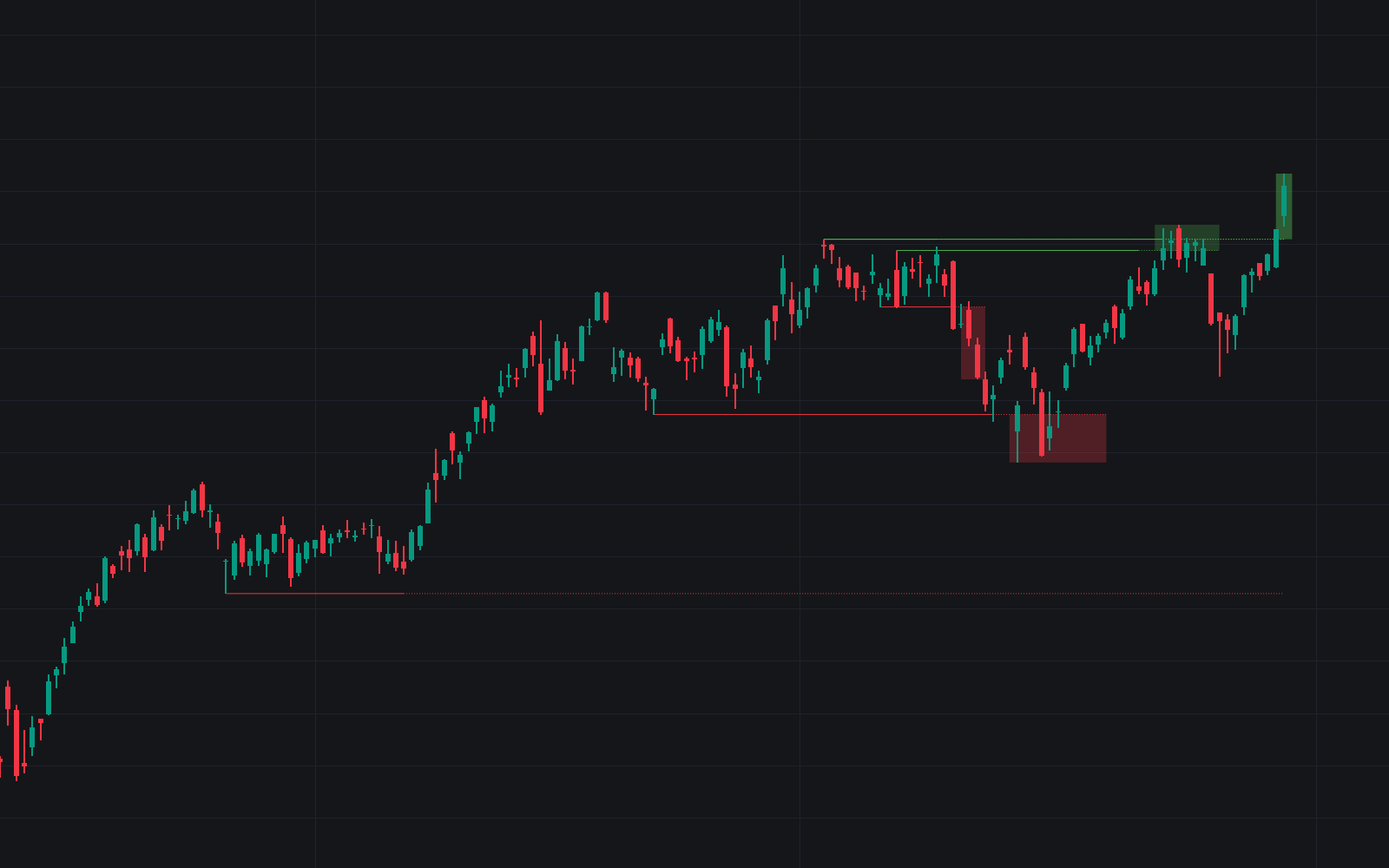

Buyside & Sellside Liquidity maps the resting-order geography at the heart of ICT trading: buy-side liquidity pooled above prior highs where short sellers' stops accumulate, and sell-side liquidity beneath prior lows where long stops rest. The indicator marks these levels, shades configurable zones around them, and detects liquidity voids: stretches price leapt through on large-bodied candles with minimal wicks, which tend to get filled eventually.
How to Trade the Buyside & Sellside Liquidity?
- Reversal at liquidity: price reaching a level often takes the resting orders and retreats toward the opposite extreme, the sweep-and-fade read.
- Continuation on breach: once a zone is decisively traded through, the market may keep running in the breakout's direction.
- Voids as magnets: bullish and bearish voids mark one-sided displacement, and a return to fill them is a common target idea.
- Alerts: notifications for new or adjusted levels and for breaches keep the map working while you are away.
These readings follow ICT concepts by Michael J. Huddleston, which do not always coincide with other methodologies. Treat the levels as context feeding your own execution rules.
Buyside & Sellside Liquidity Settings
- Detection Length: the lookback used to qualify liquidity levels.
- Margin: controls detection sensitivity.
- Buyside / Sellside Liquidity Zones: zone display with adjustable margins and colors for each side.
- Mode: Present covers the last 500 bars, Historical processes all available data.
- Visible Levels: caps how many levels and zones remain on the chart.
Frequently Asked Questions
Free indicator
Get free access to this indicator on the platforms below.

The Library is free. Quant makes it yours.
Pull any concept or indicator into Quant: rebuild it, retune it, or turn it into a backtested strategy of your own.