Candle 2 Closure
 By LuxAlgoDec 24, 2025
Candle 2 Closure is an indicator on Vela, our next-generation charting platform, written in Pine Script®.
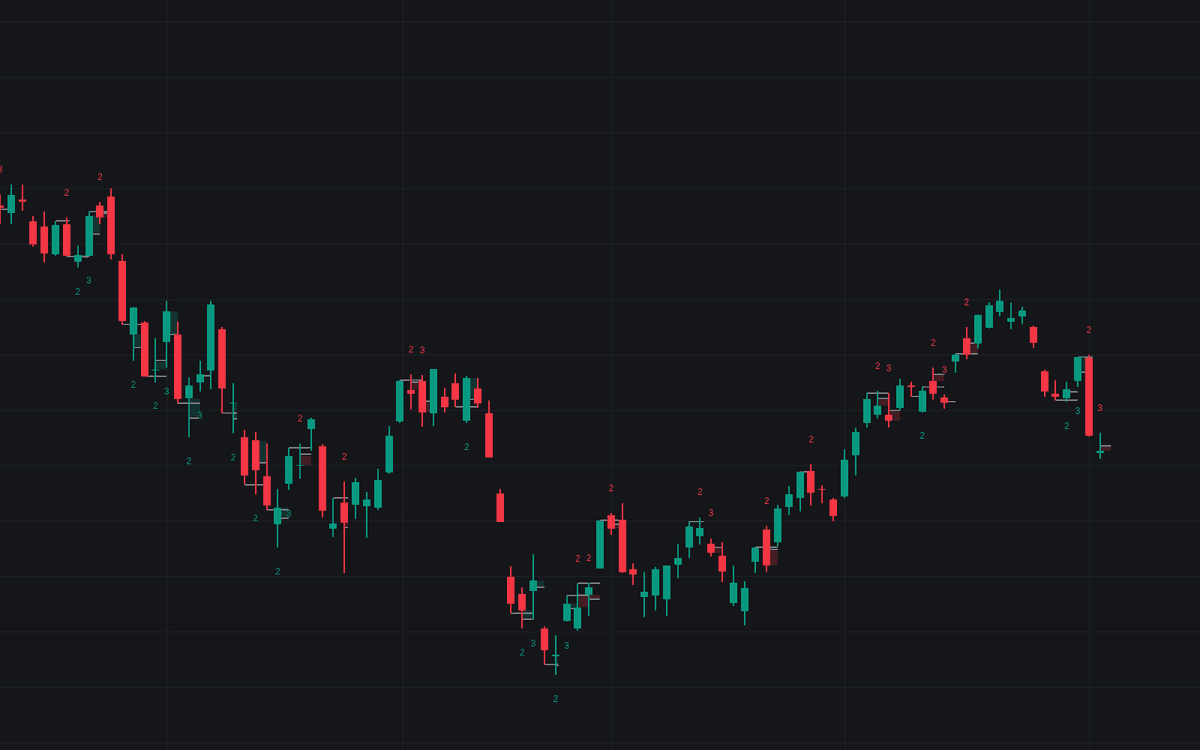

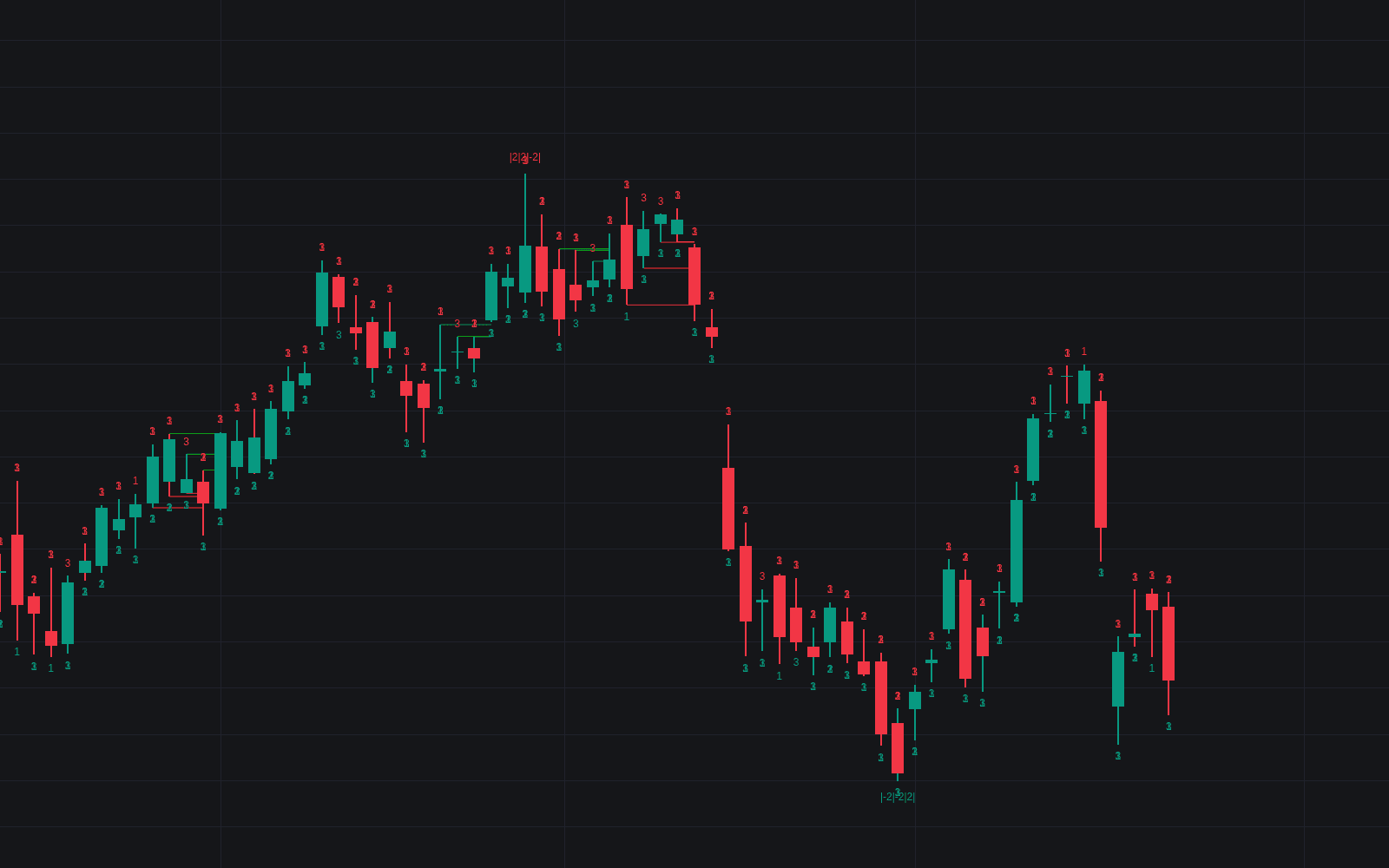
Candle 2 Closure codifies a failed-expansion reversal from the TTrades Fractal framework into a four-candle sequence any chart can run. Price trades outside the previous candle's range but cannot hold the break, closing back inside it: kin to the classic two-bar reversal, but demanding confirmation before a setup completes. Key levels, equilibrium zones, and real-time alerts wrap the pattern into a structured workflow for discretionary and systematic traders alike.
How to Trade the Candle 2 Closure?
- Candle 1 (Context): price trades into a significant area: a key high, low, or range extreme built over many bars.
- Candle 2 (Reversal): trades outside Candle 1's range but closes back inside it; the failed breakout is the signal's core.
- Candle 3 (Expansion): closes outside Candle 2's range in the reversal's direction, confirming momentum behind the turn.
- Candle 4 (Continuation): follow-through that completes the pattern and reinforces the directional bias.
In high-quality setups, subsequent highs or lows often form inside the equilibrium zones drawn from Candles 2 and 3, the areas where price found acceptance before expanding. Alerts fire as Candle 2 and Candle 3 conditions confirm, so the sequence can be traded without staring at the chart.
Candle 2 Closure Settings
- Candle 2 (Reversal): toggle reversal detection.
- Candle 3 (Expansion): toggle expansion confirmation.
- Reversals Filter: only accept reversals at the highest or lowest point of the last N bars. Longer lookbacks drop minor turns.
- Wick Threshold %: when a wick exceeds this share of the bar's range, the equilibrium zone is computed from the wick alone.
- Style & Alerts: bullish and bearish colors, transparency, key level and zone toggles, plus separate alert switches for Candle 2 and Candle 3.
Frequently Asked Questions
Free to use
Run it on Vela. Go further with a paid plan.
- Up to 500 strategy alerts, with webhook automation
- Up to 10× the chart history of Free
- Orderflow lookback up to full history
- More Quant usage to customize it, plus extra usage when you need it
- Futures data alongside crypto, stocks, forex and commodities
Also works on

Related indicators
Run it on Vela. Make it yours with Quant.
Open this indicator free on Vela, our next-generation charting platform. Then ask Quant, our coding agent built into Vela, to retune it or turn it into a backtested strategy of your own.