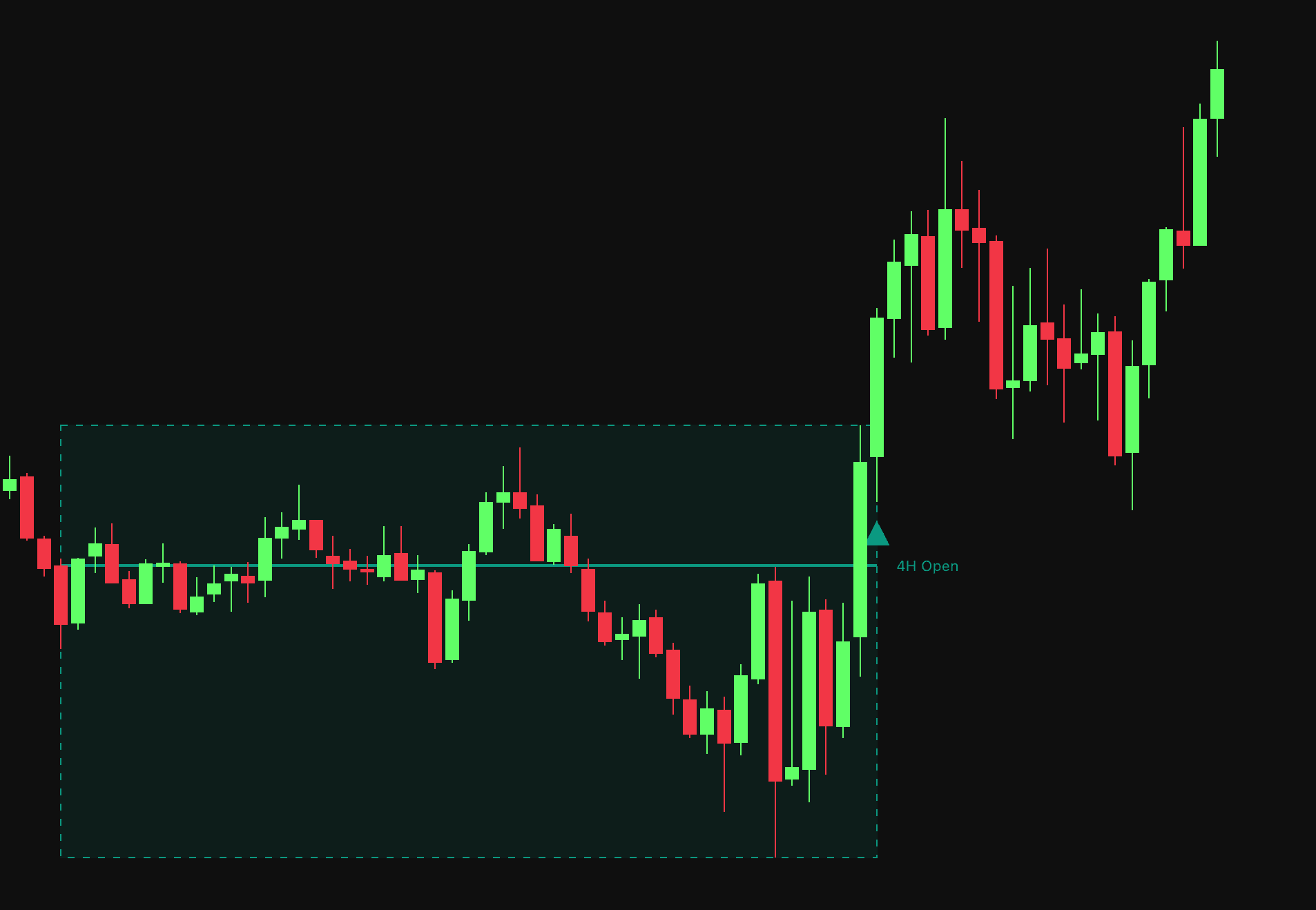
HTF Candle Dynamics

Feb 19, 2026

Static chart image
Dynamic Overlays
Time Based
Dashboard
Volatility
Works on the following platforms:
tradingviewSymbolTradingView
For free use on the TradingView platform
ninjatraderNinjaTrader
For free use on the NinjaTrader platform
metatrader4MetaTrader 4/5
For free use on the MetaTrader 4/5 platform
thinkorswimThinkorswim
For free use on the Thinkorswim platform

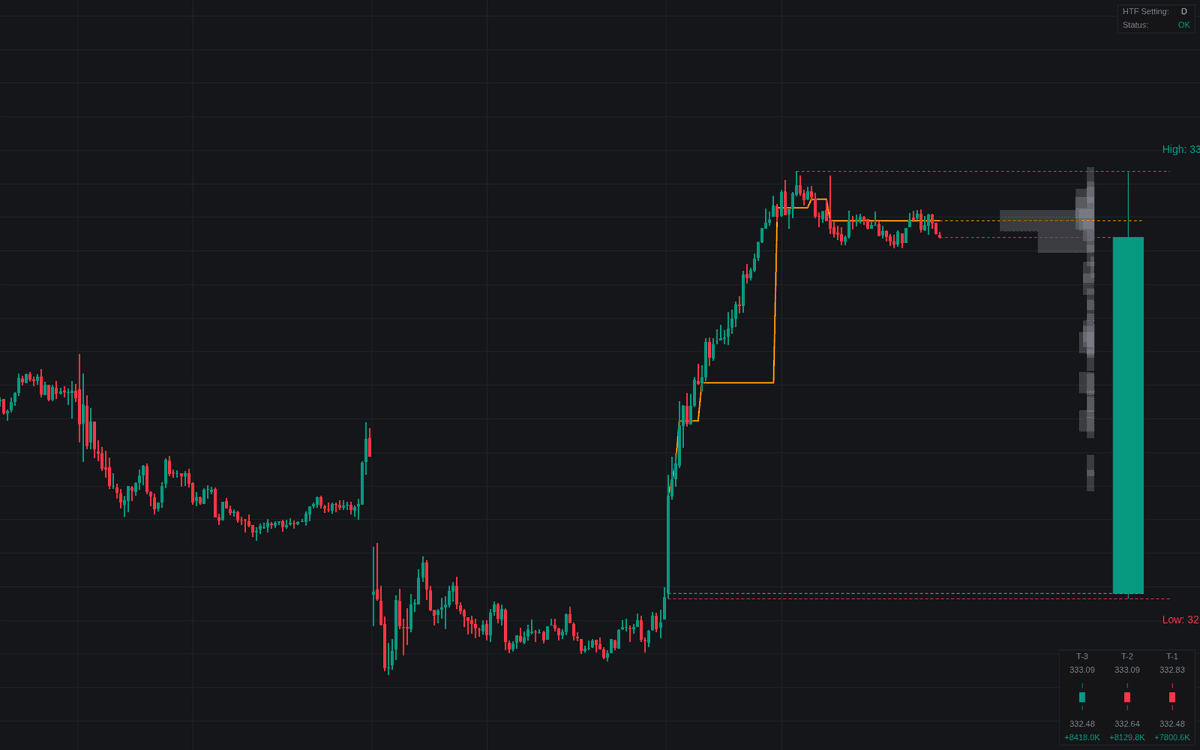
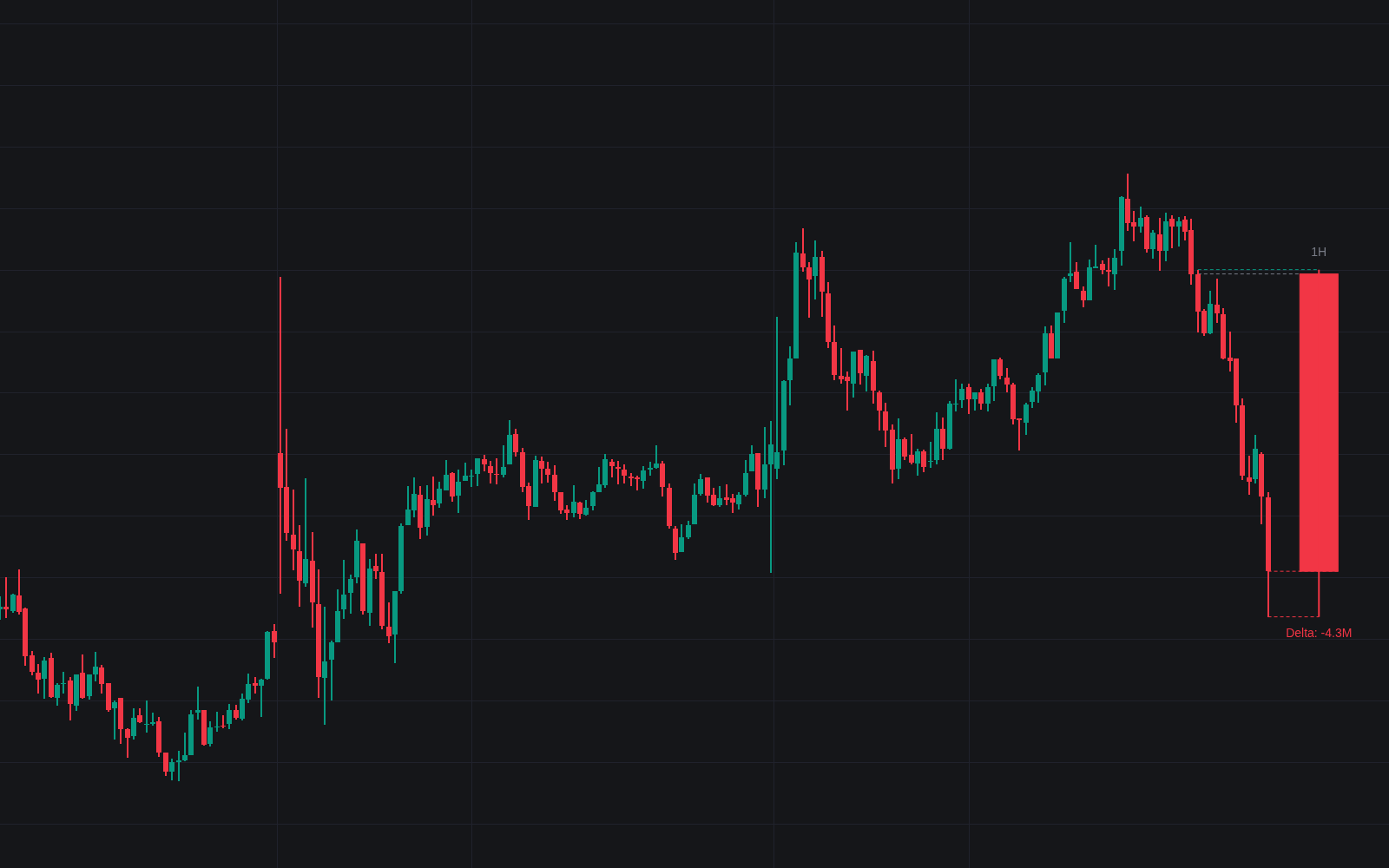
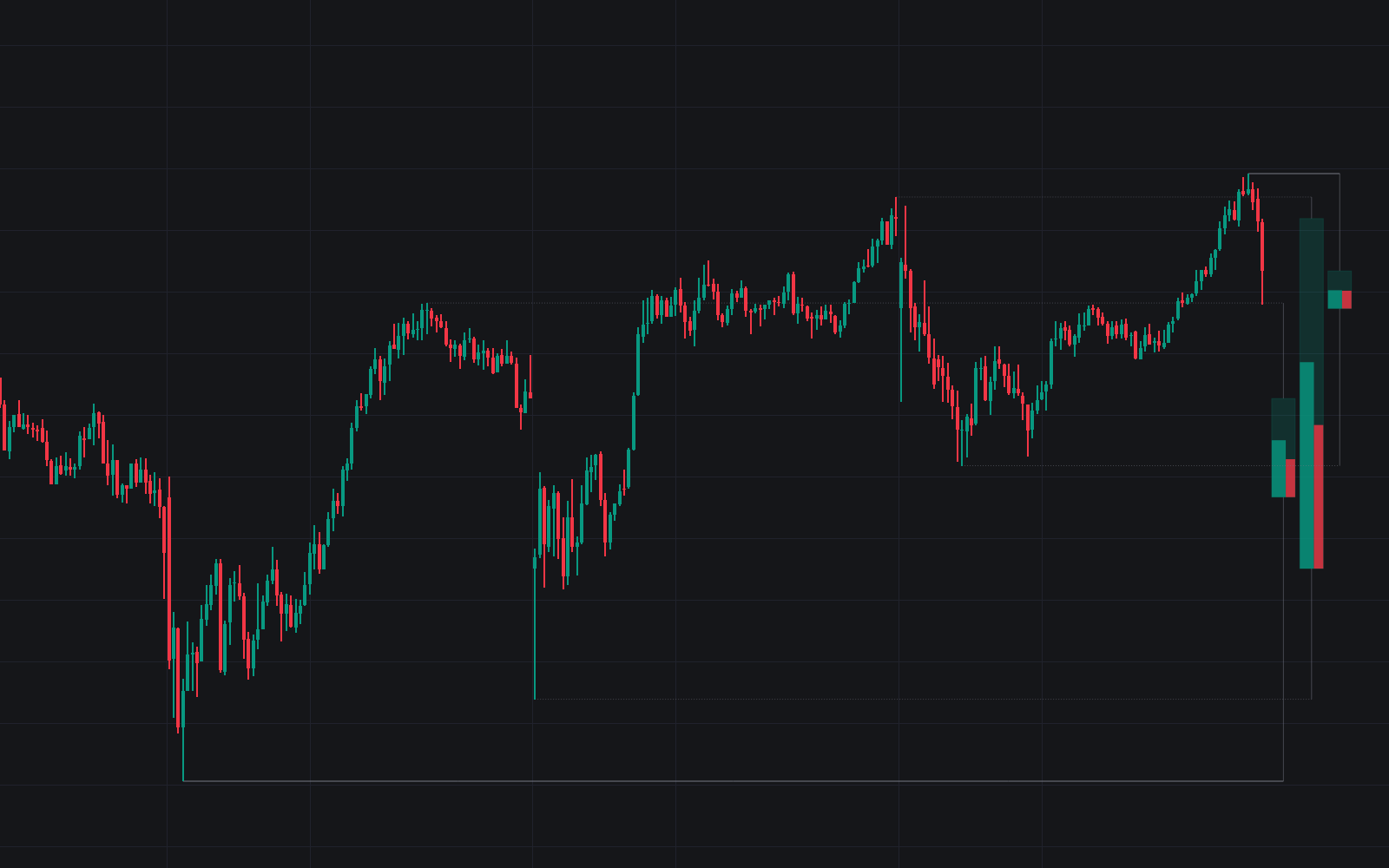
The HTF Candle Dynamics indicator provides traders with a comprehensive view of Higher Timeframe (HTF) price action and volume distribution directly on their lower timeframe charts. By projecting the current developing HTF candle and its internal volume characteristics to the right of the price, users can maintain high-level context without switching tabs.

Note: Ensure the chart timeframe is lower than the selected HTF setting for the indicator to function correctly.

USAGE

This tool is designed to bridge the gap between execution timeframes and higher-level market structures. It is particularly useful for scalpers and day traders who need to stay aware of Daily or Weekly levels while trading on 1-minute or 5-minute charts.

HTF Candle Projection

Visualizes the current HTF period (e.g., Daily, Weekly) as a dynamic candle on the right side of the chart. It includes projections for the HTF Open, High, Low, and Close levels. These levels often act as significant psychological barriers where price might find support or resistance.

Intraday Volume Profile

Generates a volume profile specifically for the current HTF period. This allows traders to see where the most volume is being transacted within the developing candle. Identifying "High Volume Nodes" within the current HTF candle can signal where institutional interest is concentrated.

Dynamic POC Tracking

A polyline tracks the movement of the Point of Control (POC) throughout the HTF period, showing how the most traded price level has shifted over time. If the POC is trending upward alongside price, it confirms a healthy bullish trend; if price moves away from a static POC, it might indicate a potential mean reversion back to that high-volume level.

How to Use

Traders can utilize this indicator to align their intraday trades with the broader market direction:

  • Identifying Value: Use the Intraday Volume Profile to spot the Point of Control. If the price is trading above the POC, the market is currently in a premium zone for that HTF. If it is below, it may be considered "discounted" relative to the volume transacted so far.
  • Breakout Confirmation: When price breaks the High or Low of the projected HTF candle, traders look for volume expansion within the profile to confirm if the breakout has significant participation.
  • Mean Reversion: The Dynamic POC line acts as a magnet. If price overextends significantly from the POC line, traders often look for signs of exhaustion to play a move back toward the high-volume area.

DETAILS

The indicator uses security calls to fetch historical HTF data while calculating the current developing period in real-time. A dedicated status table ensures the selected HTF is valid relative to the chart timeframe to prevent calculation errors.

History Dashboard

The dashboard provides a statistical breakdown of the previous three HTF candles (T-1, T-2, T-3). This is crucial for "Contextual Trading." By seeing the OHLC values and Volume Delta of the previous periods, you can determine if the market is experiencing "Expansion" (increasing volume and candle size) or "Contraction" (decreasing volume and tighter ranges).

Volume Delta

The Volume Delta shown in the history dashboard is an approximation calculated by summing volume based on the direction of individual intraday candles.

SETTINGS

  • HTF Setting: Defines the timeframe for the candle projection and volume profile (default is "D").
  • Right Offset: Adjusts the horizontal position of the projected candle and labels to avoid overlapping with price.
  • Visuals: Full control over bullish/bearish colors, POC lines, and projection offsets.
  • Volume Profile: Toggle the profile visibility and customize the number of rows or the maximum width of the bars.
  • History Dashboard: Toggle the history dashboard and adjust its position (Top Right, Bottom Right, etc.) or size.

Trading & investing are risky and many will lose money in connection with trading and investing activities. All content on this site is not intended to, and should not be, construed as financial advice. Decisions to buy, sell, hold or trade in securities, commodities and other investments involve risk and are best made based on the advice of qualified financial professionals. Past performance does not guarantee future results.

Hypothetical or Simulated performance results have certain limitations. Unlike an actual performance record, simulated results do not represent actual trading. Also, since the trades have not been executed, the results may have under-or-over compensated for the impact, if any, of certain market factors, including, but not limited to, lack of liquidity. Simulated trading programs in general are designed with the benefit of hindsight, and are based on historical information. No representation is being made that any account will or is likely to achieve profit or losses similar to those shown.

Testimonials appearing on this website may not be representative of other clients or customers and is not a guarantee of future performance or success.

As a provider of technical analysis tools and strategies, we do not have access to the personal trading accounts or brokerage statements of our customers. As a result, we have no reason to believe our customers perform better or worse than traders as a whole based on any content, tool, or platform feature we provide.

Charts used on this site are by TradingView in which the majority of our technical indicators are built on. TradingView® is a registered trademark of TradingView, Inc. www.TradingView.comTradingView® has no affiliation with the owner, developer, or provider of the Services described herein.

Market data is provided by CBOE, CME Group, BarChart, CoinAPI. CBOE BZX real-time US equities data is licensed from CBOE and provided through BarChart. Real-time futures data is licensed from CME Group and provided through BarChart. Select cryptocurrency data, including major coins, is provided through CoinAPI. All data is provided “as is” and should be verified independently for trading purposes.

This does not represent our full Disclaimer. Please read our full disclaimer.

© 2026 LuxAlgo Global, LLC.