Machine Learning Regression Trend
 By LuxAlgoAug 23, 2023
Machine Learning Regression Trend is an indicator on Vela, our next-generation charting platform, written in Pine Script®.
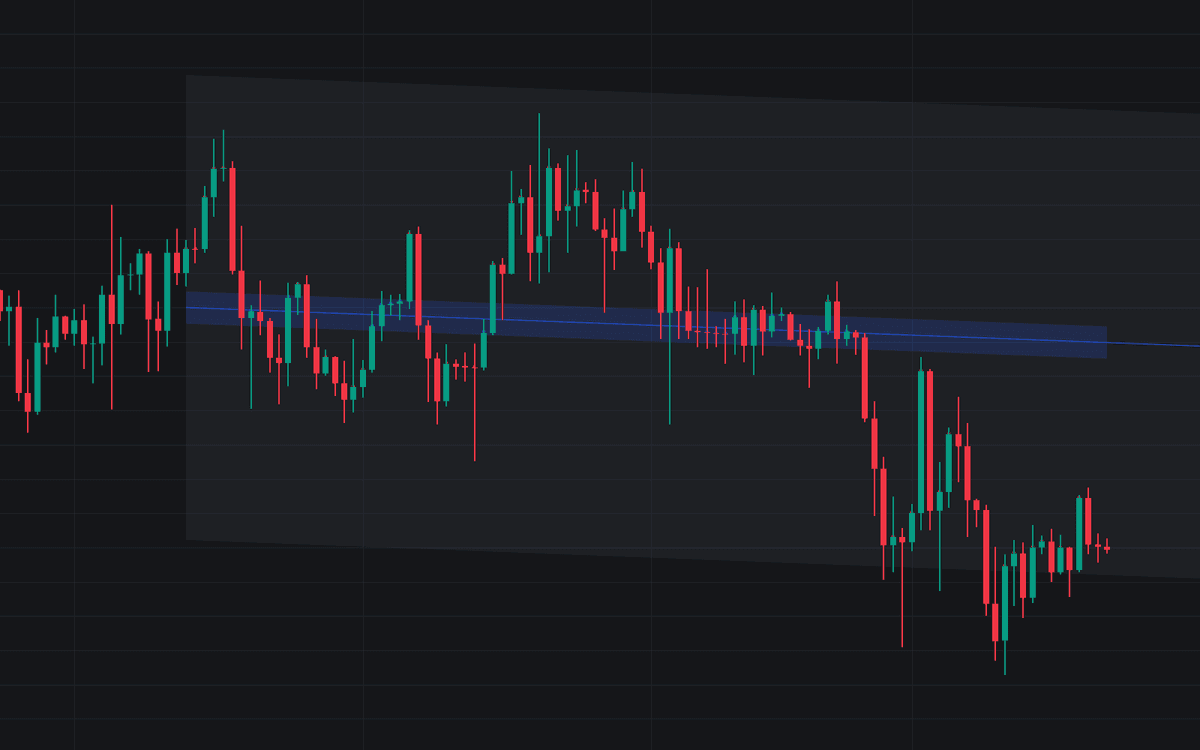

Machine Learning Regression Trend fits a linear regression channel the robust way: a RANSAC routine repeatedly samples the data, fits candidate lines, and keeps the model with the most inliers, so volatile spikes cannot drag the trend around. You get the familiar channel (support and resistance plus a forward projection) centered on a line fitted only to the observations that genuinely agree on a trend.
RANSAC works iteratively: select two random samples, fit a line, count how many points fall within the allowed error, save the model if inliers beat the threshold, and repeat until the iteration budget is spent. That inlier-first logic makes it deliberately conservative next to a plain least-squares fit that weighs every bar equally.
How to Trade the Machine Learning Regression Trend?
- Channel rails: use the fitted channel as support and resistance, exactly as with a conventional regression channel, but with outliers excluded from the fit.
- Red dots: detected outliers; the more that appear, the noisier the tracked trend, so treat channel touches with extra caution.
- Blue margin: visualizes the allowed error band used to separate inliers from outliers.
- Projection: the extended fit sketches where the robust trend points next.
Machine Learning Regression Trend Settings
- Length: the linear regression's calculation window.
- Channel Width: a multiplier on the fit's error (RMSE) that sets how wide the channel is drawn.
- Source: the input series used for the fit.
- Minimum Inliers: how many inliers a candidate model needs to be considered valid.
- Allowed Error: the tolerance for classifying inliers. "Auto" multiplies the average candle body size by your value, "Fixed" uses your value directly as the price tolerance.
- Maximum Iterations Steps: caps the RANSAC iteration count.
Frequently Asked Questions
Free to use
Run it on Vela. Go further with a paid plan.
- Up to 500 Custom Alerts, with webhook automation
- Up to 10× the chart history of Free
- Orderflow lookback up to full history
- More Quant usage to customize it, plus extra usage when you need it
- Futures data alongside crypto, stocks, forex and commodities
Also works on

Related indicators
All 6 Linear-regression Channel indicators

Run it on Vela. Make it yours with Quant.
Open this indicator free on Vela, our next-generation charting platform. Then ask Quant, our coding agent built into Vela, to retune it or turn it into a backtested strategy of your own.