Polynomial Regression Extrapolation
 By LuxAlgoJun 30, 2022
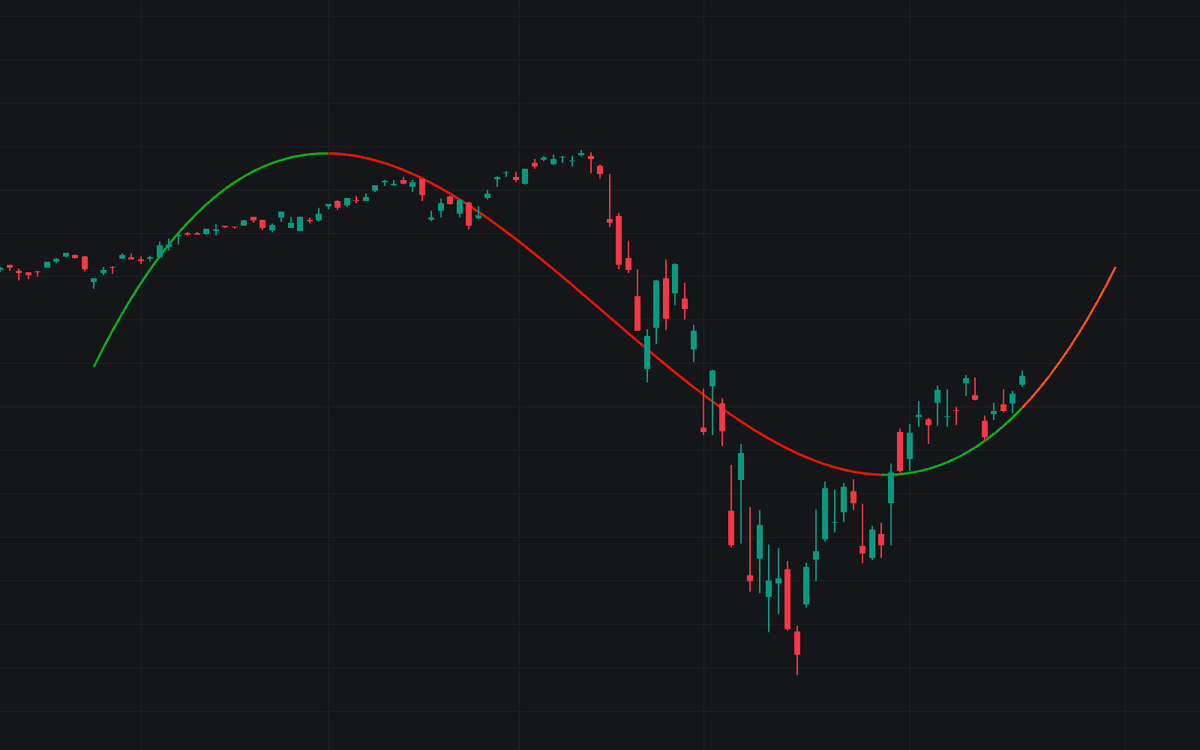

Polynomial Regression Extrapolation fits a polynomial curve of user-defined degree to recent prices and extends the result into the future, turning a statistical fit into a visible forecast on the chart. Degree 1 recovers the familiar straight regression line; higher degrees let the curve bend with accelerating trends and hint at where they might turn.
How to Trade the Polynomial Regression Extrapolation?
- Degree 1: a straight line, the cleanest read on linear trend direction.
- Degree 2: a parabolic fit suited to steadily accelerating moves.
- Higher degrees (such as 6): capture intricate variation and can flag potential turning points. Validate these with caution before acting.
- Extrapolated segment: the forward portion of the curve is the model's projection; watch how price behaves against it rather than trading it blindly.
As a rule, lower degrees describe the broad trend while higher degrees map detail at the cost of noise. Going beyond degree 3 usually adds more of the latter than the former. The fitted curve can also serve as a reference for support or resistance within the trend it describes.
Polynomial Regression Extrapolation Settings
- Length: how many recent price observations feed the fit.
- Extrapolate: the forecast horizon, how far forward the curve is projected.
- Degree: the polynomial degree, the central trade-off between smoothness and detail.
- Src: the price source being modeled.
- Lock Fit: freezes the fit so the curve extends to the most recent bar without re-fitting to new prices.
Frequently Asked Questions
Free indicator
Get free access to this indicator on the platforms below.

The Library is free. Quant makes it yours.
Pull any concept or indicator into Quant: rebuild it, retune it, or turn it into a backtested strategy of your own.