RSI Multi Length
 By LuxAlgoJan 10, 2022
RSI Multi Length is an indicator on Vela, our next-generation charting platform, written in Pine Script®.
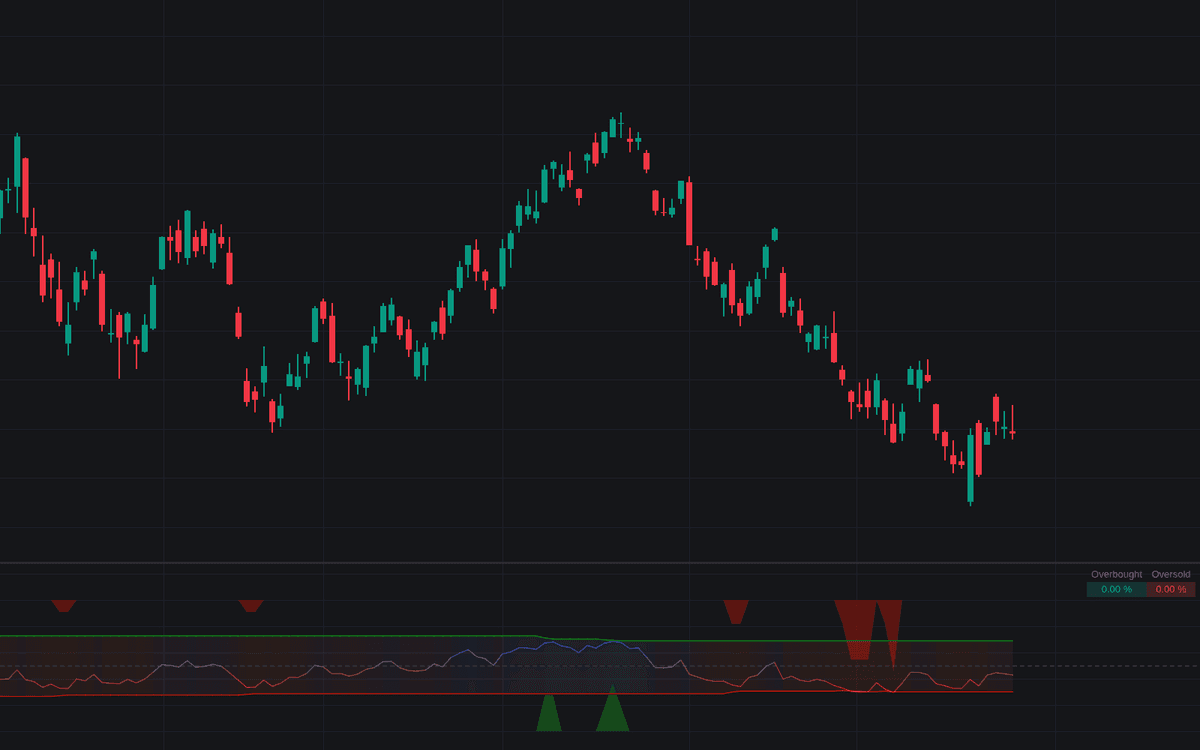

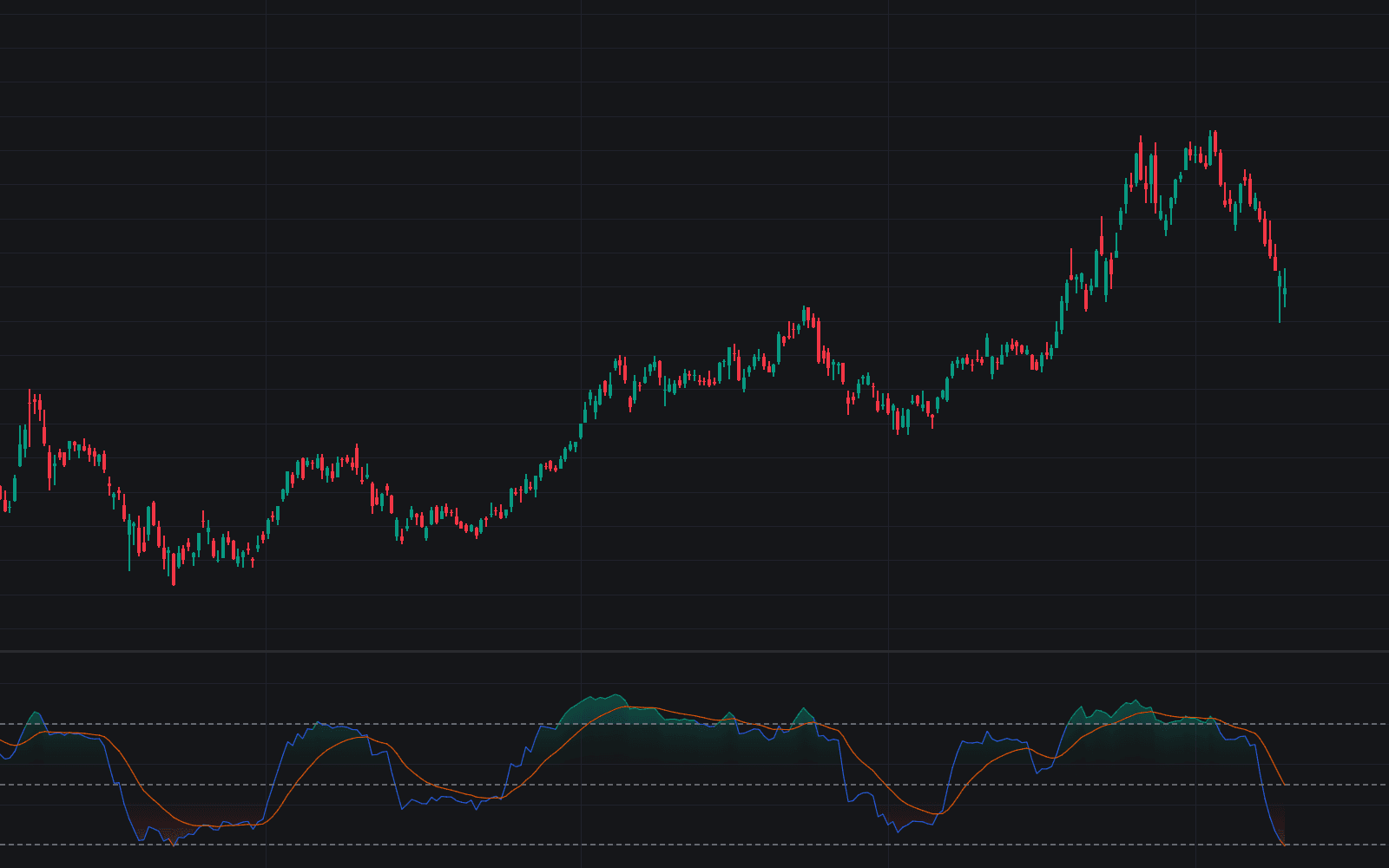
RSI Multi Length reads momentum the way a committee votes: it computes the Relative Strength Index for every period between a minimum and maximum bound, averages them into one oscillator, and tracks what share of those RSIs sit overbought or oversold on each bar. One noisy fixed-length reading becomes a spectrum-wide consensus.
The averaged line behaves like a familiar RSI with steadier manners (a composite oscillator in the classic sense) while shaded areas carry the breadth story: green plots the percentage of lengths above the overbought level, red the percentage below oversold, drawn inverted so both read intuitively. A dashboard in the pane's top right reports the live figures for the latest bar.
How to Trade the RSI Multi Length?
- Green area swelling: a growing share of lengths overbought signals broad bullish pressure and, at extremes, a stretched market.
- Red area swelling: the oversold mirror, plotted inverted for quick reading.
- Extremes thinning out: when few RSIs remain beyond their thresholds, agreement is fading and a short-term retracement becomes a live scenario.
- Breadth as context: when a large share of lengths is already overbought, reaching overbought is easy. Weigh fresh extremes accordingly rather than treating them all alike.
Set the bounds to match your horizon: a tight low range behaves like a fast RSI, while a wide range folds slower trend information into every reading.
RSI Multi Length Settings
- Maximum Length: upper bound of the RSI periods; raising it blends slower trend behavior into the composite.
- Minimum Length: lower bound; lowering it sharpens short-term sensitivity.
- Overbought: the level a length must exceed to count toward the green breadth area.
- Oversold: the level that counts a length toward the red area.
- Src: source series the RSIs are computed on.
Frequently Asked Questions
Free to use
Run it on Vela. Go further with a paid plan.
- Up to 500 strategy alerts, with webhook automation
- Up to 10× the chart history of Free
- Orderflow lookback up to full history
- More Quant usage to customize it, plus extra usage when you need it
- Futures data alongside crypto, stocks, forex and commodities
Also works on

Related indicators
All 54 RSI indicators
Run it on Vela. Make it yours with Quant.
Open this indicator free on Vela, our next-generation charting platform. Then ask Quant, our coding agent built into Vela, to retune it or turn it into a backtested strategy of your own.