Bookmap: Market Mapping Insights
Bookmap is a desktop trading platform built around one idea: draw the limit order book over time, so that resting liquidity becomes a picture you can read rather than a column of numbers that vanishes every tick. The heatmap shows where limit orders sat, how long they stayed and whether price consumed or rejected them; volume bubbles show where aggressive orders actually traded; and a set of add-ons tries to infer what the book hides, such as icebergs and stop runs. This guide explains how those displays are constructed, how to read them without fooling yourself, what each Bookmap package includes at current prices and what data costs on top, and how order flow works on Quant Charts, LuxAlgo's charting and AI platform, where the flow tools are built from footprints rather than a live book and Quant, the coding agent, can turn a flow rule into a tested strategy.
Key points:
- A heatmap is a map of advertised interest, not a promise. It shows displayed limit orders on the venue sampled; orders can be pulled as price approaches, and stop orders never appear in the book at all.
- Software and data are priced separately. The free Digital plan covers real-time crypto and delayed US stocks and futures; real-time futures and stock depth is bought from a data provider on top of a paid plan.
- Behaviour on approach outranks brightness. Persistence, absorption and consumption are the readable signals; a large wall that flickers away is noise dressed as support.
- Different data, different tools. Bookmap needs a live depth feed; Quant Charts builds Footprint, Volume Delta and Volume Bubbles from pre-aggregated volume-at-price and has no live order book by design.
What Bookmap Shows
Bookmap's features page lists five core displays. The Liquidity Heatmap plots every visible limit order across all price levels as it updates, so the history of the book scrolls to the left as time passes. Volume Bubbles mark executed volume at each price, sized by quantity and coloured by aggressor side, so you see where buyers lifted offers and sellers hit bids. The Best Bid and Offer view tracks how incoming volume interacts with the spread. The Current Order Book shows all resting depth, not only the top of book, as a configurable depth-of-market ladder. And Nanosecond Zoom lets you drill into microstructure for scalping or trade review. The home page describes the display running at forty frames per second, and the knowledge base describes the engine as event-driven and updated every thirty milliseconds, with the point being that the picture does not wait for a bar to close.
Architecturally, Bookmap is not a web service. The knowledge base explains that the application runs locally on your PC, receiving data from your connected feed or broker and transmitting orders only if the trading add-on is enabled, with a Mac build available and a licence that runs on one machine at a time. The consequence for a buyer is that the software subscription and the market data are two different bills, which the next sections take in turn.
Reading the Heatmap
The Library's entry on resting liquidity and liquidity heatmaps describes the construction plainly: the tool snapshots the order book on a schedule and lays the snapshots side by side, producing a price-by-time matrix whose colour encodes resting size. A large, persistent wall appears as a bright horizontal band; a consumed band leaves a visible record of where passive interest filled; a placement that flickers in and out as price approaches reads as exactly that. The same entry lists the structural caveats, and they are the whole discipline of heatmap reading.
| What you see | What it usually means | The caveat |
|---|---|---|
| A bright band that persists for hours | Large passive interest defending a level | It shows displayed orders on one venue; it can be modified or pulled the moment price gets close |
| A band that vanishes as price nears it | Interest withdrawn, or an order that was never meant to fill | Spoofing is the adversarial version of pulling; treat brightness before approach as advertising |
| Heavy bubbles into a band that holds | Absorption: aggressive orders soaked up by refilling passive orders | Absorption fails the moment the passive side steps away; confirm with delta or structure |
| Thinning bubbles into an extreme | Exhaustion: the aggressive side running out of participants | Sometimes a pause before continuation, not a turn |
| Nothing above a swing high | No displayed orders there | Stop orders never appear in the book; stop-driven pools are inferred from structure, not observed |
| Trades larger than the displayed size | Hidden or iceberg orders refilling at the level | Icebergs understate real interest, spoofed size overstates it; the book display is biased both ways |
The Library reduces the reading to a short protocol: know the source, grade the persistence, watch the interaction. Knowing the source means confirming whether the feed is genuine depth from one venue, an aggregate across venues, or a chart-side estimate, because they mean different things. Grading persistence means separating walls that sit through hours of trading from placements that appear only when price is far away. Watching the interaction means reading what happens when price arrives, which is where the two classic order-flow explanations of a stall, absorption and exhaustion, become visible: absorption prints heavy volume at a level that refuses to break, exhaustion prints dwindling volume on the final push. Neither guarantees a reversal, and most practitioners wait for a shift in volume delta or a failed retest before acting on either.
Volume Bubbles, Delta and the Add-ons
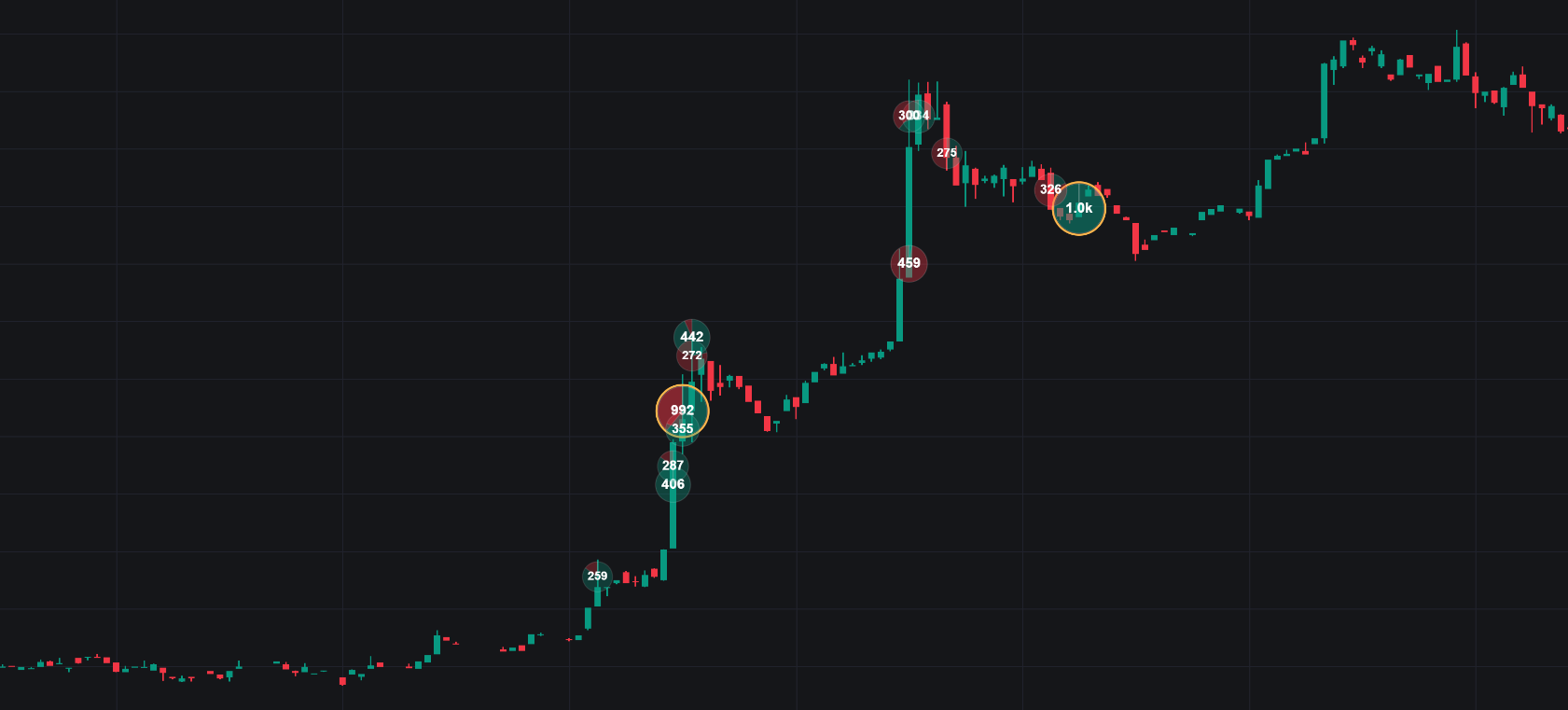
The bubbles are the second half of the picture. Where the heatmap shows passive intent, bubbles show aggression: executed volume at each price, sized by quantity, coloured by which side crossed the spread. Read together, a bright band with large opposing bubbles that fails to break is absorption; a band that breaks with a burst of bubbles and then trades quietly above it has been consumed. Bookmap's own FAQ makes the same point, suggesting the heatmap combined with cumulative delta is its route to spotting the exhaustion and absorption that often precede reversals. The Library's cumulative volume delta entry covers the delta side of that pairing.
Beyond the core displays, Bookmap sells or bundles add-ons. The features page names a Stops and Icebergs Tracker for hidden iceberg orders and stop runs, Tradermap Pro for filtering out market-maker bots to isolate genuine liquidity, DOM Pro for combining depth with execution flow, and Market Pulse for monitoring large trades, sweeps and momentum shifts; the packages page lists many more, including Cumulative Volume Delta, a Large Lot Tracker, a Strength indicator, a Liquidity Marker, an Absorption indicator, a Footprint, a Sweep indicator and an order book and volume imbalance tool, with several available only in replay mode on the lower tiers. The FAQ is explicit that the built-in order-flow tools come with every plan, while specialised signals such as Stops and Icebergs, Large Lot Tracker and Strength Level are individual subscriptions or included with the Global and Global+ packages.
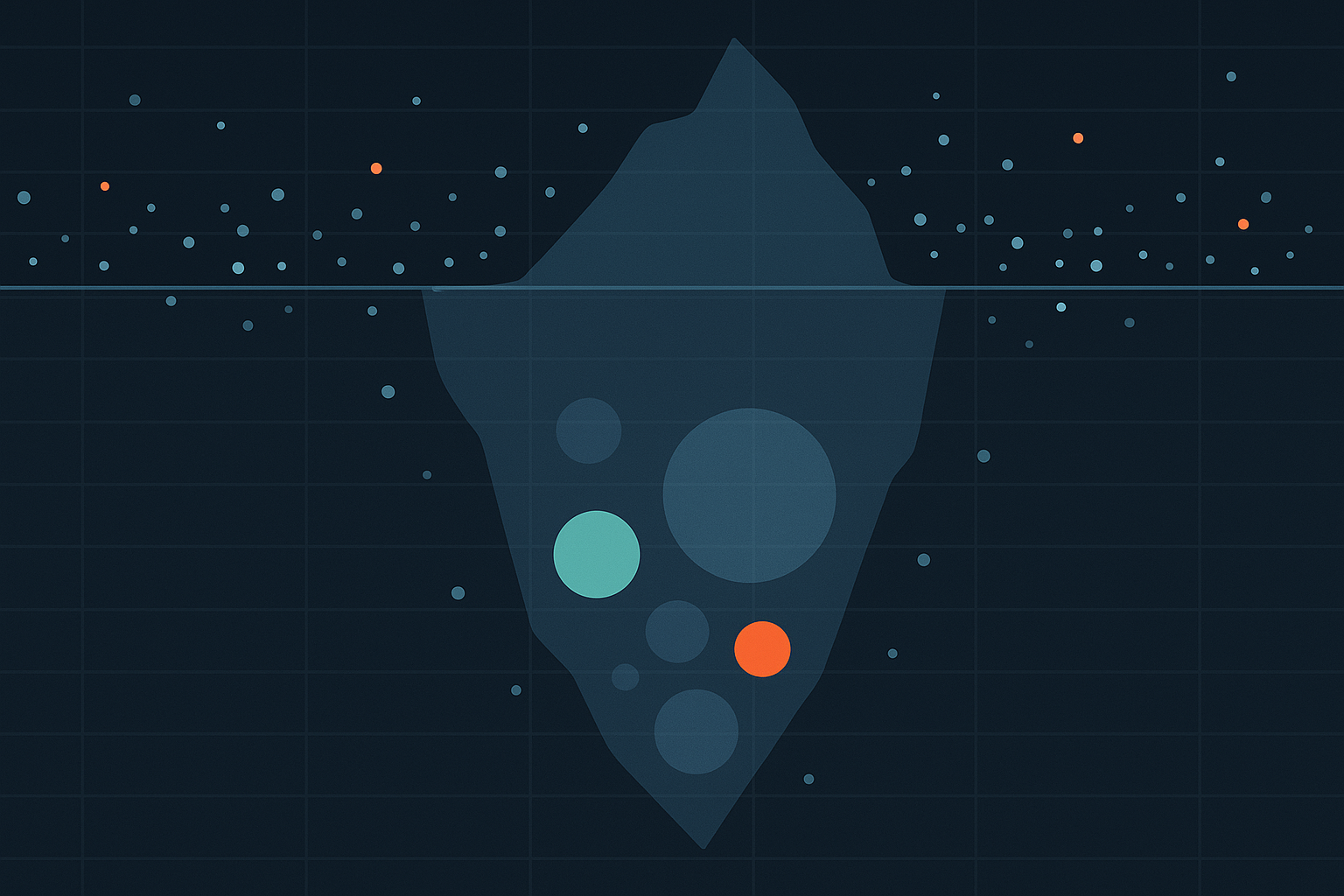
Iceberg detection deserves a word of caution. An iceberg is inferred, not observed: the platform compares the quantity that traded at a price with the quantity that was displayed there and flags the excess. That inference is only as good as the feed, and Bookmap's own materials distinguish market-by-order data, which identifies individual orders, from aggregated depth, which does not. The same caution applies to spoofing. It is real and it is illegal: in September 2020 the CFTC ordered JPMorgan to pay a record $920.2 million for spoofing and manipulation across at least eight years in precious metals and Treasury futures, per the CFTC release. But a retail trader watching a heatmap cannot prove intent from a cancelled order; the practical lesson is simply to weight orders that survive approach and discount those that do not.
Packages and Data Costs
Bookmap's packages page lists four tiers as of September 2026, and its connectivity guide summarises what each unlocks. Prices below are the software subscription only; the page states repeatedly that packages do not include data or brokerage services.
| Package | Price | Symbols at once | What it adds |
|---|---|---|---|
| Digital | Free | 1 | Real-time crypto from more than twenty exchange connections, delayed US stocks and futures, one hour of crypto backfill |
| Digital+ | $19 per month, or $16 per month billed yearly | 3 | Three trading pairs at once, VWAP, Correlation Tracker, an advanced education course, three hours of crypto backfill |
| Global | $49 per month, $39 per month billed yearly, or $990 lifetime | 10 | Connections to stocks and futures feeds (BookmapData, dxFeed, Rithmic) alongside crypto, advanced education, twenty-four hours of crypto backfill |
| Global+ | $99 per month, $79 per month billed yearly, or $1,990 lifetime | 20 | Everything in Global plus the add-on set, trading from the chart and DOM for stocks and futures, weekly live sessions, seven days of crypto backfill, and a second licence for replay |
Real-time depth for futures and stocks is the second bill. The packages page quotes BookmapData at roughly $34 to $79 per month depending on exchanges, with futures at $34 per exchange after a discounted first month and a CME group bundle at $79, Nasdaq stock data at $59 after a discounted first month, and professional-status subscribers paying a further $130 per month in exchange fees; dxFeed futures run $37 per exchange and US equities $34 to $119, and Rithmic $40 to $101. Backfill, the recent history loaded when you subscribe to a symbol, is seventy-two hours with BookmapData and twenty-four with dxFeed for futures and stocks. A realistic Global+ setup for one futures exchange therefore lands well above the headline software price, which is worth knowing before comparing Bookmap with a platform that bundles its data.
Replay, Multibook and Execution
Three workflow features round out the platform. Record and Replay records live sessions and replays them tick by tick, so a Fed announcement or an earnings open can be reviewed with the full depth history rather than from a candle chart, and strategies can be rehearsed against it; Global+ includes a second licence so replay can run on one machine while live runs on another. Multibook, aimed at crypto, consolidates the order books of several exchanges into one chart, since crypto liquidity is fragmented across venues in a way futures liquidity is not. And Bookmap can execute: the features page describes one-click chart trading and the connectivity guide places trading from the chart and DOM for stocks and futures in Global+, with crypto exchange connections governed by a separate guide. A developer API allows custom indicators and automated strategies.
Two practical notes from the knowledge base. Because the application runs locally, your data stays on your machine, and Bookmap states that only operating system version and screen resolution are sent at licence activation. And because it is a licensed desktop application, it runs on one PC at a time; a second session can terminate the first when you log in elsewhere.
Order Flow on Quant Charts
Order flow on Quant Charts is built on a different foundation, and the docs say so directly: the tools are constructed from pre-aggregated footprints, one-minute slices of volume-at-price and per-side trade counts re-bucketed to any chart timeframe, plus ordinary candles, and there is no live order book or trade tape. That rules out a Bookmap-style heatmap of resting orders. What it enables is a set of executed-volume tools that need no data subscription: Footprint as a chart type or overlay with per-bar bid and ask profiles, imbalances and unfinished auctions; Volume Delta and cumulative delta; volume profiles; TPO; trade count tools; and Volume Bubbles, which plot a dot for each bar and price bucket sized by the volume traded there, with a Delta mode that paints each bubble as a buy and sell split and filters to keep only the clusters that matter. Footprint-capable symbols cover crypto and US equities on every plan, per the Data page, and tools that need footprints warn on markets that lack them instead of drawing a blank series.
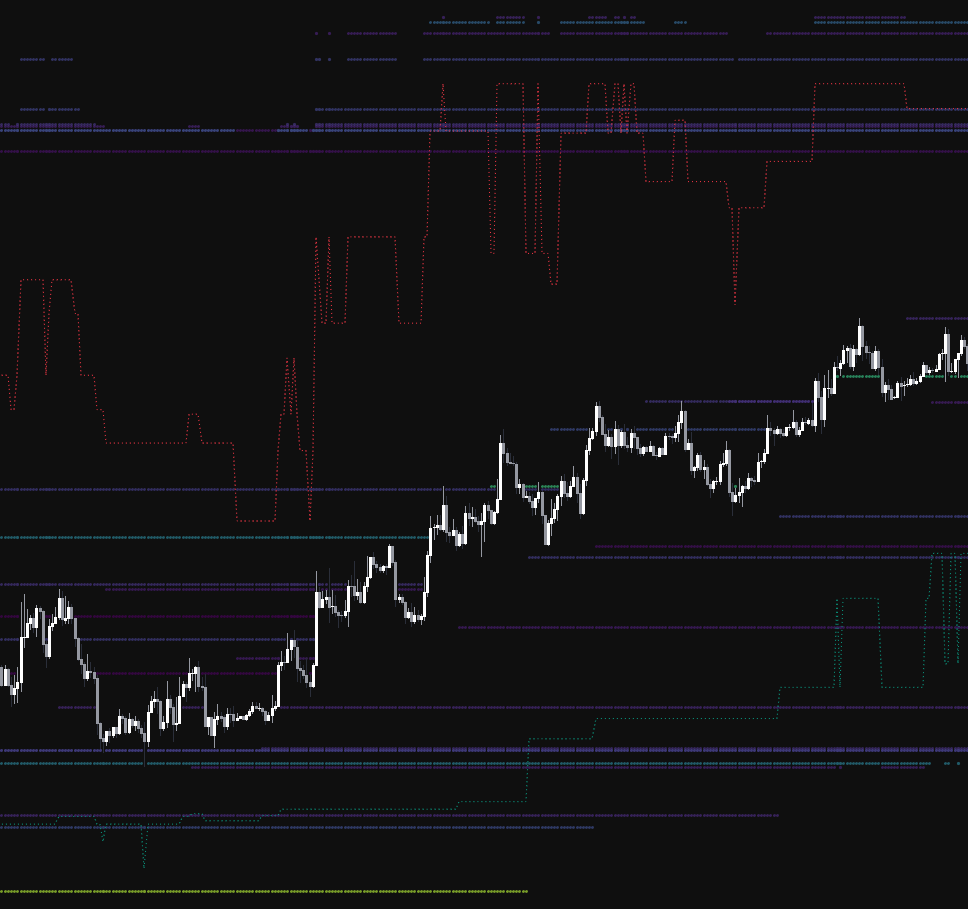
The Library covers the heatmap idea from the chart side. Its Historical Liquidity Proximity Heatmap keeps a rolling memory of swing pivots and draws only those nearest to price, coloured by the volume traded when each level formed, borrowing the reading style of a liquidity heatmap while sourcing its levels from structure rather than a book. The Liquidity Heatmap LTF highlights the lower-timeframe candle bodies that carried the most volume, an estimate of where interest concentrated from traded volume. Both are what the Library calls honest estimates rather than book displays, and the concept entry is careful to say so.
The part a heatmap platform does not offer is the test. A flow observation such as "delta diverges from price into a prior high" is a hypothesis until it has been run across history with costs. On Quant Charts you describe the rule to Quant in plain language, Quant writes the Pine Script as a strategy, you inspect it under Code and click Run, and the Backtest Summary reports net profit, trade count, win rate, maximum drawdown and profit factor, with commission and slippage set in the strategy Properties so the result is costed. Delta-based rules are a natural fit because the delta series exists on the chart. Watch-and-react reading of a live book is a skill that only replay and screen time build; whether a codified version of the pattern has ever had an edge is a question the backtest answers in minutes.
Where Each Tool Stops
Bookmap stops at what a depth feed shows: it displays and records the visible book and executed trades on the venues you pay for, infers hidden orders from the gap between the two, and can route orders through a connected broker or exchange. Quant Charts stops at research: its order-flow tools are executed-volume tools, it holds no live book, and the LuxAlgo platform does not place orders for you. A trader who wants both the live book and a tested rule set will use two tools, and the honest division of labour is: read the book in Bookmap, test the rule on Quant Charts.
Conclusion
Bookmap's contribution is a display that makes the order book's history legible, and the value of that display depends entirely on reading it with the caveats attached: it shows advertised interest on one venue, it cannot see stops, icebergs understate and spoofs overstate, and the only trustworthy signals are persistence and what happens when price arrives. The software is priced in four tiers from free to $99 a month, and real-time futures and stock depth is a second subscription that can exceed the first. Quant Charts approaches order flow from executed volume instead, with Footprint, Volume Delta and Volume Bubbles built from footprint data on every plan and no live book by design, and it adds what a heatmap cannot: Quant writes the flow rule as a strategy and the Backtest Summary tells you, with costs, whether it ever worked.
Key Takeaways
- A liquidity heatmap is a price-by-time matrix of displayed limit orders; read persistence and interaction, not brightness.
- Volume bubbles show aggression; heavy bubbles into a band that holds is absorption, thinning bubbles into an extreme is exhaustion.
- Bookmap packages run from free to $99 a month; real-time futures and stock depth is billed separately by the data provider.
- Quant Charts builds Footprint, Volume Delta and Volume Bubbles from footprint data with no live book; Library heatmap indicators are structure-based estimates.
- Codify a flow rule and backtest it with costs on Quant Charts before trusting it live.
FAQs
What is Bookmap?
Bookmap is a locally installed trading platform that visualises the limit order book over time as a liquidity heatmap, overlays executed trades as volume bubbles, and shows the current depth of market. It connects to futures, stock and crypto data feeds, records and replays sessions, and can trade from the chart on the higher tiers.
How much does Bookmap cost?
As of September 2026 the software tiers are Digital (free), Digital+ at $19 per month or $16 billed yearly, Global at $49 per month, $39 billed yearly or $990 lifetime, and Global+ at $99 per month, $79 billed yearly or $1,990 lifetime. Real-time futures and stock data is bought separately from BookmapData, dxFeed or Rithmic.
How do I read a liquidity heatmap?
Confirm the data source, grade the persistence of each band, and watch what happens when price reaches it. Bright bands that sit for hours and hold under heavy opposing volume are being defended; bands that vanish on approach were advertising. Stops never appear in the book, so stop clusters are inferred from structure.
What is an iceberg order?
An order that displays a small quantity while a larger hidden quantity refills at the same price. It is inferred from trades exceeding the displayed size at a level; detection quality depends on whether the feed is market-by-order or aggregated depth.
Does Quant Charts have a liquidity heatmap?
No. Quant Charts has no live order book by design; its order-flow tools, Footprint, Volume Delta, Volume Bubbles, profiles and TPO, are built from pre-aggregated one-minute volume-at-price data on crypto and US equities. The Library's heatmap-style indicators estimate likely resting interest from market structure and traded volume.
Can I backtest an order-flow idea?
On Quant Charts, yes, when the rule can be expressed from chart data such as volume delta. Describe it to Quant, inspect the Pine Script under Code, click Run, and read the Backtest Summary with commission and slippage set in Properties. Rules that depend on watching a live book need replay practice instead.
References
LuxAlgo Resources
- Quant Charts
- Order Flow on Quant Charts: what runs where
- Footprint
- Volume Delta and CVD
- Volume Bubbles
- Charts data and venues
- Quant: making strategies and the Backtest Summary
- Library concept: resting liquidity / liquidity heatmap
- Library concept: absorption and exhaustion
- Library concept: cumulative volume delta
- Library concept: bid-ask imbalance
- Library concept: depth of market
- Library: Historical Liquidity Proximity Heatmap
- Library: Liquidity Heatmap LTF
External Resources
Read next