How to Go From Beginner to Algorithmic Trader
Algorithmic trading turns a trading idea into explicit rules for testing and execution. Begin with one simple strategy, verify its behavior, and separate historical results from live execution. Vela, our state-of-the-art charts, gives beginners a native chart workspace with Quant for building Pine Script® strategies and backtesting them in the same place. Python offers a separate route for custom data research and broker integrations. The learning path is:
- Learn the Basics: Understand trading principles, market dynamics, execution quality, and risk management. You do not need a computer science degree, but a solid trading foundation matters.
- Choose a Coding Route: Build and inspect a Pine Script® strategy with Quant, or learn Python for a custom research workflow. Python is one of the most popular languages for algorithmic trading. It offers libraries like Pandas (data analysis), NumPy (numerical calculations), and Backtrader (backtesting).
- Test Strategies: Backtest your ideas using historical data to refine strategies before risking real capital. This process often includes stress testing trading strategies so you can see how a system behaves during adverse conditions.
- Choose the Right Platform: Platforms like LuxAlgo and TradingView can simplify strategy research, chart analysis, automation workflows, and native strategy backtesting. Check broker execution support separately.
- Go Live Carefully: Test the complete workflow in a broker’s paper environment first. If you later use real capital, begin with limited exposure, monitor execution, and define when the system must stop.
Algorithmic Trading Python for Beginners - Full Tutorial
This freeCodeCamp course introduces Python-based portfolio research. Its examples are educational and use an older software and data-provider setup; check current package and API documentation before following the code. The course repository contains the accompanying projects.
Learning Programming Basics for Trading
Programming knowledge helps you understand the rules a system will follow. You can start with code written by Quant, but still need to review entry timing, exits, sizing, and risk controls. Learning loops, conditionals, functions, and data handling makes both generated and handwritten strategies easier to inspect. A script that compiles is only the beginning; it must also implement the intended rules.
Why Use Python for Trading?
Python remains a popular starting point for algorithmic trading because of its readable syntax and broad ecosystem for finance workflows. With Python, traders can download historical data, calculate indicators, evaluate performance, and prototype rule-based systems without writing overly complex code.
What makes Python especially practical is the range of specialized libraries available:
- Pandas simplifies working with time-series data, making it easier to analyze price histories and compute returns.
- NumPy handles fast numerical computations, which is useful when processing large datasets.
- TA-Lib provides ready-made technical indicators like RSI, MACD, and Bollinger Bands, so you do not have to code them from scratch.
- Backtrader helps traders test strategies on historical data before moving to paper trading or live execution.
For traders building on LuxAlgo or TradingView, Python is not the only path. Both use Pine Script® for indicators and strategies, and this is where LuxAlgo Quant becomes especially relevant. Quant is LuxAlgo’s coding agent, built into every chart on the platform, so traders can turn plain-language ideas into indicators and strategies faster, validate logic, and fix coding issues without starting from a blank editor.
These options make it easier to move from a trading idea to a testable system.
Core Python Skills You Need
To get started, you should understand basic programming concepts. Loops help you process price data over time, conditionals define entry and exit rules, and functions let you organize logic into reusable modules. As strategies become more sophisticated, clean code structure becomes just as important as the trading logic itself.
Handling data is another critical skill. You will need to clean datasets, deal with missing values, calculate indicators like moving averages or RSI, and measure performance with metrics such as drawdown, profit factor, and Sharpe Ratio. Using vectorized operations in Pandas and NumPy can greatly improve speed when working with larger datasets. For risk management, traders often add stop-loss logic, exposure limits, and position sizing rules such as risking a fixed fraction of capital per trade.
If your goal is to build Pine Script® instead of a Python-only workflow, Quant’s documentation is useful for understanding how to prompt an AI specialized in Pine Script® generation, validation, debugging, and chart-to-code workflows. Quant code repair is included with Premium and above.
Here’s a quick look at some useful Python libraries:
| Library Category | Example Libraries | Purpose |
|---|---|---|
| Data Analysis | Pandas, NumPy | Managing time-series and numerical data |
| Visualization | Matplotlib, Seaborn | Creating price charts and performance plots |
| Indicators | TA-Lib, pandas-ta | Calculating RSI, MACD, EMA, and more |
| Backtesting | Backtrader, Zipline-reloaded | Testing strategies on historical data |
| Execution | ccxt, Alpaca-py | Connecting to brokers and exchanges |
Check each project’s supported Python versions, current releases, and broker compatibility before installing it. Zipline-reloaded is a maintained continuation of Zipline. Older tutorials may use ib_insync, whose original repository is archived; do not assume an old execution example remains supported.
Coding Your First Strategy
A moving average crossover is a useful learning exercise, not an established edge. On a daily chart, compare a 50-day SMA with a 200-day SMA. For a long-only example, define an upward crossover as an entry condition and a downward crossover as an exit. Shorting is a separate choice that requires its own rules and assumptions. On intraday charts, the same lengths represent bars, not days.
To build this strategy:
- Install Python and libraries like Pandas, NumPy, Matplotlib, yfinance, and TA-Lib.
- Use yfinance to download historical OHLCV (Open, High, Low, Close, Volume) data for a stock or ETF such as AAPL or SPY.
- Calculate the short-term and long-term SMAs using Pandas.
- Create a column in your dataset to flag crossover points when the short-term SMA moves above or below the long-term SMA.
- Apply signals only to returns or fills that occur after the information was available. For a signal calculated at the close, explicitly model a later executable fill, and include costs, missing data, and corporate-action treatment.
Once you have coded the strategy, test it in a paper trading environment like Alpaca. Plotting price data alongside the moving averages and buy/sell markers can help confirm that the algorithm behaves as expected. Using tools like Jupyter Notebooks also makes it easier to debug and visualize your strategy.
For the native chart route, ask Quant: “Build a long-only daily 50/200 SMA crossover strategy. Enter after an upward crossover and exit after a downward crossover. Expose the lengths as inputs and explain signal and fill timing.” Review the script, set capital, sizing, commission, and slippage, then run the native backtest. Inspect individual trades as well as net profit, drawdown, and trade count. Save the baseline before changing any parameter.
With your first strategy coded and tested, you are ready to explore platforms and live execution workflows.
Selecting Tools and Platforms for Algorithmic Trading
Once you have a handle on coding strategies, the next step is finding the right platform to bring those strategies to life. The platform you choose should provide real-time data, customization options, backtesting capabilities, and seamless programming integration.
What to Look for in a Trading Platform
A good trading platform is not just about placing trades. It should help you research, test, and improve decisions before capital is at risk. Here’s what to prioritize:
- Real-time data access: Delayed data can be fine for learning and some research, but live execution generally requires up-to-the-minute market information.
- Customization options: You should be able to adapt indicators, alerts, and strategy logic to your own goals and risk profile.
- Backtesting capabilities: Historical testing helps you see how a strategy behaves across different market regimes.
- Programming integration: Look for compatibility with Python or Pine Script® , which runs on LuxAlgo through PineTS, so you can implement and refine strategies efficiently.
These features become even more useful when they connect research, coding, and deployment in one workflow.
How LuxAlgo Supports Algorithmic Traders
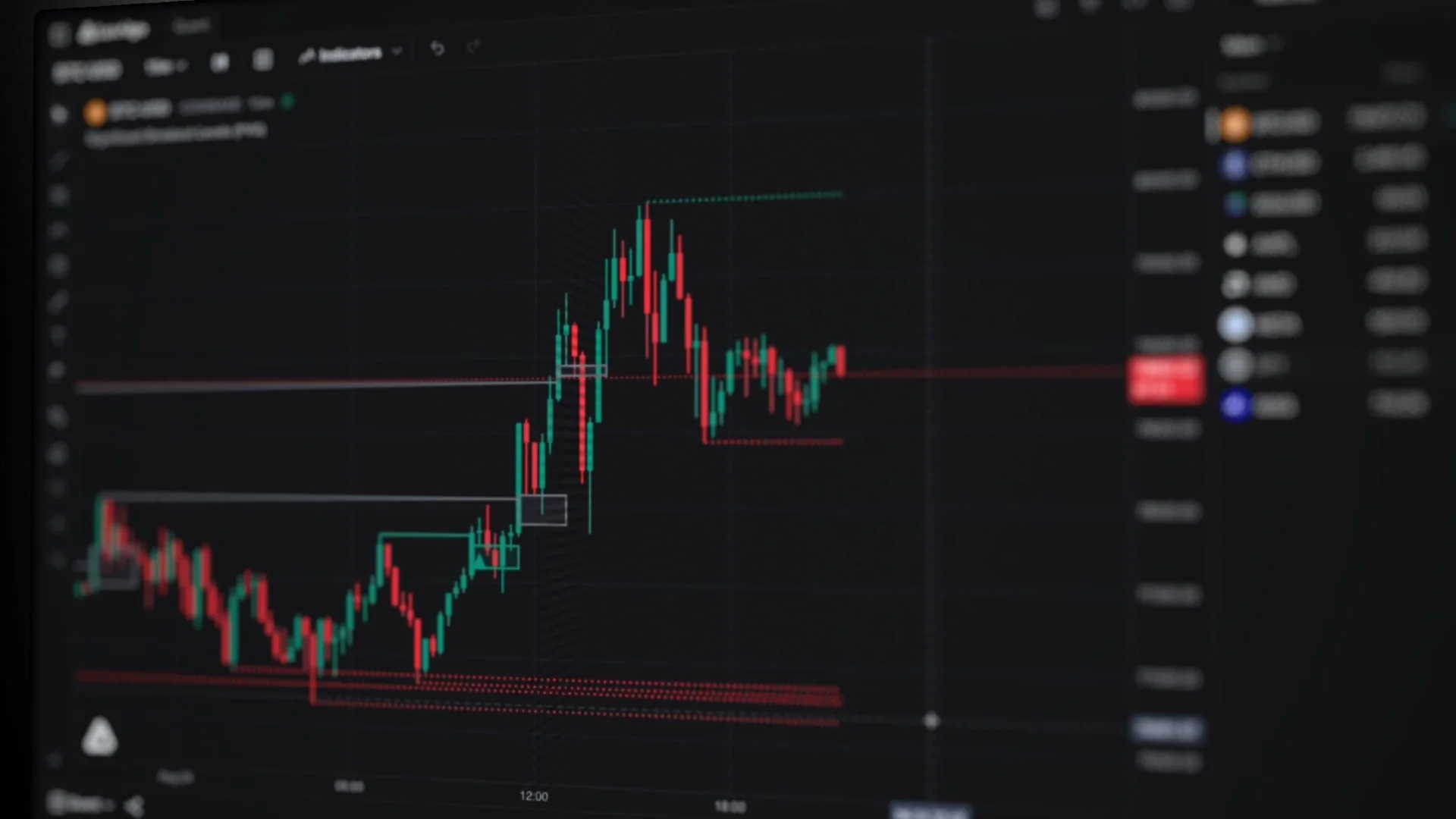
LuxAlgo’s native platform centers on Vela and Quant, the coding agent built into the chart workspace. Add Basic or Library indicators, inspect the chart, generate a custom strategy, and test it under explicit assumptions. Saved workspaces keep chart layouts organized; saved backtest runs preserve individual test configurations.
LuxAlgo Plans for Algorithmic Traders
Start with the Free plan to explore Vela, Quant, the Library, and the Orderflow suite within their limits. Paid tiers increase credits, history, layout capacity, and other limits. Choose around your research needs; a higher tier does not establish that a strategy is profitable. Check current pricing, data entitlements, and renewal terms before subscribing.
| Plan | Monthly Quant credits | Charts per tab | Saved workspaces | Historical bars |
|---|---|---|---|---|
| Free | 500 | 16 | 10 | 5,000 |
| Essential | 2,000 | 16 | 20 | 10,000 |
| Premium | 5,000 | 16 | 50 | 20,000 |
| Ultimate | 25,000 | 16 | 100 | 30,000 |
| AI Ultra | 100,000 | 16 | 200 | 50,000 |
These are the published plan limits at the time of this update. Start by checking whether the available history supports your intended test.
Suitable data and tooling make a test more informative. They do not remove model error, overfitting, or execution risk.
Building and Testing Your First Strategy
With your platform ready to go, it is time to create a strategy built on rules you can test, measure, and repeat.
Setting Entry and Exit Rules
A good strategy starts with clear rules for when to open and close a trade. These rules can be based on price action such as Break of Structure or Order Blocks, indicators such as RSI or moving averages, or specific trading sessions.
For a custom native strategy, describe the sequence precisely to Quant: what must happen first, how long confirmation remains valid, and what resets the setup. Invalidation resets an incomplete sequence when its rules are no longer satisfied; it is not a guarantee of fewer losing trades.
Here’s a quick breakdown of common condition types:
| Condition Type | Examples | Description |
|---|---|---|
| Price Action | CHoCH, BOS, Order Blocks | Based on market structure changes or liquidity-related behavior |
| Session | Time Intervals | Limits trades to specific hours such as the London or New York sessions |
Once your rules are in place, you can move on to backtesting to see how they behave across different market environments.
Backtest Natively with Quant
Begin with the strategy you built in Vela. Review its trades, document the data period and execution assumptions, and test a later untouched period before drawing conclusions. Change one rule at a time and keep the original baseline for comparison.
Improving Your Strategy
Testing reveals what is working and what is not. Break down your results by trade type such as trend-following, breakout, or reversal setups to see where the edge actually comes from. It is also useful to review performance by market session, because a strategy that performs well during active hours may weaken during low-volatility periods.
Fine-tune your risk management as well. Tight stop-losses can cause repeated premature exits, while wider stops may improve trade survival but worsen average loss size. The right balance depends on the asset, timeframe, and volatility. Position sizing matters just as much. Many traders prefer risking a small fixed percentage of capital per trade because it keeps drawdowns more manageable and makes performance easier to evaluate over time.
Refining a strategy is an ongoing process. Markets evolve, volatility shifts, and execution conditions change. The goal is not to create a perfect system for one historical sample, but a process that remains useful as market conditions change.
Running and Optimizing Strategies in Live Markets
Moving from Testing to Live Trading
Transitioning from testing to live trading is where a strategy’s practical reliability is finally tested. Backtests do not fully capture real-world issues like slippage, latency, spread changes, partial fills, or psychological pressure. A cautious rollout helps reduce these risks. Many traders begin with only a fraction of their intended size so they can study how the system behaves in live conditions without taking unnecessary exposure.
A better way to think about the transition is this: live deployment is not about maximizing profit immediately. It is about verifying that the strategy can handle actual execution. That means monitoring whether alerts trigger on time, whether orders fill near expected prices, and whether the live environment produces materially different results than the backtest.
LuxAlgo provides research tools and alerts; broker order placement requires a separately configured execution workflow. Test symbol mapping, order size, duplicate handling, rejected orders, disconnects, and a stop mechanism in the broker’s paper environment. An alert firing successfully is not proof that an order filled.
Tracking and Adjusting Performance
Real-time tracking of execution slippage and latency is essential for understanding how live results differ from your model assumptions. Weekly reviews of trade distribution, equity curve shape, and setup quality can reveal subtle deterioration before it becomes severe.
If live results deviate from the model, first determine whether the cause is execution, data, implementation, or the strategy itself. Keep the original version and investigate before tuning parameters. Automating a faulty rule makes the fault repeatable, so review the entire path from signal to fill.
For traders building in Pine Script®, Quant can help speed up this feedback loop. Instead of manually editing Pine Script® every time you discover a flaw, you can use Quant to refine logic, debug errors, and test alternate implementations more efficiently.
Optimizing Strategies Over Time
Markets evolve, and strategies should evolve with them. The goal is not to force live performance to match an idealized backtest, but to develop a reliable edge that survives changing conditions. That usually comes from consistent review and small, evidence-based adjustments rather than constant reinvention.
Use optimization carefully. Parameters that work brilliantly on one historical sample may fail in new conditions if they were overfit to noise. Periodically re-check assumptions, test changes across different market regimes, and document what changed and why. Small improvements in stop placement, session selection, or signal filtering often matter more than dramatic strategy rewrites.
Conclusion
Summary of the Learning Path
Becoming an algorithmic trader is a step-by-step process. It starts with understanding market structure, risk management, and execution. From there, you can begin coding simple strategies in Python or Pine Script®, backtest those ideas, and gradually move toward paper trading and live deployment. Each stage turns theory into a repeatable trading process.
For a chart-centered start, build one transparent strategy with Quant, inspect its native backtest, and save a baseline before adding complexity. Python remains useful for custom datasets, statistical research, and broker integrations.
This structured path gives beginners a realistic way to build confidence while keeping risk under control.
Getting Started as a Beginner
Now that the path is clear, the next step is action. Start with realistic goals focused on skill development rather than quick profits. Use paper trading or small positions to validate ideas in a lower-risk setting. Pay attention to risk-reward ratio vs. win rate and keep a structured performance journal so your decisions stay grounded in data.
Start with free Vela, Quant, and the Library. Write down an idea’s rules, generate and inspect the script, and compare it against a simple baseline. PAC, S&O, and OSC belong to the separate paid TradingView toolkit offering. Keep strategy research, alert delivery, and broker execution as distinct stages of your learning plan.
Stay disciplined, keep learning, and let the numbers guide your decisions as you continue to develop in this field.
FAQs
How much money do I need to start algo trading?
There is no single dollar amount required to start algorithmic trading. The amount depends on your goals, the broker or platform you use, the asset class you trade, and the level of diversification you want. Many beginners start with a modest amount of capital, but the smarter approach is to begin with whatever amount allows you to test responsibly without creating emotional pressure. Start small, focus on process, and scale only after you have a strategy that has been tested and monitored in real conditions.
How do I avoid overfitting when backtesting a strategy?
To reduce overfitting, keep your rules as simple as possible, avoid excessive parameter tuning, and test across multiple market environments. Use out-of-sample data and, when possible, forward testing or paper trading to see whether performance holds up outside the original development sample. You should also include realistic assumptions for spreads, commissions, and slippage so the strategy is not evaluated under unrealistically favorable conditions.
What’s the safest way to go from paper trading to live trading?
A cautious transition is gradual, but no sequence makes live trading safe. Test untouched data and the complete paper-trading workflow first. If you choose to trade live, limit exposure, monitor fills and rejected orders, and define maximum exposure, loss limits, and a stop mechanism. Stop-loss orders can fill beyond their trigger price, and past consistency does not guarantee future results.
References
LuxAlgo Resources
- LuxAlgo
- Backtesting with Quant
- LuxAlgo Quant
- Quant Documentation
- LuxAlgo Pricing
- LuxAlgo Library
- Stress Testing for Trading Strategies
- The Key to Understanding RSI
- Risk-Reward Ratio vs. Win Rate
External Resources
Read next