Best AI Tools for Forex Pattern Detection

The best tool for forex pattern detection depends on whether you want chart annotations, AI-assisted research or a programmable strategy. LuxAlgo, TrendSpider, Kavout and QuantConnect serve different parts of that process. Automated detection can make a rule easier to apply consistently, but it does not establish a profitable signal or eliminate false breakouts.
This comparison focuses on documented capabilities checked in September 2026. It also updates the older AlgoTrader listing: that website now redirects to Wyden, whose current offering targets institutional digital-asset operations. Treating all five names as interchangeable retail forex scanners would be misleading.
Compare the Workflows First
| Platform | Relevant workflow | What to check |
|---|---|---|
| LuxAlgo | Quant Charts with the Library’s pattern tools for documented geometric patterns; Quant for custom development | Which pattern rules, alerts and backtests you need on the chart |
| TrendSpider | Automated chart analysis, forex coverage, alerts and strategy testing | Required pairs, historical depth, minimum test timeframe and plan limits |
| Kavout | AI research, signals and market monitoring with advertised major-forex coverage | Whether the specific forex pattern, signal and alert you need is supported |
| QuantConnect | Code-based research, testing and supported forex brokerage integrations | Data, model assumptions, coding requirements and deployment resources |
| Wyden, reached through AlgoTrader’s former address | Institutional digital-asset trading and operations for banks and brokers | This is a different category from a retail forex chart-pattern scanner |
A chart-pattern detector identifies structures under a set of rules. A machine-learning model estimates relationships learned from data. A coding agent helps develop software. These capabilities can complement each other, but the word AI does not mean every pattern is a machine-learning prediction or that every platform can place trades.
LuxAlgo: Chart Research and Explicit Pattern Rules
Start with LuxAlgo’s native charts to inspect the pair and timeframe, then use Quant, our coding agent to express a custom idea in code. Inspect the generated logic and run the strategy yourself. This is useful when a discretionary observation needs a measurable definition, such as a completed-candle breakout with a specified exit and position size.
Where the Documented Geometric Patterns Are Available
The Library’s pattern tools run on a Quant Chart, one click from the chart. They cover classical geometric structures such as triangles, wedges, double tops and bottoms, and head-and-shoulders patterns.
Length settings change the scale of structures detected. Confirm the actual detection time before treating a historical annotation as an entry opportunity. Trendlines and equal highs and lows built from confirmed swings are drawn retrospectively; those annotations should not be assumed available at the earlier swing bar.
Trend and momentum tools from the Library sit alongside these on the same chart; they are not substitutes for checking the pattern’s own rules.
Testing and Review
Use native strategy testing with standard candles, commission and slippage assumptions that reflect the intended market. Check data coverage and keep a separate testing period. A chart label is a candidate setup, not a complete strategy with a proven entry, exit and risk budget.
The native LuxAlgo journal supports review of recorded trades. Compare results by instrument, session and strategy, and record whether each entry followed the intended confirmation rule. A winning rule-breaking trade should not validate the process.
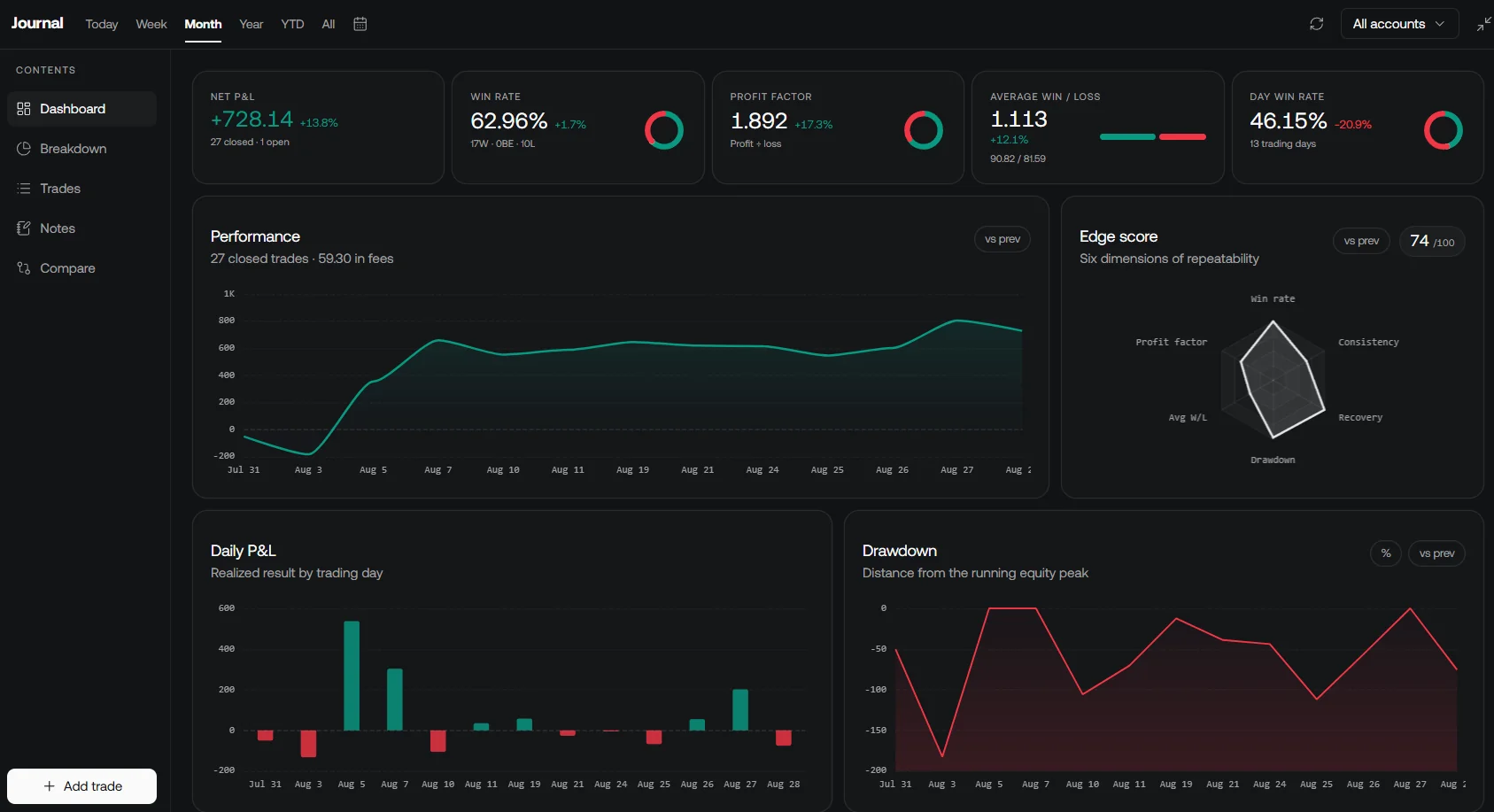
Quant can also turn the pattern into a strategy and backtest it against years of history; running and deploying the result remains your decision.
Compare current LuxAlgo plans using the actual billing term. The previously quoted $39.99, $59.99 and $119.99 figures are monthly equivalents of annual Premium, Ultimate and Ultra subscriptions, not month-to-month charges. Monthly billing is $67.99, $119.99 and $229.99 respectively at the time of this review. Confirm the current checkout and feature access before subscribing.
TrendSpider: Automated Visual Analysis
TrendSpider’s chart-analysis page lists forex coverage alongside automated chart patterns, trendlines, Fibonacci levels and support/resistance analysis. Its Sidekick assistant supports research and chart-related tasks, while its ML Quant Lab is a distinct model-building capability. This is a relevant comparison for traders seeking visual automation without starting with a fully coded system.
Its strategy-testing tools support testing defined conditions, but available history depends on the symbol and feed. Plan limits also affect the minimum testing timeframe, number of candles and scanner capacity. One-minute charting should not be confused with one-minute backtesting on every plan.
Check TrendSpider’s pricing and limits for the exact workflow you need. Include optional services and automation allowances in the comparison. Automated annotations can reduce repetitive drawing, but claims about removing subjectivity should not be interpreted as proof of unbiased or profitable decisions.
Kavout: AI Research and Signals
The current Kavout website advertises stocks, ETFs, crypto and forex, and its footer specifies real-time quotes for major forex pairs. It presents AI research agents, InvestGPT, signals, watchlists and portfolio tools. That makes a blanket stock-only description inaccurate.
However, broad forex coverage does not establish that every stock-focused feature works identically on currency pairs. Its stock-ranking leaderboard, for example, is not a forex pattern-performance result. Confirm the exact pair, geometric pattern, alert condition and history available before selecting it as a pattern detector.
Kavout is worth assessing when research and monitoring are central to your workflow. Ask for a demonstration of the specific forex task rather than relying on generic prediction language or testimonials. A generated explanation still requires source and calculation checks.
QuantConnect: Programmable Forex Research
QuantConnect is better understood as a research and algorithm-development environment than a turnkey chart-pattern overlay. Its Research Pipeline includes AI-assisted development workflows, while LEAN supports explicit algorithm logic. A developer can define and test a pattern rather than accept a vendor’s fixed visual definition.
The official brokerage list includes forex integrations. This does not mean every broker, instrument or account is supported. Review data subscriptions, brokerage eligibility and execution-model assumptions for the intended setup.
Budget for the required research and deployment resources rather than assuming cloud access removes all infrastructure costs. This route provides flexibility but requires more development and validation than choosing a chart annotation. AI assistance does not remove that responsibility.
Why the AlgoTrader Listing Has Changed
The former AlgoTrader address now redirects to Wyden. Its current site describes institutional digital-asset trading and operations for banks and brokers, including order management, treasury, settlement and accounting. Those are substantial capabilities, but they address a different buyer and market workflow.
A bank or brokerage evaluating that infrastructure has different requirements from an individual looking for EUR/USD triangles. The current offering is therefore not a like-for-like recommendation for a retail forex pattern scanner. Assess it on its documented institutional scope if that is your actual need.
How to Test a Pattern Detector Fairly
- Use the same pair, timeframe, date range and price source where possible.
- Record when the pattern becomes detectable, not only where its lines are drawn historically.
- Define the entry trigger, invalidation, stop, exit and sizing before comparing results.
- Include spreads, commission, slippage and overnight costs where relevant.
- Keep a separate testing period and record false signals as well as successful examples.
- Check alert delivery and broker acceptance separately from pattern detection.
For example, define whether a triangle entry requires a candle to close beyond resistance or merely trade above it intrabar. Those are different strategies. If the detector needs later bars to confirm a swing, a historical test must respect that delay rather than enter at the earlier pivot.
Forex feeds can differ in quotes, candle boundaries and available history. A setup visible on one feed may not appear identically on another. Match the test to the data and execution arrangement you intend to use, and avoid treating one screenshot as an independent performance evaluation.
The useful question is which tool makes your chosen process easier to define, test and review at an acceptable cost. A higher number of detected patterns or a more confident AI explanation does not by itself answer that question.
Frequently Asked Questions
Which AI tool is best for forex pattern detection?
Choose by workflow: LuxAlgo and TrendSpider offer relevant chart-analysis tools, Kavout provides AI research and monitoring with advertised forex coverage, and QuantConnect supports programmable research. Verify the specific pair, pattern, timing and costs rather than relying on a universal ranking.
Where does LuxAlgo document triangles and head-and-shoulders detection?
In the Library’s pattern tools, which run on a Quant Chart. Custom detection rules are a separate job for Quant, our coding agent.
Does automated detection guarantee a profitable forex signal?
No. A pattern needs explicit entry, exit and risk rules, realistic costs and testing that respects confirmation timing. False breakouts and execution differences remain possible.
Is AlgoTrader still a comparable retail forex pattern tool?
Its former website now redirects to Wyden, whose current offering focuses on institutional digital-asset trading and operations for banks and brokers. That is a different category from a retail forex chart-pattern scanner.
Does Quant automatically run and deploy a strategy it generates?
Inspect the generated code and run the strategy yourself. Quant, our coding agent, supports development; testing, alert configuration and any live execution are separate steps.
Read next