Bart Pattern
 By LuxAlgoApr 12, 2022
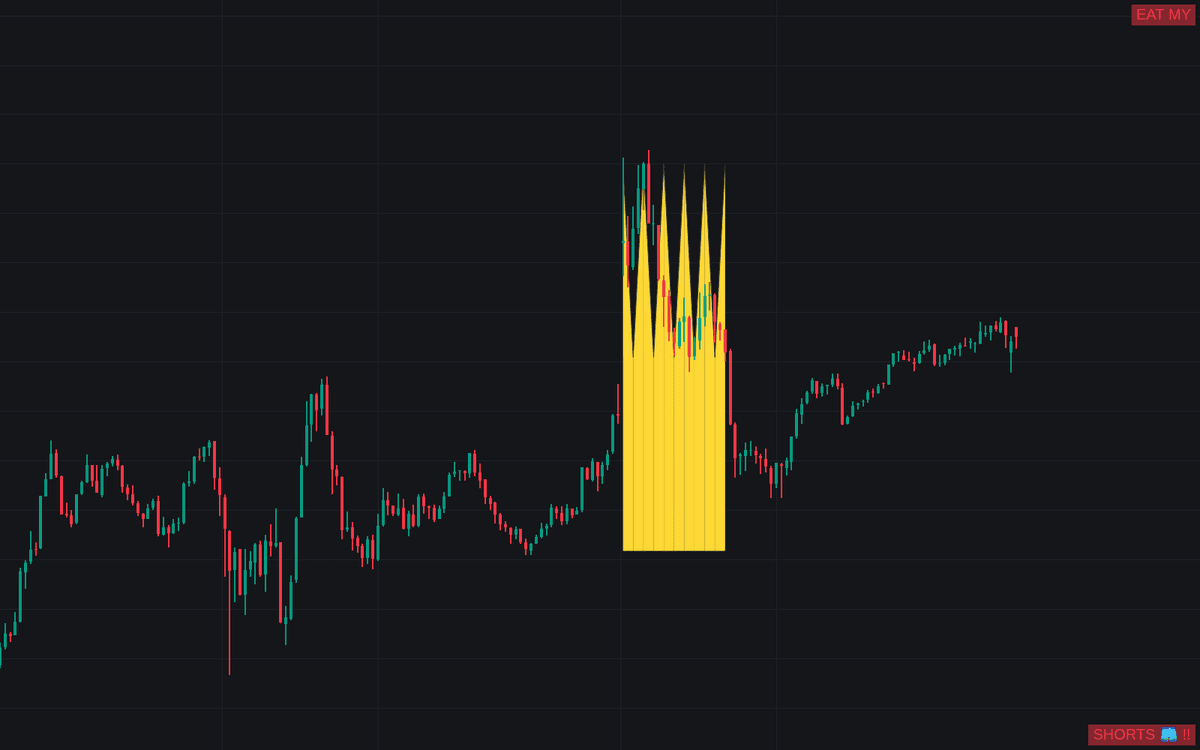

Bart Pattern hunts the meme-famous formation (a violent vertical move, a flat shelf, then an equally abrupt move back the other way) in both regular and inverted form. Using median-filtered edge detection, it marks historical structures that so often resolve in a sharp reversal, giving traders a way to study how these shapes behave. Detection is retrospective rather than real-time.
How to Trade the Bart Pattern?
- Completed patterns: review what followed each historical Bart. These formations often precede quick price movements, making them context for anticipating volatility.
- Shelf edges: before completion, a breakout beyond support or resistance formed inside the flat section is the tradeable event, approached with caution, since sudden jumps are common around these structures.
- Inverted Barts: toggle them on to catch the drop, shelf, and recovery mirror image.
The Bart pattern itself is a meme-born formation from around 2018, most at home on crypto charts, with causes still debated (over-leveraged participants for some, exchange spoofing for others), which is exactly why the detector favors careful study over blind entries. Prefer charts without cartoons? A simple display mode drops the meme visuals entirely.
Bart Pattern Settings
- Median Lookback: lookback of the median filter behind edge detection; shorter periods find shorter, less spaced patterns.
- Edge Detection Sensitivity: higher values decrease sensitivity to low-magnitude edges.
- Range To Edges Threshold: lower values require flatter ranges between the two edges.
- Show Inverted Barts: includes inverted formations in the display.
- Mode: how detected patterns are drawn, including the simple meme-free option.
Frequently Asked Questions
Free on Vela
Run it on Vela. Go further with a paid plan.
- Up to 500 strategy alerts, with webhook automation
- Up to 10× the chart history of Free
- Orderflow lookback up to full history
- More Quant usage to customize it, plus extra usage when you need it
- Futures data alongside crypto, stocks, forex and commodities
Also works on

Related indicators
.png&w=3840&q=75)
Run it on Vela. Make it yours with Quant.
Open this indicator free on Vela, our next-generation charting platform. Then ask Quant, our coding agent built into Vela, to retune it or turn it into a backtested strategy of your own.