Chande Kroll Stop
 By LuxAlgoApr 13, 2020
Chande Kroll Stop is an indicator on Vela, our next-generation charting platform, written in Pine Script®.
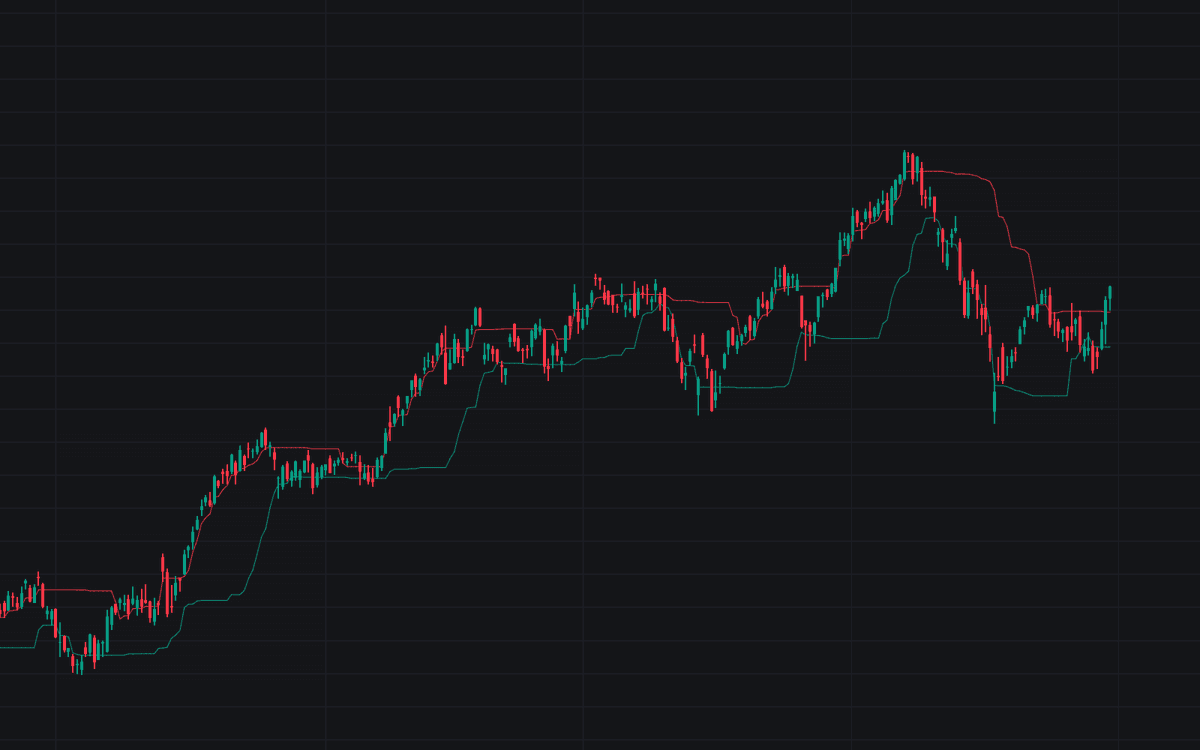

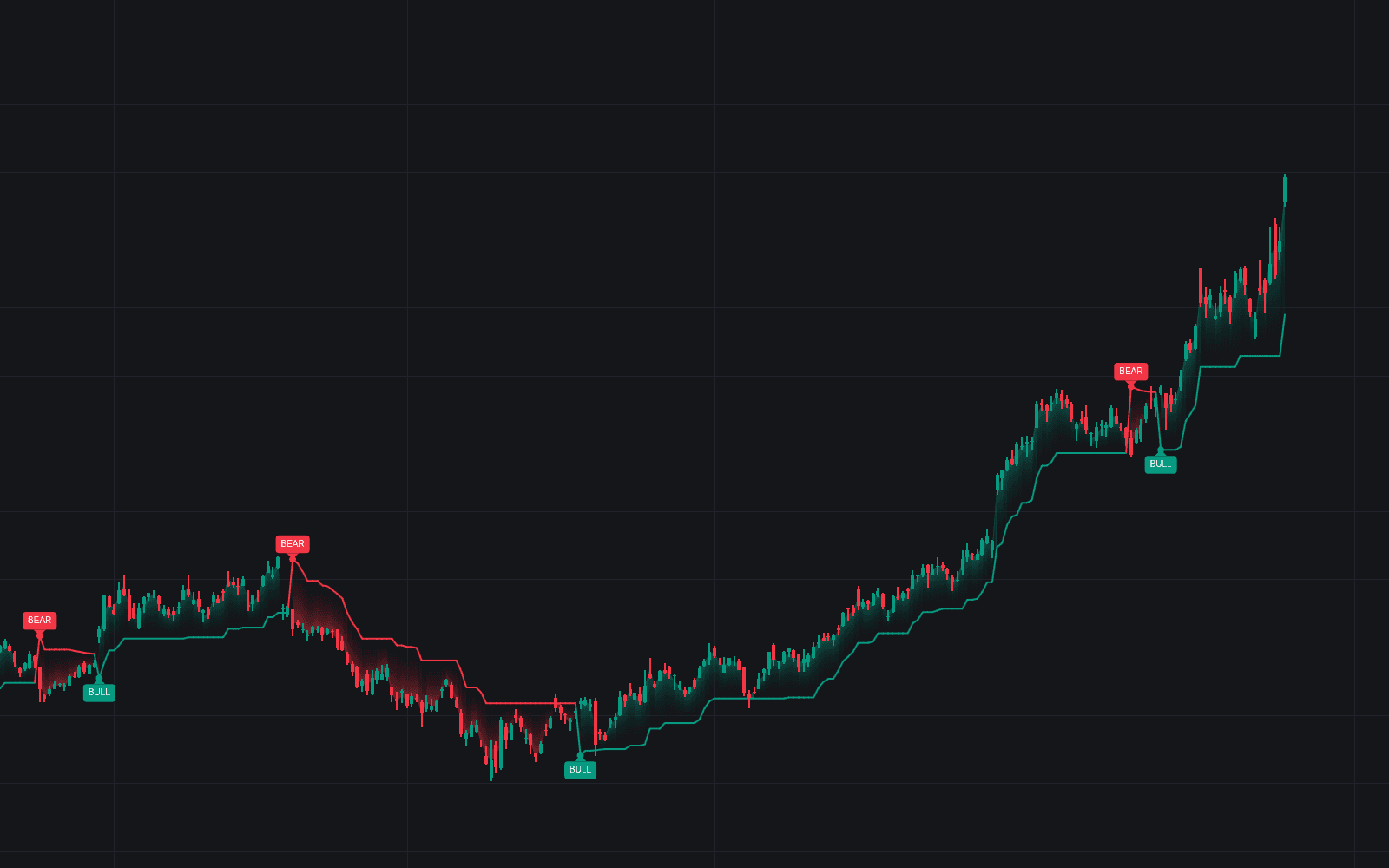
The Chande Kroll Stop plots volatility-adjusted trailing stop lines for both trade directions at once. Each side starts from the extreme price of the last p bars (the highest high or the lowest low), offsets it by x times the Average True Range, then extends the preliminary stop with the most protective value of the last q bars. The result is a pair of stepped lines: Stop Long, the trailing exit for longs, and Stop Short, the trailing exit for shorts. Defaults follow the original parameters of p 10, x 1, and q 9, and the build is the standard implementation as published by Tushar Chande and Stanley Kroll.
How to Trade the Chande Kroll Stop?
- Price above both lines: uptrend regime: longs are favored and Stop Long defines the trailing exit.
- Price below both lines: downtrend regime: Stop Short caps rallies as the exit for shorts.
- Price between the lines: an undecided corridor many traders simply sit out until price picks a side.
- Close under Stop Long: the long exit: the move has given back more than its volatility allowance.
- Close over Stop Short: the mirror exit for shorts.
Chande Kroll Stop Settings
- ATR Length (P) (default 10): the lookback shared by the ATR and the highest-high / lowest-low extremes. Larger values anchor the stops to older extremes; smaller values hug recent price.
- ATR Multiplier (X) (default 1): the offset applied to the preliminary stops. Higher values widen both lines and tolerate more noise; lower values tighten the trail and invite whipsaw exits.
- Stop Length (Q) (default 9): the lookback over which the preliminary stops become the final levels. Higher values make the lines steadier and slower to release.
Alerts
The script provides a Long Stop Hit alert when the close crosses under Stop Long, and a Short Stop Hit alert when the close crosses over Stop Short.
Frequently Asked Questions
Free to use
Run it on Vela. Go further with a paid plan.
- Up to 500 Custom Alerts, with webhook automation
- Up to 10× the chart history of Free
- Orderflow lookback up to full history
- More Quant usage to customize it, plus extra usage when you need it
- Futures data alongside crypto, stocks, forex and commodities

Related indicators
Run it on Vela. Make it yours with Quant.
Open this indicator free on Vela, our next-generation charting platform. Then ask Quant, our coding agent built into Vela, to retune it or turn it into a backtested strategy of your own.