Crypto Liquidation Heatmap
 By LuxAlgoApr 23, 2024
Crypto Liquidation Heatmap is an indicator on Vela, our next-generation charting platform, written in Pine Script®.
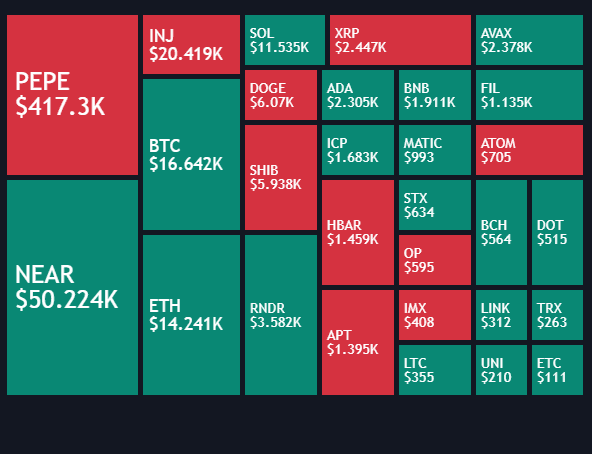

The Crypto Liquidation Heatmap condenses forced-liquidation activity across 20 selectable cryptocurrencies (large-cap Binance USDT pairs by default) into one ranked display. Assets with the heaviest estimated liquidations sort to the top, so leverage flushes stand out instantly, the same forced closures that stack into liquidation clusters around crowded price zones. And unlike a resting liquidity heatmap, which maps orders waiting in the book, this display tracks positions already being closed by force.
How to Trade the Crypto Liquidation Heatmap?
- Ranking: boxes sort in descending order of liquidation value. The top rows are where leverage is being flushed hardest right now.
- Green boxes: long liquidations exceed shorts, the footprint of longs forced out as price drops.
- Red boxes: short liquidations dominate: shorts squeezed by a price spike.
- Hover details: each box reveals the asset's current price, its long and short liquidation breakdown, and the timeframe measured.
Complete liquidation feeds are not readily available, so the tool estimates values from the strong relationship between liquidations, trading volume, and price movement. Read the heatmap as proportion and trend rather than exact totals.
Crypto Liquidation Heatmap Settings
- Cryptocurrency Asset List (Symbol 01 to Symbol 20): the monitored list, defaulting to 20 large-cap Binance USDT pairs; only crypto assets are supported.
- Position / Size: where the heatmap anchors on the chart and how large it renders.
Keep every selected instrument on the same exchange and quoted in the same currency (USD, USDT, USDC, USDP, or USDD): volumes differ across venues, and mixed quotes skew the estimates.
Frequently Asked Questions
Free to use
Run it on Vela. Go further with a paid plan.
- Up to 500 Custom Alerts, with webhook automation
- Up to 10× the chart history of Free
- Orderflow lookback up to full history
- More Quant usage to customize it, plus extra usage when you need it
- Futures data alongside crypto, stocks, forex and commodities
Also works on

Related indicators
All 5 Liquidation Clusters indicators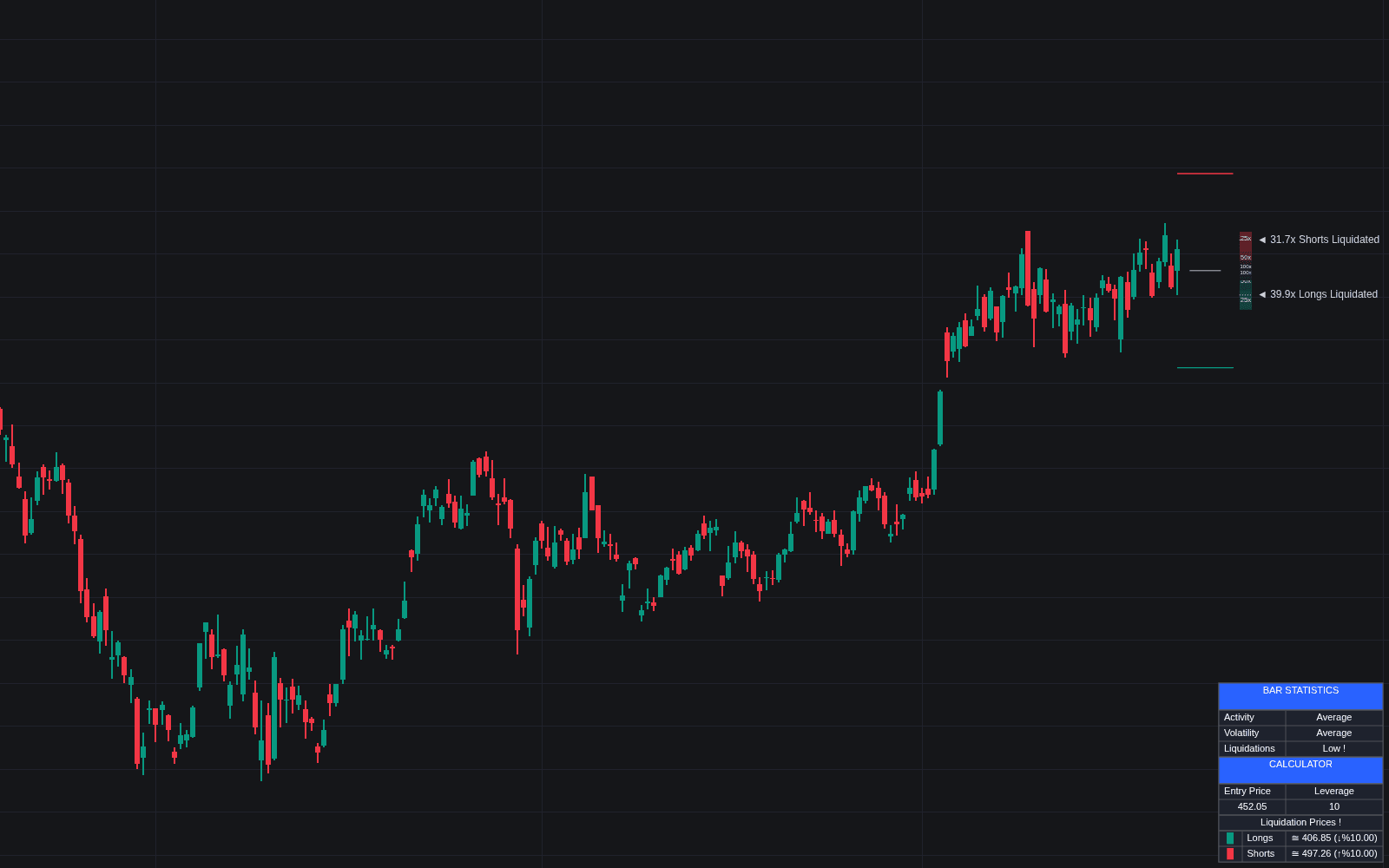
.png&w=3840&q=75)
Run it on Vela. Make it yours with Quant.
Open this indicator free on Vela, our next-generation charting platform. Then ask Quant, our coding agent built into Vela, to retune it or turn it into a backtested strategy of your own.