Island Reversal
 By LuxAlgoNov 5, 2025
Island Reversal is an indicator on Vela, our next-generation charting platform, written in Pine Script®.
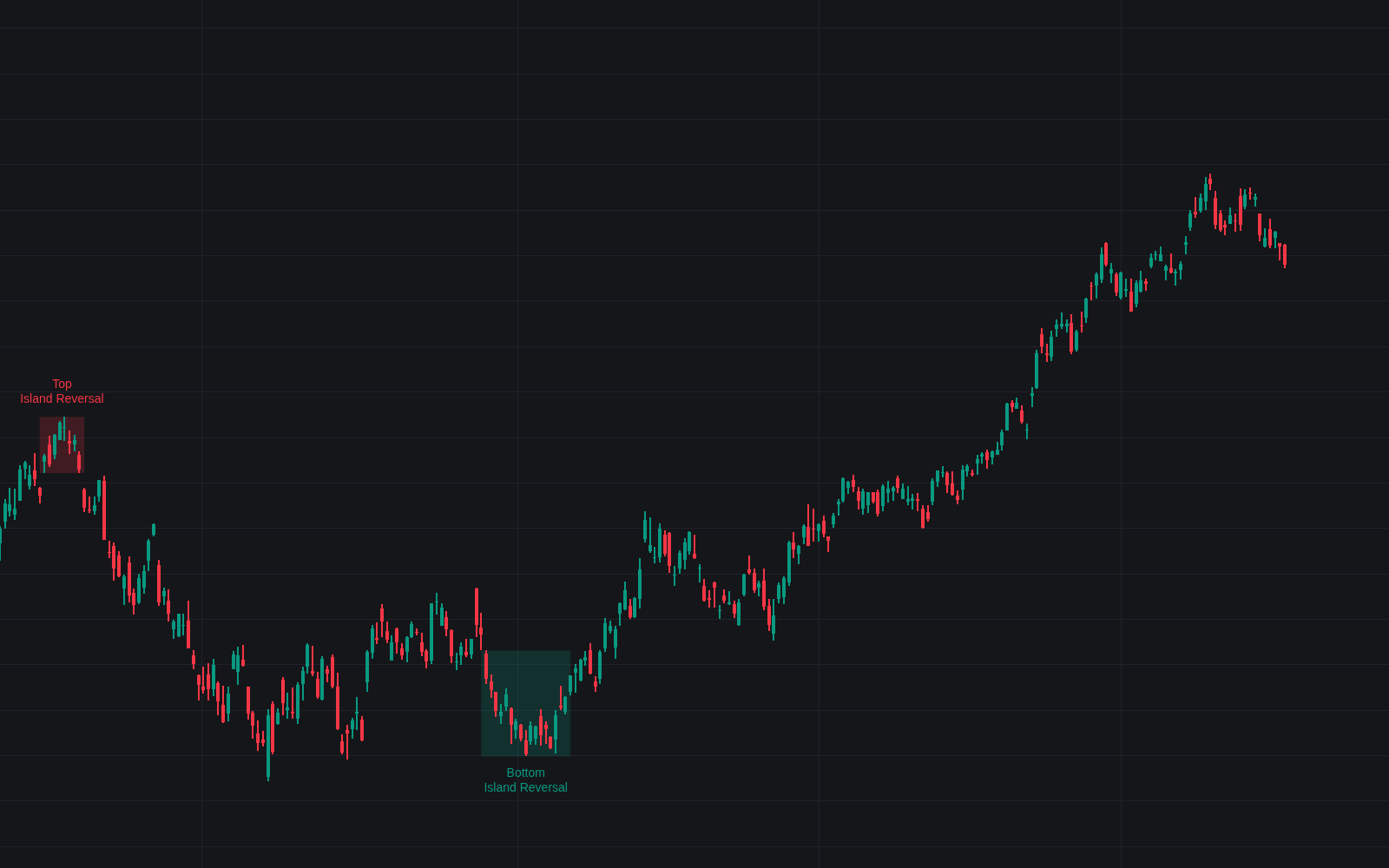

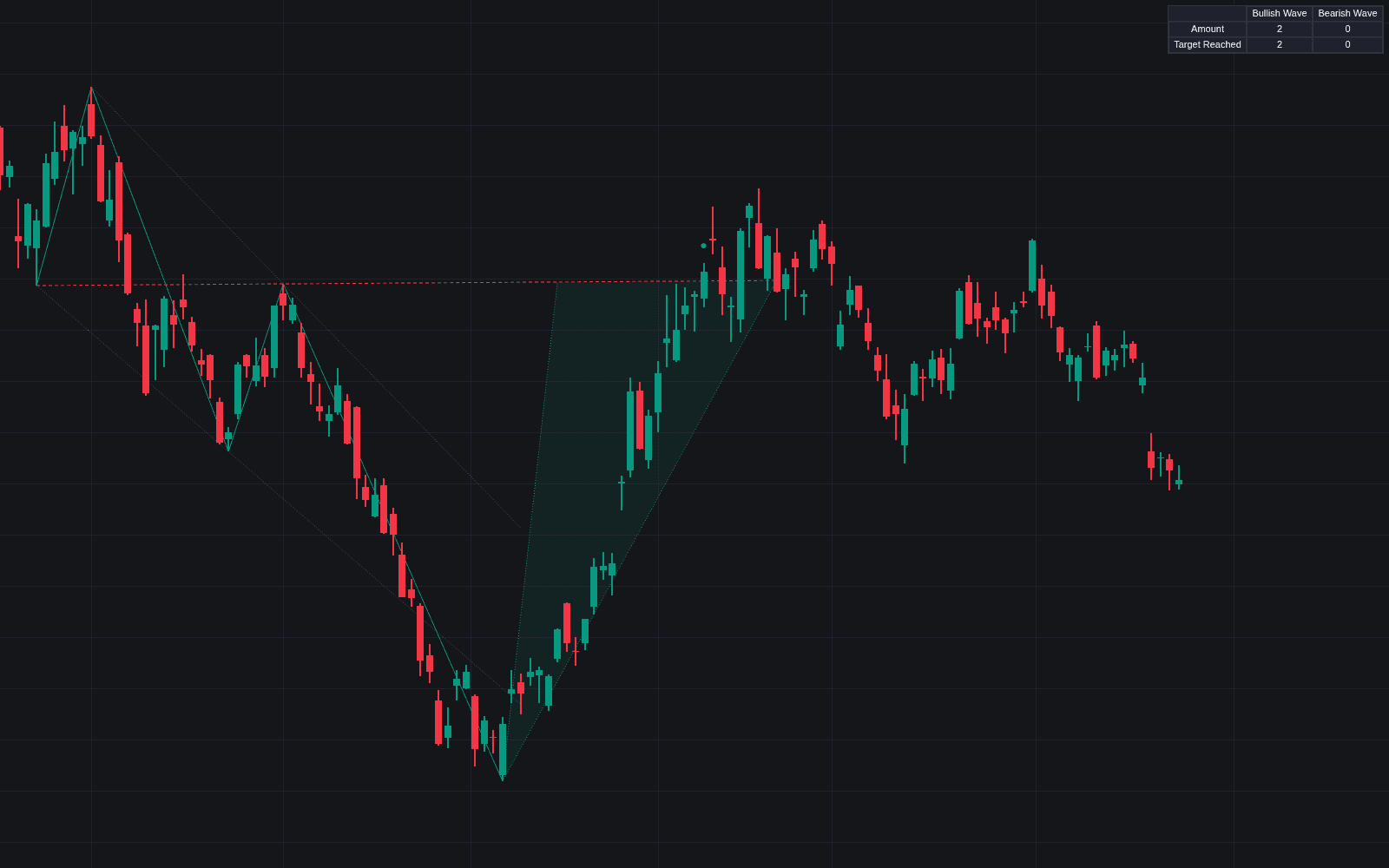
Island Reversal hunts one of charting's most distinctive turning patterns: a cluster of bars marooned by a gap on either side, floating above or below the trend that produced it. The island reversal reads as abrupt exhaustion (the market jumped to an extreme, stalled, then jumped back the other way), and this build detects the bullish and bearish versions automatically, with filters that keep only the cleanest formations.
How to Trade the Island Reversal?
- Bearish island: after an uptrend, price gaps up, consolidates, then gaps back down. The stranded bars mark a potential top.
- Bullish island: the mirror image at the end of a downtrend (a downside gap, a pause, then an upside gap).
- Trend filter on: only top islands in uptrends and bottom islands in downtrends qualify; raising Trend Length demands larger preceding moves.
- Volume filter on: requires more volume inside the island than in the prior trend, consistent with participation swelling near turns.
The two range filters shape the island itself. The Horizontality Filter runs a linear-regression R-squared test to demand genuinely sideways trade within the pattern, while the Volatility Filter bounds how wide the island's range may be relative to long-term volatility. Tighter values keep only compact, decisive islands.
Island Reversal Settings
- Trend Filter and Trend Length: toggle trend-aware detection and set how large the preceding trend must be.
- Volume Filter: toggles the island-versus-trend volume requirement.
- Horizontality Filter (R²): toggle plus threshold for how flat the island must trade.
- Volatility Filter: toggle plus multiplier bounding the island's range.
- Style: bullish and bearish colors with adjustable transparency.
Frequently Asked Questions
Free to use
Run it on Vela. Go further with a paid plan.
- Up to 500 strategy alerts, with webhook automation
- Up to 10× the chart history of Free
- Orderflow lookback up to full history
- More Quant usage to customize it, plus extra usage when you need it
- Futures data alongside crypto, stocks, forex and commodities
Also works on

Related indicators
Run it on Vela. Make it yours with Quant.
Open this indicator free on Vela, our next-generation charting platform. Then ask Quant, our coding agent built into Vela, to retune it or turn it into a backtested strategy of your own.