Paper Trading. Practice on the chart you trade.
A $100,000 paper account comes with every LuxAlgo plan, Free included. Place orders on Vela, our next-generation charting platform, set the stop and the target on the chart, and every fill lands in your journal.
Free to start. No credit card required.
Orders Where You Read the Chart.
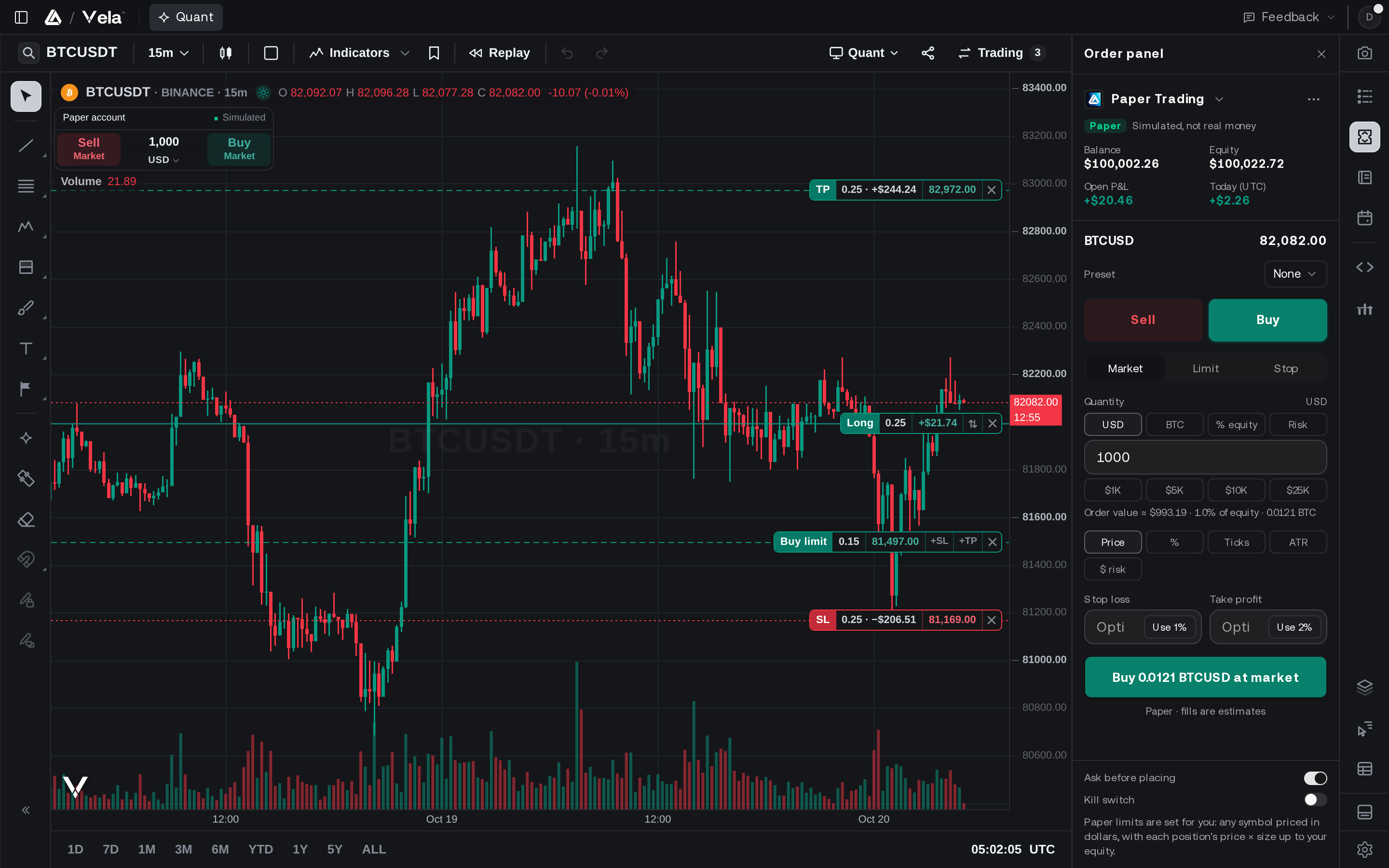
The order panel sits in the chart’s side rail. Buy and Sell sit on the chart itself.
Choose market, limit or stop, set the size, and add a stop loss and a take profit. The order draws on the chart before you place it, and its button names exactly what it sends.
Trade from the chart.
Buy and Sell sit under the symbol, right on the chart. Turn on one-click trading and a press places a market order at once.
Drag the stop and the target.
Limits, stops and exits start on the chart at the last price: drag each one to the price you mean and the order panel follows. Once filled, the position’s lines stay on the chart to move or close.
Rails before every fill.
Every order passes the risk rails first, and paper sizes each position by the margin it holds, as a broker’s margin account would. The kill switch refuses new orders and cancels working ones.
The Whole Record, Under the Chart.
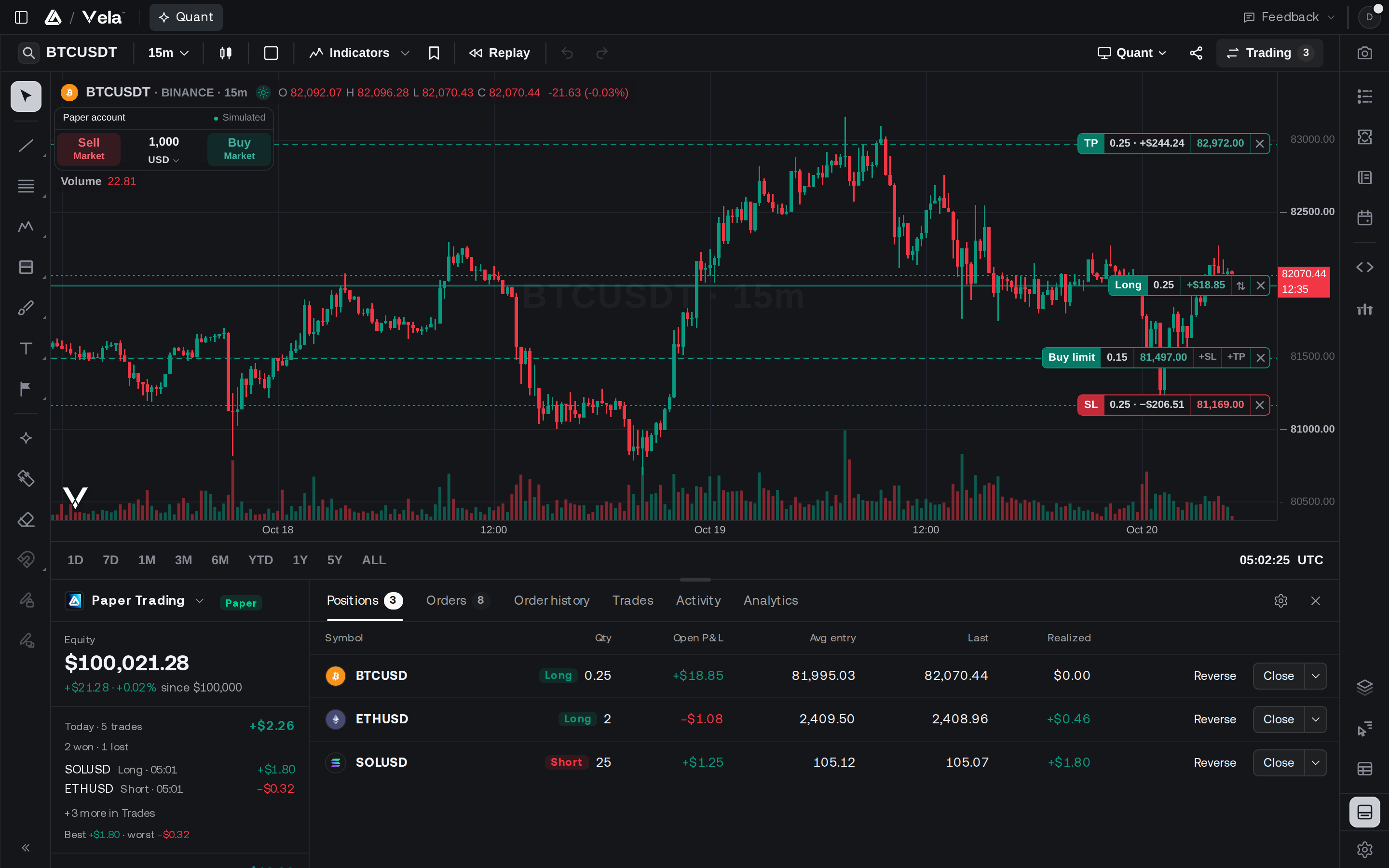
The Trading panel holds your positions, working orders, order history, trades, activity and analytics.
Open P&L ticks with the price you see. Close or reverse a position from its row, and read Analytics for today, the last 7 or 30 days, or all time, with net P&L and its drawdown over time. Every fill also lands in your journal as an account of its own, with nothing to import.
Quant Proposes. You Decide.
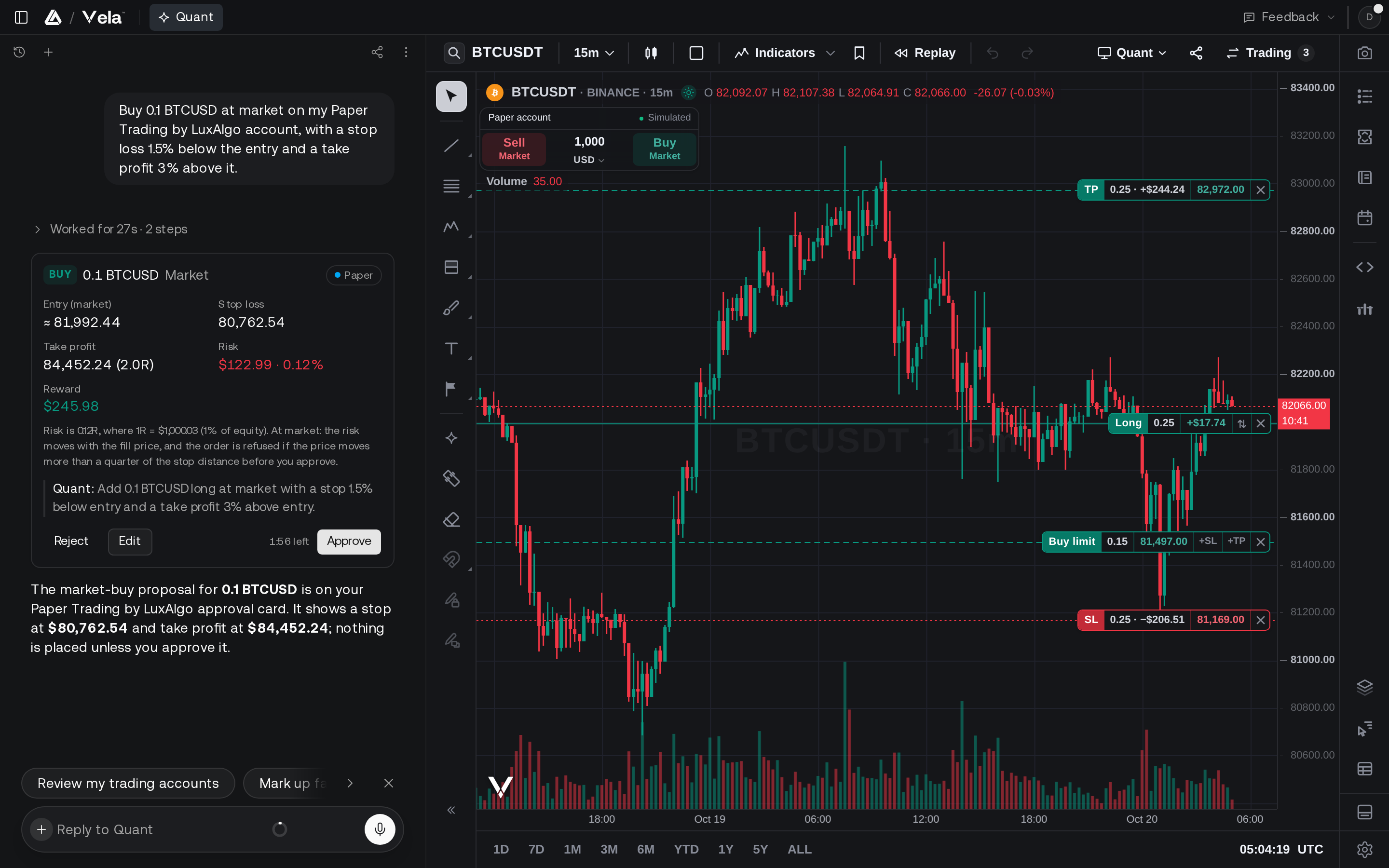
Quant, our coding agent, knows your paper accounts and puts every order it proposes on an approval card.
Ask for a trade, an exit or a cancel. The card shows the size, the stop and the targets, the risk in dollars and as a share of the account, and Quant’s reason. Approve, edit or reject it: Quant only proposes what you ask for, and nothing reaches the account until you approve. On paper, auto-approve can take over for up to four hours, then turns itself off.
Practice at the Size You Trade.
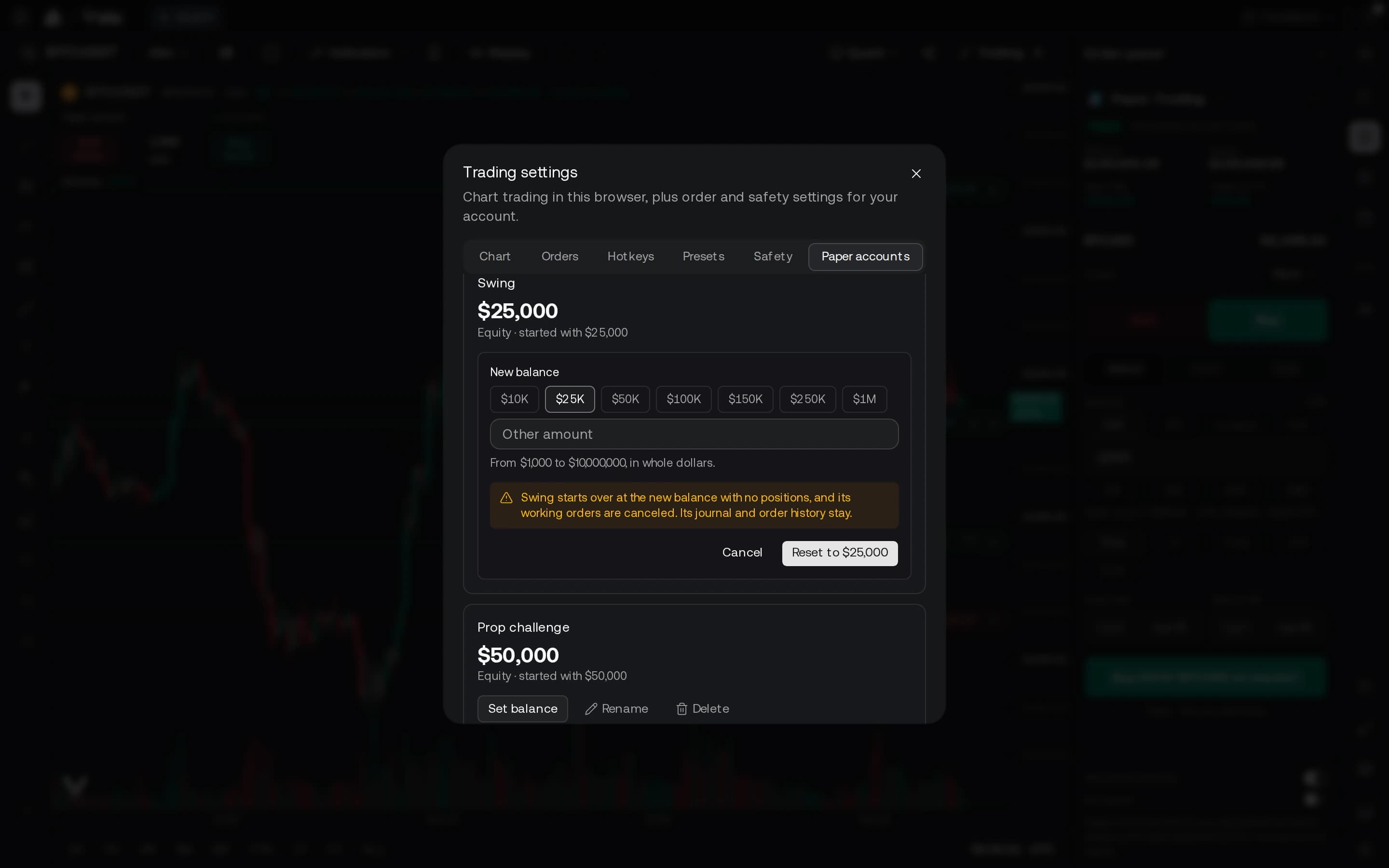
Keep up to five paper accounts, each with its own balance, positions and journal, from $1,000 to $10,000,000.
Preset sizes from $10K to $1M are a click away, the sizes prop firms sell among them, and a reset starts an account over while its journal so far stays. Weighing a challenge? Quant checks a backtested strategy against prop-firm challenge rules with the prop-firm simulator: the estimated pass rate and what would fail it, challenge by challenge. An estimate from past trades, never a promise.
Rules, fees and drawdowns, firm by firm: compare prop firms.
Questions, answered.
Yes. Paper trading comes with every LuxAlgo plan, Free included, with no credit card required. Sign in on Vela and your paper account is ready on the chart.
Trade it on paper first.
Every plan, Free included, comes with a $100,000 paper account. Open a chart and place your first order.