



VWAP + 9 Moving Averages + 3 Jurik MA
Jun 13, 2020

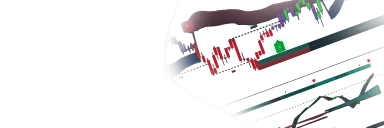
The VWAP + 9 Moving Averages + 3 Jurik MA indicator provides a comprehensive suite of trend-following tools combining volume-weighted average price (VWAP), nine exponential moving averages (EMA) with optional offsets, and three low-lag Jurik Moving Averages (JMA) for advanced market analysis.
Usage
The Usage section describes how the script can be used to identify trend direction, support/resistance zones, and mean reversion levels.
VWAP and Bands
The VWAP can be used as a primary intraday benchmark. By enabling the VWAP bands, users can identify overextended price action based on the "Band Adjust" percentage setting. This is useful for spotting potential reversals or mean reversion targets.
Exponential Moving Averages (EMA)
The nine EMA slots allow for complex ribbon analysis or specific trend filtering:
- Single EMAs: Used for standard trend identification (e.g., price above EMA is bullish).
- Banded EMAs: EMA1 and EMA9 feature adjustable percentage bands, creating price channels that can act as dynamic support or resistance.
- Offsets: Several EMAs allow for horizontal shifting (offsets), which can be used to account for cycle lags or to project future support levels.
Jurik Moving Averages (JMA)
The three JMA components offer a smoother, more responsive alternative to standard EMAs. These are particularly effective in volatile markets to reduce "noise" while maintaining low lag. Users can enable "Highlight Movements" to color-code the JMA based on its slope (e.g., green for rising, red for falling), providing immediate visual confirmation of trend shifts.
Details
The script consolidates multiple technical analysis concepts into a single overlay. The EMA components utilize standard exponential calculations, while the VWAP is calculated using the selected source (typically HLC3).
The Jurik Moving Average (JMA) implementation involves a multi-step calculation involving phase and power parameters. The "Phase" setting adjusts the balance between lag and overshoot, while the "Power" setting affects the curvature and smoothness of the average. The bands included for the VWAP and specific EMAs are calculated as a percentage offset from the central line, creating a symmetrical envelope around the price.
Settings
VWAP Settings
- Enable VWAP: Toggles the visibility of the VWAP line.
- Enable VWAP Bands: Displays upper and lower percentage bands around the VWAP.
- VWAP Source: The price data used for calculation (e.g., Close, HLC3).
- Offset VWAP: Shifts the VWAP line horizontally.
- VWAP Band Adjust: Sets the percentage distance for the upper and lower bands.
MA Settings (1-9)
- Enable MA: Toggles the specific EMA line.
- Enable MA Bands (MA1/MA9): Toggles percentage envelopes for specific EMAs.
- Length: The period used for the EMA calculation.
- Source: The price data used for the EMA.
- Offset: Shifts the EMA line horizontally.
- Band Adjust: Sets the percentage distance for the EMA envelopes.
Jurik MA Settings (1-3)
- Enable Jurik MA: Toggles the visibility of the JMA.
- Length: The period used for the JMA calculation.
- Phase: Adjusts the trade-off between smoothing and lag (-100 to 100).
- Power: Adjusts the sensitivity of the JMA calculation.
- Highlight Movements: Changes the line color based on the direction of the slope.
FAQ
How many moving averages can I display at once? You can display up to nine exponential moving averages, three Jurik moving averages, and one VWAP line simultaneously, provided they are enabled in the settings.
What is the benefit of using Jurik Moving Averages over EMAs? Jurik Moving Averages are designed to provide significantly less lag than traditional moving averages while maintaining a high degree of smoothness, making them more responsive to rapid price changes.
How do I access the VWAP + 9 Moving Averages + 3 Jurik MA indicator? You can get access on the LuxAlgo Library for charting platforms like TradingView, MetaTrader (MT4/MT5), and NinjaTrader for free.
Unlock Unlimited Access to the LuxAlgo Library
Upgrade your plan to get all indicators, strategies, charts, and full access to Quant, our AI agent.
Trading & investing are risky and many will lose money in connection with trading and investing activities. All content on this site is not intended to, and should not be, construed as financial advice. Decisions to buy, sell, hold or trade in securities, commodities and other investments involve risk and are best made based on the advice of qualified financial professionals. Past performance does not guarantee future results.
Hypothetical or Simulated performance results have certain limitations. Unlike an actual performance record, simulated results do not represent actual trading. Also, since the trades have not been executed, the results may have under-or-over compensated for the impact, if any, of certain market factors, including, but not limited to, lack of liquidity. Simulated trading programs in general are designed with the benefit of hindsight, and are based on historical information. No representation is being made that any account will or is likely to achieve profit or losses similar to those shown.
Testimonials appearing on this website may not be representative of other clients or customers and is not a guarantee of future performance or success.
As a provider of technical analysis tools and strategies, we do not have access to the personal trading accounts or brokerage statements of our customers. As a result, we have no reason to believe our customers perform better or worse than traders as a whole based on any content, tool, or platform feature we provide.
Charts used on this site are by TradingView in which the majority of our technical indicators are built on. TradingView® is a registered trademark of TradingView, Inc. www.TradingView.com TradingView® has no affiliation with the owner, developer, or provider of the Services described herein.
Market data is provided by CBOE, CME Group, BarChart, Massive, CoinAPI. Select U.S. equities data is provided through Massive. CBOE BZX real-time U.S. equities data is licensed from CBOE and provided through BarChart. Real-time futures data is licensed from CME Group and provided through BarChart. Select cryptocurrency data, including major coins, is provided through CoinAPI. All data is provided “as is” and should be verified independently for trading purposes.
This does not represent our full Disclaimer. Please read our full disclaimer.
© 2026 LuxAlgo Global, LLC.