Auto Trend Drawing

Feb 17, 2026

Static chart image
Dynamic Overlays
For Fun
Drawing Tool
Repainting Functionality
Works on the following platforms:
tradingviewSymbolTradingView
For free use on the TradingView platform
ninjatraderNinjaTrader
For free use on the NinjaTrader platform
metatrader4MetaTrader 4/5
For free use on the MetaTrader 4/5 platform
thinkorswimThinkorswim
For free use on the Thinkorswim platform

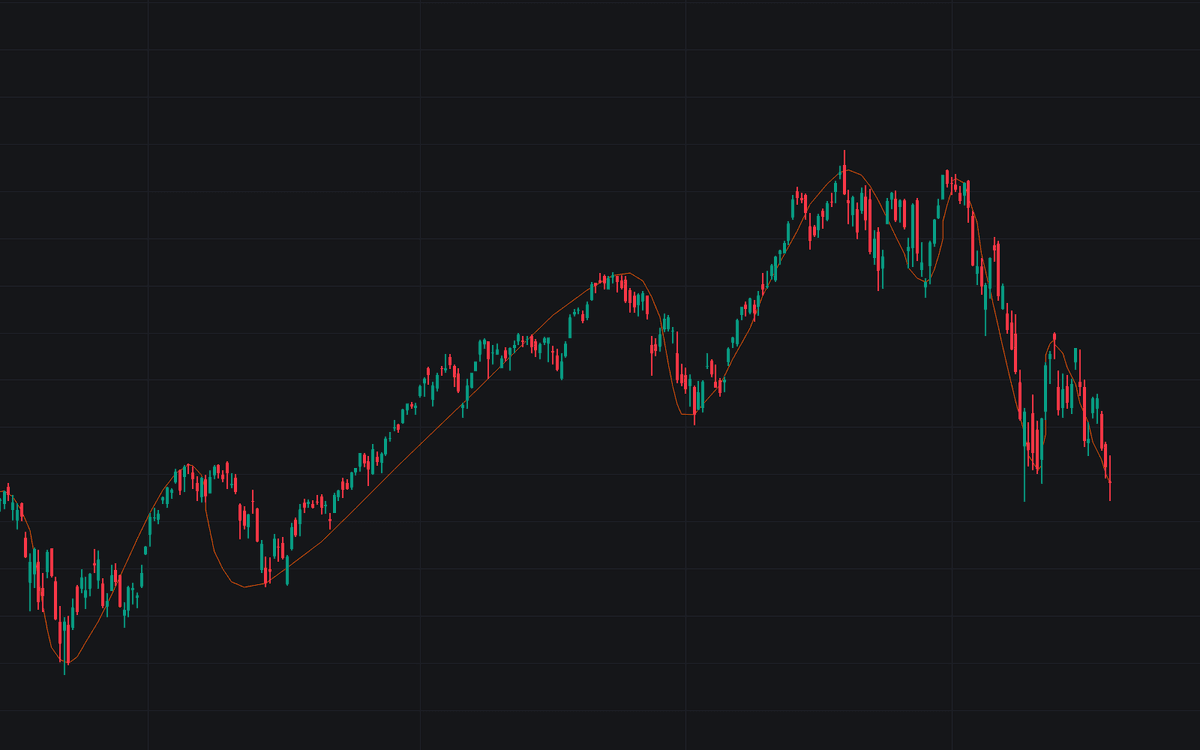
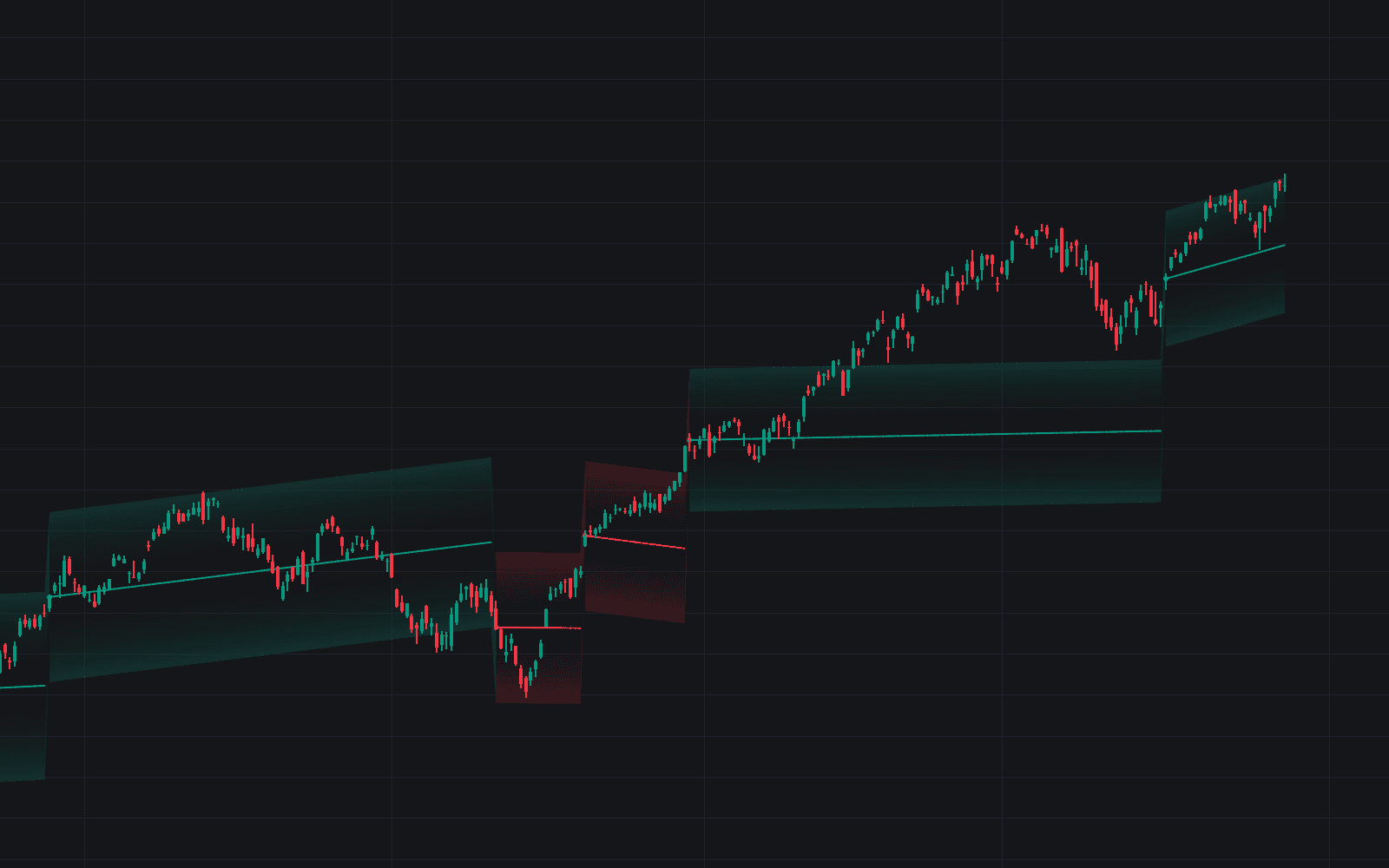
The Auto Trend Drawing indicator is a visual trading tool that transforms raw price action into a smooth, dynamic curve designed to replicate how traders manually sketch trendlines on their charts. By algorithmically simplifying price structure and connecting key pivot points with an organic spline curve, this trading indicator highlights the dominant market direction, structural shifts, and trend flow in a clean, intuitive way.

This indicator is subject to repainting and is displayed retrospectively based on the most recent price data.

How to Trade the Auto Trend Drawing Indicator?

The Auto Trend Drawing tool acts as a market structure visualization engine. Instead of manually drawing trendlines or channels, this trading indicator automatically detects meaningful pivot points and connects them into a flowing curve that reflects the overall trend structure.

It removes minor fluctuations and short-term noise, allowing traders to focus on the broader market bias and price rhythm.

Unlike static trendlines that connect two arbitrary points, this tool continuously adapts to recent price data within a defined window, creating a living trend curve that evolves with the market.

Identifying the Market Trend

You can interpret the curve similarly to how you would read manually drawn trendlines in a price action trading strategy:

  • Bullish Trend Flow:
    When the curve slopes upward and price consistently trades above or closely aligned with it, the market structure favors buyers. Pullbacks toward the curve may act as dynamic support zones.

  • Bearish Trend Flow:
    When the curve slopes downward and price remains below or near the curve’s path, sellers are in control. Rallies into the curve can behave like dynamic resistance.

  • Consolidation / Range Conditions:
    When the curve flattens and loses slope, it signals compression and lack of directional momentum. This environment often precedes breakout trading opportunities.

Using the Curve in a Trading Strategy

This trading indicator can be integrated into multiple trading styles:

  • Trend-Following Strategy:
    Trade in the direction of the curve’s slope and use pullbacks toward it as potential continuation setups.

  • Reversal Detection:
    Watch for structural breaks where price decisively crosses and holds beyond the curve while the slope begins to change direction.

  • Market Structure Confirmation:
    Combine the curve with volume analysis, momentum oscillators, or volatility tools to confirm directional bias.

Because the indicator is retrospective and subject to repainting, it is best used for structure analysis, bias confirmation, and research rather than standalone signal generation.

Technical Details Behind the Curve

The Auto Trend Drawing indicator is built using advanced mathematical and geometric techniques commonly used in signal processing and computational graphics.

Volatility Normalization with ATR

Before simplifying the price series, the script normalizes price data using the Average True Range (ATR). This ensures the trend detection logic adapts consistently across:

  • High-volatility assets (e.g., crypto, indices)
  • Low-volatility instruments (e.g., major forex pairs)
  • Different timeframes (scalp to swing trading)

By volatility-adjusting the data, the simplification process remains structurally consistent regardless of instrument behavior.

Ramer-Douglas-Peucker (RDP) Algorithm

The Ramer-Douglas-Peucker (RDP) algorithm recursively removes insignificant points from the price path, preserving only the most structurally important anchor points.

In trading terms, this means:

  • Minor fluctuations are discarded.
  • Major swing highs and lows are retained.
  • Market structure becomes easier to interpret.

The Simplification Multiplier controls how aggressively the algorithm filters price noise.

Catmull-Rom Spline Interpolation

After identifying key structural anchors, the indicator connects them using Catmull-Rom spline interpolation. This produces:

  • A smooth curve that passes directly through each anchor point.
  • A more natural, “hand-drawn” appearance.
  • A visually intuitive representation of trend flow.

This spline-based approach creates a cleaner alternative to jagged line segments while preserving structural accuracy.

Indicator Settings Explained

The Auto Trend Drawing indicator includes several customizable parameters so traders can adapt it to different markets and trading strategies.

  • Window Size:
    Defines how many recent bars are analyzed. Larger windows capture broader structure, while smaller windows focus on short-term trend behavior.

  • Simplification Multiplier:
    Controls sensitivity.

    • Higher values → smoother, macro-level structure.
    • Lower values → tighter, more reactive curve.
  • ATR Length:
    Sets the period used for volatility normalization.

  • Curve Tension:
    Adjusts how tightly the spline bends between anchor points.

    • 0.5 (centripetal) produces balanced curvature.
    • Higher or lower values increase or decrease curvature intensity.
  • Curve Resolution:
    Determines how many calculated sub-points exist between anchors. Higher resolution produces a visually smoother line.

  • Line Color:
    Customizes the appearance of the trend curve.

  • Line Width:
    Adjusts thickness for improved visibility on different chart themes.

When Should You Use This Trading Indicator?

The Auto Trend Drawing indicator is particularly useful for:

  • Market structure analysis
  • Identifying dominant trend direction
  • Studying price geometry and rhythm
  • Visual backtesting and structural research
  • Simplifying complex price action

It is less suited for real-time signal precision due to its retrospective recalculation behavior.

FAQ

Does the Auto Trend Drawing indicator repaint?

Yes. The indicator recalculates based on the most recent price data and is displayed retrospectively. It should be used primarily for structural analysis and trend visualization rather than strict entry signals.

Is this indicator suitable for all markets?

Yes. Thanks to ATR-based normalization, it adapts to different volatility environments including stocks, forex, crypto, and futures markets.

How do I access the Auto Trend Drawing indicator?

You can get access on the LuxAlgo Library for charting platforms like TradingView, MetaTrader (MT4/MT5), and NinjaTrader for free.

Trading & investing are risky and many will lose money in connection with trading and investing activities. All content on this site is not intended to, and should not be, construed as financial advice. Decisions to buy, sell, hold or trade in securities, commodities and other investments involve risk and are best made based on the advice of qualified financial professionals. Past performance does not guarantee future results.

Hypothetical or Simulated performance results have certain limitations. Unlike an actual performance record, simulated results do not represent actual trading. Also, since the trades have not been executed, the results may have under-or-over compensated for the impact, if any, of certain market factors, including, but not limited to, lack of liquidity. Simulated trading programs in general are designed with the benefit of hindsight, and are based on historical information. No representation is being made that any account will or is likely to achieve profit or losses similar to those shown.

Testimonials appearing on this website may not be representative of other clients or customers and is not a guarantee of future performance or success.

As a provider of technical analysis tools and strategies, we do not have access to the personal trading accounts or brokerage statements of our customers. As a result, we have no reason to believe our customers perform better or worse than traders as a whole based on any content, tool, or platform feature we provide.

Charts used on this site are by TradingView in which the majority of our technical indicators are built on. TradingView® is a registered trademark of TradingView, Inc. www.TradingView.comTradingView® has no affiliation with the owner, developer, or provider of the Services described herein.

Market data is provided by CBOE, CME Group, BarChart, CoinAPI. CBOE BZX real-time US equities data is licensed from CBOE and provided through BarChart. Real-time futures data is licensed from CME Group and provided through BarChart. Select cryptocurrency data, including major coins, is provided through CoinAPI. All data is provided “as is” and should be verified independently for trading purposes.

This does not represent our full Disclaimer. Please read our full disclaimer.

© 2026 LuxAlgo Global, LLC.