Liquidity Levels
 By LuxAlgoSep 27, 2021
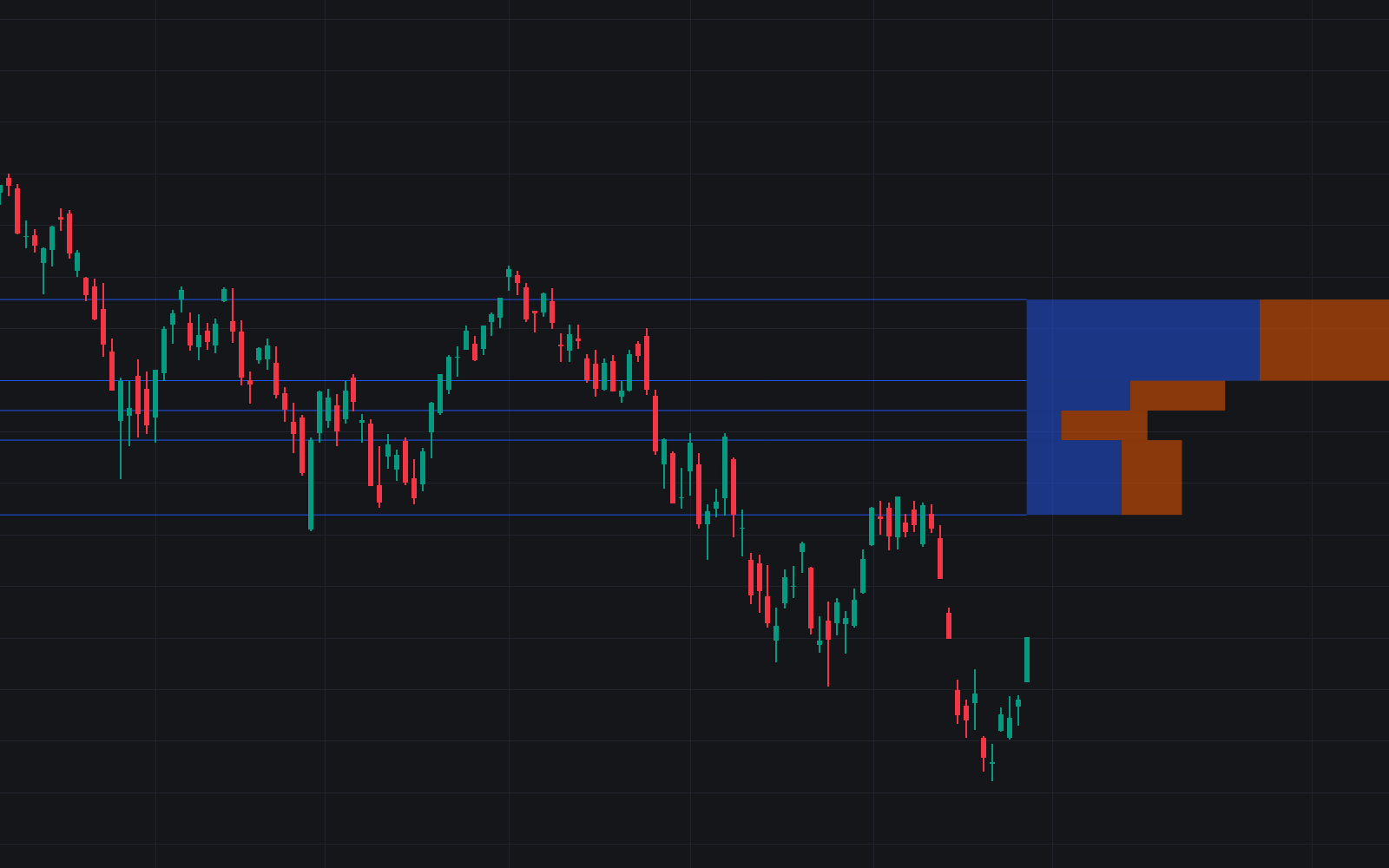

Liquidity Levels builds support and resistance from volume peaks: whenever volume spikes over the lookback, the price where it happened is stored and drawn as a level. The premise is that heavy participation marks prices the market cared about (the same reasoning that makes pools of resting orders worth tracking), and a built-in histogram then shows how price behaved between neighboring levels, counting closes and the bullish share among them.
How to Trade the Liquidity Levels?
- Volume-peak levels: each detected peak flags its price as potential support or resistance; levels that history shows were tested before carry extra weight.
- Retest validation: on a return to a level, further volume analysis helps judge whether a bounce is genuinely being defended.
- Histogram bins: each bin counts the closing prices that fell between two levels and how many were bullish, revealing where price was accepted and which side drove it.
- Bin shape: a wide but short bin means price crossed those levels quickly with few closes, a hint of elevated volatility over a short stretch.
It sits naturally beside the rest of the levels toolkit.
Liquidity Levels Settings
- Length: the lookback used to detect volume peaks, the trigger for new levels.
- Number Of Levels: how many support/resistance levels stay displayed.
- Levels Color Mode: Relative colors levels by their position versus the current price, Random assigns varied colors, Fixed keeps a single color throughout.
- Levels Style: solid, dashed, or dotted lines.
- Show Histogram and Histogram Window: toggle the histogram and set the lookback it analyzes.
- Bins Colors: separate colors for the bullish and bearish portions of each bin.
Frequently Asked Questions
Free indicator
Get free access to this indicator on the platforms below.
TradingView
NinjaTrader
MetaTrader 4/5

Original indicatorBuilt in-house by LuxAlgo
The Library is free. Quant makes it yours.
Pull any concept or indicator into Quant: rebuild it, retune it, or turn it into a backtested strategy of your own.