Liquidity Structure & Order Flow

Feb 19, 2026

Static chart image
Dynamic Overlays
Volume Based
Dashboard
Liquidity
Works on the following platforms:
tradingviewSymbolTradingView
For free use on the TradingView platform
ninjatraderNinjaTrader
For free use on the NinjaTrader platform
metatrader4MetaTrader 4/5
For free use on the MetaTrader 4/5 platform
thinkorswimThinkorswim
For free use on the Thinkorswim platform

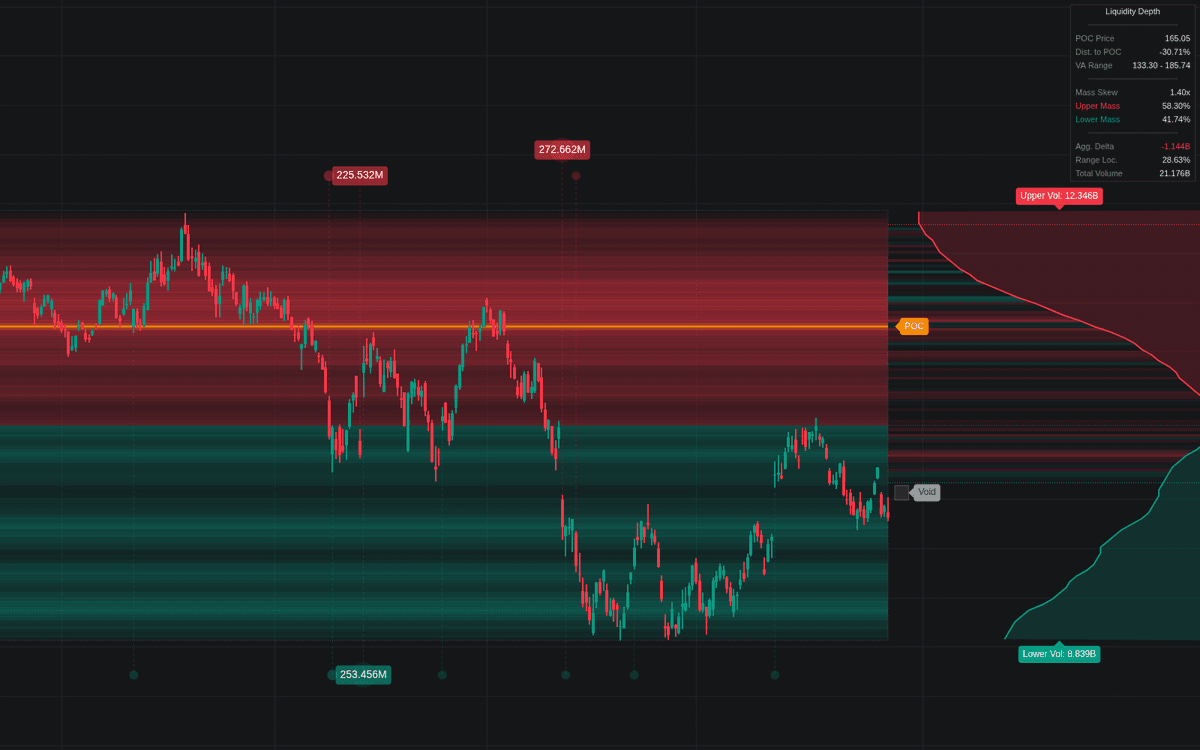
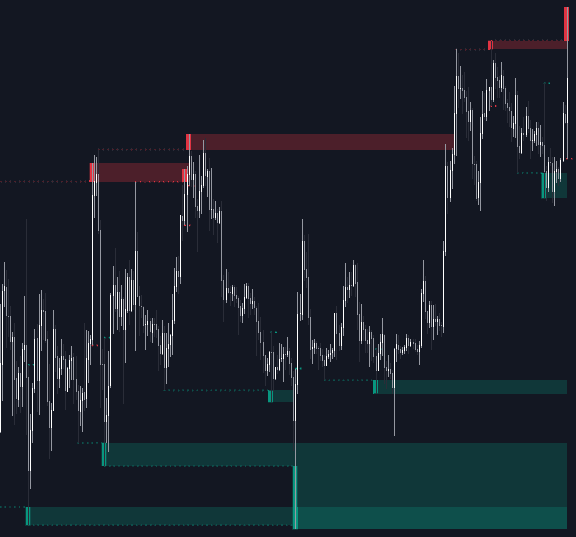
The Liquidity Structure & Order Flow trading indicator is an advanced volume-based trading tool designed to reveal where liquidity is concentrated, where order flow is aggressive, and where price is likely to react, reverse, or accelerate. By combining volume profile analytics, delta flow, and liquidity void detection into one unified system, it helps traders identify high-probability support and resistance zones, institutional activity, and breakout opportunities across any market or timeframe.

How to Trade the Liquidity Structure & Order Flow Trading Indicator?

This trading indicator merges traditional volume profiling with modern order flow analysis to provide a deeper view of market structure. Instead of only analyzing price action, it maps where volume is distributed, who is more aggressive (buyers vs. sellers), and where liquidity gaps may trigger fast price movement.

By projecting liquidity depth directly onto the chart, traders can visually measure the “weight” of the market at each price level.

Identification and Trading Strategy

Identify Fair Value and Balance Zones

Use the Value Area (VAH to VAL) to determine where the majority of trading activity has occurred during the lookback period.

  • When price trades inside the Value Area → The market is balanced.
  • When price breaks outside the Value Area → The market is transitioning into imbalance, often starting a new trend.

This makes the Value Area especially useful for:

  • Range trading strategies
  • Breakout confirmation
  • Trend continuation setups

Spot Order Absorption

Look for high Volume Delta (bright green or red intensities) near the edges of the Value Area.

If:

  • Delta is strong (aggressive buying or selling),
  • But price fails to continue moving in that direction,

It suggests absorption by passive limit orders — often institutional liquidity defending a level.

This can signal:

  • Potential reversals
  • Fake breakouts
  • Exhaustion moves

Anticipate High-Volatility Moves

The Widest Void zones represent liquidity gaps where historical volume is minimal.

Because these areas lack “friction,” price often:

  • Moves rapidly through them
  • Accelerates toward the next high-liquidity node
  • Uses them as breakout targets or take-profit zones

Liquidity voids are particularly useful for:

  • Momentum trading
  • Scalping volatile sessions
  • Identifying vacuum-style price moves

Confirm Reversals with Volume Extremes

Unusual Volume Bubbles appearing at key structural levels (POC, VAH, VAL, swing highs/lows) often signal:

  • Climactic buying or selling
  • Institutional positioning
  • Smart money activity

When extreme volume coincides with structural levels, probability of reaction increases significantly.


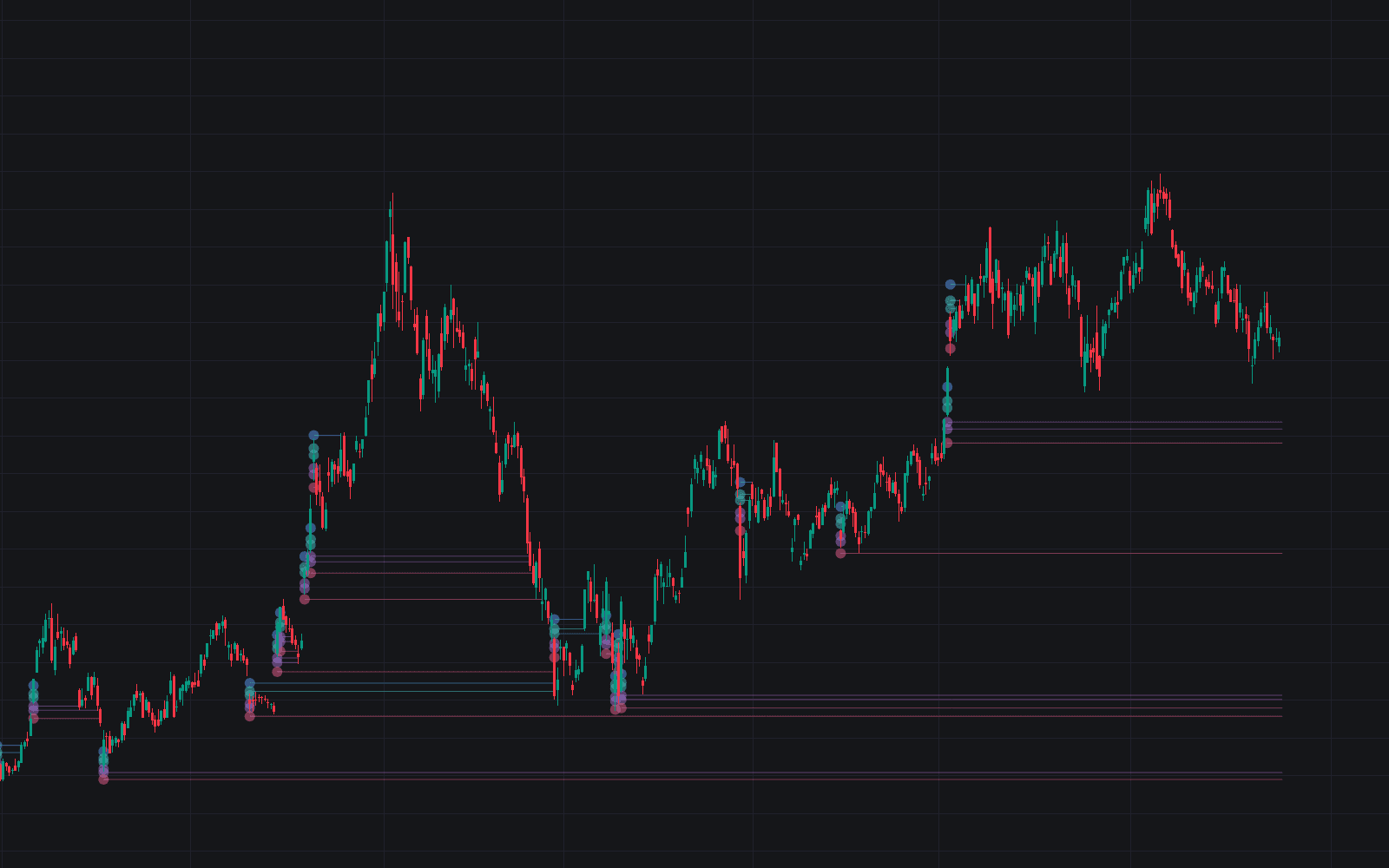
Unusual Volume Bubbles

The Unusual Volume Bubble system detects statistically extreme volume events using a Z-Score calculation based on a 200-period volume baseline.

Key features:

  • Bubbles scale in size based on statistical deviation
  • Glow effects highlight higher outliers
  • A Smart Lane Anti-Overlap System dynamically stacks bubbles so multiple spikes remain visible

This ensures clean visualization even during high-volatility market conditions.

Larger, brighter bubbles often indicate:

  • Stop runs
  • Liquidation cascades
  • Institutional participation
  • News-driven spikes

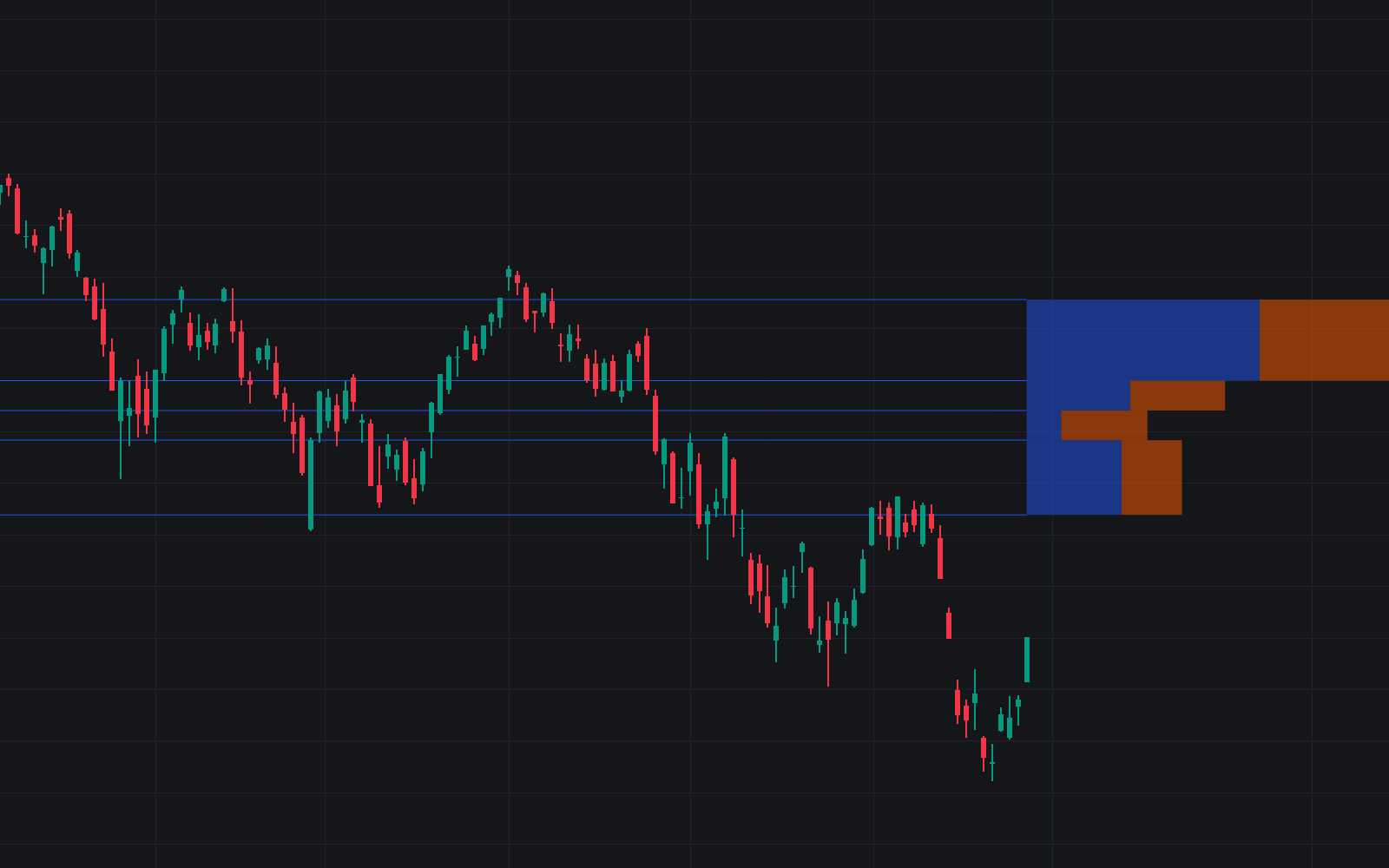
Volume Delta Backdrop

The Volume Delta Panel calculates the net difference between aggressive buyers and sellers within each price bin of the Value Area.

It uses an EMA-smoothed delta flow to filter market noise and emphasize real imbalance.

  • Green intensity → Aggressive buying dominance
  • Red intensity → Aggressive selling dominance
  • Neutral tones → Balanced order flow

This allows traders to:

  • Validate breakouts with delta confirmation
  • Detect hidden divergence between price and aggression
  • Identify areas of strong absorption

DETAILS

Widest Void Analysis

The script automatically detects the Widest Void, defined as the longest continuous sequence of price bins where volume falls below 15% of the Point of Control (POC) volume.

In auction market theory, these represent inefficient price discovery zones.

Because historical participation was low in these regions:

  • Price tends to move quickly through them
  • They act as liquidity vacuums
  • They often connect high-volume nodes

This makes them powerful targets for:

  • Breakout trades
  • Liquidity-based scalping
  • Risk-to-reward optimization

Dynamic Volume Ribbons

At the front of the indicator, two cumulative polylines visualize the evolving liquidity structure:

  • Upper Ribbon (Red): Volume distribution above the midpoint
  • Lower Ribbon (Green): Volume distribution below the midpoint

These ribbons help traders quickly determine:

  • Which side of the market is heavier
  • Where imbalance is building
  • Whether pressure is skewed bullish or bearish

They provide a forward-looking visual cue of structural dominance.


SETTINGS

Volume Profile Settings

  • Lookback Period: Number of historical bars used for volume profile calculation.
  • Weight Recent Volume: Gives more influence to recent activity for adaptive profiles.
  • Value Area %: Defines how much total volume is included in the Value Area calculation.
  • Profile Smoothing: Reduces heatmap noise for cleaner structure visualization.

Volume Delta Backdrop

  • Show Volume Delta Panel: Toggle delta distribution inside the Value Area.
  • Delta Intensity: Adjust color saturation based on aggression strength.
  • Delta Smoothing Length: EMA length applied to delta for noise reduction.

Unusual Volume Bubbles

  • Sensitivity (Z-Score): Statistical threshold required to trigger a bubble.
  • Min/Max Bubble Size: Controls visual scaling of volume spikes.

Visualization & Dashboard

  • Show Heatmap: Toggle liquidity heatmap background.
  • Highlight Widest Void: Enable automatic liquidity gap labeling.
  • Curves X-Offset: Push volume ribbons into the future for forward projection.
  • Dashboard: Display on-screen metrics including:
    • Mass Skew
    • Distance to POC
    • Aggregated Delta

Why Use This Trading Indicator?

The Liquidity Structure & Order Flow indicator provides:

  • Advanced volume profile analytics
  • Order flow imbalance detection
  • Liquidity void identification
  • Institutional activity visualization
  • Trend and reversal confirmation tools

It bridges the gap between traditional technical analysis and modern order flow trading, making it suitable for:

  • Day traders
  • Scalpers
  • Swing traders
  • Futures traders
  • Crypto traders
  • Forex traders

By understanding where liquidity sits and how aggressive participants are behaving, traders gain a significant informational edge.


FAQ

What type of trading strategy works best with this indicator?

It works exceptionally well with:

  • Breakout strategies
  • Mean reversion strategies inside the Value Area
  • Liquidity sweep trading models
  • Order block and market structure-based systems

Can beginners use this trading indicator?

Yes. While it includes advanced order flow concepts, the visual heatmap, value areas, and bubble system make it intuitive even for newer traders learning market structure.

How do I access the Liquidity Structure & Order Flow indicator?

You can get access on the LuxAlgo Library for charting platforms like TradingView, MetaTrader (MT4/MT5), and NinjaTrader for free.

Trading & investing are risky and many will lose money in connection with trading and investing activities. All content on this site is not intended to, and should not be, construed as financial advice. Decisions to buy, sell, hold or trade in securities, commodities and other investments involve risk and are best made based on the advice of qualified financial professionals. Past performance does not guarantee future results.

Hypothetical or Simulated performance results have certain limitations. Unlike an actual performance record, simulated results do not represent actual trading. Also, since the trades have not been executed, the results may have under-or-over compensated for the impact, if any, of certain market factors, including, but not limited to, lack of liquidity. Simulated trading programs in general are designed with the benefit of hindsight, and are based on historical information. No representation is being made that any account will or is likely to achieve profit or losses similar to those shown.

Testimonials appearing on this website may not be representative of other clients or customers and is not a guarantee of future performance or success.

As a provider of technical analysis tools and strategies, we do not have access to the personal trading accounts or brokerage statements of our customers. As a result, we have no reason to believe our customers perform better or worse than traders as a whole based on any content, tool, or platform feature we provide.

Charts used on this site are by TradingView in which the majority of our technical indicators are built on. TradingView® is a registered trademark of TradingView, Inc. www.TradingView.comTradingView® has no affiliation with the owner, developer, or provider of the Services described herein.

Market data is provided by CBOE, CME Group, BarChart, CoinAPI. CBOE BZX real-time US equities data is licensed from CBOE and provided through BarChart. Real-time futures data is licensed from CME Group and provided through BarChart. Select cryptocurrency data, including major coins, is provided through CoinAPI. All data is provided “as is” and should be verified independently for trading purposes.

This does not represent our full Disclaimer. Please read our full disclaimer.

© 2026 LuxAlgo Global, LLC.