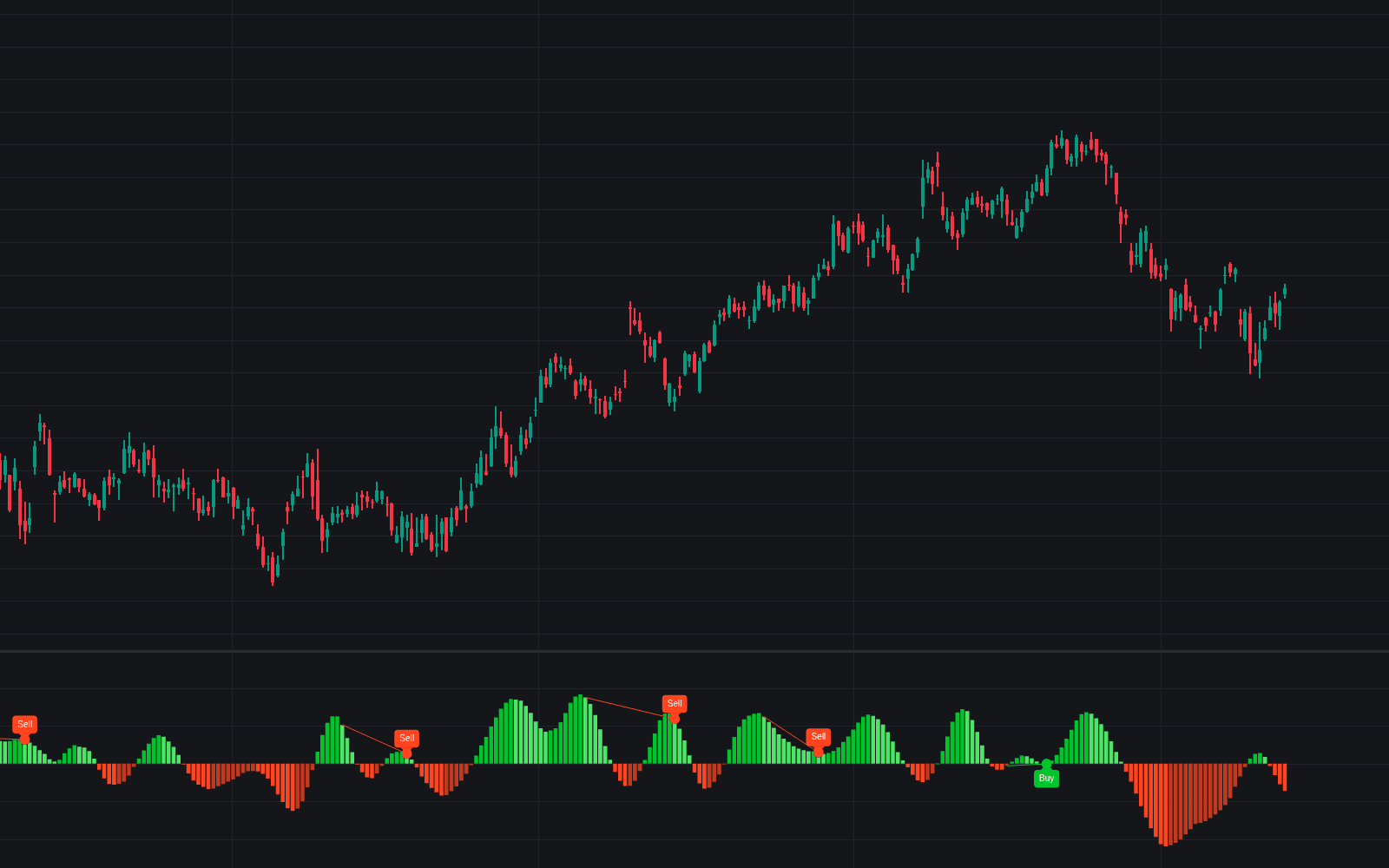
Momentum Terrain 3D
Apr 17, 2026

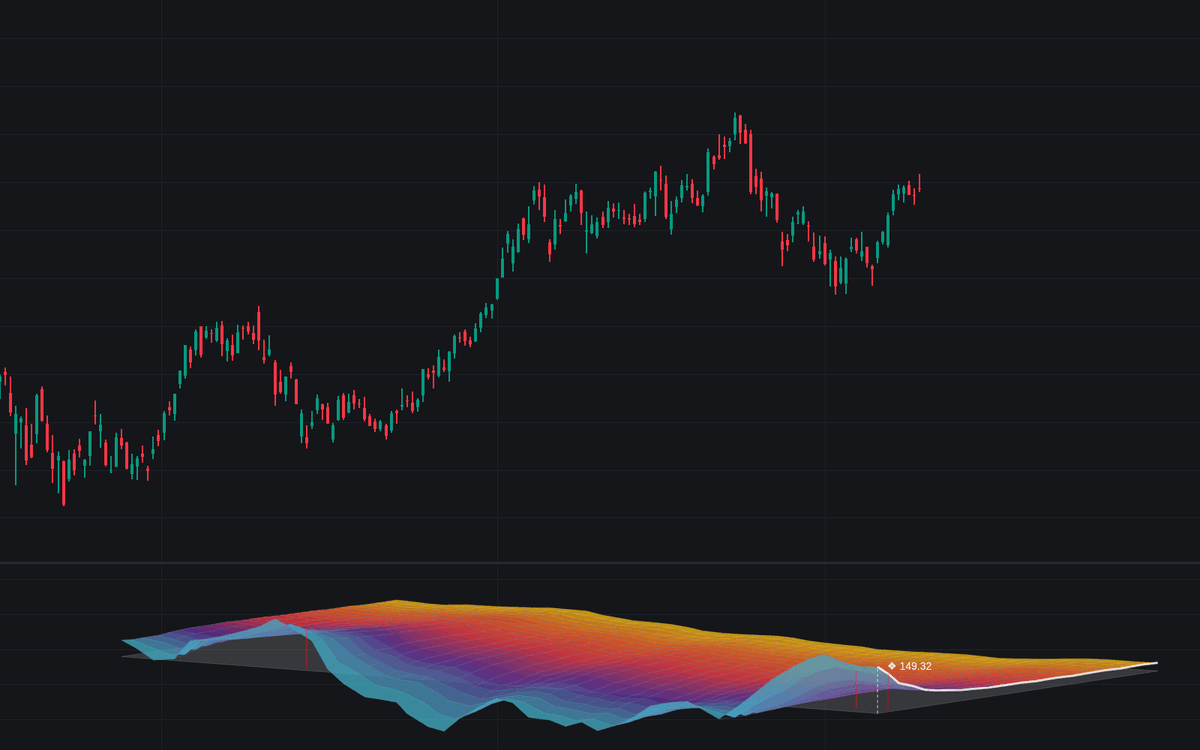
The Momentum Terrain 3D tool is a powerful trading indicator that transforms RSI momentum into a 3D landscape, helping traders see short-term and long-term momentum in one visual framework. Instead of relying on a single RSI line, this tool maps multiple RSI lookback periods across time to reveal trend strength, pullbacks, compression, and momentum exhaustion in a way that is intuitive for both discretionary traders and systematic strategy builders.
How to Trade the Momentum Terrain 3D Indicator
This trading indicator gives traders a broader view of market momentum by calculating many RSI lengths at once and displaying them as a 3D topographical surface. The result is a visual momentum map where you can quickly identify whether bullish or bearish pressure is building, fading, or staying in balance.
Because the indicator blends fast and slow RSI data into one structure, it can be useful for several trading styles, including trend trading, pullback trading, reversal analysis, and momentum confirmation. It is especially helpful for traders who want more context than a single oscillator can provide.
Understanding the 3D Momentum Structure
To read the terrain effectively, it helps to understand what each dimension represents and how they work together:
- X-Axis (Width): Represents time. The far right side shows the current bar, while moving left reveals older market action. This helps traders study how momentum has evolved and whether it is strengthening or weakening.
- Y-Axis (Depth): Represents RSI lookback length. The front of the terrain uses shorter, faster RSI settings, while the back uses longer, slower settings. This creates a layered view of immediate momentum versus broader trend structure.
- Z-Axis (Height): Represents RSI value. The higher the surface, the stronger the bullish momentum. The lower the surface, the stronger the bearish momentum. A semi-transparent neutral plane sits at RSI 50, giving traders a clear midpoint between bullish and bearish conditions.
This three-dimensional layout turns RSI data into a readable market structure tool rather than just another oscillator pane.
How to Read the Topography for Trading Signals
The terrain can be interpreted much like a landscape, where slopes, peaks, valleys, and flat zones all carry useful information for a trading strategy.
- Trend Alignment: When the whole terrain rises from back to front, short-term and long-term RSI momentum are aligned. This often signals strong bullish participation and can support continuation trades.
- Bearish Alignment: When the surface falls together across most layers, momentum is broadly weak. This can support bearish continuation or warn traders against fighting the trend.
- Spotting Pullbacks: One of the most useful features of this trading indicator is the ability to identify temporary weakness inside larger trends. For example, if the back of the terrain remains elevated while the front dips lower, it can signal a pullback inside a bullish structure.
- Trend Compression: If the terrain becomes flat and clusters near the neutral plane, momentum is balanced and directional conviction is weak. This often appears during consolidation, ranging conditions, or market hesitation before expansion.
- Momentum Expansion: When peaks or valleys start growing sharply across several layers, it can indicate fresh trend acceleration and improving directional conviction.
Overbought and Oversold Pillars
The tool highlights extreme RSI conditions with vertical color pillars to make exhaustion zones easier to spot:
- Red pillars mark overbought conditions where RSI rises above 70.
- Cyan pillars mark oversold conditions where RSI falls below 30.
These visual markers help traders scan the full momentum landscape without having to check many separate RSI calculations. Rather than treating overbought and oversold as automatic reversal signals, many traders use them as context tools:
- In a strong uptrend, repeated overbought readings can confirm trend strength rather than signal immediate weakness.
- In a strong downtrend, repeated oversold readings can confirm persistent selling pressure.
- When extreme pillars appear while the broader terrain begins flattening or diverging, they may hint at exhaustion or a possible reversal zone.
Why the Momentum Terrain 3D Trading Indicator Stands Out
Most RSI-based tools focus on just one lookback length, which can hide the relationship between fast momentum and structural momentum. The Momentum Terrain 3D indicator solves this by creating a multi-layered RSI model.
This gives traders several advantages:
- A better understanding of trend strength across multiple momentum speeds
- Easier identification of pullbacks versus full trend reversals
- Faster recognition of ranging conditions and momentum compression
- A more advanced market structure view for momentum-based trading strategies
- A cleaner way to analyze RSI confluence without stacking many separate indicators
For traders looking for a momentum indicator, RSI trading strategy tool, or advanced charting overlay that offers more depth than a standard oscillator, this indicator provides a unique solution.
Technical Details Behind the 3D Momentum Engine
The indicator is built with an optimized 3D rendering system using Pine Script polyline and matrix logic. It calculates a range of RSI lengths across a selected historical window to create what is effectively a momentum matrix.
Each point in this matrix represents the RSI value for a specific lookback length at a specific bar in time. That matrix is then projected into a 3D space using trigonometric camera transformations such as Yaw and Pitch, producing the terrain effect.
To improve readability, the script includes a Terrain Smoothing feature. This applies exponential smoothing to the raw RSI values so the final terrain behaves more like a continuous surface and less like a noisy collection of spikes. For traders, this makes it easier to interpret shifts in momentum flow, capital rotation, and structural strength.
Momentum Terrain 3D Settings Explained
Terrain & Matrix Controls
These settings define how much data is used and how dense the terrain becomes:
- Time History (Width): Controls how many historical bars are displayed on the X-axis. Increasing this expands the visible momentum history.
- Lookback Layers (Depth): Determines how many RSI lengths are calculated. More layers create a richer and more detailed 3D surface.
- Terrain Smoothing: Smooths the underlying RSI data to reduce sharp noise and create a more readable terrain.
- Minimum/Maximum Lookback: Sets the RSI range used for the front and back edges of the terrain. Lower values make the front more reactive, while higher values make the back more structural.
Camera Projection Controls
These settings help traders customize how the 3D model appears on the chart:
- Yaw/Pitch: Rotates and tilts the terrain to adjust viewing angle. This can make certain structures easier to see depending on your preference.
- Scale X/Y/Z: Changes the width, depth, and height of the terrain. Traders can use this to emphasize either time, RSI length variation, or momentum intensity.
- Offset X/Y: Repositions the full 3D object within the chart pane for better visibility and chart organization.
Style & Color Controls
These options affect the visual presentation of the trading indicator:
- Show Wireframe/Surface: Lets you display the terrain as a grid, a filled surface, or both.
- Show OB/OS Volume Fills: Turns the overbought and oversold pillars on or off.
- Show Current Price Marker: Highlights the most recent momentum profile and adds a current price reference on the 3D grid.
- Neutral Plane Color: Lets you customize the RSI 50 reference plane so bullish and bearish zones are easier to distinguish.
How Traders Can Use Momentum Terrain 3D in a Trading Strategy
This indicator can fit into multiple trading workflows depending on how you approach the market:
Trend Trading
Trend traders can look for broad terrain alignment where most layers are elevated above the neutral plane in bullish markets or depressed below it in bearish markets. This kind of alignment can help confirm directional bias before entering continuation trades.
Pullback Entries
A strong use case for this trading strategy tool is identifying pullbacks inside a larger trend. If the long-lookback terrain remains supportive while the short-lookback front weakens temporarily, traders may see this as a retracement rather than a full reversal.
Reversal Monitoring
When the terrain begins shifting from strong highs to flattening or descending structure, it may suggest that bullish momentum is fading. The same logic applies in reverse during bearish conditions. Combined with price action, this can help traders monitor transition phases more effectively.
Range Detection
When the full terrain compresses near RSI 50 and loses clear slope, it often reflects indecision. This can help traders avoid forcing trend trades during sideways markets and instead prepare for breakout conditions.
FAQ
What is the Momentum Terrain 3D indicator?
Momentum Terrain 3D is a multi-dimensional RSI trading indicator that displays different RSI lookback lengths across time as a 3D landscape. It helps traders analyze short-term and long-term momentum together, making it easier to identify trend strength, pullbacks, compression, and exhaustion.
How is Momentum Terrain 3D different from a standard RSI?
A standard RSI uses one lookback length and shows one momentum line. Momentum Terrain 3D calculates many RSI lengths at the same time and projects them into a 3D structure, giving traders a broader and more advanced momentum view.
Is Momentum Terrain 3D good for trend trading?
Yes. This trading indicator is especially useful for trend traders because it can show when fast and slow momentum are aligned. It can also help distinguish a normal pullback from a deeper structural shift in market momentum.
Can beginners use the Momentum Terrain 3D trading indicator?
Yes. Even though the visualization is advanced, the concept is simple: rising terrain suggests strengthening bullish momentum, falling terrain suggests strengthening bearish momentum, and flat terrain suggests indecision. With practice, beginners can use it as a visual RSI strategy tool.
How do I access Momentum Terrain 3D?
You can get access on the LuxAlgo Library for charting platforms like TradingView, MetaTrader (MT4/MT5), and NinjaTrader for free.
Trading & investing are risky and many will lose money in connection with trading and investing activities. All content on this site is not intended to, and should not be, construed as financial advice. Decisions to buy, sell, hold or trade in securities, commodities and other investments involve risk and are best made based on the advice of qualified financial professionals. Past performance does not guarantee future results.
Hypothetical or Simulated performance results have certain limitations. Unlike an actual performance record, simulated results do not represent actual trading. Also, since the trades have not been executed, the results may have under-or-over compensated for the impact, if any, of certain market factors, including, but not limited to, lack of liquidity. Simulated trading programs in general are designed with the benefit of hindsight, and are based on historical information. No representation is being made that any account will or is likely to achieve profit or losses similar to those shown.
Testimonials appearing on this website may not be representative of other clients or customers and is not a guarantee of future performance or success.
As a provider of technical analysis tools and strategies, we do not have access to the personal trading accounts or brokerage statements of our customers. As a result, we have no reason to believe our customers perform better or worse than traders as a whole based on any content, tool, or platform feature we provide.
Charts used on this site are by TradingView in which the majority of our technical indicators are built on. TradingView® is a registered trademark of TradingView, Inc. www.TradingView.comTradingView® has no affiliation with the owner, developer, or provider of the Services described herein.
Market data is provided by CBOE, CME Group, BarChart, CoinAPI. CBOE BZX real-time US equities data is licensed from CBOE and provided through BarChart. Real-time futures data is licensed from CME Group and provided through BarChart. Select cryptocurrency data, including major coins, is provided through CoinAPI. All data is provided “as is” and should be verified independently for trading purposes.
This does not represent our full Disclaimer. Please read our full disclaimer.
© 2026 LuxAlgo Global, LLC.