Order Flow VWAP Deviation
 By LuxAlgoMay 7, 2026
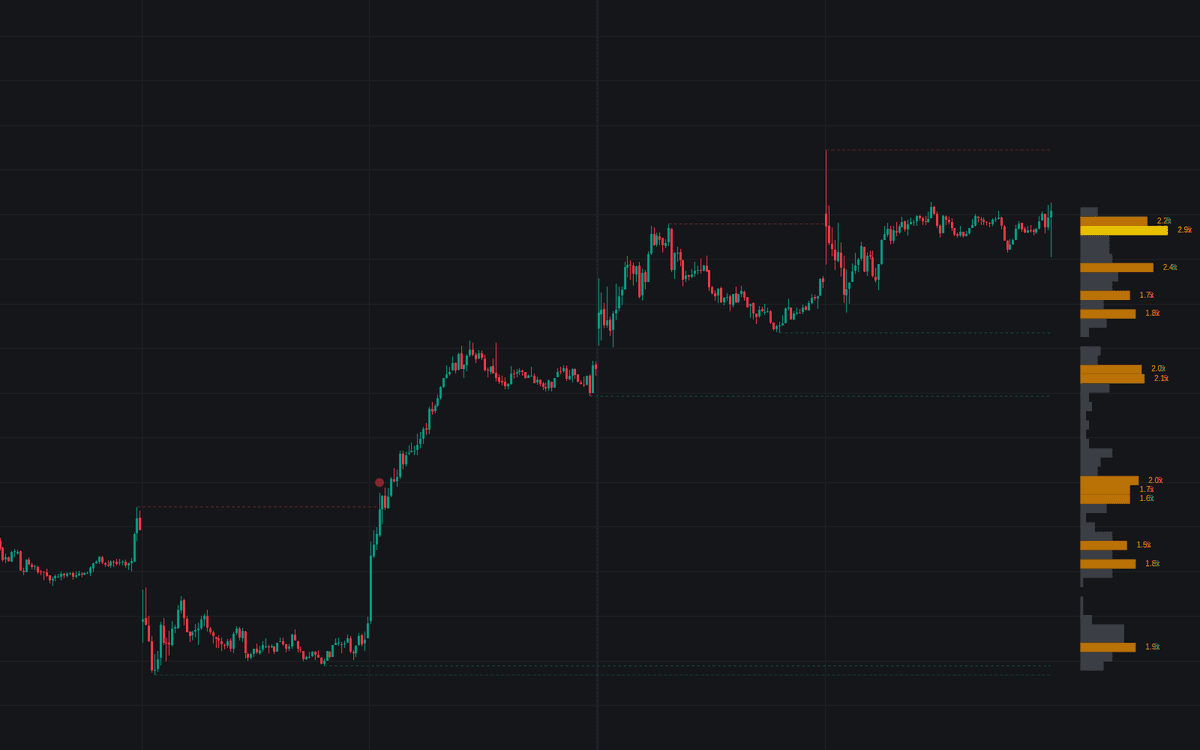

Order Flow VWAP Deviation stacks four reads of market structure into one overlay: VWAP deviation bands showing how far price is stretched from volume-weighted fair value, dashed Stop Zone lines extended from significant pivot highs and lows, an anchored volume profile with point of control and buyer/seller bias, and optional Inversion Fair Value Gaps. The goal is to catch the moments when liquidity gets swept and price is primed to revert or expand.
How to Trade the Order Flow VWAP Deviation?
- Price pushing an outer band: the market is extended from VWAP: a mean-reversion candidate, or continuation if price holds beyond the band on strong volume.
- Circle at a Stop Zone: price crossed a liquidity line on a volume surge, flagging a possible stop-run; sweeps near a deviation band are the prime reversal spots.
- Yellow POC and orange Stop Nodes: the anchored profile's heaviest level and its standout concentrations, each tagged with a volume multiplier and a B/S bias, act as magnets and reaction levels.
- IFVG boxes: invalidated fair value gaps flipped into support or resistance, displayed until mitigated.
A stop-run flag means liquidity was likely taken, not that price must reverse. The strongest setups stack a sweep, a deviation band, a profile node, and an IFVG retest.
Order Flow VWAP Deviation Settings
- VWAP Anchor: the VWAP period: Session, Week, Month, or Year.
- Std. Dev Multiplier: distance of the deviation bands from VWAP.
- Pivot Lookback: bars used to qualify the swings that seed Stop Zones.
- Max Active Lines: caps the number of active liquidity lines.
- Anchor Time Range / Profile Rows: start time (HHMM) and vertical resolution of the anchored profile.
- Stop Zone Volume Multiplier: volume threshold for stop-runs and Stop Nodes.
- Show IFVGs / IFVG Volatility Filter: toggles inversion gaps and restricts them to significant moves.
Frequently Asked Questions
Free indicator
Get free access to this indicator on the platforms below.

The Library is free. Quant makes it yours.
Pull any concept or indicator into Quant: rebuild it, retune it, or turn it into a backtested strategy of your own.