



Stepped Moving Average Channel (SMAC)
Sep 23, 2021

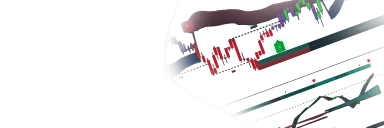
The Stepped Moving Average Channel (SMAC) tool provides a specialized visualization of price action through a stepped moving average channel of high and low prices, designed to help traders identify precise entry and exit levels for swing trades or options strategies. By applying a stepping mechanism to highly responsive moving averages, the script filters market noise and aligns price levels with psychological round numbers.
Usage
The SMAC tool can be used to plan trades with predefined profit targets or risk levels. For example, a trader aiming for a 2% gain can configure the percentage envelope to 2% and visualize exactly where price must reach to hit that target. It is best used in conjunction with momentum indicators or trend confirmation tools to validate the direction before using the SMAC levels for execution.
The indicator offers three primary visualization components:
- The Channel: Built from the moving averages of High and Low prices, creating a dynamic support/resistance zone.
- Stepping: Prices are rounded to specific "steps" (either automatically based on price/timeframe or manually) to create a staircase effect that mimics mental price plateaus.
- Envelopes: Users can enable either Percentage-based or ATR-based envelopes to set volatility-adjusted targets or stop-loss levels outside the main channel.
Details
The script utilizes the Compound Ratio Moving Average (CoRA_Wave), a proprietary calculation known for its high responsiveness and smoothness. This MA tracks price more closely than a standard SMA or EMA, reducing lag in the channel borders.
The "Stepping" logic functions by taking the MA values and rounding them to the nearest increment. This is designed to "snap" the indicator to significant price levels, reducing the visual clutter of minor fluctuations. The Auto-Stepping feature dynamically calculates the optimal step size by checking the underlying asset price and the current chart timeframe (e.g., doubling the step for Weekly charts or reducing it for Intraday charts).
Settings
- Length: Sets the lookback period for the core moving average calculation.
- Extra Smoothing: Applies additional WMA smoothing to the channel borders for a cleaner look.
- Step Size [0 = Auto]: Defines the increment for the stepping effect. Setting this to 0 enables the automatic calculation based on timeframe and price.
- Step Calculation:
- Round up/down: Rounds to the nearest step (e.g., 17 with a step of 10 becomes 20).
- Whole Step: Only rounds to completed steps (e.g., 17 with a step of 10 becomes 10).
- Pct Envelope %: Sets the distance of the outer envelopes based on a fixed percentage of the channel price.
- ATR Envelope ATR Multi: Sets the distance of the outer envelopes based on the Average True Range (ATR) to account for current market volatility.
FAQ
How does the Auto-Step feature decide on the step size? The script looks at the current price of the asset and assigns a base step (e.g., 1.00 for prices under 100). It then multiplies or divides that step based on your timeframe—increasing it for Weekly/Monthly views and decreasing it for lower intraday timeframes.
Can I use this indicator for automated alerts? Yes, the script includes built-in alert conditions for price crossing the Upper/Lower borders of the channel as well as crossovers of the Percentage Envelopes.
How do I get access to the Stepped Moving Average Channel (SMAC)? You can get access on the LuxAlgo Library for charting platforms like TradingView, MetaTrader (MT4/MT5), and NinjaTrader for free.
Unlock Unlimited Access to the LuxAlgo Library
Upgrade your plan to get all indicators, strategies, charts, and full access to Quant, our AI agent.
Trading & investing are risky and many will lose money in connection with trading and investing activities. All content on this site is not intended to, and should not be, construed as financial advice. Decisions to buy, sell, hold or trade in securities, commodities and other investments involve risk and are best made based on the advice of qualified financial professionals. Past performance does not guarantee future results.
Hypothetical or Simulated performance results have certain limitations. Unlike an actual performance record, simulated results do not represent actual trading. Also, since the trades have not been executed, the results may have under-or-over compensated for the impact, if any, of certain market factors, including, but not limited to, lack of liquidity. Simulated trading programs in general are designed with the benefit of hindsight, and are based on historical information. No representation is being made that any account will or is likely to achieve profit or losses similar to those shown.
Testimonials appearing on this website may not be representative of other clients or customers and is not a guarantee of future performance or success.
As a provider of technical analysis tools and strategies, we do not have access to the personal trading accounts or brokerage statements of our customers. As a result, we have no reason to believe our customers perform better or worse than traders as a whole based on any content, tool, or platform feature we provide.
Charts used on this site are by TradingView in which the majority of our technical indicators are built on. TradingView® is a registered trademark of TradingView, Inc. www.TradingView.com TradingView® has no affiliation with the owner, developer, or provider of the Services described herein.
Market data is provided by CBOE, CME Group, BarChart, Massive, CoinAPI. Select U.S. equities data is provided through Massive. CBOE BZX real-time U.S. equities data is licensed from CBOE and provided through BarChart. Real-time futures data is licensed from CME Group and provided through BarChart. Select cryptocurrency data, including major coins, is provided through CoinAPI. All data is provided “as is” and should be verified independently for trading purposes.
This does not represent our full Disclaimer. Please read our full disclaimer.
© 2026 LuxAlgo Global, LLC.