RSI BAMM
 By LuxAlgoJun 4, 2026
RSI BAMM is an indicator on Vela, our next-generation charting platform, written in Pine Script®.
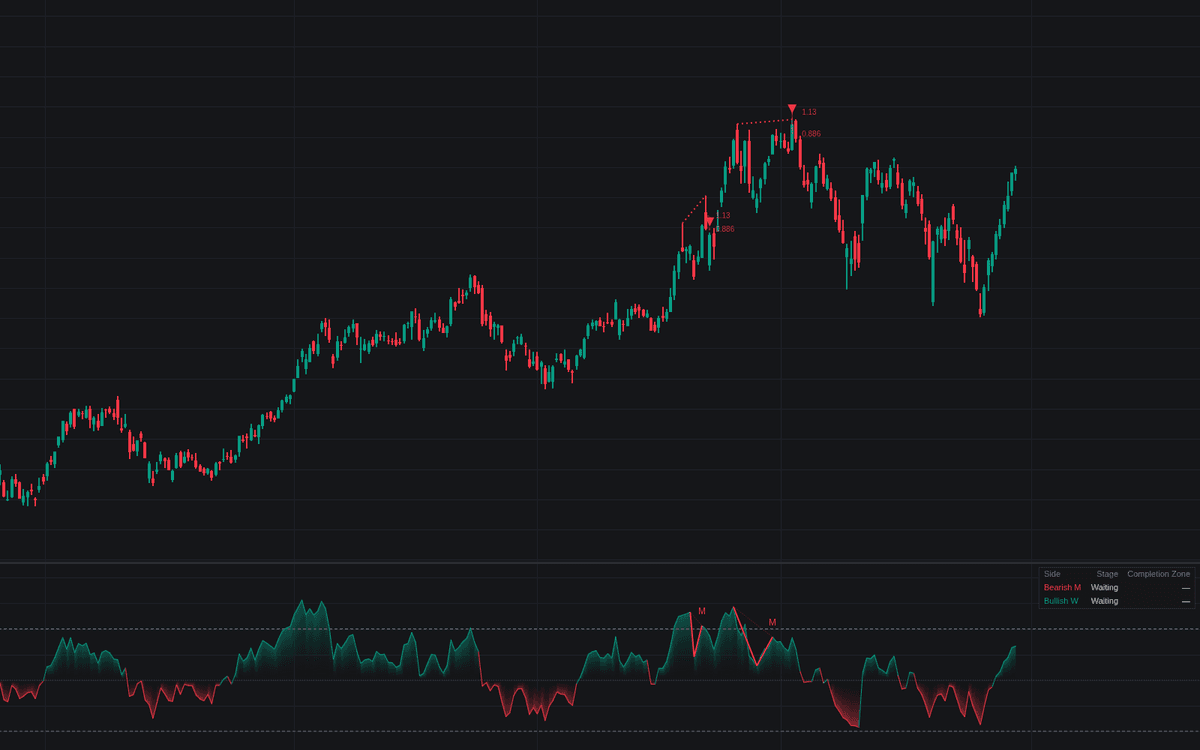

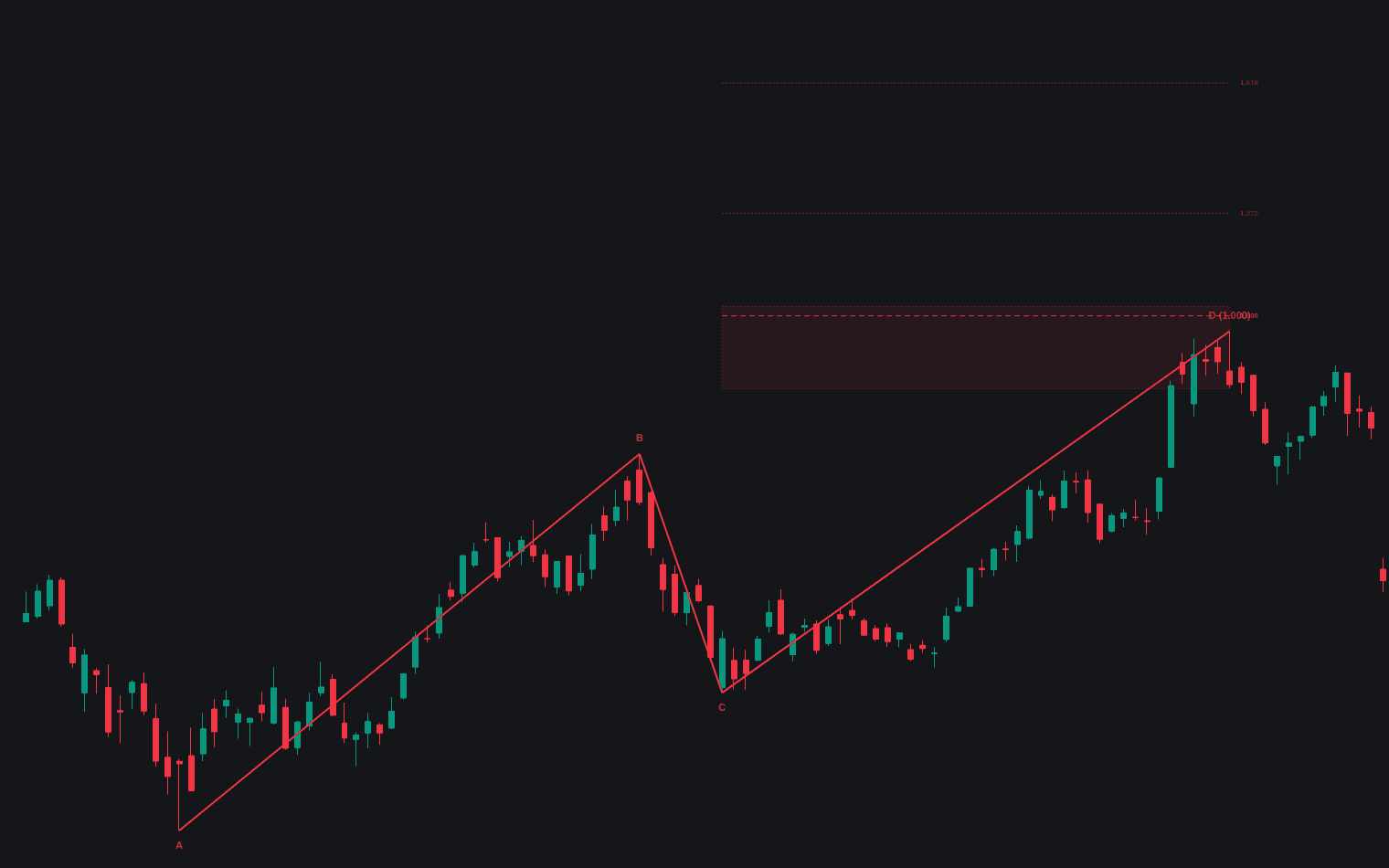
RSI BAMM tracks the RSI BAMM momentum-harmonic sequence as a staged state machine. Both sides are hunted independently, a bearish M at highs and a bullish W at lows, on a gradient-filled RSI pane. When price stretches to a second extreme but the RSI cannot better its first reading, the completion zone (the first-test-to-pullback leg's 0.886 retracement out to its 1.13 extension) freezes as a box on the price chart, projected as dotted levels beforehand. A dashboard tracks each side's stage and zone.
How to Trade the RSI BAMM?
- Second Test: a fresh price extreme on softer RSI. The final leg toward the completion zone may be underway.
- Reversal Signal: price in the zone plus a confirmed RSI rollover prints the M or W label, divergence line and price triangle, the entry timing the methodology waits for.
- Exit Management: after a signal, an RSI recross of the Intermediate Level is the momentum cue to tighten or exit.
- Invalidation: a close beyond the outer 1.13 measurement voids the setup.
RSI BAMM Settings
- RSI Length (default 14) and Source (default close).
- Overbought Level (default 70) / Oversold Level (default 30): the extremes opening bearish and bullish sequences.
- Intermediate Level (default 50): a pullback crossing it voids the forming structure; after a signal it becomes the exit threshold.
- Rollover Confirmation (default 2): bars each side an RSI swing needs to confirm the failed second test.
- Structure Timeout (default 500): bars before a stale sequence is abandoned.
- Retracement Ratio (default 0.886) and Extension Ratio (default 1.13): the zone's boundaries.
- Display: Completion Zone, Projected Levels While Forming, RSI Structure Lines, Price Divergence Line, Pattern Labels, Reversal Markers, Show Dashboard (all on).
Frequently Asked Questions
Free to use
Run it on Vela. Go further with a paid plan.
- Up to 500 Custom Alerts, with webhook automation
- Up to 10× the chart history of Free
- Orderflow lookback up to full history
- More Quant usage to customize it, plus extra usage when you need it
- Futures data alongside crypto, stocks, forex and commodities

Related indicators
Run it on Vela. Make it yours with Quant.
Open this indicator free on Vela, our next-generation charting platform. Then ask Quant, our coding agent built into Vela, to retune it or turn it into a backtested strategy of your own.