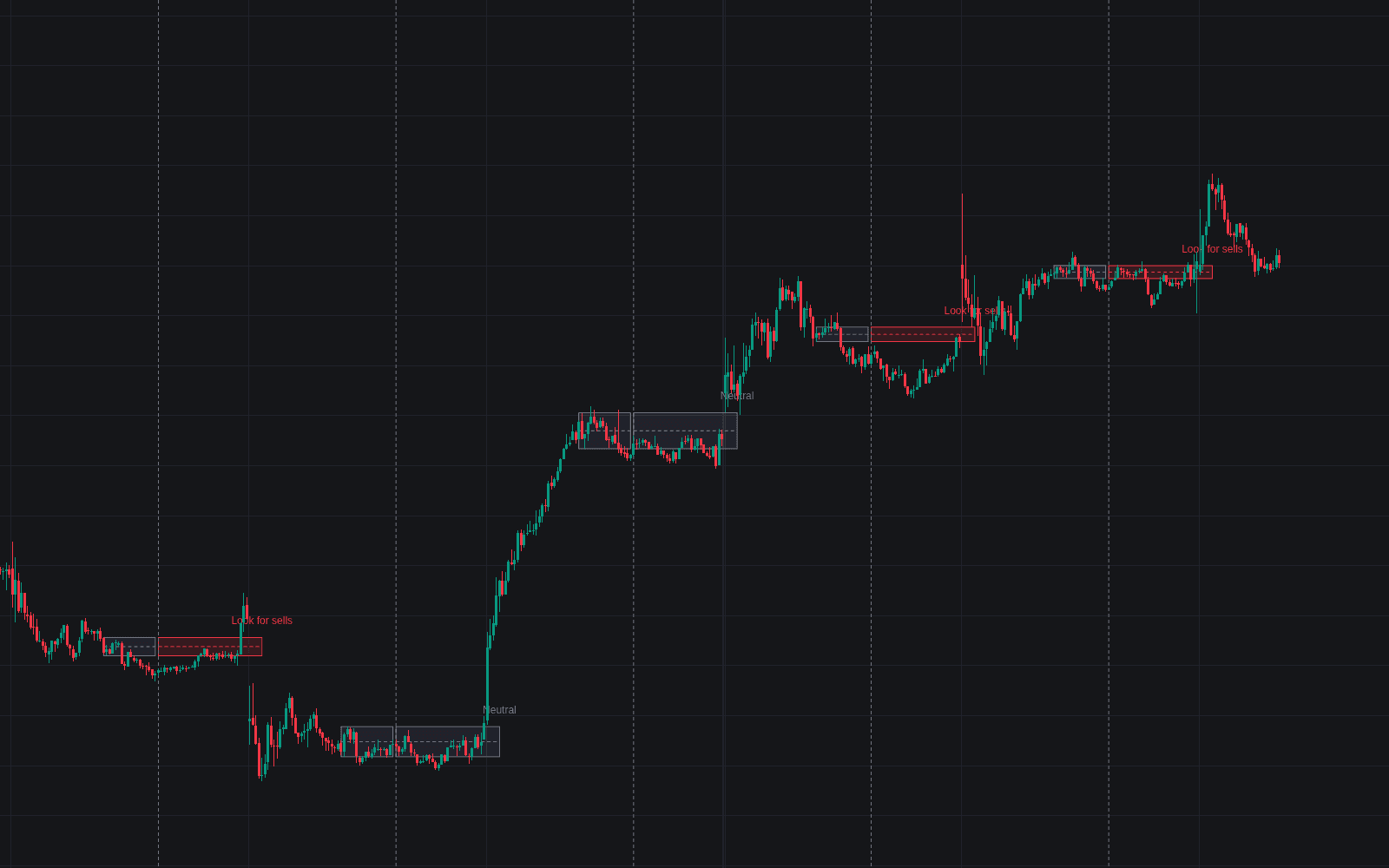
Ultimate Opening Range Breakout

Apr 8, 2026

Static chart image
Signals
Volatility
Works on the following platforms:
tradingviewSymbolTradingView
For free use on the TradingView platform
ninjatraderNinjaTrader
For free use on the NinjaTrader platform
metatrader4MetaTrader 4/5
For free use on the MetaTrader 4/5 platform
thinkorswimThinkorswim
For free use on the Thinkorswim platform

The Ultimate Opening Range Breakout trading indicator is an all-in-one breakout trading strategy tool built for traders who want to capture momentum after the market open with more structure and confidence. It helps define an opening range, detect breakout signals, analyze breakout quality with volume, manage trades with an ATR trailing stop, and review historical performance through a built-in dashboard. For traders looking for an opening range breakout indicator with target projections, session-based logic, and trade management features, this tool brings the full workflow into one chart.

How to Trade the Ultimate Opening Range Breakout Indicator

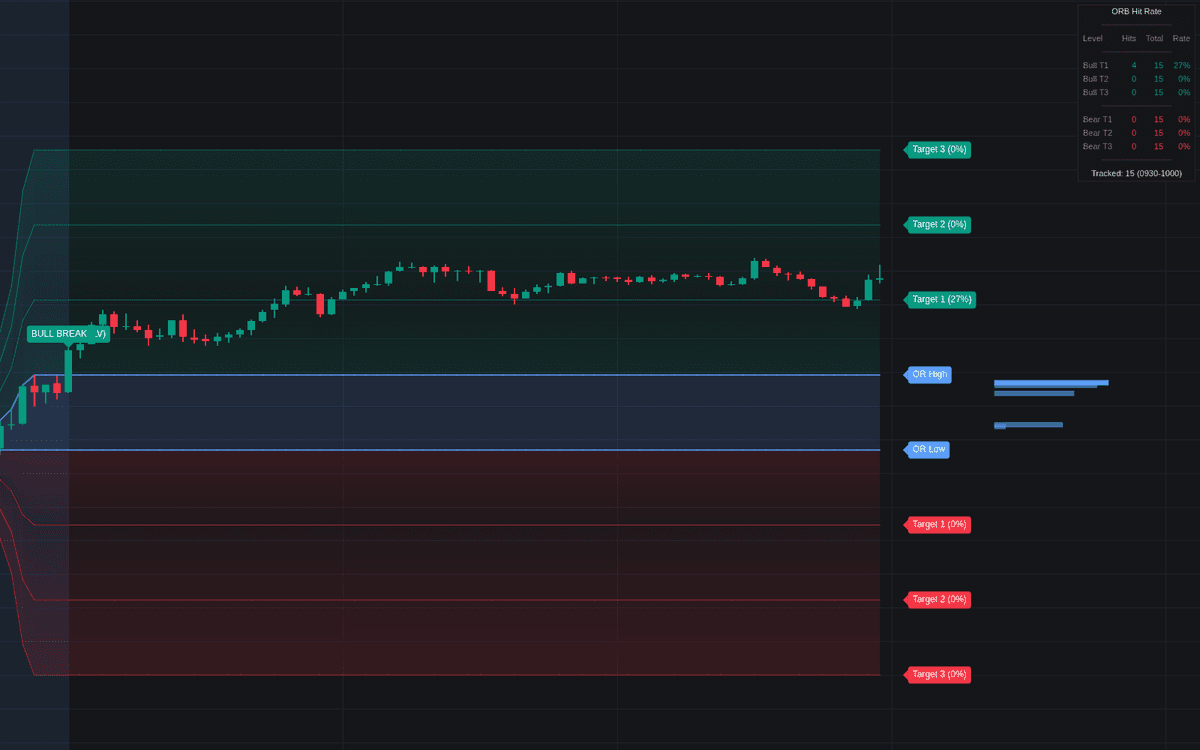
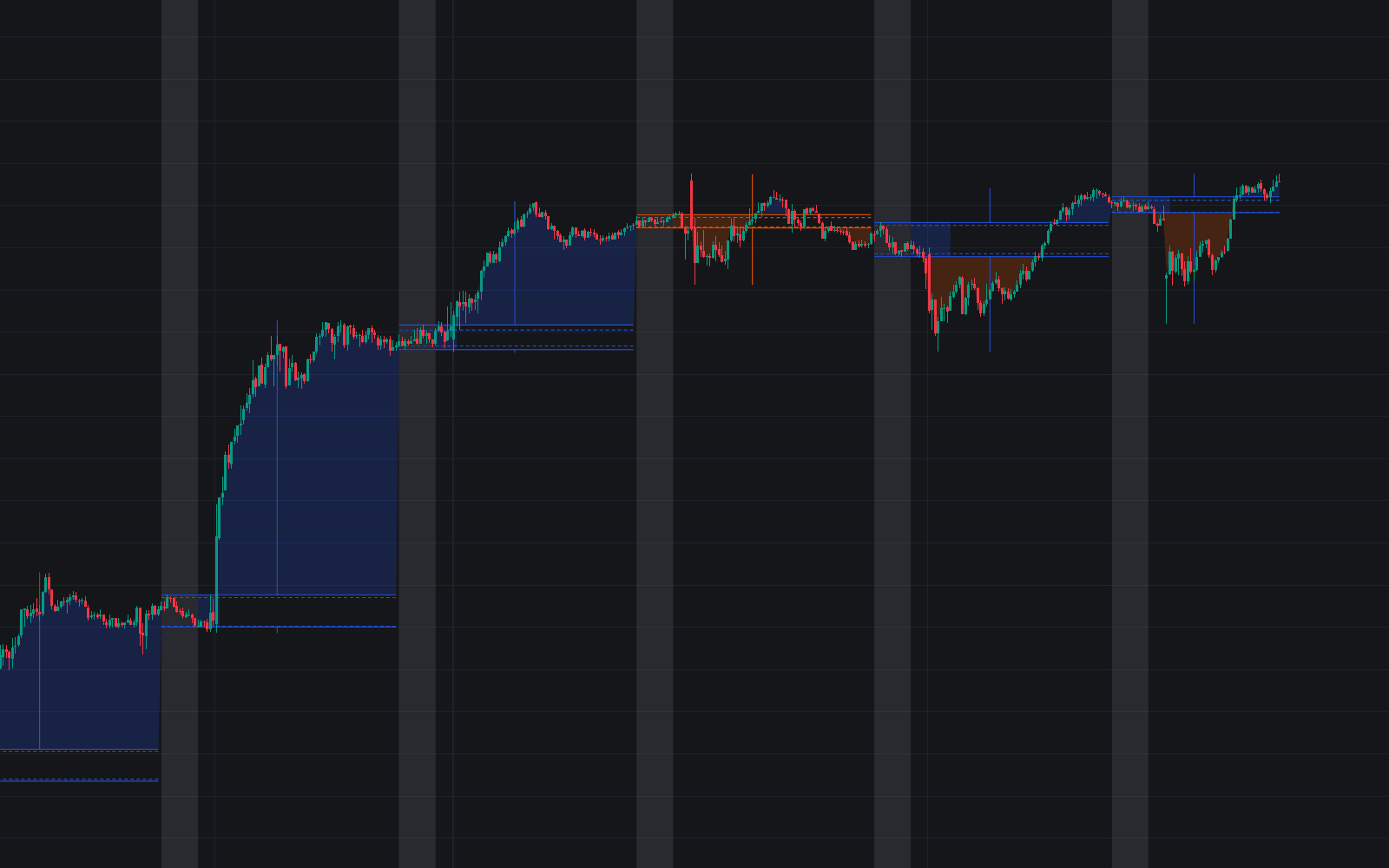
The indicator is built around one of the most popular intraday trading concepts: the Opening Range Breakout (ORB). It tracks the high and low of a user-defined session, such as the first 30 minutes after the New York open, and then maps the market’s movement once price escapes that range.

This gives traders a clear structure for identifying:

  • breakout entries above resistance or below support
  • projected expansion targets based on the opening range size
  • likely momentum continuation zones
  • trade management levels through a dynamic stop system

Instead of manually drawing levels every day, the indicator automates the process and turns the opening session into a complete trading framework.

Breakout Signals With Volume Confirmation

When price breaks above the opening range high, the indicator prints a BULL BREAK signal. When price breaks below the opening range low, it prints a BEAR BREAK signal. These breakout labels also include a volume qualifier so traders can quickly judge whether the move is backed by meaningful participation.

  • (HV): High Volume breakout, where current volume is above the 20-period average
  • (LV): Low Volume breakout, which may suggest weaker conviction or a higher chance of failure

This added context is useful because not every breakout is created equal. A strong opening range breakout with rising volume often signals real market interest, while a low-volume breakout may be more vulnerable to reversal or fakeout behavior.

Expansion Targets for Profit Planning

After the range is established, the script projects extension levels beyond the opening range. These can be used as logical areas for:

  • take-profit planning
  • partial exits
  • measuring breakout strength
  • comparing current sessions to historical behavior

Because these levels are based on the actual size of the opening range, they adapt naturally to changing volatility conditions and help traders set more realistic expectations for the day.

ATR Trailing Stop for Trade Management

The indicator also includes a dynamic ATR trailing stop, which can be enabled to manage open trades after a breakout occurs. This is especially useful for traders who want a systematic way to stay in strong moves while still protecting profits.

An ATR-based stop adjusts to volatility, which makes it more flexible than a fixed-tick or fixed-dollar stop. In faster conditions it allows more breathing room, and in calmer conditions it tightens naturally. This helps the indicator function not only as a breakout scanner, but also as a practical risk management tool.

Stop Optimizer for Strategy Refinement

One of the most advanced parts of this trading indicator is the built-in Stop Optimizer. Instead of forcing traders to guess which ATR multiplier works best, the script simulates five different trailing stop settings in the background and evaluates which one would have produced the strongest cumulative historical result.

This feature can help traders:

  • fine-tune their breakout trading strategy
  • compare more aggressive vs. more conservative stop behavior
  • reduce guesswork during indicator setup
  • adapt the tool to different markets and timeframes

For traders testing an opening range breakout strategy, this adds a valuable optimization layer without requiring separate backtesting software.

Hit Rate Dashboard for Probability Awareness

The integrated dashboard tracks how often price reaches each projected expansion level. It calculates the Hit Rate for targets such as Target 1, Target 2, and Target 3, so traders can quickly understand how often those objectives have been achieved historically.

This helps answer practical questions like:

  • How often does price reach the first target after a breakout?
  • Is Target 2 realistic for this market?
  • Are extended moves common, or should profits be taken earlier?

By combining live signals with historical target statistics, the indicator supports more informed trade planning and helps traders align expectations with actual market behavior.

Why This Opening Range Breakout Trading Indicator Stands Out

Most opening range indicators stop at plotting the high and low of the session. The Ultimate Opening Range Breakout goes much further by combining breakout detection, volume analysis, target projection, trailing stop logic, and performance analytics in one system.

This makes it useful for:

  • day traders looking for clean morning breakout setups
  • momentum traders seeking confirmation through volume
  • systematic traders who want optimization and statistics
  • discretionary traders who want better context around session structure

Rather than acting as a single-purpose overlay, it behaves more like a complete opening range breakout trading toolkit.

Opening Range Volume Profile (ORVP)

A key differentiator is the built-in Opening Range Volume Profile (ORVP). Instead of only showing the range boundaries, the indicator also analyzes how volume was distributed inside the opening range itself.

This reveals where the most significant trading activity occurred before the breakout and highlights the Point of Control (POC), which is the price level that attracted the most volume during the opening session.

For traders, this can provide valuable insight into:

  • where market participants were most active
  • potential areas of acceptance or rejection
  • whether the breakout is leaving behind a meaningful value zone
  • how price is behaving relative to the most heavily traded part of the range

This adds a market profile element to the breakout strategy and gives traders more context than a simple high-low range box.

Why the POC Matters Before a Breakout

The Point of Control inside the opening range can act as a key reference area. If price breaks out and holds away from the POC, it may suggest conviction and directional acceptance. If price quickly returns to that high-volume area, it may indicate indecision or a failed breakout attempt.

For traders using opening range strategies, this can improve trade filtering by adding a volume-based structure layer before committing to a setup.

Adaptive Scaling for Any Market

The Volume Profile uses adaptive scaling based on the Average True Range (ATR) to determine its internal price buckets. This is important because it keeps the profile visually useful across different instruments.

Whether you trade:

  • major stock indices
  • large-cap equities
  • forex pairs
  • futures contracts
  • lower-priced stocks

the profile remains proportionate and readable. This makes the indicator more versatile and prevents the profile from becoming distorted when switching between assets with very different price behavior.

Best Settings for the Ultimate Opening Range Breakout Indicator

The indicator includes a wide range of customization options so traders can tailor it to their market, trading session, and strategy preferences.

Session Settings

Opening Range Session

Use this setting to define the exact time window that forms the opening range. A common example is 0930-1000 for the first 30 minutes of the New York session, but traders can customize it for other exchanges and trading styles.

Timezone

This lets you align the opening range with your preferred local or exchange timezone. It is especially helpful for traders working across U.S., European, or global markets.

Calculation Settings

Range Source

Choose whether the opening range is based on High/Low values or Close values. High/Low is more traditional for breakout trading, while Close-based logic may appeal to traders who want a stricter confirmation method.

Extension Type

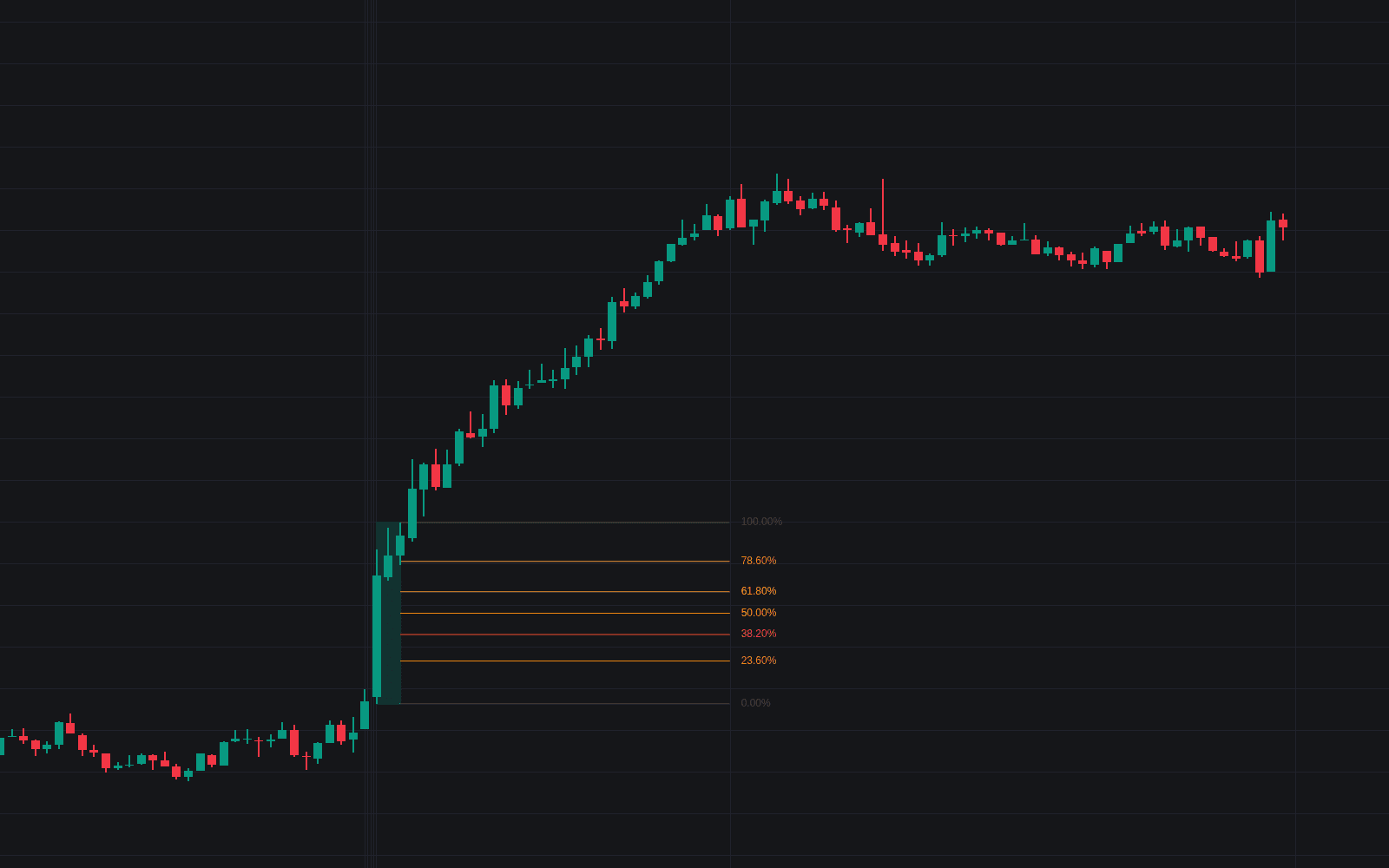
Switch between projected targets using standard Multiples or Fibonacci levels such as 0.382, 0.618, and 1.0. This gives traders flexibility depending on whether they prefer classic measured-move logic or Fibonacci-based target planning.

Volume Profile Settings

Number of Rows

This controls the vertical detail of the Opening Range Volume Profile. More rows give finer precision, while fewer rows create a broader and cleaner view.

Profile Width

This determines how far the profile extends horizontally from the opening range. Traders can use this to balance chart clarity with visual emphasis.

Trailing Stop and Optimization Settings

ATR Multiplier

This controls the sensitivity of the active trailing stop. Lower values keep the stop tighter and may lock in profits faster, while higher values provide more room for volatile trends to continue.

Show Stop Optimizer

Enable this setting to run the internal stop comparison engine and identify which ATR multiplier has produced the strongest historical performance.

Plotting Duration Settings

End Plotting At

This setting allows you to stop drawing levels at chosen market closes such as New York, London, or a manually defined time. It helps keep charts clean and focused once the main trading session is over.

Who Should Use This Trading Strategy Indicator?

The Ultimate Opening Range Breakout indicator is well suited for traders who want to build or improve an opening range breakout trading strategy with more data and structure.

It can be especially useful for:

  • intraday traders focused on the market open
  • breakout traders who need volume confirmation
  • traders who want projected price targets automatically drawn
  • users who prefer rule-based trailing stop management
  • traders who want historical target hit rates without manual journaling

Because it combines signal generation, market context, and trade management, it works well as both a standalone trading indicator and as part of a broader discretionary or systematic strategy.

FAQ

What is the Ultimate Opening Range Breakout indicator?

It is an opening range breakout trading indicator that marks a user-defined session high and low, detects bullish and bearish breakouts, adds volume confirmation, projects price targets, includes an ATR trailing stop, and tracks target hit rates through a dashboard.

How does this opening range breakout trading strategy help traders?

It helps traders structure the market open by turning the first session range into a clear framework for entries, targets, and stop management. This can make breakout trading more objective and easier to repeat.

What does HV or LV mean on breakout signals?

HV means the breakout happened on high volume relative to the 20-period average, while LV means the breakout occurred on lower volume and may have less conviction behind it.

Why is the Opening Range Volume Profile useful?

It shows how volume was distributed inside the opening range before the breakout and highlights the Point of Control. This helps traders understand where the most important positioning took place before price moved.

Can I use this indicator on different assets?

Yes. The adaptive scaling and flexible session settings make it suitable for a wide range of instruments, including stocks, indices, forex, and futures, depending on your platform and market hours.

How do I access the Ultimate Opening Range Breakout indicator?

You can get access on the LuxAlgo Library for charting platforms like TradingView, MetaTrader (MT4/MT5), and NinjaTrader for free.

Trading & investing are risky and many will lose money in connection with trading and investing activities. All content on this site is not intended to, and should not be, construed as financial advice. Decisions to buy, sell, hold or trade in securities, commodities and other investments involve risk and are best made based on the advice of qualified financial professionals. Past performance does not guarantee future results.

Hypothetical or Simulated performance results have certain limitations. Unlike an actual performance record, simulated results do not represent actual trading. Also, since the trades have not been executed, the results may have under-or-over compensated for the impact, if any, of certain market factors, including, but not limited to, lack of liquidity. Simulated trading programs in general are designed with the benefit of hindsight, and are based on historical information. No representation is being made that any account will or is likely to achieve profit or losses similar to those shown.

Testimonials appearing on this website may not be representative of other clients or customers and is not a guarantee of future performance or success.

As a provider of technical analysis tools and strategies, we do not have access to the personal trading accounts or brokerage statements of our customers. As a result, we have no reason to believe our customers perform better or worse than traders as a whole based on any content, tool, or platform feature we provide.

Charts used on this site are by TradingView in which the majority of our technical indicators are built on. TradingView® is a registered trademark of TradingView, Inc. www.TradingView.comTradingView® has no affiliation with the owner, developer, or provider of the Services described herein.

Market data is provided by CBOE, CME Group, BarChart, CoinAPI. CBOE BZX real-time US equities data is licensed from CBOE and provided through BarChart. Real-time futures data is licensed from CME Group and provided through BarChart. Select cryptocurrency data, including major coins, is provided through CoinAPI. All data is provided “as is” and should be verified independently for trading purposes.

This does not represent our full Disclaimer. Please read our full disclaimer.

© 2026 LuxAlgo Global, LLC.