


Sniper Pro
Jun 6, 2026

The Sniper Pro indicator is a multi-timeframe opportunity scanner and trade-box planning tool that identifies high-probability trade setups through an integrated matrix and automated profit-box visualization. It streamlines technical analysis by separating opportunity scanning (Matrix) from execution planning (Trade Box), ensuring traders only engage when specific multi-layered confirmations are met.
Usage
The Usage section focuses on the two primary components: the Multi-Timeframe Matrix and the Chart Trade Boxes.
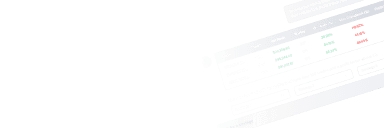
- Matrix Opportunity Scanner: This component provides a bird's-eye view of various timeframes. The "Opportunity" column categorizes market states into
ENTER LONG/SHORT(fresh trigger),READY(aligned direction),WATCH(conflict/caution),BIAS(long-term direction), orWAIT. - Trade Confirmation: A trade is only considered valid when the "Trade Box" column or the chart display shows
TRADE TRIGGERED. This prevents "chasing" entries after targets like TP2 or TP3 have already been reached. - Technical Context Columns:
- Source: Explains the trigger reason (e.g., BOS, MACD volume, or Confluence).
- Trust: Provides risk warnings, such as RSI opposition, EMA misalignment, or proximity to Support/Resistance.
- RSI Rev: Monitors reversal pressure (
RSI+for bullish,RSI-for bearish). - EMA Stack: Displays the live order of EMAs (9, 21, 30, 55, 100, 200) to confirm trend strength.
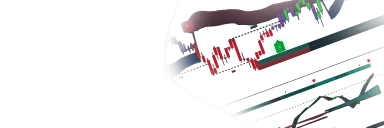
- Trade Box Execution: When a signal is confirmed, the indicator draws a box on the chart containing the Entry price, Stop Loss (SL), and three Take Profit levels (TP1, TP2, TP3). The matrix tracks these trades in real-time, updating the status to
TP HITorSL HIT.
Details
The script utilizes a sophisticated confluence engine to filter signals. A "Confluence Circle" appears when three or more directional ingredients align, including Break of Structure (BOS), MACD volume signals, RSI crosses, and ADX/DI pressure.
The Win Rate feature calculates performance based on historical data. A "Win" is defined as price hitting TP3 before the SL. The calculation is conservative; if both SL and TP are hit on the same candle, the script records it as a loss.
Higher Timeframe (HTF) analysis is integrated through automated BOS detection. The script can automatically project structure levels from higher timeframes onto the current chart, allowing traders to see major supply and demand zones without switching timeframes.
Settings
- Profit Boxes (Entry, SL/TP): Includes methods for calculating Stop Loss and Take Profit (ATR, Swing, Doji, or Percent) and settings for "Momentum TP Expansion," which stretches targets during high-volume moves.
- Source Filters: Toggle switches to enable or disable boxes originating from BOS, AK MACD + Volume, or Confluence Circles.
- Visual Style: Customization for SL/TP colors and box transparency.
- Multi-Timeframe Matrix: Options to show/hide specific rows (1m through 1W), adjust the "Readiness" threshold (minimum confirmations required), and set win-rate caution levels.
- Higher Timeframe BOS: Controls for the sensitivity of swing detection, line styles, and the number of HTF layers to display.
- EMA Zones: Settings to toggle and color-code different EMA groups (Fast: 9/21, Medium: 30/55, Slow: 100/200).
FAQ
How do I interpret the "Trust" column in the matrix? The Trust column serves as a filter; it warns you of "Caution" if the trade is moving against the fast EMA, if there is a weak historical win rate for that timeframe, or if the price is too close to a known support/resistance level.
What causes a Trade Box to trigger? A box triggers only when an enabled source (like a BOS or MACD signal) fires while simultaneously passing your active filters, such as being on the correct side of the EMA 200.
How can I access the Sniper Pro tool? You can get access on the LuxAlgo Library for charting platforms like TradingView, MetaTrader (MT4/MT5), and NinjaTrader for free.
Unlock Unlimited Access to the LuxAlgo Library
Upgrade your plan to get all indicators, strategies, charts, and full access to Quant, our AI agent.
Trading & investing are risky and many will lose money in connection with trading and investing activities. All content on this site is not intended to, and should not be, construed as financial advice. Decisions to buy, sell, hold or trade in securities, commodities and other investments involve risk and are best made based on the advice of qualified financial professionals. Past performance does not guarantee future results.
Hypothetical or Simulated performance results have certain limitations. Unlike an actual performance record, simulated results do not represent actual trading. Also, since the trades have not been executed, the results may have under-or-over compensated for the impact, if any, of certain market factors, including, but not limited to, lack of liquidity. Simulated trading programs in general are designed with the benefit of hindsight, and are based on historical information. No representation is being made that any account will or is likely to achieve profit or losses similar to those shown.
Testimonials appearing on this website may not be representative of other clients or customers and is not a guarantee of future performance or success.
As a provider of technical analysis tools and strategies, we do not have access to the personal trading accounts or brokerage statements of our customers. As a result, we have no reason to believe our customers perform better or worse than traders as a whole based on any content, tool, or platform feature we provide.
Charts used on this site are by TradingView in which the majority of our technical indicators are built on. TradingView® is a registered trademark of TradingView, Inc. www.TradingView.com TradingView® has no affiliation with the owner, developer, or provider of the Services described herein.
Market data is provided by CBOE, CME Group, BarChart, Massive, CoinAPI. Select U.S. equities data is provided through Massive. CBOE BZX real-time U.S. equities data is licensed from CBOE and provided through BarChart. Real-time futures data is licensed from CME Group and provided through BarChart. Select cryptocurrency data, including major coins, is provided through CoinAPI. All data is provided “as is” and should be verified independently for trading purposes.
This does not represent our full Disclaimer. Please read our full disclaimer.
© 2026 LuxAlgo Global, LLC.