Choosing an Algorithmic Trading Platform or API
Choose an algorithmic trading platform or API by matching it to the market, strategy and workflow you actually need. Start with account eligibility and supported instruments, then evaluate data, testing, execution, operating costs and support. A long feature list or a low headline price does not establish that a service can run your strategy reliably.
It helps to separate four roles: research and charting, historical simulation, market-data delivery and broker execution. One product may cover several roles, while another provides only one. Comparing them as interchangeable “trading APIs” can hide the components you still need to build or purchase.
- Define the job: identify the instruments, decision frequency, order types and amount of coding required.
- Verify access: confirm the legal entity, account type, jurisdiction and API permissions that apply to you.
- Test the workflow: evaluate data quality, realistic fills, recovery and export before committing.
- Budget the whole system: include data, software, commissions, financing, hosting and maintenance.
Start with Your Strategy Requirements
Write a short specification before opening accounts. State the asset class, exchange or venue, position horizon, expected trading frequency and the conditions for entries and exits. Decide whether the system will generate research ideas, produce alerts, submit orders or manage an existing portfolio.
A daily portfolio model needs different data and operations from an intraday execution strategy. High-frequency market making is a specialized infrastructure problem; an ordinary retail API should not be assumed suitable because its website describes updates as real time.
| Workflow | Requirements to prioritize | Useful acceptance test |
|---|---|---|
| Daily or swing strategy | Reliable history, corporate-action handling and scheduled operation | Reproduce signals from completed bars and recover a missed run |
| Intraday strategy | Timely data, order-state updates and clear session behavior | Handle a disconnect with an open position and pending order |
| Portfolio research | Universe history, allocation constraints and consistent valuation | Compare the same holdings and dates with a defined baseline |
| Specialized low-latency execution | Venue access, measured delays and infrastructure controls | Measure the full path under bursts and degraded conditions |
Also define who will maintain the system. A code-first API offers flexibility but requires monitoring, security, upgrades and troubleshooting. A platform can reduce some development work while introducing its own limits, hosting requirements and supported interfaces.
Compare Platforms and APIs by Their Actual Roles
The following examples are a starting shortlist, not a ranking or a claim that every account can access every feature. Follow the linked documentation for the particular product, region and workflow you intend to use.
| Option | Role and development approach | Check before choosing |
|---|---|---|
| TradeStation | Trading platform with an EasyLanguage workflow | Supported platform, instruments, automation behavior and account charges |
| Interactive Brokers | Broker access through documented API interfaces | Account permissions, gateway/session requirements, subscriptions and order support |
| QuantConnect | Research and algorithm development using Python or C# | Data licensing, compute/hosting costs and intended brokerage integration |
| Alpaca | Developer-oriented brokerage and data workflows | Account eligibility, data plan, supported assets and paper/live differences |
| OANDA v20 | Programmatic access for eligible v20 trading accounts | Division and account compatibility, instrument availability and token permissions |
| MetaTrader 5 | Trading software with MQL5 and Expert Advisors | The connected broker, offered markets and execution conditions |
| NinjaTrader | Futures trading platforms with a C#-based development framework | Which platform supports the intended automation and the full futures cost schedule |
TradeStation and Interactive Brokers
TradeStation’s desktop platform documents EasyLanguage for custom analysis and strategy workflows. Evaluate the automation you need on the actual platform you will run; a mobile interface, desktop strategy and external API integration can have different capabilities.
Interactive Brokers’ TWS API documentation describes connections through Trader Workstation or IB Gateway and supported programming interfaces. Check session management, permissions, data subscriptions and the behavior of each intended order type. Access to a brokerage account is not the same as permission for every API operation or market.
QuantConnect and Alpaca
QuantConnect supports Python and C# for algorithm development. Its research and trading-engine workflow should be evaluated separately from the broker that will hold assets and execute orders. Confirm data availability, simulation assumptions and the costs of the compute or live hosting you plan to use.
For Alpaca, begin by checking the supported account and developer workflow, then test the paper environment. Its documentation explains simulation limits, including that paper fills do not constrain order quantity to the available size at the best quote. Commission-free offers, where applicable, do not imply that market data, spreads, regulatory charges or every other service are free.
OANDA and MetaTrader
The OANDA v20 API documentation requires a compatible v20 account and identifies division restrictions. Confirm compatibility with the entity that serves your account before building around the API. A general statement about minimum deposits does not answer whether your account can use the desired endpoint or instrument.
MetaTrader 5 documents automated trading through MQL5 and Expert Advisors. MetaTrader is software, while the selected broker supplies account access and trading conditions. Check the broker’s symbol specifications, sessions, spreads, commissions and execution policies; the same platform interface does not make those conditions identical across brokers.
NinjaTrader and strategy-building tools
NinjaTrader presents futures trading across desktop, web and mobile and describes customization through a C#-based framework. Verify the specific platform and deployment path for your strategy rather than assuming an automated desktop strategy runs unchanged on every device.
A strategy builder adds another category. Build Alpha describes generating, testing and exporting strategies. Those are research and implementation capabilities, not a guarantee that a generated strategy will remain profitable. Check export targets, required data, licensing and how results compare in the destination engine.
Evaluate Data Quality Before Comparing Backtests
Check what the data actually represents: one exchange, a consolidated feed, a broker quote or a derived series. Record timestamps, timezone conventions, session boundaries, historical depth and adjustment policies. Real-time coverage and historical coverage may differ within the same service.
For equities, check corporate actions, delisted instruments and historical universe membership. For futures, understand contract rolls and continuous-series construction. For foreign exchange and crypto, identify the source venue or pricing process and the available history. Do not assume a chart’s displayed volume represents the entire market.
- Availability: confirm when each observation was available, including release and processing delays.
- Completeness: inspect gaps, duplicate timestamps and missing instruments.
- Consistency: compare a small sample with the provider’s documented conventions.
- Permissions: verify intended storage, redistribution, professional use and API access.
- Limits: check request rates, pagination, concurrent streams and the cost of exceeding a tier.
The right dataset depends on the task. A slower strategy may not benefit from the most expensive tick feed, while a strategy requiring executable depth cannot be validated with ordinary candles alone. Buy the coverage the hypothesis needs, then test that coverage directly.
Inspect the Testing and Execution Models
A useful backtest exposes order timing, position state, costs and fill assumptions. It should be possible to understand why an order filled, remained open or was rejected in the simulation. A parameter optimizer searches the supplied model; it does not prove that the model represents live execution correctly.
Use standard price data appropriate to execution, separate development and evaluation periods, and compare a defined baseline. Test the effect of wider spreads, higher costs, incomplete fills and delayed decisions. Keep unsuccessful experiments so the final result is not presented as though it were the only strategy tried.
Check whether the API supports the order types, time-in-force settings and modifications your strategy requires. Define how it reports partial fills and cancellations, and how your application reconciles an order whose submission response was lost. A timeout can leave the result unknown; retrying blindly can duplicate an order.
Interactive Brokers documents differences in paper trading. Treat paper testing as evidence about both logic and integration under the simulator’s rules. It is useful practice without committing capital to those simulated orders, but it cannot establish live queue priority, market impact or guaranteed fills.
Calculate the Total Cost of the Workflow
Compare written quotes or current schedules for the same account type, region, instruments and usage. A monthly platform subscription, brokerage commission schedule and market-data subscription are different charges. Avoid comparing one vendor’s software fee with another vendor’s entire trading bill.
- Software and research: subscriptions, strategy-builder licenses, optimization capacity and live hosting.
- Market data: exchange entitlements, historical datasets, API tiers and professional-user charges where applicable.
- Execution: commissions, exchange or regulatory charges, spread, slippage and market impact.
- Positions and funding: margin interest, borrow costs, overnight financing and currency conversion where relevant.
- Operations: servers, monitoring, storage, support and the time needed to maintain the integration.
Illustrative budget: suppose software costs $80 per month, data $40 and hosting $30. Fixed costs total $150. If 100 completed round trips each cost $2 in combined entry-and-exit charges, the monthly total is $350 before spread, slippage, financing or taxes. These are hypothetical inputs, not a vendor quote or an estimate of what every trader will pay.
Model your expected usage and a busier scenario. Annual billing can reduce an equivalent monthly price while increasing the initial commitment. Check cancellation, refund, trial and data-retention terms, and keep fees separate from account funding or margin requirements.
Test Operations, Support and Portability
Use a small evaluation project with the same requirements across shortlisted tools. Load the same market sample, implement a simple rule and record both setup effort and the actual result. An attractive demo using different data is a poor basis for comparing engines.
- Failure recovery: disconnect the test client, reconnect and confirm positions and open orders are reconciled.
- Data freshness: test stale or missing observations and verify the system stops or degrades as intended.
- Observability: inspect logs, order identifiers and error messages without exposing credentials.
- Portability: export code, configuration, historical results and trade records in usable formats.
- Support: check service hours, escalation routes, API documentation, maintenance notices and deprecation policies.
Match hardware and hosting to measured requirements. A daily batch does not automatically need colocated servers, and an exchange’s advertised matching-engine throughput does not describe the speed of your API connection. Benchmark the complete path and test behavior under load before buying infrastructure.
The original Algo Trading Space video from July 31, 2024 compares trading platforms from the creator’s perspective and expresses a preference for MetaTrader. It also promotes the creator’s broker and trading-robot resources. Use it as additional context, while verifying current features, pricing and suitability in the primary documentation linked above.
Where LuxAlgo Fits in the Research Workflow
Start with LuxAlgo’s native charts and documented data coverage when investigating a chart-based hypothesis. Confirm the instrument, venue, timeframe and available inputs. Keep the research chart’s data separate from a broker’s executable quotes and actual account state.
Use Quant, our coding agent to implement clear strategy rules. Inspect the generated code and run it yourself. Specify completed-bar timing and cost assumptions, and identify missing inputs before interpreting the result.
Example prompt: “Implement this chart-based hypothesis using the available data. Explain the entry and exit timing, expose transaction-cost assumptions and identify any required inputs that are unavailable. Keep the code inspectable so I can review it, run the strategy and compare a simple baseline.”
Use native strategy testing with standard candles and separate development and evaluation periods. Organize related charts and strategy versions so the same assumptions can be compared consistently.
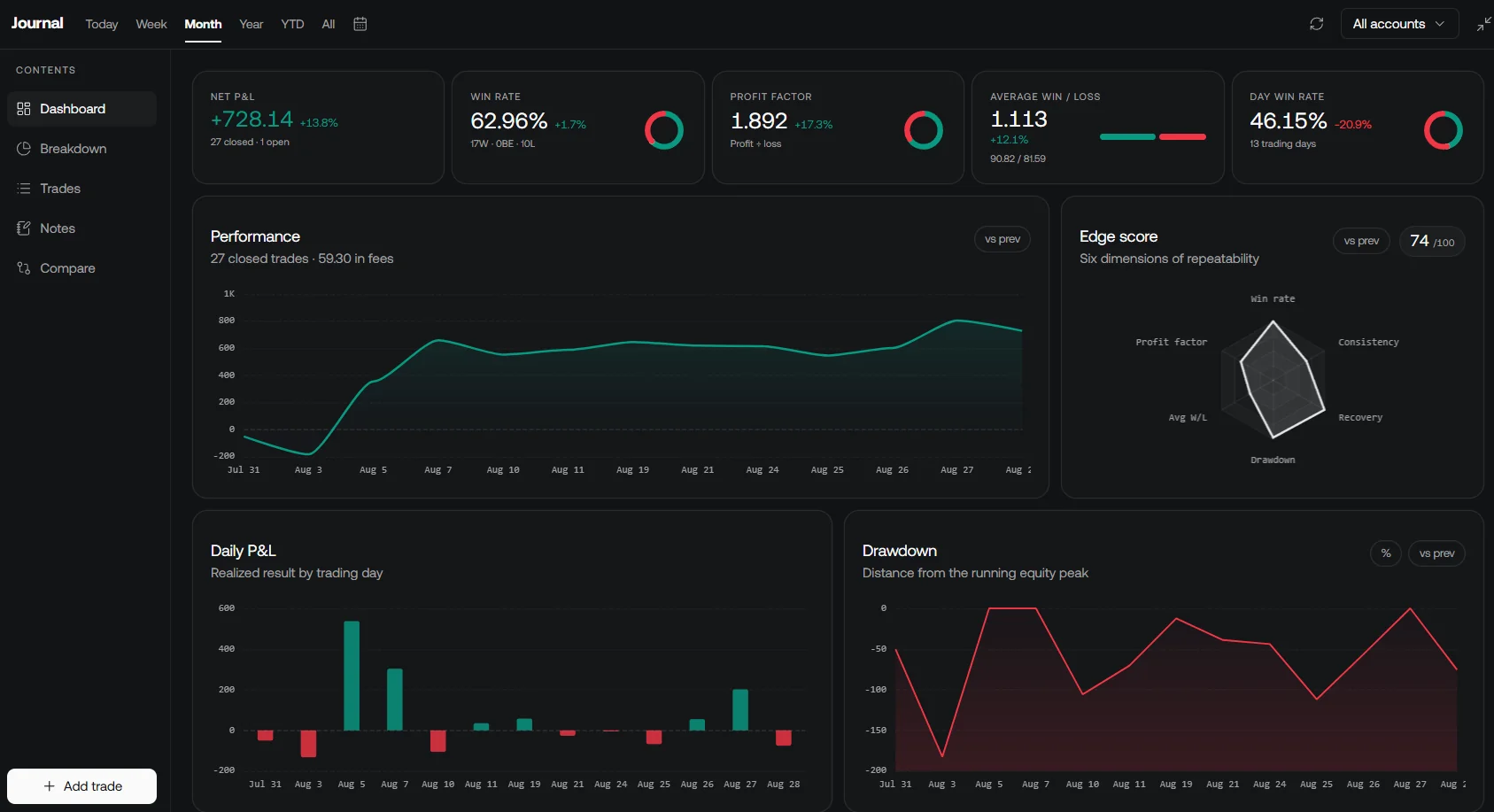
Review compatible recorded trades in the native LuxAlgo journal alongside research notes and broker records. Comparing signals with actual fills and costs helps distinguish a strategy issue from an integration or execution issue.
Quant strategies can also fire strategy alerts; that is a research and notification role, not broker execution. Check current LuxAlgo plans for access and billing terms.
Make the Final Decision with a Written Checklist
- Eligibility: the intended account and jurisdiction support the workflow.
- Markets and data: instruments, history, live coverage and permissions meet the strategy specification.
- Implementation: the supported language and deployment environment fit the team’s skills.
- Testing: results are reproducible and the fill assumptions are understood.
- Execution and recovery: order state, limits and restart behavior have been exercised.
- Costs and exit plan: the full budget and export path are acceptable.
Choose the option that passes the requirements with a workflow you can operate and maintain. A smaller set of well-understood capabilities is more useful than features that cannot be tested, afforded or used through your actual account.
Frequently Asked Questions
Is a market-data API the same as a broker API?
No. A data API supplies observations under its coverage and license. A broker API can expose account and order operations. Some providers offer both, but permissions and interfaces still need to be checked separately.
Which programming languages does QuantConnect support for algorithms?
QuantConnect documents Python and C# for algorithm development. Confirm the requirements of the intended research, testing and deployment workflow in its current documentation.
Is MetaTrader itself the broker?
No. MetaTrader is trading software. The connected broker determines account eligibility, available instruments and trading conditions.
Does a successful demo prove a strategy will execute the same way live?
No. Demo and paper environments use simulation rules that can differ from live liquidity, queue priority, market impact and available size. Use them to test logic and integration while reviewing their limitations.
What costs should I compare beyond a platform subscription?
Include relevant data entitlements, commissions, exchange charges, spread, slippage, financing, hosting, support and maintenance. Compare the same usage and account assumptions across providers.
Read next