FVG Trailing Stop
 By LuxAlgoJun 4, 2025
FVG Trailing Stop is an indicator on Vela, our next-generation charting platform, written in Pine Script®.
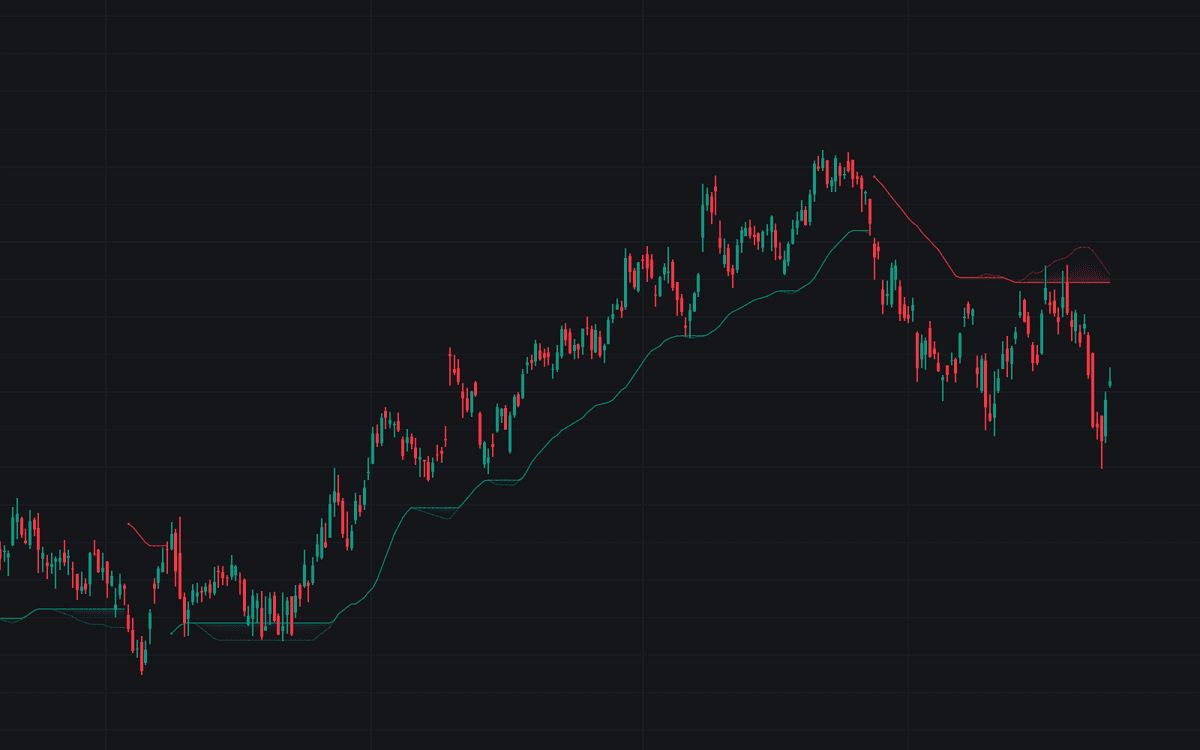

The FVG Trailing Stop turns unfilled imbalances into an adaptive exit line. Every new FVG contributes the extremity farthest from price (the bottom of an upward gap, the top of a downward one) and a fixed number of these unmitigated levels are averaged per direction, then smoothed into a trailing stop that follows the trend.
How to Trade the FVG Trailing Stop?
- Price above the trailing stop: bearish gaps have been mitigated and conditions read as an uptrend.
- Price below the trailing stop: bullish gaps have been mitigated; the read flips bearish.
- Stop touched, average respected: the more transparent directional average underneath holds as support or resistance, a continuation scenario.
- Stop touched, average crossed: the trend does not shift until price crosses that secondary average; when it does, treat it as a potential reversal.
- Reset on Cross enabled: a crossed stop disappears into a neutral state and reprints once price resumes its prior direction, a clean cue for re-entries and a filter against false flips.
Among trailing methods, this one is unusual for anchoring to structure: the level moves because gaps get filled, not because price traveled some fixed distance. Once a gap is mitigated it drops out of the calculation and a newer one takes its place, keeping the stop responsive yet smooth.
FVG Trailing Stop Settings
- Unmitigated FVG Lookback: how many unmitigated gaps feed the calculation; more gaps produce a steadier, more stable stop.
- Smoothing Length: the simple moving average applied to the raw averages; longer smoothing cuts noise but delays signals.
- Reset on Cross: enables the neutral state that hides the stop when crossed and redraws it once the trend resumes.
Frequently Asked Questions
Free to use
Run it on Vela. Go further with a paid plan.
- Up to 500 strategy alerts, with webhook automation
- Up to 10× the chart history of Free
- Orderflow lookback up to full history
- More Quant usage to customize it, plus extra usage when you need it
- Futures data alongside crypto, stocks, forex and commodities
Also works on

Related indicators
All 39 Fair Value Gap indicators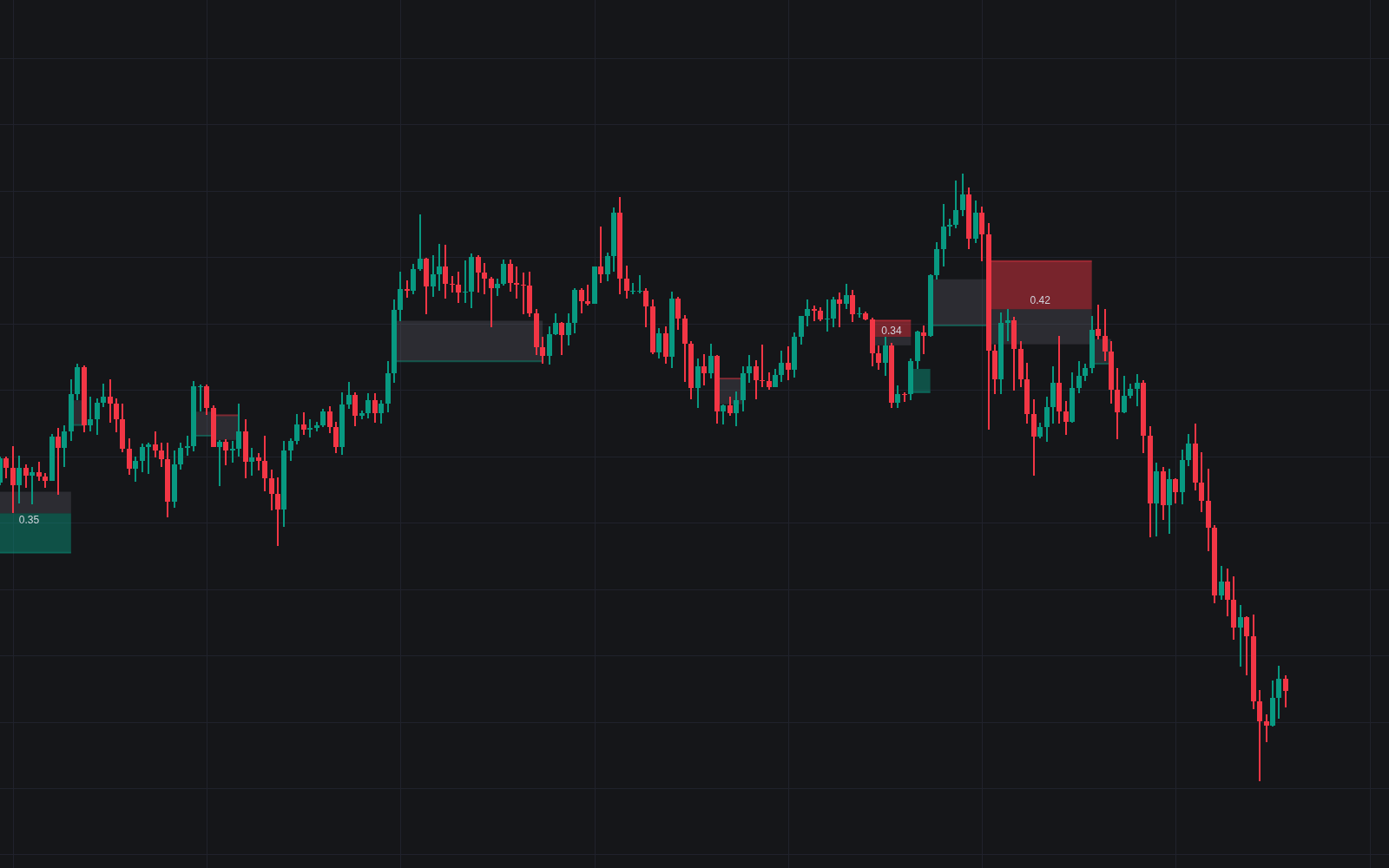
Run it on Vela. Make it yours with Quant.
Open this indicator free on Vela, our next-generation charting platform. Then ask Quant, our coding agent built into Vela, to retune it or turn it into a backtested strategy of your own.