C# in Finance: A Trading Code Guide
C# can support trading research, data services, risk tools and execution applications through the .NET ecosystem. Its type system, libraries and development tools make it a practical option for building maintainable financial software. Performance still depends on the implementation, runtime, infrastructure and workload; choosing C# does not automatically produce a profitable or low-latency trading system.
This guide separates the main tasks: setting up the project, calculating a signal, testing a strategy and handling market data reliably. The crossover example below produces research signals from completed bars. It does not place orders or replace a broker’s execution and account controls.
- Set up the right project: choose an SDK, editor and application type that match the deployment environment.
- Define the calculation: specify periods, warm-up history, timestamps and what counts as a new signal.
- Test the trading process: include position state, timing, costs and realistic fills.
- Monitor operations: handle stale data, disconnects, rejected orders and recovery explicitly.
Set Up a C# Trading Research Project
Begin with a supported .NET SDK and a project suited to the job. A console application is a useful starting point for offline calculations; a service or web application has different hosting requirements. Keep the calculation logic separate from the user interface so it can be tested without opening a desktop window.
Visual Studio provides an integrated Windows development environment with debugging and testing tools. Choose workloads for the application you are building rather than installing every available component. Visual Studio and Visual Studio Code are separate products; an extension for one is not an extension for the other.
Record the SDK and dependency versions used by the project. When installing a NuGet package, verify its publisher, current documentation, supported target frameworks and license. Pin the version you actually test, then review upgrades intentionally. An old version copied from an article is not a reason to keep an outdated dependency.
Choose libraries for a defined role
A numerical library, indicator package and trading engine solve different problems. Math.NET Numerics provides tools such as linear algebra, statistics, probability, regression and optimization. It can support quantitative calculations, but it does not supply a complete market-data or broker-execution workflow.
QuantConnect’s documentation covers algorithm development with C# and Python in its LEAN-based workflow. When using a platform, follow its supported initialization, data, scheduling and order interfaces rather than assuming a standalone class can be deployed unchanged.
| Component | Useful role | What to verify |
|---|---|---|
| Numerical library | Statistics, matrix calculations and model inputs | Numerical assumptions, precision and supported runtime |
| Indicator library | Repeatable calculations on price or volume series | Seed, warm-up, missing-data behavior and update semantics |
| Trading engine | Historical simulation and platform integration | Fill models, supported assets, costs and brokerage configuration |
| Data client | Receive licensed historical or live observations | Coverage, timestamps, rate limits and reconnect behavior |
| Application framework | Serve a dashboard or coordinate services | Authentication, hosting, failure handling and observability |
Do not choose a package solely because it advertises a large indicator count. Compare the required functions against known examples and check whether a live update replaces an existing bar or adds a new one. A library can calculate the requested formula correctly while the application supplies the wrong series.
Measure Runtime Performance Separately from the Editor
Editor preferences can improve development comfort, but turning off CodeLens or changing a debugging display does not establish lower trading latency. Measure the deployed application under the intended data rate and hardware, using an appropriate build configuration and representative workload.
Profile allocations, processing time, queue growth and slow responses before optimizing. Avoid treating manual garbage collection as a routine speed improvement; runtime memory behavior needs measurement. A fast average can also hide occasional long delays, so inspect the distribution of processing times and behavior during bursts.
Asynchronous code helps an application avoid blocking while it waits for I/O. It does not guarantee unlimited throughput, eliminate CPU work or make shared state safe. Keep each strategy’s mutable state under a clear ownership model and decide how overload is handled before a queue grows without bound.
Use numeric types deliberately. decimal can be useful for decimal-valued financial calculations, but it still has range and rounding limits. Statistical libraries may use floating-point values for other reasons. Match conversion, price increments and quantity rounding to the instrument and broker instead of assuming one type guarantees precision for every task.
Create a Moving-Average Crossover with Warm-Up and Bar Checks
A crossover is a transition, not simply a fast average remaining above a slow average. To detect it, compare the relationship on the previous completed bar with the relationship on the current completed bar. The example below also rejects duplicate or out-of-order timestamps before changing its state.
Use one instance per instrument and timeframe, with sequential calls containing completed bars. The defaults are 50 and 200 bars; they represent days only when the input is daily data. The first comparison requires 201 bars so both the previous and current 200-bar windows are available.
using System;
using System.Collections.Generic;
using System.Linq;

public enum Signal { Hold, CrossUp, CrossDown }

// One instance per instrument/timeframe. Call with completed bars in order.
public sealed class MovingAverageCrossover
{
    private readonly int fast;
    private readonly int slow;
    private readonly Queue<decimal> closes = new Queue<decimal>();
    private DateTimeOffset? lastTime;

    public MovingAverageCrossover(int fastPeriod = 50, int slowPeriod = 200)
    {
        if (fastPeriod < 1 || slowPeriod <= fastPeriod || slowPeriod == int.MaxValue)
            throw new ArgumentOutOfRangeException("Require 1 <= fast < slow");
        fast = fastPeriod;
        slow = slowPeriod;
    }

    public Signal Update(DateTimeOffset barTime, decimal close)
    {
        if (lastTime.HasValue && barTime <= lastTime.Value)
            throw new ArgumentException("Duplicate or out-of-order completed bar");
        lastTime = barTime;
        closes.Enqueue(close);
        if (closes.Count > slow + 1) closes.Dequeue();
        if (closes.Count < slow + 1) return Signal.Hold;

        decimal[] values = closes.ToArray();
        decimal before = Average(values, 0, slow, fast)
                       - Average(values, 0, slow, slow);
        decimal now = Average(values, 1, slow, fast)
                    - Average(values, 1, slow, slow);
        if (before <= 0m && now > 0m) return Signal.CrossUp;
        if (before >= 0m && now < 0m) return Signal.CrossDown;
        return Signal.Hold;
    }

    private static decimal Average(decimal[] values, int start, int length, int period)
    {
        return values.Skip(start + length - period).Take(period).Average();
    }
}
For a short illustration, use periods of 2 and 3 with closing prices 3, 2, 1, 4 at strictly increasing timestamps. The fourth observation produces CrossUp. Adding 5 and then 6 produces Hold on each new bar because the fast average stays above the slow average without another crossing.
The code was compiled and checked with synthetic data for warm-up, upward and downward crossings, equality transitions, flat prices, invalid periods and duplicate or reversed timestamps. Those checks validate the example’s behavior, not the profitability of moving-average trading.
This is an educational implementation: it copies a bounded queue and calculates averages with LINQ. It is not a benchmarked high-frequency engine. For large universes or very frequent updates, profile first and consider incremental calculations while preserving the same timing and edge-case behavior.
A signal still needs a trading policy
CrossUp and CrossDown do not specify order size, instrument permissions or whether short selling is allowed. Decide what each event means for an existing position, how pending orders are handled and when execution is eligible. A Hold during warm-up is not a statement that market risk is low.
The example rejects duplicate bars in the current process, but it does not persist state across restarts or coordinate multiple workers. A production workflow must restore a known state, reconcile broker positions and orders, and avoid treating a replayed event as a new instruction.
Backtest the Complete Strategy, Not Just the Signal
When moving the hypothesis into a trading engine, define initialization, data subscriptions, warm-up, position sizing and exits. Check how the engine timestamps bars, handles corporate actions and models order fills. The same formula can produce different results when its data or execution assumptions change.
A signal based on a completed close becomes known after that close. The backtest must use an execution opportunity consistent with that timing. Do not fill a trade at an earlier price simply because it appears in the same historical candle.
- Prepare the data: verify instruments, sessions, timestamps, adjustment policies and missing periods.
- Define the orders: specify entry, exit, sizing, permitted direction and behavior with open orders.
- Model costs: include commissions and appropriate spread, slippage and size assumptions.
- Separate evaluation: keep development periods distinct from later testing and retain unsuccessful experiments.
- Compare a baseline: use a relevant reference with consistent dates and cost treatment.
| Metric | What it describes | Interpretation check |
|---|---|---|
| Maximum drawdown | Largest observed peak-to-trough equity decline | Check the valuation frequency and whether open positions are included |
| Sharpe ratio | Return relative to variability under a defined calculation | State the sampling, risk-free rate and annualization conventions |
| Win rate | Share of qualifying trades that were profitable | Review average gain, average loss and fees as well |
| Profit factor | Gross profit divided by gross loss | Handle no-loss samples and small trade counts carefully |
| Turnover and costs | How much trading the strategy requires | Test sensitivity to less favorable execution assumptions |
A favorable backtest is a result under stated assumptions. Repeatedly adjusting parameters until the same history looks attractive increases selection bias. Walk-forward evaluation and stress testing can improve the research process, but neither guarantees future performance.
The original Doug Phillips video from January 29, 2022 shows a personal C# trading interface with rules, weighting and expression trees. It is a useful implementation illustration; its entry criteria and personal results are not evidence that a strategy will work for another trader, and API details should be checked against current documentation.
Separate Market-Data Retrieval from Dashboard Updates
A provider or broker API supplies the observations its license and permissions allow. ASP.NET Core SignalR is a different layer: it supports communication between a server and connected clients, such as pushing updates to a dashboard. SignalR does not itself provide a stock feed or an exchange execution connection.
A clear architecture has a provider adapter, a validation and normalization step, a calculation process and a presentation layer. An execution service, if used, needs its own permissions, order-state handling and controls. Broadcasting data to every connected client is not appropriate when access differs between users.
Manage HTTP connections and failures deliberately
Microsoft’s HttpClient guidance recommends either appropriately configured long-lived clients or clients created through IHttpClientFactory, which manages underlying handlers. Creating and disposing a new independently owned client for every poll can waste connections and cause problems at high request rates.
Configure the provider’s actual base address, authentication and response model, then apply timeouts and cancellation. Check unsuccessful status codes and malformed responses instead of silently returning no data. Logs should expose the failure and affected instrument without exposing credentials or sensitive payloads.
Retries need a policy. A retryable data read and an order submission have different consequences. If an order request times out, its outcome may be unknown rather than rejected; reconcile with the broker before submitting another request. Respect documented rate limits and avoid synchronized retry storms after an outage.
Keep live indicator state aligned with the data
Decide whether calculations run on every tick, on provisional candles or only on completed candles. Maintain separate state for each instrument and timeframe. If an incoming message updates the current candle, appending it as a new completed observation changes the period and can create false signals.
Validate ordering, completeness and freshness independently. A connection can be open while its data is stale. Keep source time, receive time and processing time distinct, and define what happens when an update arrives late or the process falls behind.
For cloud-based processing, a stream ingestion service, a stream calculation service and an event log are different architectural roles. Using a messaging service does not by itself establish a complete event-sourcing design. Specify retention, replay, consumer recovery and idempotent processing before relying on it to reconstruct trading state.
Build Risk Controls into the Operational Workflow
A research strategy needs more than an entry rule before it can drive orders. Constrain instruments, quantities, exposure and the operational conditions under which new orders are allowed. Test rejected orders, partial fills, stale data, disconnects and a controlled pause with positions still open.
Stops are part of an exit policy, not a guarantee of the trigger price. The Investor.gov order-type guide explains the distinction between market, limit and stop behavior. A price condition may prevent a fill, while a market order can execute at an unfavorable price.
Use a separate paper environment to test integration, while accounting for its simulation limits. Reconcile recorded fills and account state rather than inferring execution from a signal or dashboard notification. A language’s type system helps detect some programming errors; it does not certify the safety or profitability of the whole system.
Use LuxAlgo Alongside C# Research
Start with our charting platform, Vela, to investigate a specific market hypothesis and confirm the instrument, session and documented data coverage. Compare source data carefully when checking a C# calculation against a chart: different venues, adjustments or candle boundaries can explain different outputs.
Use Quant, our coding agent to implement a defined chart-based hypothesis. Inspect the generated code and run it yourself. This is a chart research workflow, and should not be presented as an automatically connected C# broker integration.
Example prompt: “Implement a moving-average crossover hypothesis on completed chart bars. Explain the warm-up history, compare the previous and current average relationships, and expose transaction-cost assumptions. Keep the code inspectable so I can review it and run the strategy.”
Use native strategy testing on standard candles with separate development and evaluation periods. Organize related charts and experiment versions so a code change is not confused with a change in data or testing assumptions.
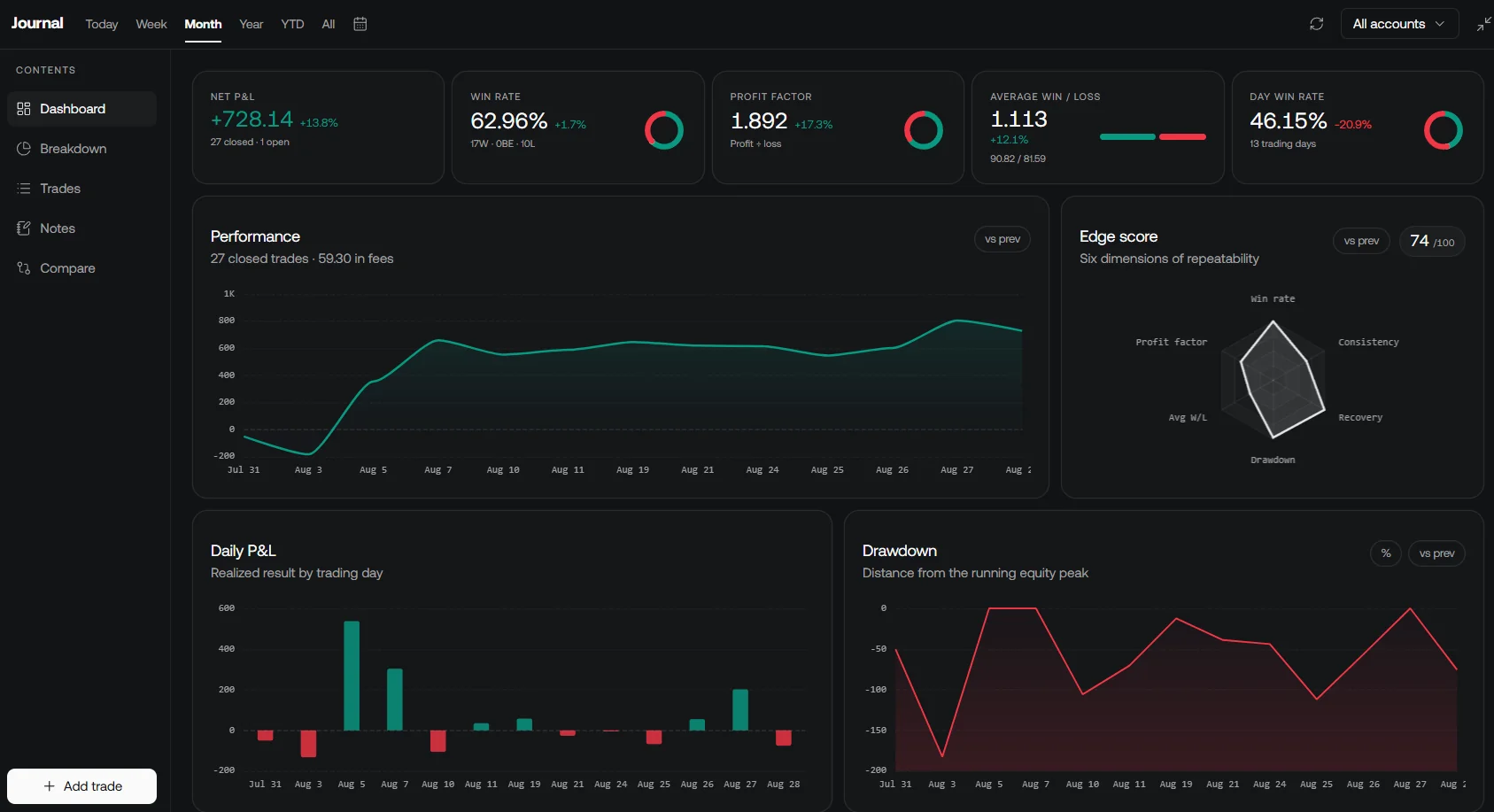
Review compatible recorded trades in the native LuxAlgo journal alongside C# experiment notes and broker records. Separate signal differences from execution, fee or data differences before changing the strategy.
A Practical Path from Example to Application
- Validate the small example: use known inputs and confirm warm-up, timestamps and transitions.
- Integrate with an engine: preserve the signal’s timing while adding position, order and cost rules.
- Test later data: compare a predefined baseline and inspect weak periods as well as favorable ones.
- Exercise failures: test recovery, limits and reconciliation in a controlled environment.
- Review changes: retain code, dependency and data versions so results can be reproduced.
C# provides useful building blocks for this process. Reliable trading software comes from precise assumptions, tested implementation and accountable operations, with performance measured on the actual workload.
Frequently Asked Questions
Is C# automatically faster than every Python trading application?
No. Performance depends on the workload, implementation, libraries, runtime and infrastructure. Measure the actual application rather than treating the language choice as a latency guarantee.
Why does the 50/200 crossover example need 201 bars?
It compares the previous completed-bar relationship with the current one. Both comparisons need a full 200-bar slow-average window, so the first transition check requires 201 observations.
Does the C# example place trades?
No. It returns Hold, CrossUp or CrossDown. Position sizing, broker orders, fills, costs, persistence and risk controls belong to the surrounding application.
Is SignalR a stock market data API?
No. SignalR supports communication between servers and connected clients. A separate authorized provider or broker supplies market data, which the application can validate and display.
Can LuxAlgo automatically deploy this C# class to a broker?
This guide does not establish such an integration. Vela, Quant and strategy testing support research; a C# execution application needs its own documented broker connection and controls.
Read next