The Core of Vela by LuxAlgo Is Now Open Source
Today the core of our charting platform, Vela, is open source: a complete charting engine, built from scratch, free for anyone building charts on the open web.
Rendering, data handling, indicators, drawing tools, a multi-chart workspace, and a plugin SDK. It is the same engine behind Vela's state-of-the-art charts, and as of today it is on GitHub under Apache 2.0. Fork it, embed it, build your platform on it.
Why We Open-Sourced Vela's Core
Plenty of teams are building alternatives to TradingView® right now. Every one of them is closed source. We think that is the wrong foundation for the next twenty years of charting.
For six years we published open indicators that millions of traders run every day, and became the largest publisher of open-source trading tools in the process. Then we released PineTS so anyone could run Pine Script® outside of TradingView, and opened the LuxAlgo Library with hundreds of standardized concepts. The chart itself was the last piece still owned by someone else.
So when we built our own engine for Vela, we built it to be released. Charts are infrastructure, and infrastructure this important should not belong to one company.
What's in the Box
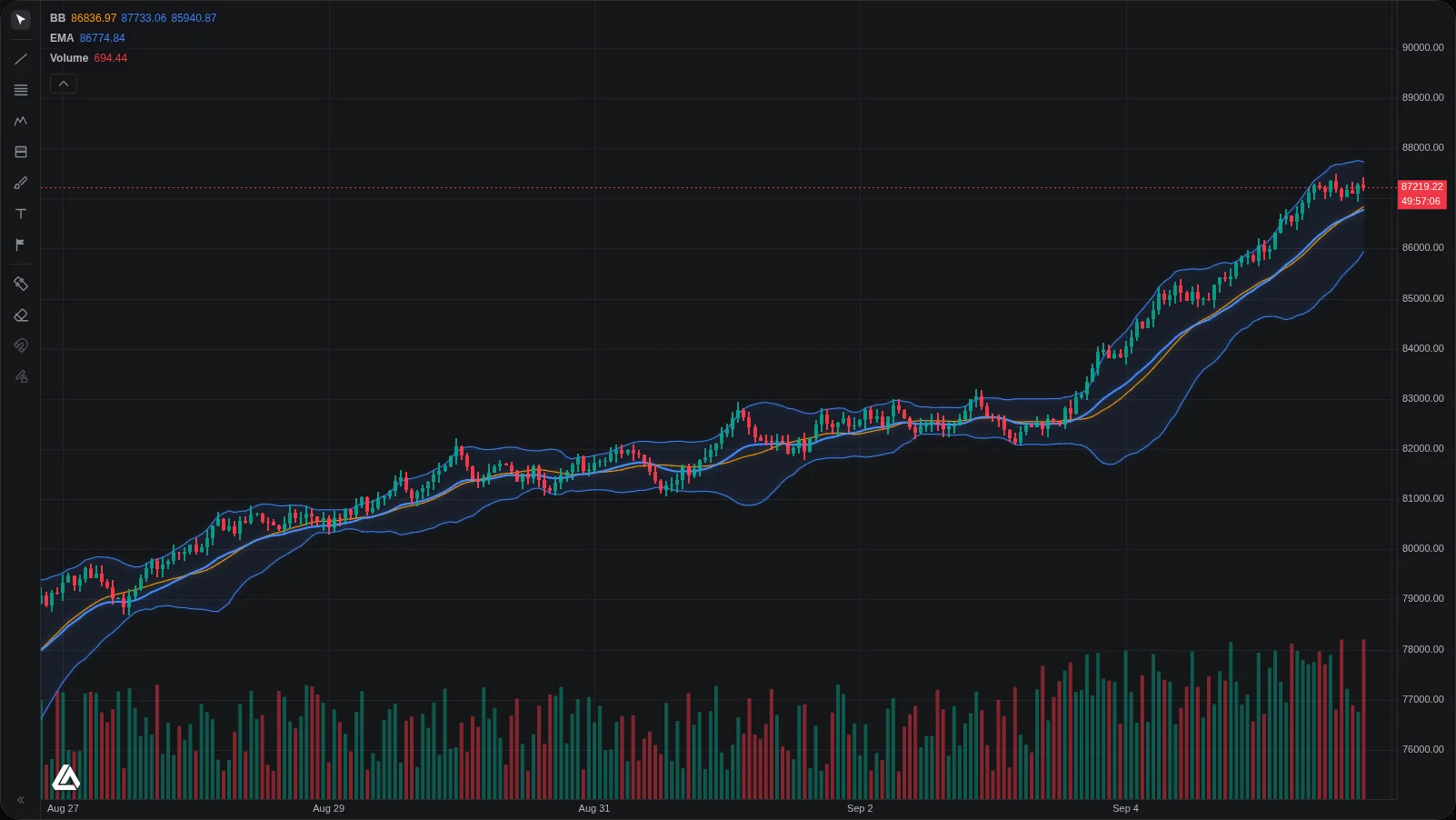
Vela's open-source core is headless, with batteries included. Import exactly as much chart as you want:
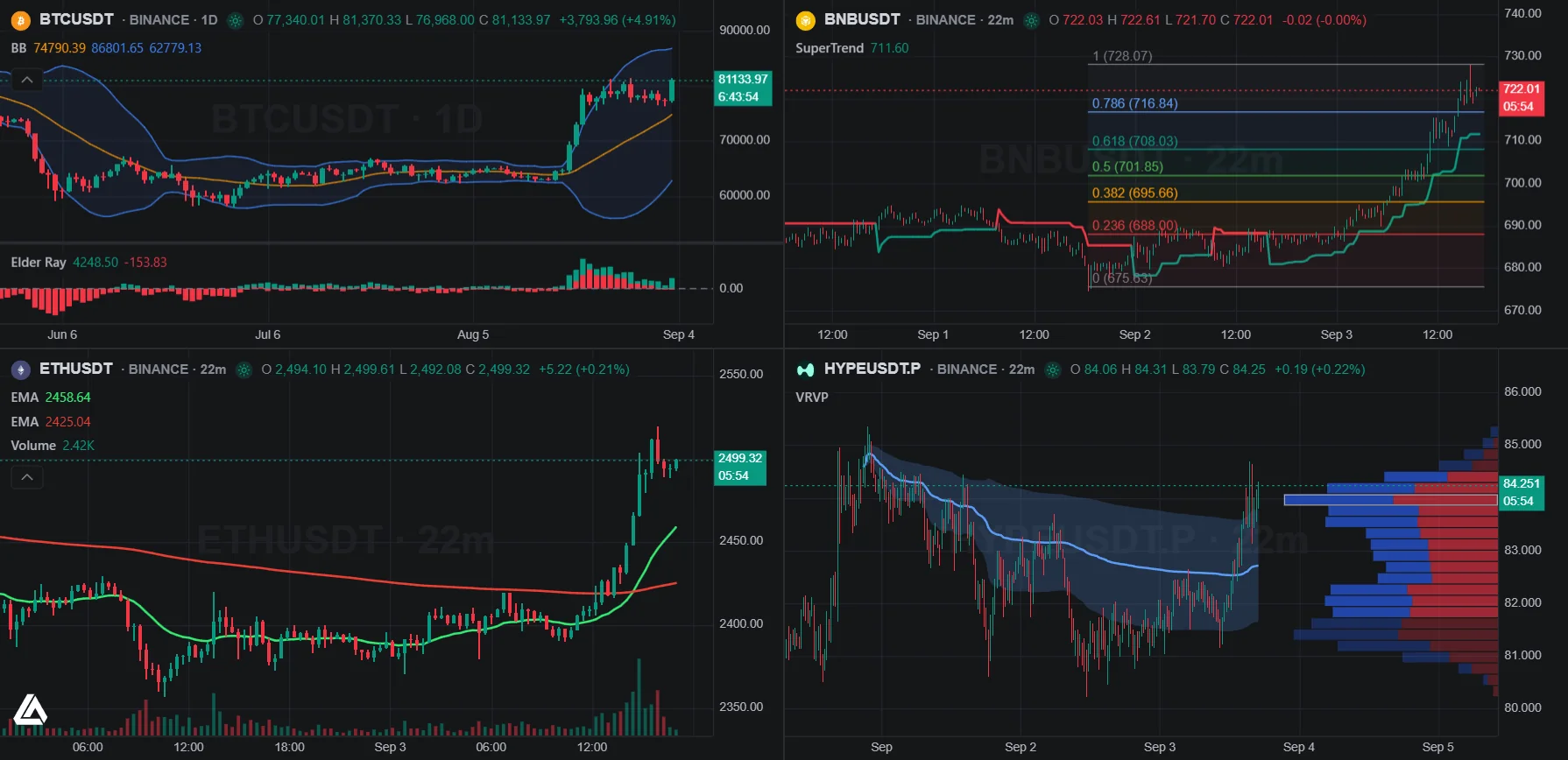
- A native WebGL2 renderer with a Canvas2D fallback, drawn from scratch for dense, live markets: deep history, streaming updates, and multi-chart layouts that stay smooth under real load.
- 70+ built-in indicators: moving averages, bands, oscillators, volume analysis, and more, one click from any chart.
- A complete drawing suite: trend lines, channels, Fibonacci tools, pitchforks, patterns, long and short positions, ranges, annotations, and more, with undo/redo and an object tree that names everything living on the chart.
- Data providers for Binance, Coinbase, and Hyperliquid out of the box. Or hand the chart an array of bars and render with no provider, no keys, no network.
- A full multi-chart workspace: symbol and timeframe selection, synced grids, a keyboard-first UX, and one persisted state document that restores your entire desk.
- Pine Script® support through the PineTS addon, so scripts written for TradingView port in on day one.
- A plugin SDK for new chart types, renderer layers, and indicators. No fork needed.
Ship a Chart in an Afternoon
One install, one div, and you have a live chart with indicators and drawing tools:
npm install @luxalgo/velaimport { VelaWorkspace } from '@luxalgo/vela/workspace';
import { BinanceProvider } from '@luxalgo/vela/providers/binance';
const chart = new VelaWorkspace('#chart', {
symbol: 'BTCUSDT',
timeframe: '60',
live: true,
theme: 'dark',
providers: { binance: () => new BinanceProvider() },
});That is the whole workspace: topbar, drawing toolbar, status line, object tree, keyboard shortcuts, and persisted state. Prefer full control? Import the core alone and get the data model, engines, drawings, providers, and renderer with none of the chrome. Your UI, its charts.
Built Like a Terminal, Shipped Like a Library
We did not build a chart widget. We built the terminal we wanted to trade on, then shipped it as a library.
Split the workspace into a grid of synced cells: turn sync on and symbol, interval, crosshair, and style follow across every chart, and drawings mirror when you want them to. Type a letter anywhere and symbol search is already open. Type a digit and you are entering a timeframe. Press ? and every shortcut is listed, including the ones your plugins registered.
Live data streams into persistent engine sessions: every tick patches the exact series in place, so there is no teardown and no flicker. Market, style, timezone, drawings, and indicators all restore from a single state document. It lives in localStorage by default, but you can store it anywhere.
Run Any Pine Script® on It
The library runs indicator scripts through pluggable engines, and the first one is the language traders already know. Install the PineTS addon, register the engine, and paste a Pine Script indicator or strategy exactly as you would on TradingView. Heavy scripts run in a Web Worker so the chart never stutters, and strategy scripts print their fills straight onto the candles.
import { PineEngine } from '@luxalgo/vela-pinets';

chart.registerEngine('pine', new PineEngine());
chart.addIndicator(`//@version=5
indicator("EMA 20", overlay=true)
plot(ta.ema(close, 20), color=color.orange, linewidth=2)`);
Years of published Pine Script, including the entire LuxAlgo Library, now run on a chart you own.
Built for the Agentic Era
Every trading platform is about to have an AI sitting next to the chart. Most charting libraries were designed before that was true. Vela's core was not.
Scripts execute and inject with structured errors instead of dead legend rows, so an agent knows exactly what went wrong and can fix it. A running script's state, return value included, is readable as a snapshot at any time. Chart types and indicators register declaratively, so an agent can add them the same way a developer does. This is how Quant builds, debugs, and backtests on Vela today, and the same surface is now yours.
Every Layer Is Yours
The plugin SDK is the one the library itself is built on. Register a new price style and it appears in the style dropdown automatically. Register a renderer layer and its data engine pushes to it with zero extra wiring. Add a provider for your exchange or broker, a scripting engine for another language, or a component that looks native because it uses the same design tokens as the shell.
Nothing is private API. If you can see it in the workspace, you can build on it.
Apache 2.0, Forever
Vela's open-source core is licensed under Apache 2.0, which means any use, including closed-source commercial products, with no account and no ceiling. That license is irrevocable. Charts you build on it today stay yours, whatever happens to us or to the market.
Official builds carry a small Vela attribution mark. The Pine Script addon is licensed separately under AGPL-3.0, because the PineTS runtime it executes is.
 LuxAlgo / Vela
Fast, extensible financial charts for the web: a headless core with a native WebGL2 renderer, a batteries-included workspace, and a plugin SDK. Apache-2.0.
Shipping Commercially? Meet Vela Pro
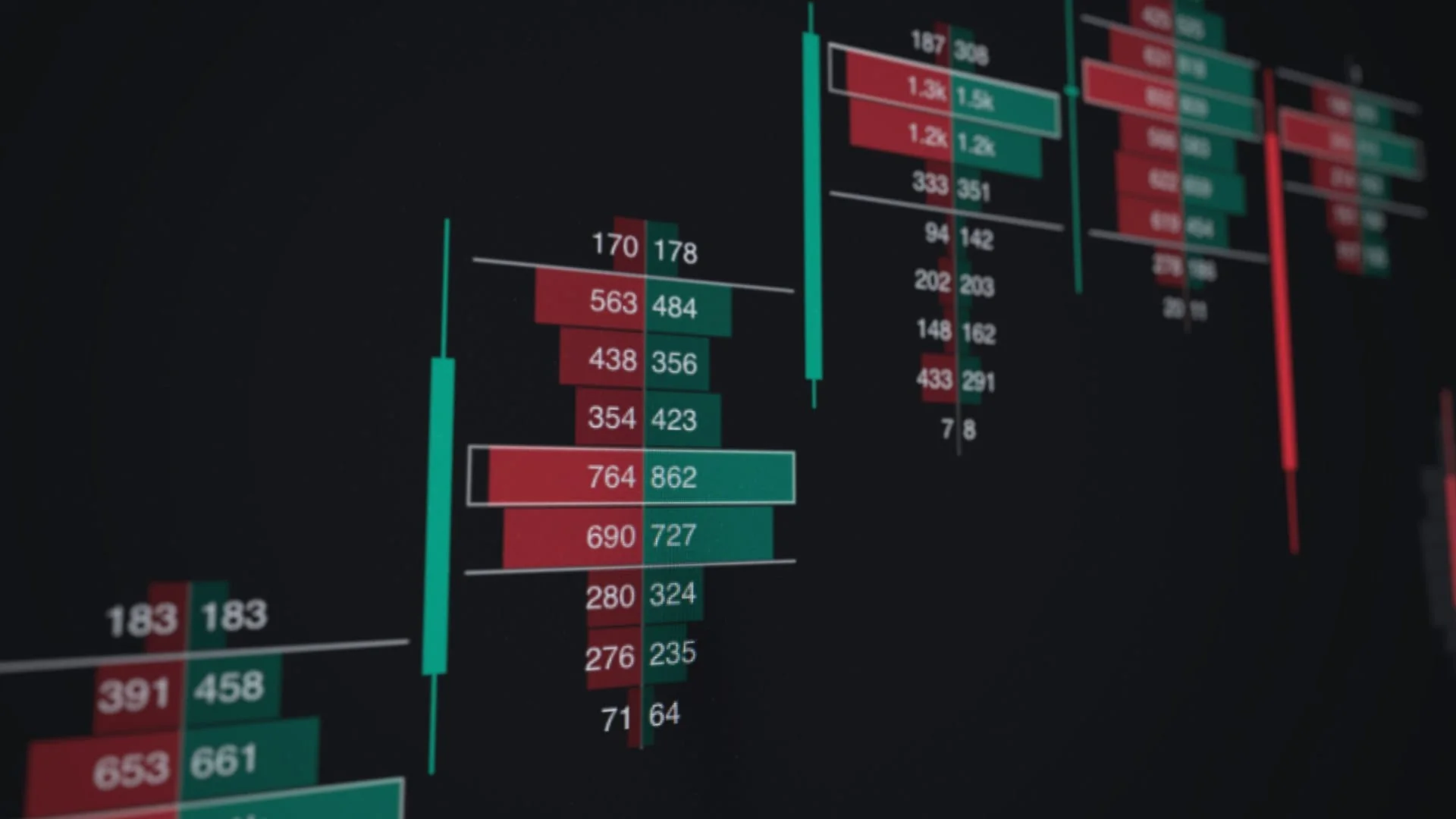
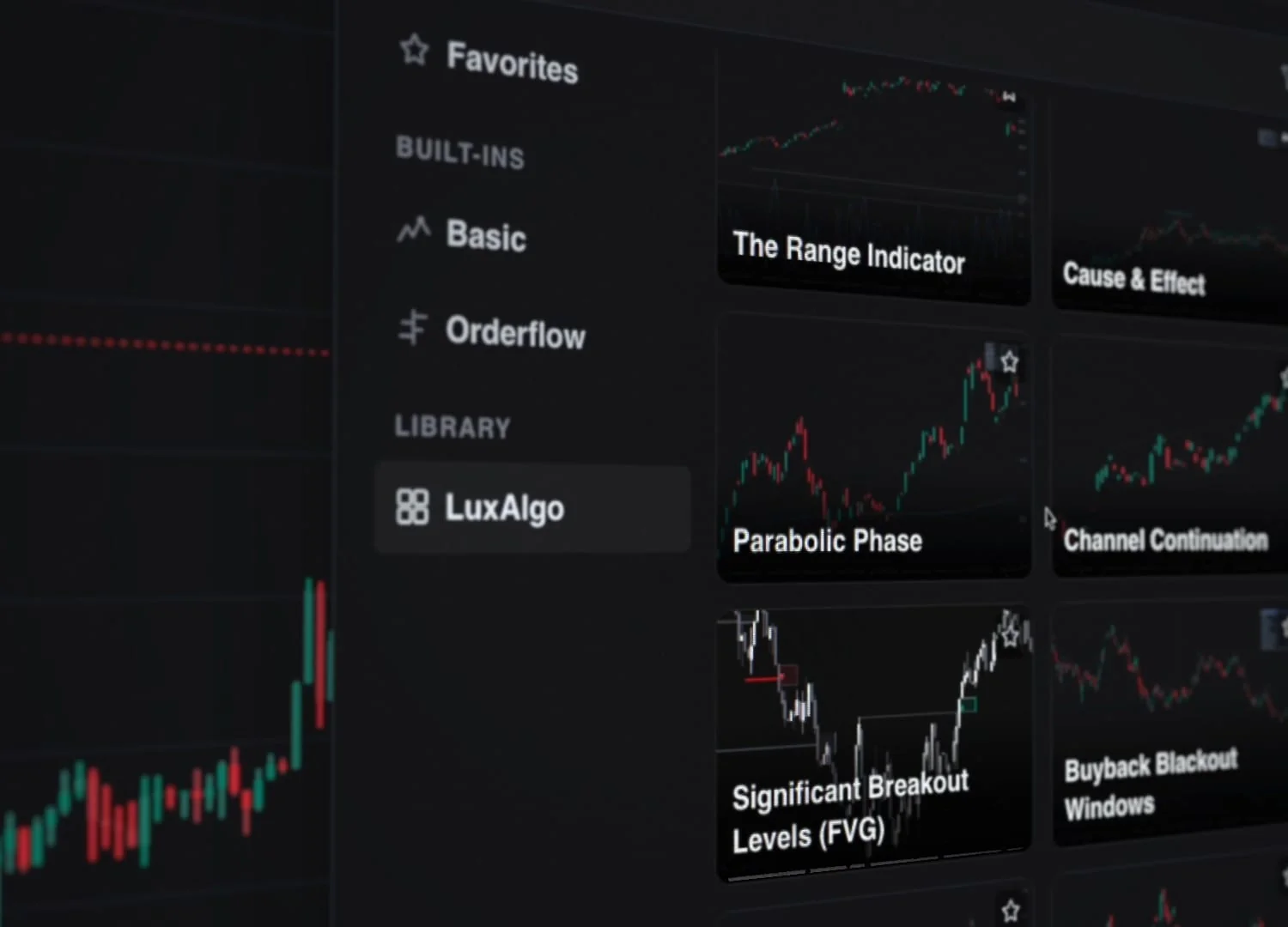
The open core is complete on its own. For teams shipping charts as a product, Vela Pro adds the interfaces desks actually trade on: native footprint and TPO charts, a full orderflow indicator suite, a built-in Pine Script editor on the PineTS runtime with commercial rights included, and the entire LuxAlgo Library cleared for use in the products you sell. Watermark-free builds, priority support, published pricing, self-serve checkout. One seat covers everything, and Enterprise adds unlimited developers, white-label, and OEM rights. Details are on the pricing page.
What's Next
Vela's open-source core joins PineTS, the Library, Prop Firm Sim, and a growing set of LuxAlgo open-source projects that we believe the next generation of trading technology should be built on. The engine ships new features every week alongside the platform, and everything that lands in the core lands in the open.
We cannot wait to see what you build with it.
Star the repo: github.com/LuxAlgo/Vela
Read the docs: docs.luxalgo.com/vela
See it live: velacharts.dev
Disclaimer: Vela™ is a trademark of LuxAlgo Global, LLC. Vela runs Pine Script® through the independently developed PineTS engine and is not affiliated with, sponsored by, endorsed by, or in any way officially associated with TradingView, Inc. "Pine Script" and "TradingView" are trademarks or registered trademarks of TradingView, Inc.
Read next