Every Plan on Vela Just Got at Least 3× More AI Usage
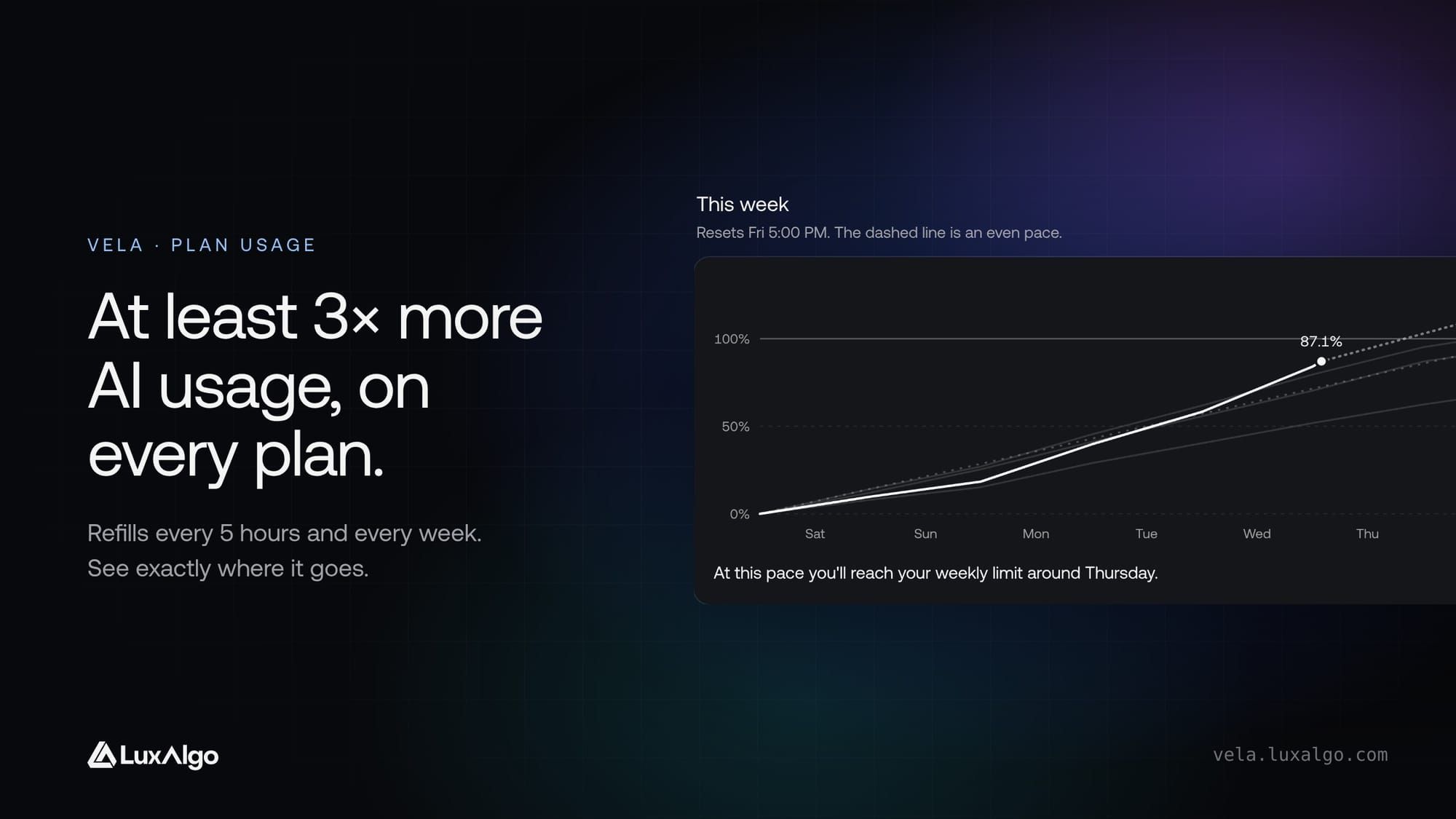
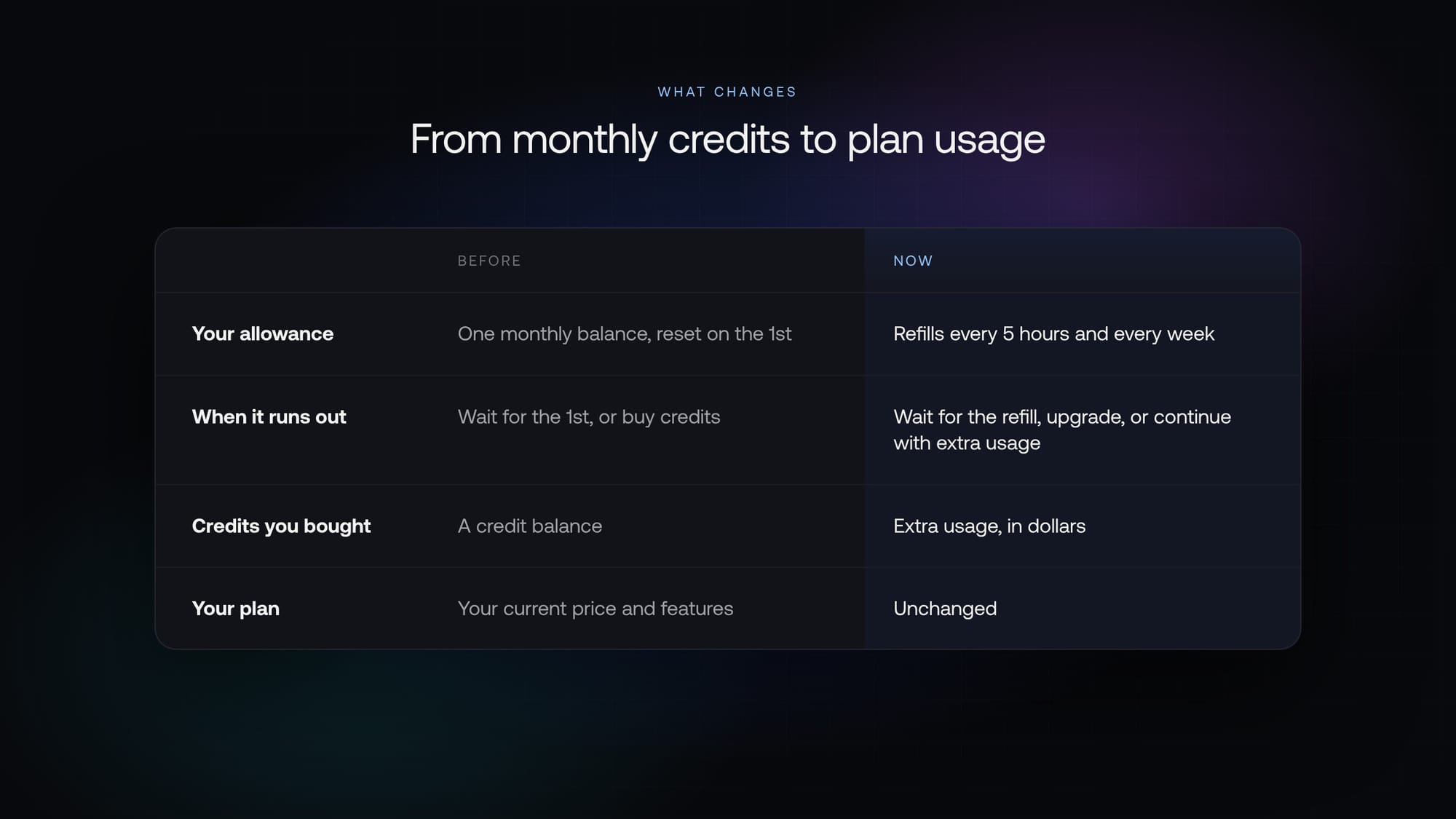
Quant, our coding agent, is built into Vela, our next-generation charting platform. Starting today, it runs on plan usage instead of monthly credits, and every plan gets far more of it. Over a 30-day month, Essential includes 10× the Quant its credits gave, Premium 7×, and Ultimate and AI Ultra 3×. Your plan's price doesn't change. Plans priced in local currency include AI usage matched to the local price.
If credits ever cut you off halfway through building something, this update is for you. A few long sessions could use up a month of credits, and then Quant waited until the 1st. Plan usage refills every 5 hours and every week, so a busy afternoon never costs you the rest of the month. When you need more than your plan includes, extra usage keeps Quant going, bought in one click without leaving the chart.
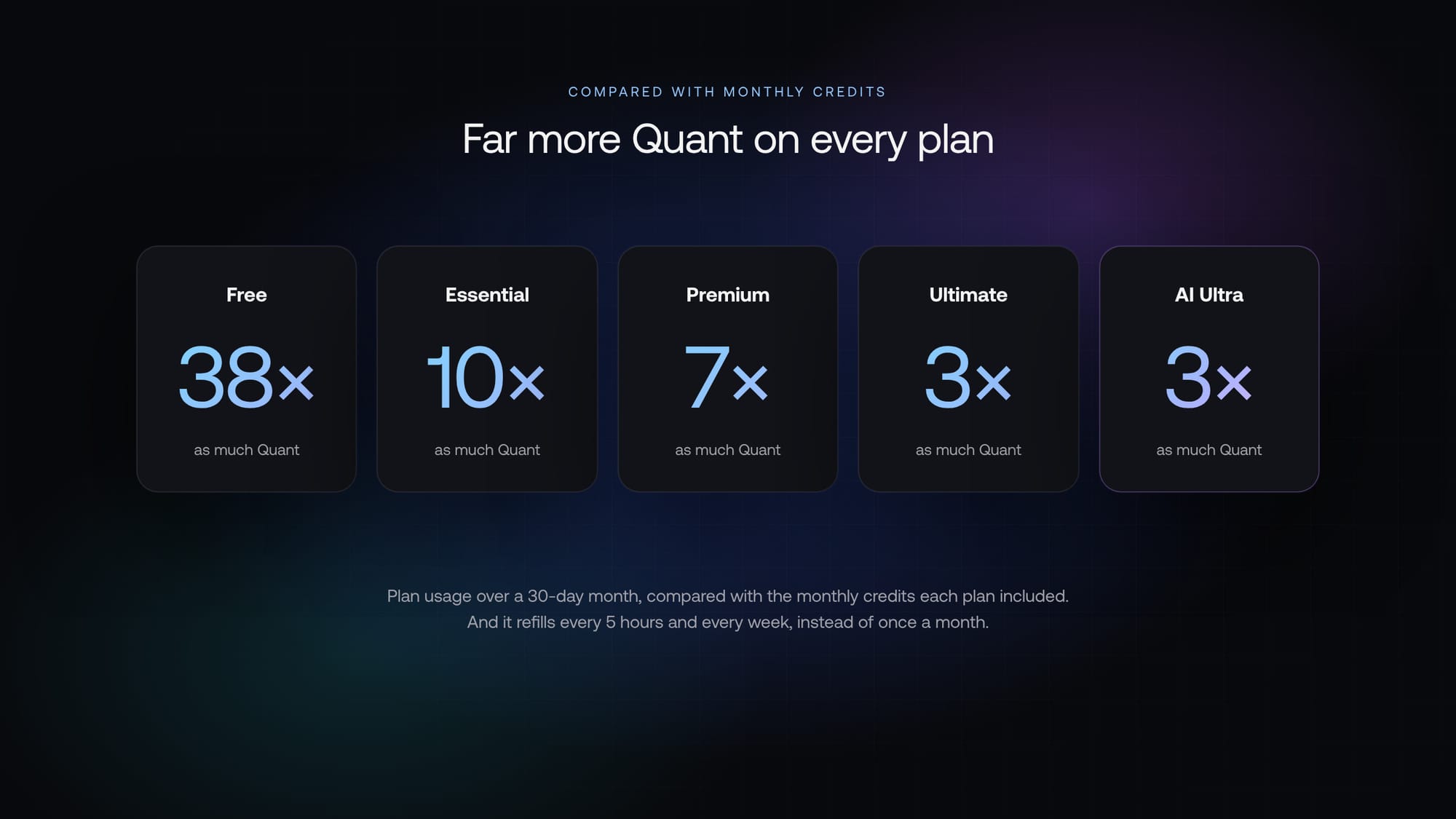
Free gets real AI usage too: enough to have Quant, our coding agent, build indicators and work on your charts in Vela, refilling every 5 hours and every week, free. Credits you bought carry over, and nothing is charged automatically unless you turn it on.
See exactly where your usage goes
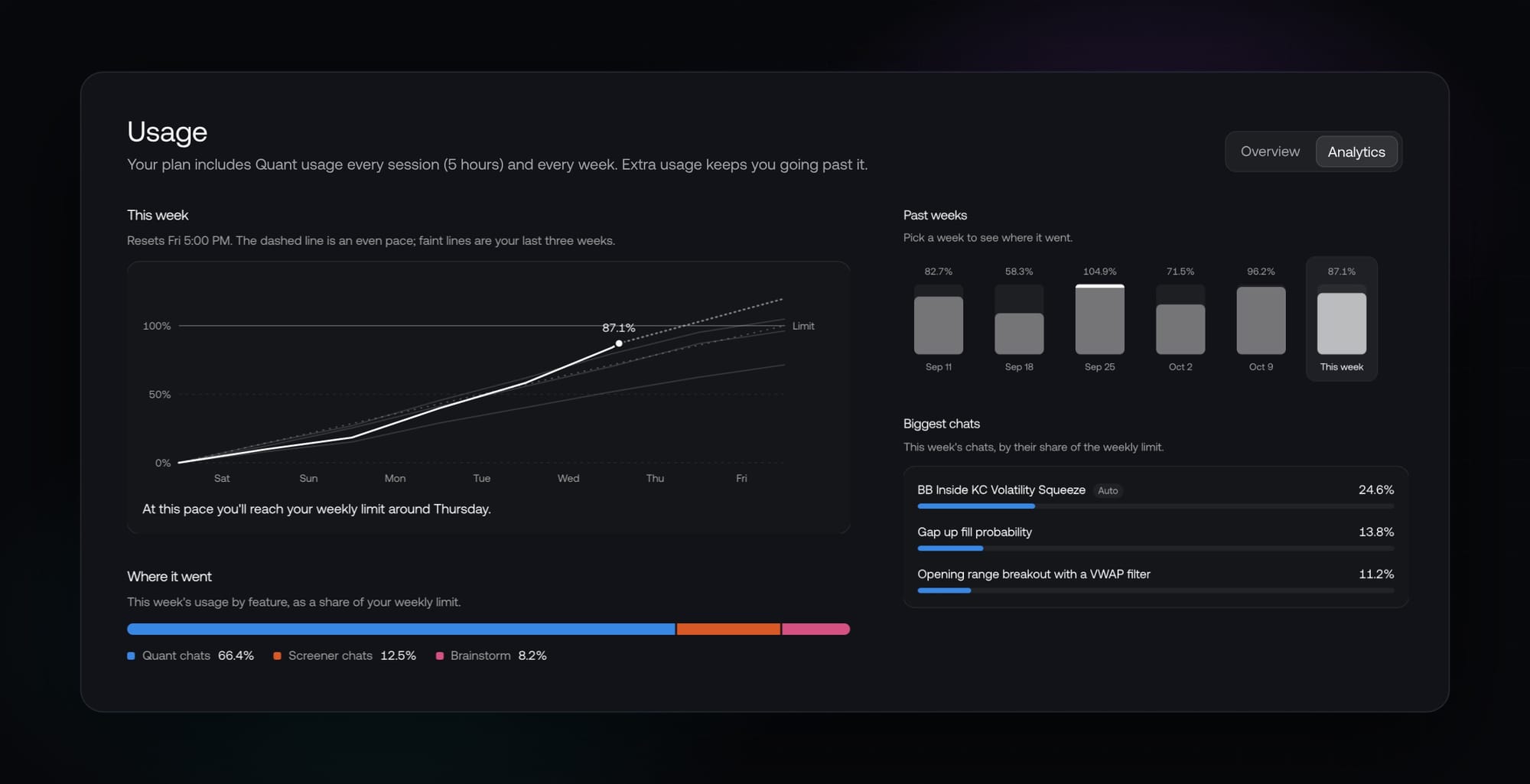
Account › Usage now has an Analytics tab. It shows your week against an even pace, your past weeks, where your usage went by feature and your biggest chats, all as shares of your own limit. If you're on track to reach your weekly limit early, it tells you which day, long before you get there.
What's new in this release
Plan usage arrives with changes built around how traders use Quant: a week you can plan around, builds that land in one piece, and a clear view of what a build will take before it starts.
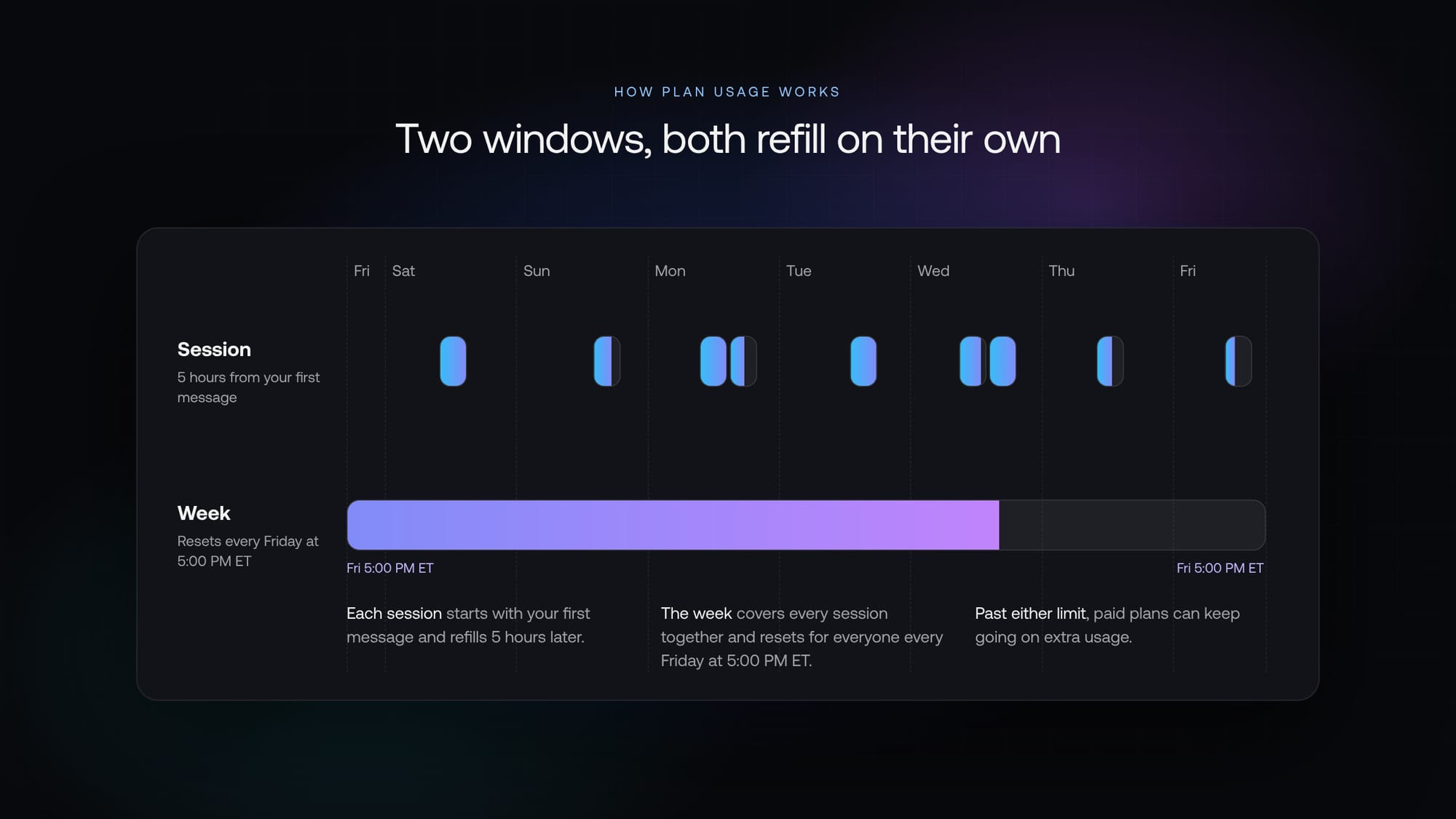
One weekly reset for everyone: Friday at 5:00 PM ET. The week resets as the US trading week closes, and Quant shows the time in your own time zone. The weekend starts with the whole week's usage ahead of you, for research, builds and backtests before Monday's open.
Quant finishes what it started. Reach a limit in the middle of a build and Quant keeps going to finish the reply, within a small margin past the limit, instead of stopping at half a strategy. That extra counts toward your week, and your next message waits for the refill, unless you continue with extra usage on Essential and up.
Fixes don't count. Quant compiles every script it writes. When a compile error turns up and Quant fixes it in the same reply, those attempts don't count toward your usage, and the reply tells you how many it fixed.
A heads-up before big builds. Ask for something big and Quant shows you the plan first: the parts it will build, about how many lines it expects, and about what share of your session and week it will use. When a build would take a real share of your usage, Quant waits for you to choose: Build it, or Make it smaller. Smaller builds start right away, at the full size you asked for. Either way, Quant builds part by part, compiling each one before the next, while a live checklist ticks off every part as it compiles. Builds too large to load quickly as one script are split into a few, so each one draws on your chart as soon as it's ready.
Builds left, at a glance. Next to your usage, Quant shows about how many strategy builds you have left this session and this week, on the model you've picked. It's an estimate from what a typical strategy build uses, so you can size up the afternoon before you start.
Also in this release:
- Longer replies, clean pauses. Replies can run much longer before pausing, and a long one pauses cleanly with Continue instead of cutting off.
- A plan suggestion from your own weeks. If you run into limits, Quant checks your recent weeks and tells you when a bigger plan would have covered them, for example: “AI Ultra would have covered every week you used Quant this month.”
- Auto picks the model for each step. Choose Auto in the model picker and Quant picks the right model for each step: a fast one for routine edits, and a stronger one for planning and hard fixes. You get the strong model where it matters without spending it on every step.
- Smarter chat names, and pinning. New chats name themselves after the market and the idea, then sharpen once the script exists. Chat history is redesigned, with pinning for the chats you keep coming back to. A chat you rename keeps your name.
A better Quant than the one you tried
Quant launched on February 26, and it has changed a lot since. If you last used it on credits, you'll find a different tool.
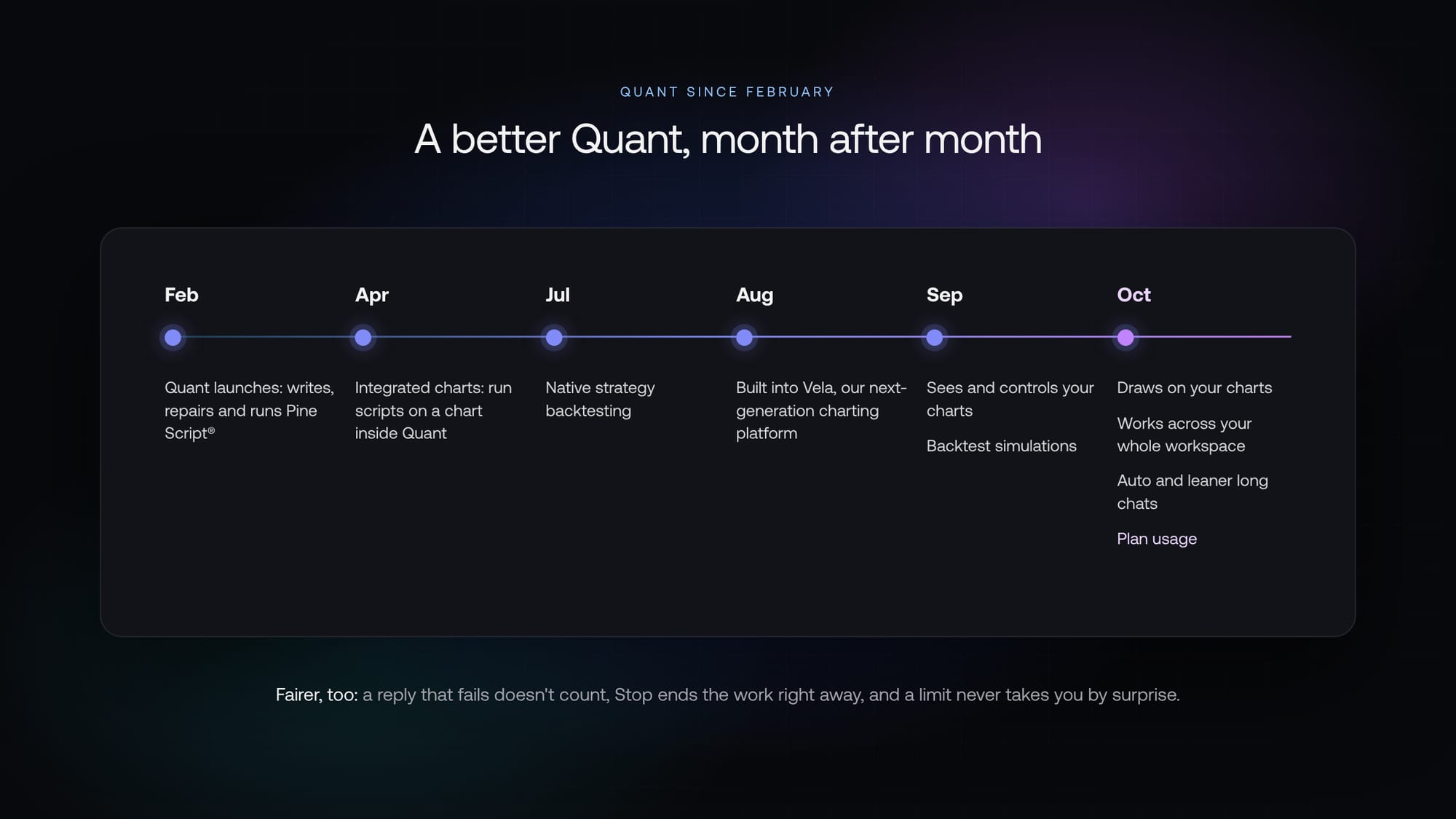
- Integrated charts, April. Run scripts on a chart right inside Quant and check them across assets.
- Native strategy backtesting, July. Turn an indicator into a strategy and backtest it without leaving Quant.
- Built into Vela, August. Quant moved into Vela, next to state-of-the-art charts on every market.
- Sees and controls your charts, September. Quant sets the symbol, timeframe, chart type and layout, checks the result, and fixes what's off. Backtests can also show alternative outcomes from the same trades.
- Draws and works across your workspace, October. Quant marks levels, gaps and structure on your chart as real, editable drawings, reads exact bars and plot values, changes a script's settings without rewriting its code, and handles several scripts in one conversation.
We also fixed what made credits feel unfair:
- A failed reply doesn't count. If a reply fails before Quant answers, it isn't counted against your usage.
- Stop means stop. Pressing Stop ends Quant's work right away, so nothing more is used.
- No surprises at a limit. Quant tells you which limit you reached and when it refills, and your card is never charged unless you turn on auto-reload.
- Your usage goes further. Auto, the default in Quant's model picker, chooses the best fit for each step of the work, and long chats now send less history with every reply.
How plan usage works
Plan usage has two windows. A session starts with your first message to Quant and lasts 5 hours, then refills. The week covers all of your sessions together and resets every Friday at 5:00 PM ET. When either window is used up, Quant pauses until it refills, unless you continue with extra usage.
You can always see where you stand. Account › Usage shows both windows and when each one resets, and the account menu keeps a short summary. Once you've used half of a window, a line under Quant's message box shows how much is used and when it resets, so a limit never comes as a surprise.
Each step up includes more
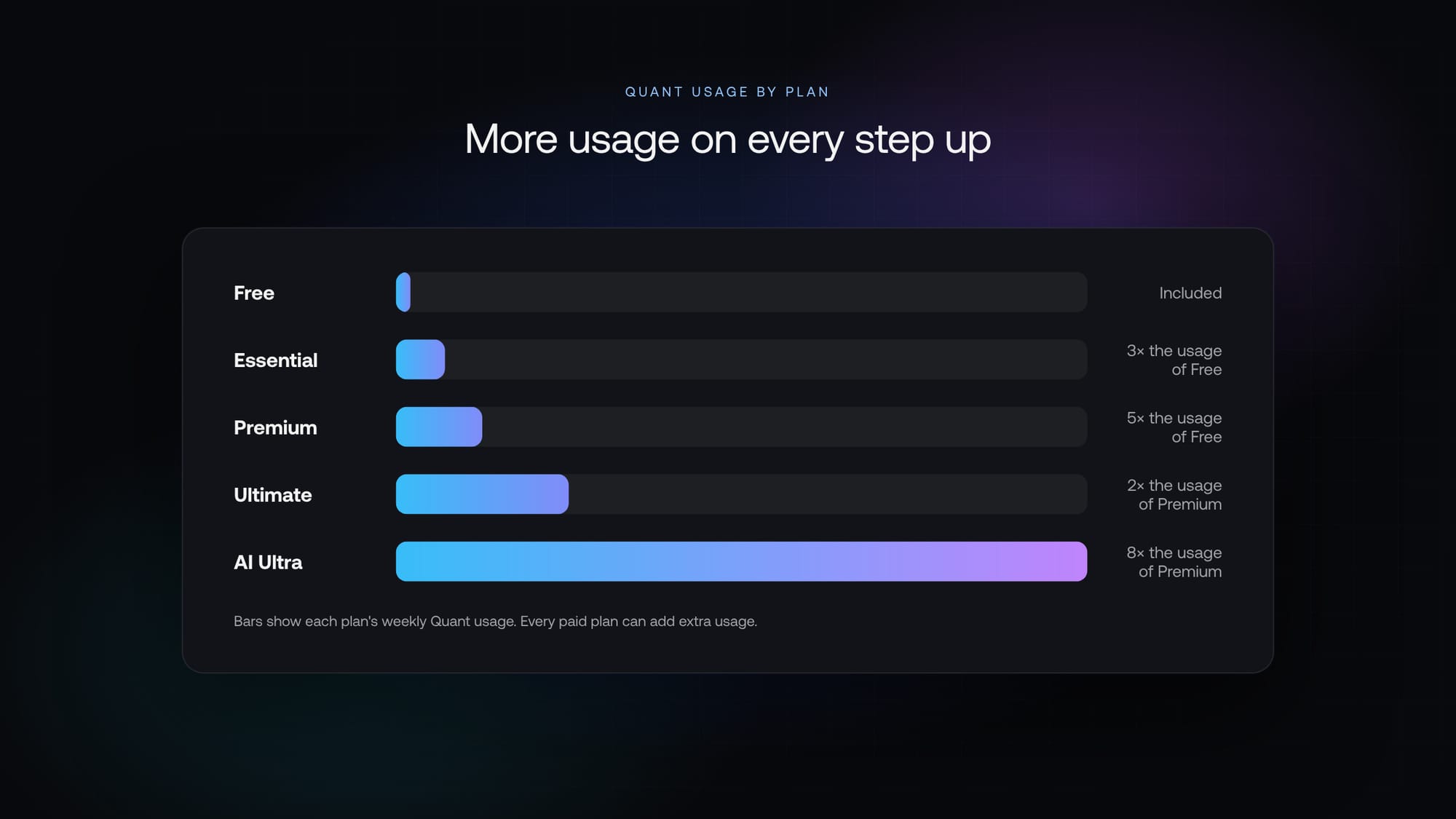
Every plan includes plan usage, Free included, and each step up includes more. Essential includes 3× the usage of Free, and Premium 5×. Ultimate includes 2× the usage of Premium, and AI Ultra 8×. With local-currency pricing, each paid plan's usage is matched to its local price.
When you reach a limit
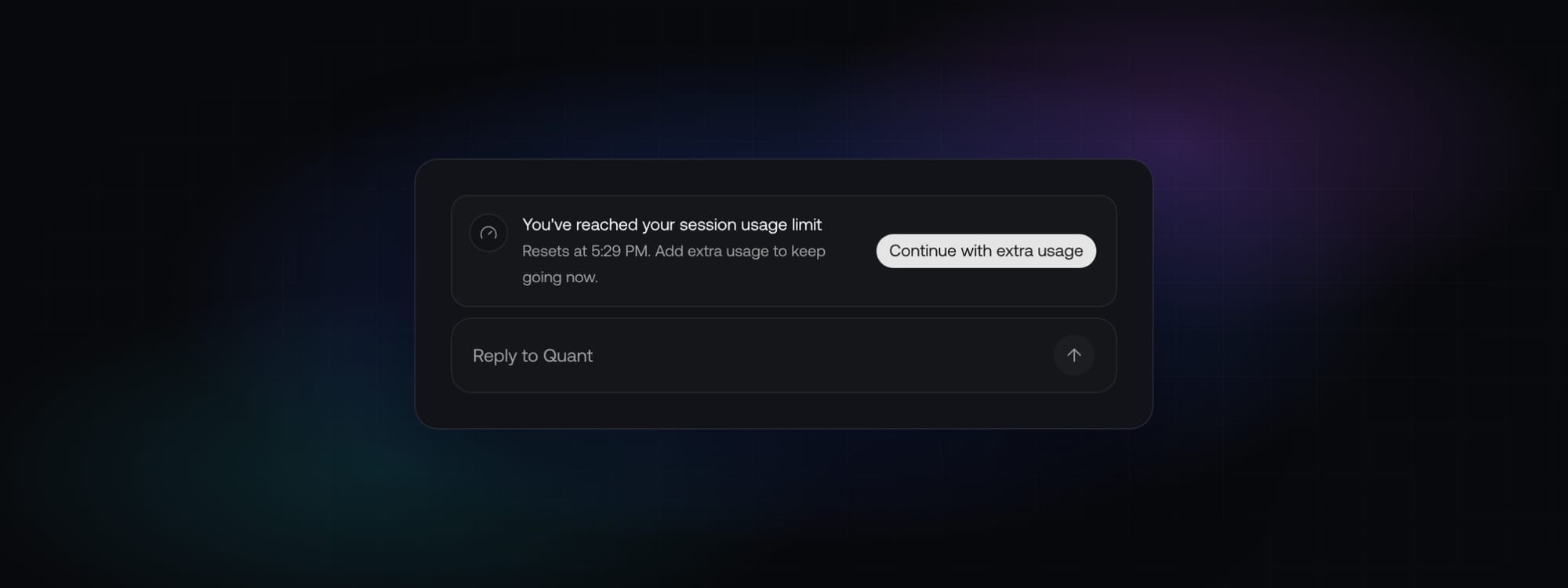
Quant tells you which limit you reached and when it refills. If a bigger plan would have covered your recent weeks, it names that plan too. From there you can wait for the refill, upgrade your plan or, on Essential and up, continue with extra usage. If you continue, Quant sends your message again and picks up right where it stopped.
Extra usage in one click
Extra usage is a balance in dollars that keeps Quant going after your plan usage runs out. Bundles save up to 30%: $50 of extra usage for $45, $250 for $200, or $1,000 for $700. Or add any amount from $10 to $2,000 at the standard rate.
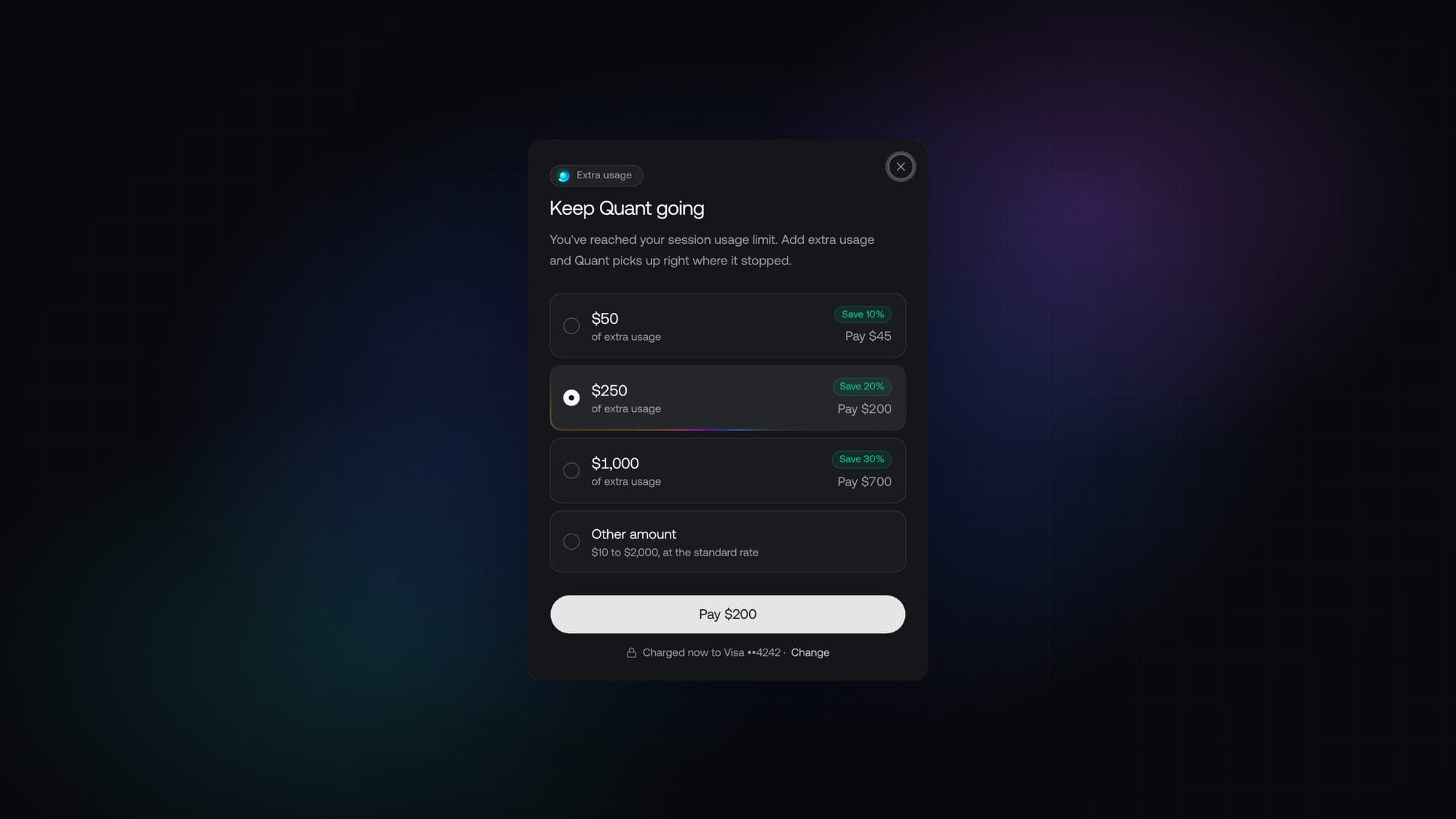
With a saved card, it takes one click, right in Quant without leaving the chart, and the balance is ready as soon as the payment goes through.
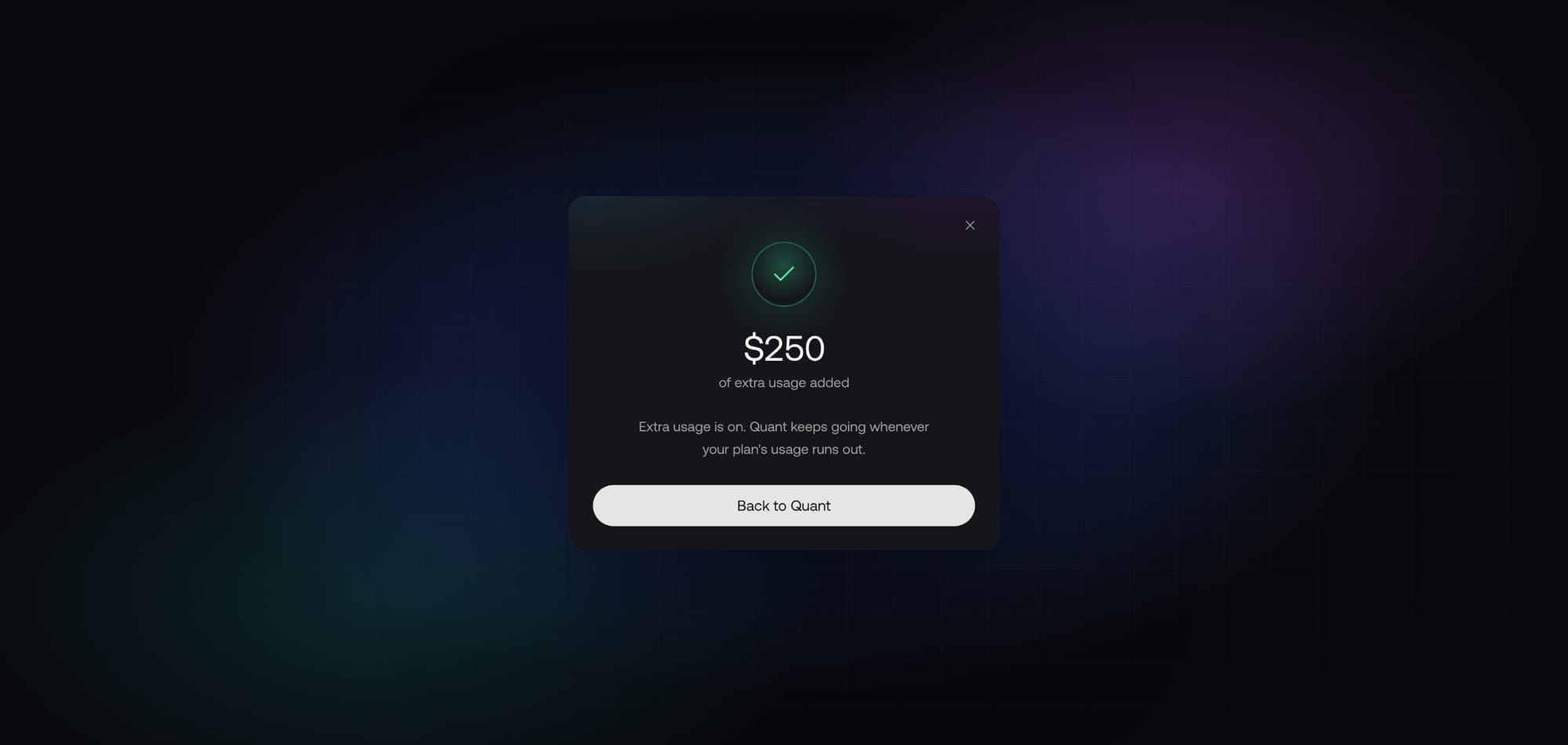
Extra usage is on by default from Essential up, so Quant keeps going from your balance instead of pausing. With no balance, nothing is spent, and you can switch it off any time.
You set the limits
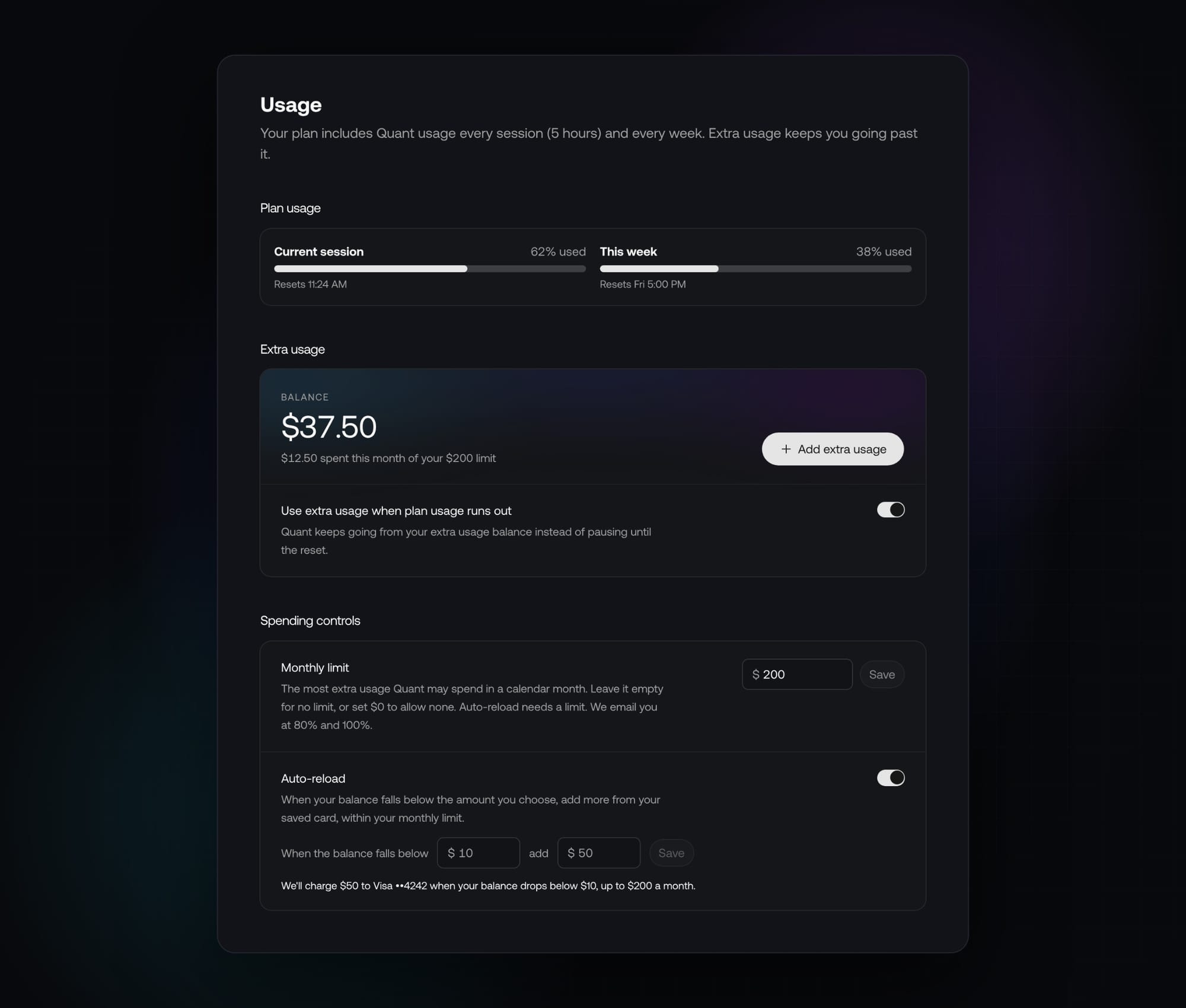
Account › Usage is where you control what you spend.
- Monthly limit. Set the most extra usage Quant may spend in a calendar month. We email you at 80% and at 100%.
- Auto-reload. Off unless you turn it on. When your balance falls below an amount you choose, it adds more from your saved card, always within your monthly limit.
- On or off. Decide whether Quant uses extra usage at all once your plan usage runs out.
Your credits carry over
Credits you bought are now extra usage, converted for you automatically. Credit packs you hadn't used carry over at the price you paid, so an unused $20 pack is now $20 of extra usage, and a pack you'd partly used carries over its unused share. Extra usage works on every plan from Essential up and doesn't expire.
Referrals pay in extra usage too. Give $20, get $20: when a friend you invite upgrades, you both get $20 of extra usage, or $50 each on a yearly plan. Your invite link is on the referrals page.
Your plan's monthly credits are replaced by plan usage, which refills on its own.
Questions
Does my price change? No. Your plan's price and features stay the same.
When does my week reset? Every Friday at 5:00 PM ET, for everyone. Quant shows the time in your own time zone, and each session still refills 5 hours after it starts.
What happens on Free? Free includes AI usage that refills every 5 hours and every week. When it runs out, you can upgrade for more.
Will I be charged automatically? Only if you turn on auto-reload, and never past the monthly limit you set.
If you tried Quant on credits, give it your next idea now: Open Vela.
Read next