Your broker, on the chart.
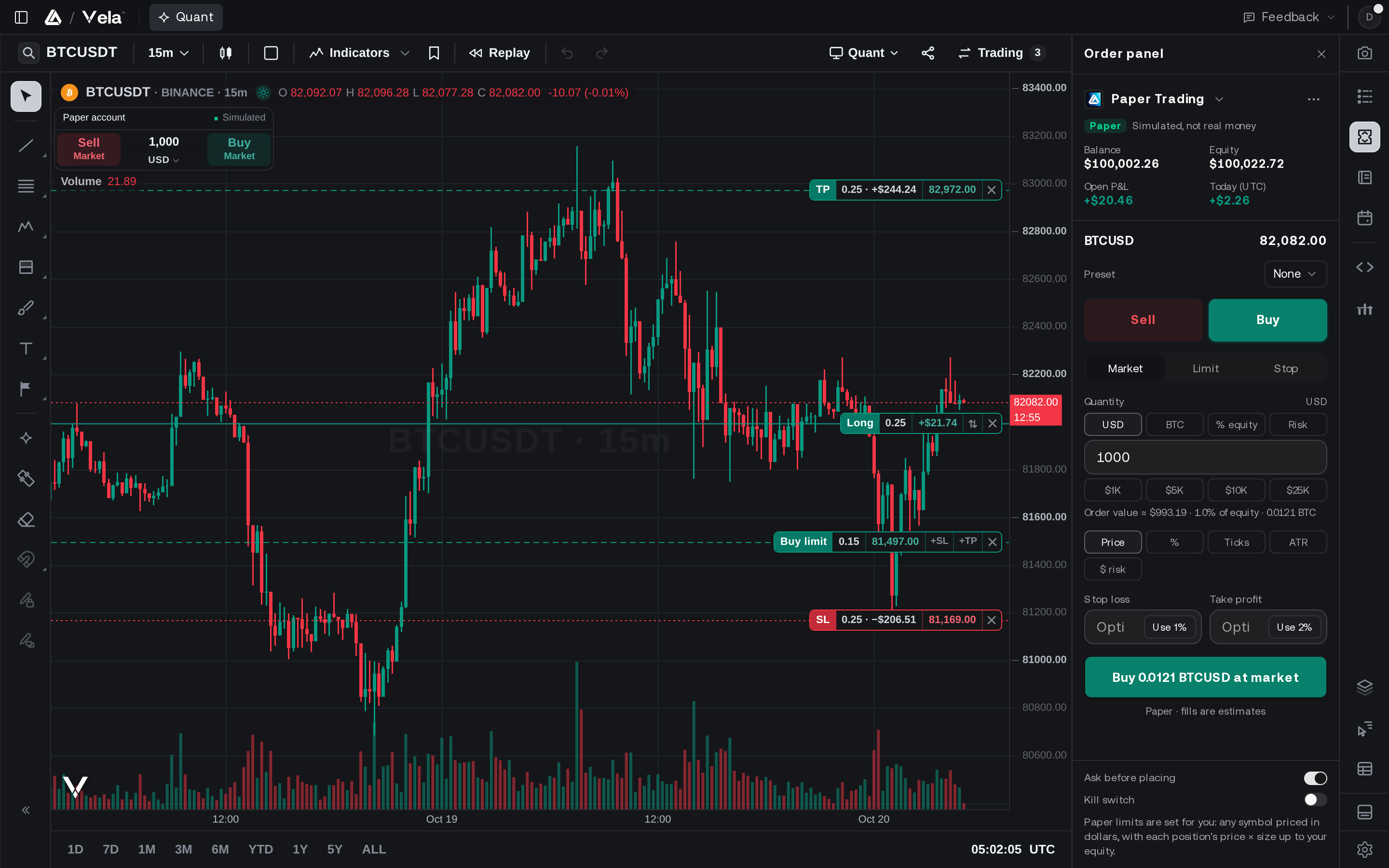
Connect your account to Vela, our next-generation charting platform. Paper trade it from the chart with the stop and the target drawn on the price, while its balances, positions and trade history sync to your journal, read-only.
- Paper trading
- Read-only sync
- Journal
- 12 brokers and exchanges
Free on every plan. Orders on a connected account are paper: nothing reaches your broker.
Practice on the Account You Trade.
Connect once, then trade it on paper from Vela.
Pick your connected account in the order panel and place market, limit and stop orders with a stop loss and a take profit. The order draws on the chart before you place it, and every order passes the risk rails first.
Trade from the chart.
Buy and Sell sit on the chart. Drag the stop and the target to the price you mean, and the position’s lines stay on the chart once it fills.
Nothing reaches your broker.
Orders on a connected account are paper. An Alpaca paper account trades on Alpaca’s own paper environment; every other broker’s orders fill on our simulator.
No broker yet? Start anyway.
Every plan, Free included, comes with a $100,000 paper account, and you can keep up to five, each at its own size.
Connect the Account You Already Have.
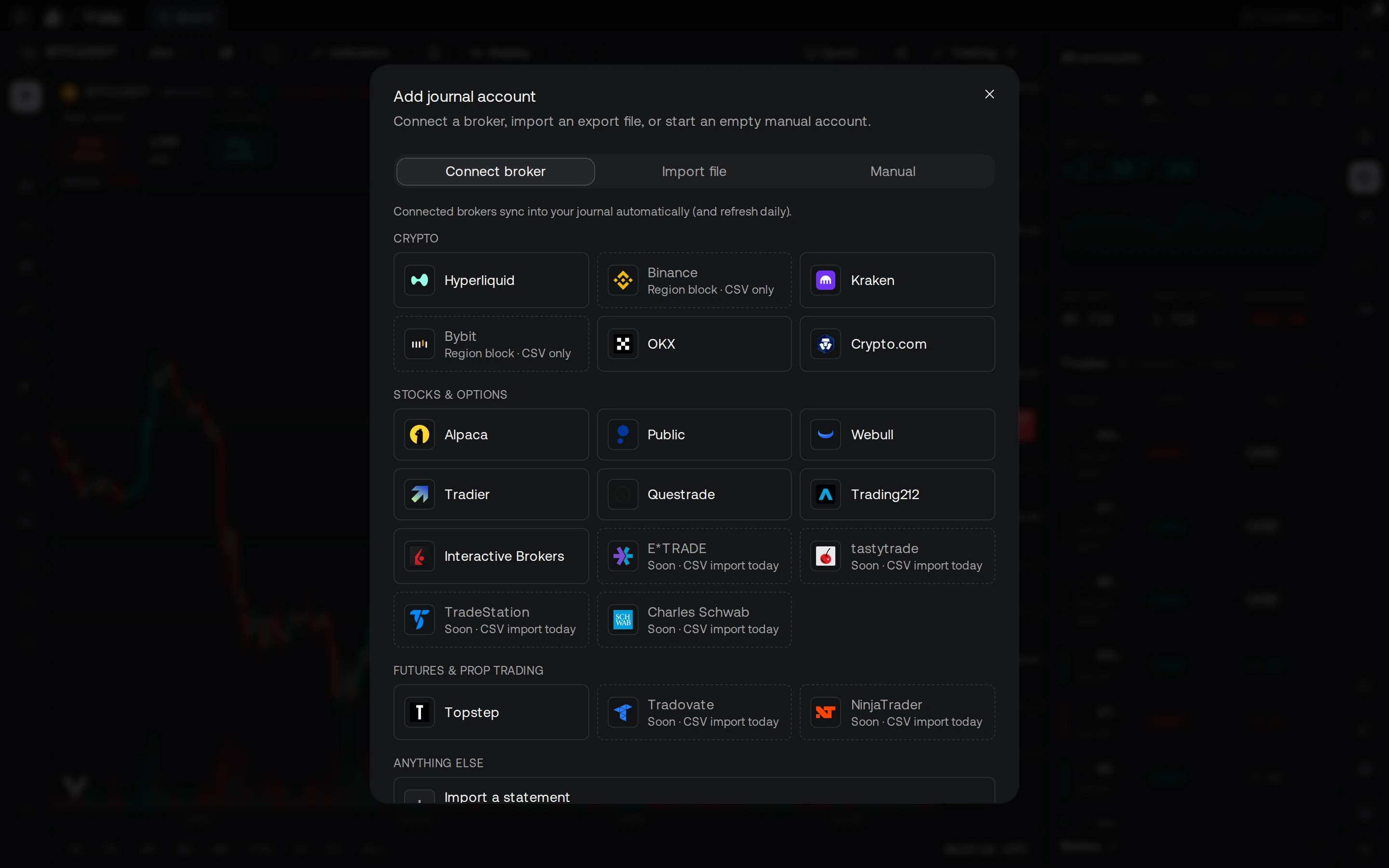
Twelve brokers and exchanges connect today, across stocks, options, futures, crypto, forex and bonds.
 Interactive BrokersPaperBroker · Stocks & ETFs, Options, Futures, Forex, Bonds
 TopstepPaperFutures prop firm · Futures
 AlpacaPaperBroker · Stocks & ETFs, Options, Crypto
 WebullPaperBroker · Stocks & ETFs, Options
 PublicPaperBroker · Stocks & ETFs, Options
 TradierPaperBroker · Stocks & ETFs, Options
 QuestradePaperBroker · Stocks & ETFs, Options
 Trading212PaperBroker · Stocks & ETFs
 KrakenPaperExchange · Crypto
 HyperliquidPaperExchange · Crypto
 OKXPaperExchange · Crypto
 Crypto.comPaperExchange · Crypto
Or import your history.
Any broker that can export a trade-history CSV works today. Exports from MetaTrader 4 and 5, Interactive Brokers, thinkorswim, TradingView® paper trading, TradeZella, Tradervue, NinjaTrader, Tradovate, TopstepX, Webull and DAS Trader are detected for you, and Binance and Bybit trades import by CSV.
Run a brokerage or an exchange?
Partner with VelaYour Whole Record, Synced.
Balances, positions and trade history sync read-only into your journal, with round-trip stats.
Connect from the journal in Vela or from Connections in your LuxAlgo account. Where your broker lets you choose permissions, leave trading and withdrawals off: the sync never needs them.
Questions, answered.
No. Connections are read-only, and orders you place on a connected account are paper: an Alpaca paper account trades on Alpaca’s paper environment, and every other broker’s orders fill on our simulator.
Trade it on paper first.
Connect your broker, or start on the $100,000 paper account every plan includes.