
Binance on Vela. Trade it from the chart.
Binance is an exchange for crypto. Connect your Binance account to Vela, our next-generation charting platform, to trade USDⓈ-M perpetuals from the chart, and its balances, positions and trade history sync to your journal, read-only.
Live trading starts only when you connect and agree to the trading terms. Binance isn’t offered in the US: it can’t be connected or traded there.
What Works Today.
Live orders from the chart
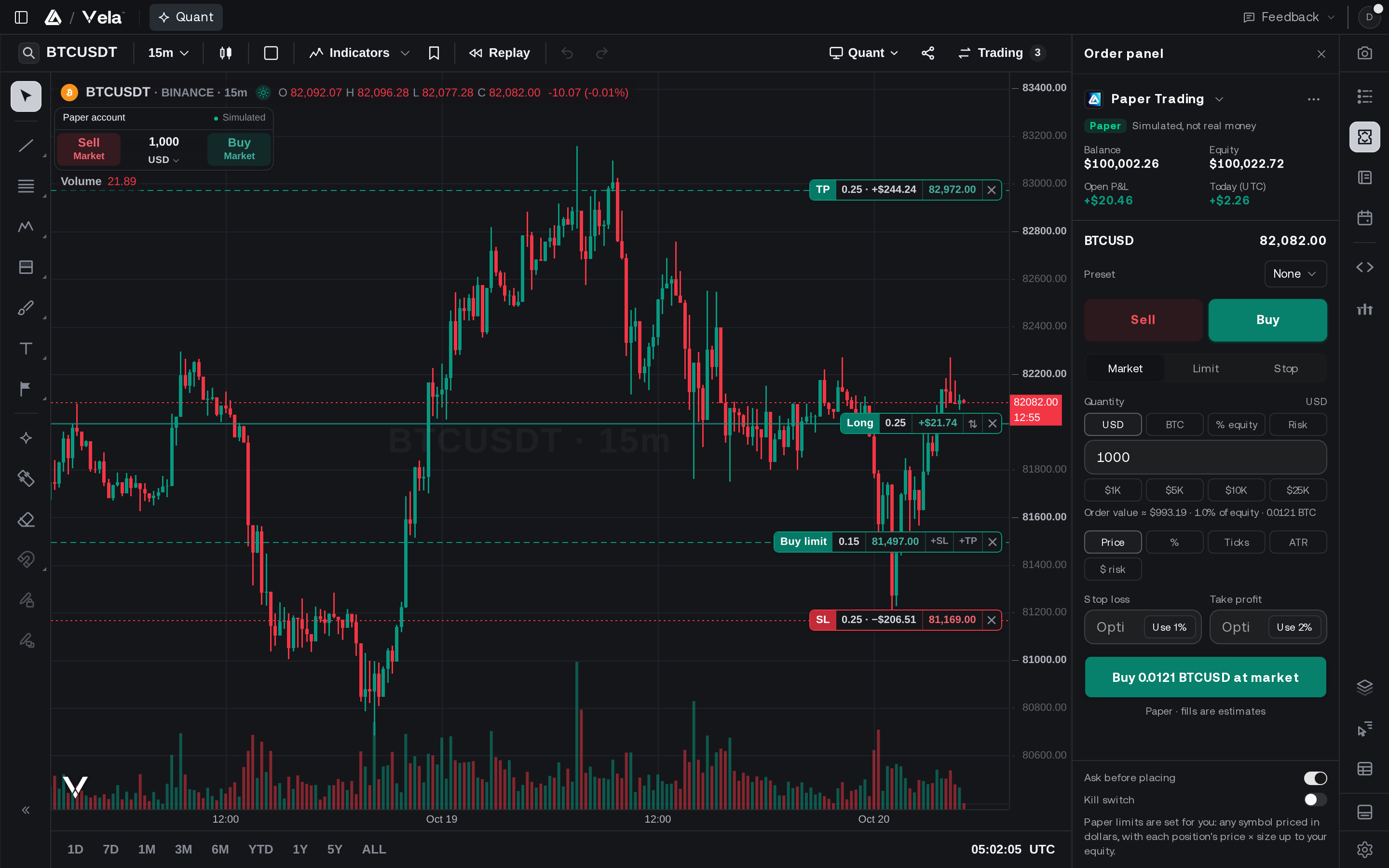
Vela trades USDⓈ-M perpetuals on Binance. Once you connect your Binance account and agree to the trading terms, your browser sends each order to Binance itself, after your risk rails check it.
Paper trading from the chart
Practice on Paper Trading by LuxAlgo, or on Binance Demo Trading with a key made there: your Binance account trades live once you connect it.
Journal sync, read-only
Balances, positions and trade history, wherever Binance’s API provides them, with round-trip stats.
- Type
- Exchange
- Markets
- Crypto
- Connect with
- API key
- Trading from Vela
- Live and paper
Connect Binance
- 1Select Connect Binance. It opens Connections in your LuxAlgo account; sign in or create a free account first.
- 2Enter the API credentials from your Binance account. The sync only reads with them: your balances, positions and trade history sync to your journal.
- 3On Vela’s chart, open Connect broker, choose Trade Binance from this browser, and paste a Binance API key with Enable Futures on and Enable Withdrawals off (for paper, make it in Binance Demo Trading). It stays in your browser, encrypted, and a live key that can withdraw is refused.
- 4Agree to the trading terms and enter your two-factor code. Your Binance account appears in Vela’s order panel, ready to trade.
Questions, answered.
Yes. When you connect it, agree to the trading terms and enter your two-factor code. Our servers check and record each order; your browser sends it to Binance. Binance isn’t offered in the US: it can’t be connected or traded there.
Your broker, on your chart.
Connect your account and place your first order from Vela, or practice on paper first.