Alertatron: Automation Tool Review
Alertatron connects trading signals to automated orders on supported digital-asset exchanges. Its value is in routing signals and managing orders after you have defined a strategy. LuxAlgo supports chart research and strategy development, while TradingView provides charting, alerts and an interface to supported brokers. These roles can complement each other, but connecting services does not establish that a strategy is profitable.
This review distinguishes Alertatron’s command-based automated trading from Signals Lite, explains current subscription choices, and shows where LuxAlgo and TradingView fit. Product details were checked against official documentation in September 2026. Execution-speed statements are vendor claims; this review does not report a live-money execution benchmark.
Alertatron, LuxAlgo and TradingView at a Glance
| Platform | Primary role in this workflow | What to check |
|---|---|---|
| Alertatron | Convert compatible incoming signals into exchange orders | Chosen workflow, exchange product, commands, account permissions and limits |
| LuxAlgo | Native charts, Quant-assisted strategy research and separate TradingView toolkits | Code, data, testing assumptions and the specific alert workflow |
| TradingView | Chart analysis, alerts and connected-broker trading interface | Webhook access, alert settings, broker eligibility and message format |
You do not need all three subscriptions simply to research a trading idea. Choose an execution service only after identifying the signal source, destination account and behavior you need. A supported exchange name alone does not prove support for every symbol, spot or derivatives product, region or account type.
1. Alertatron Features
Execution and Order Management
Alertatron advertises a dedicated, isolated trading engine and says it can normally begin executing orders less than a second after a TradingView alert triggers. That is different from a guaranteed exchange fill within a second. Network delivery, exchange responses, liquidity, order type and account checks affect the outcome.
Its command-based tools include market and limit orders, stops, profit targets, trailing behavior, scaled entries and time-weighted orders. Commands can be chained to cancel orders, wait, or submit subsequent instructions. Percentage-based sizing is available, but the meaning of an amount depends on the exchange and contract. Check units before using a sample command.
The basic-concepts documentation explains named API-key sets, symbols, command blocks and default bot routing. It also documents time limits for long-running commands. For example, trailing management can stop when its execution window expires while an underlying exchange stop remains. Verify current limits and the state of each order; do not assume all management continues indefinitely.
Groups, Notifications and Chart Captures
Qualifying plans support trading groups, with the provider advertising up to 200 clients. Group execution introduces account-by-account differences in balances, permissions and fills. Review each client’s logs instead of assuming a single signal produces identical positions everywhere.
Alertatron also forwards notifications through services including Telegram, Discord, Slack and email, and can attach chart captures. A notification or captured chart is useful context, but it is not confirmation that an exchange accepted or filled an order. Reconcile the exchange’s order and position records with the alert history.
Command-Based Trading Versus Signals Lite
Signals Lite provides a separate bot-and-signal setup. Create a bot for the strategy, configure its account connection and signals, then copy the bot’s webhook address and the message for the desired signal. The command-based service instead uses its incoming-alert routing and command syntax. Do not mix one workflow’s URL or payload with the other’s.
Signals Lite documentation says it can be used from a free Alertatron account. That does not mean every exchange connection, upstream alert source or trading cost is free. Confirm current account terms and the integration you intend to use. Its latency claims also should not be treated as a guaranteed end-to-end fill time.
Video: Alertatron Signals Lite Setup
This original Alertatron tutorial, published May 22, 2023, demonstrates creating a Signals Lite bot, adding API keys, defining an opening signal and connecting a TradingView alert. It remains linked from the official getting-started guide. Use it to understand that workflow, then follow current documentation for interface changes, exchange permissions and account limits.
Alertatron Pricing and the Full Workflow Cost
The public pricing table lists the following monthly plans for its subscription service. Treat these separately from the Signals Lite account statement above. Check the billing page before purchasing; quotas and availability can change.
| Plan | Monthly price | Daily alerts | API-key / exchange allowance |
|---|---|---|---|
| Starter | $59 | 300 | Up to 10 keys across any 2 supported exchanges |
| Pro Trader | $99 | 600 | Up to 15 keys across supported exchanges |
| Ultra Trader | $199 | 900 | Up to 15 keys across supported exchanges |
The page advertises a 20% annual-billing discount, a 14-day testnet trial and five daily alerts on its free plan. Paid tiers differ in trading-history retention and group/PnL features. Check which limits apply to the particular service you are configuring rather than transferring one plan’s quota to every product.
Budget for the whole chain: the alert source, Alertatron or another connector, any analytical subscription, market data and exchange fees. Slippage and financing can matter more than software cost for some strategies. A free charting account should not be assumed to include the webhook or technical-alert capacity your automation requires.
2. Where LuxAlgo Fits
Native Chart Research and Quant
Start in LuxAlgo’s native charts to define and investigate your trading rule. Ask Quant, our coding agent to implement or explain a strategy, inspect the generated code, and run it manually. Review signal timing, data, costs and position sizing before interpreting results.
Use the native strategy documentation to understand the available settings. Compare later periods and realistic costs, keeping an unchanged baseline. A backtest evaluates a model of execution; it does not establish that an Alertatron account will reproduce those fills.
Plans and Reviewing Outcomes
LuxAlgo offers Free, Premium, Ultimate and Ultra. The Free plan provides a starting point for native chart research and Quant. Paid tiers expand allowances and features. Compare the current plan table using the same billing period: an annual subscription’s monthly equivalent is not its month-to-month price. Choose based on the tools needed for your workflow rather than assuming an execution connector requires every analytical upgrade.
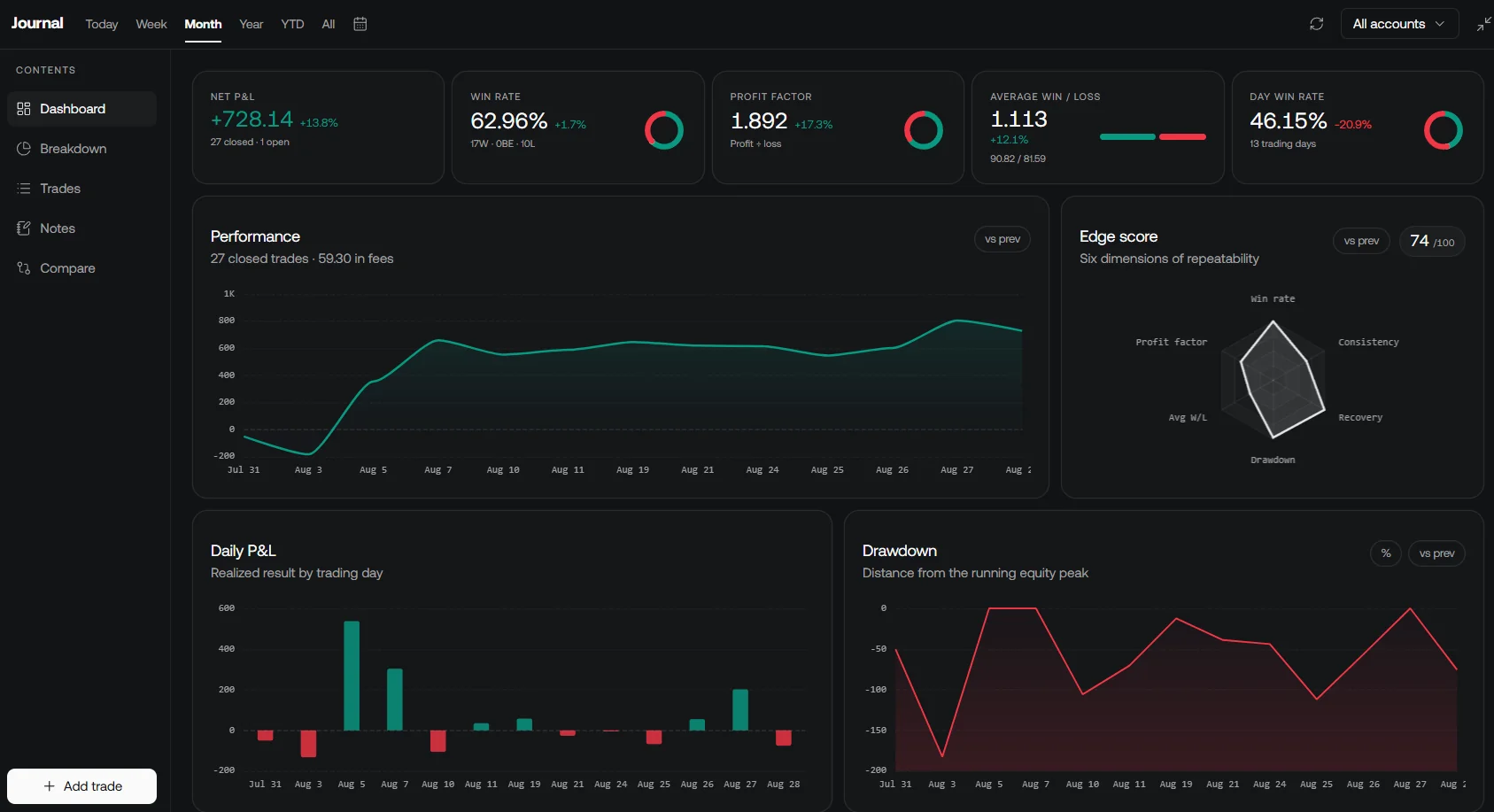
Use LuxAlgo’s native journal to review compatible recorded trades while separating backtest, paper and actual results. Check unresolved orders and current positions at the exchange. Keep baseline charts and experiments organized in a workspace so changes remain traceable.
3. TradingView Alerts and Broker Trading
TradingView can connect supported brokers and exchanges through its trading interface. Orders can be entered through that interface, while the connected broker processes the trades. Saying that TradingView offers only alerts and cannot support trading is inaccurate. Broker-panel trading is nevertheless a different workflow from sending an automated alert to Alertatron.
For webhook automation, TradingView sends an HTTP POST with the alert message to the configured URL. Valid JSON is sent as JSON; other messages are sent as plain text. Use the exact format required by your selected Alertatron workflow. Enable two-factor authentication, which TradingView requires for webhook alerts, and confirm your plan’s current alert access and limits.
Delivery can fail. TradingView documents a three-second receiving-server timeout and a Webhook status column in the alert log. That timeout is not a promised exchange execution time. Review delivery status, Alertatron processing and the exchange outcome as separate stages. Never use a chart marker alone as proof that a position opened or closed.
A Practical Setup and Verification Sequence
- Define the signal: specify symbol, timeframe, entry, exit, sizing and whether the condition waits for a completed bar. Test the rule before connecting an account.
- Choose the destination: verify the exact exchange product, account eligibility and test environment in the selected Alertatron integration guide.
- Choose one Alertatron workflow: configure command-based routing or Signals Lite and copy its matching URL and message. Keep API credentials in the account-connection setup, not in public examples or alert text.
- Check permissions and units: use only the permissions the integration requires and confirm quantity, contract size, minimum order size and position mode.
- Test the full path: use a supported testnet where available. Check an entry, exit, duplicate signal and rejected instruction, then compare each stage’s logs with account state. Testnet results do not prove live liquidity or performance.
- Plan for interruption: document how to stop new signals, inspect pending orders and manage existing positions. Disabling alerts does not automatically cancel orders or close positions.
- Monitor changes: recheck the workflow after altering scripts, symbols, alert settings, exchange permissions or connector configuration.
Strengths, Limitations and Who It Suits
Alertatron is worth evaluating when you already have defined signals and need its supported exchange routing or order-management features. Its command system offers flexibility, but that flexibility requires careful configuration and ongoing monitoring. Signals Lite may simplify the setup for supported use cases; confirm its features instead of assuming it includes every command-based capability.
LuxAlgo fits the research and review stage, including native chart strategies and separate TradingView analysis tools. TradingView fits charting, alert generation and supported broker-interface trading. Combining them adds subscriptions and failure points as well as capabilities. Select the smallest workflow that meets the actual requirements, then verify the whole path before relying on it.
For a limited budget, begin with research and supported simulation. Upgrade when a specific quota, analytical feature or integration is necessary. No subscription tier removes strategy risk, guarantees execution speed or makes an untested signal ready for real-money trading.
Frequently Asked Questions
Does Alertatron guarantee sub-second fills?
No guarantee is established here. The provider advertises fast execution, but delivery, exchange processing, order type and liquidity affect fills. Starting execution is not the same as completing a fill.
Are Signals Lite and command-based trading the same setup?
No. Signals Lite uses a bot-specific webhook and configured signals. Command-based trading uses its own routing and command syntax. Follow the instructions for the workflow you selected.
Can TradingView place trades through a broker?
Yes, TradingView provides an interface to supported brokers and exchanges, which process the trades. This differs from automated webhook messages sent to a separate execution service.
Do I need LuxAlgo to use Alertatron?
No. LuxAlgo can help research and review a strategy, but Alertatron accepts compatible signals from supported sources. Verify the source and payload rather than assuming a built-in connection.
What should I check before connecting real funds?
Confirm account and product support, permissions, quantity units, message format, entry and exit behavior, and interruption procedures. Test the full signal-to-order path in a supported test environment and inspect account records.
Read next