MQL Programming: Trading Code Essentials
MQL is the programming language of the MetaTrader platforms, and it comes in two versions that are similar enough to confuse and different enough to break each other's code: MQL4 for MetaTrader 4 and MQL5 for MetaTrader 5. With it you write custom indicators that draw on the chart, Expert Advisors that trade automatically, scripts that run once, and, in MetaTrader 5, services that run in the background. This guide is written for MQL5, the current language, with the MQL4 differences called out where they matter. It covers how a program is structured around event handlers, how indicators and Expert Advisors are built correctly, how to size a position from volatility with the broker's own symbol parameters, how the Strategy Tester's modelling modes differ, and the mistakes that make MetaTrader backtests look better than the live account. It closes with where Quant Charts fits: as the place to test the rule before you write the Expert Advisor, with Quant, our coding agent, producing the Pine Script from a description.
Key points:
- MQL5 is event-driven. OnInit, OnTick, OnCalculate, OnTimer and OnDeinit are called by the terminal; your code fills them in.
- Indicators are handles in MQL5. iMA and iATR return a handle at initialisation and CopyBuffer reads values on each tick; in MQL4 they return the value directly.
- Trade through CTrade or MqlTradeRequest, and check the return code; a fire-and-forget OrderSend is how an Expert Advisor silently stops trading.
- Test on real ticks, then forward. The Strategy Tester's modes differ by orders of magnitude in fidelity; the honest result comes from the slowest mode and a period the parameters never saw.
MQL4 and MQL5: What Actually Differs
| Aspect | MQL4 (MetaTrader 4) | MQL5 (MetaTrader 5) |
|---|---|---|
| Program entry points | OnInit, OnTick, OnDeinit since build 600; older init and start still compile | OnInit, OnTick, OnCalculate, OnTimer, OnTrade, OnDeinit and more |
| Indicator values | iMA, iRSI return the value for a given shift directly | iMA, iRSI return a handle; values are read with CopyBuffer |
| Trading | OrderSend with positional arguments, returns a ticket | OrderSend with an MqlTradeRequest and MqlTradeResult, or the CTrade class |
| Position model | Hedging: independent orders per symbol | Netting or hedging, set by the account |
| Language | C-like, with classes added later | C++-like: classes, templates, a standard library |
| Program types | Indicators, Expert Advisors, scripts, libraries | Adds services and a richer standard library |
| Strategy Tester | Every tick, control points, open prices only | Every tick based on real ticks, every tick, 1-minute OHLC, open prices only, math calculations; multi-currency; cloud agents |
Copying an MQL4 snippet into an MQL5 project is the most common beginner failure, because much of it compiles with warnings and then behaves incorrectly. Pick one language per project; for new work that means MQL5.
The Event Model
An MQL program does not run top to bottom. The terminal calls OnInit once when the program starts, OnTick every time a new quote arrives for the chart symbol (or OnCalculate for an indicator, once per change in the price series), OnTimer at the interval you set with EventSetTimer, and OnDeinit when the program stops. Everything the program does lives in those handlers, and a handler that takes too long delays the next one. Inputs are declared with the input keyword and appear in the program's settings dialog; global variables persist between handler calls; and every indicator handle or file you open in OnInit is released in OnDeinit.
A Custom Indicator Done Properly
An MQL5 indicator declares how many buffers and plots it has, binds arrays to those buffers in OnInit with SetIndexBuffer, and fills them in OnCalculate. The prev_calculated argument tells you how many bars were already computed, so a well-written indicator recalculates only the new bar instead of the whole history on every tick. The example below is a moving average of the range of each bar, which shows every part of the pattern without depending on another indicator.
#property indicator_separate_window
#property indicator_buffers 1
#property indicator_plots   1
#property indicator_label1  "Average Range"
#property indicator_type1   DRAW_LINE

input int InpLength = 14;            // averaging length

double RangeBuffer[];

int OnInit()
{
   SetIndexBuffer(0, RangeBuffer, INDICATOR_DATA);
   PlotIndexSetInteger(0, PLOT_DRAW_BEGIN, InpLength - 1);   // no plot until the window is full
   return INIT_SUCCEEDED;
}

int OnCalculate(const int rates_total, const int prev_calculated,
                const datetime &time[], const double &open[], const double &high[],
                const double &low[], const double &close[], const long &tick_volume[],
                const long &volume[], const int &spread[])
{
   if(rates_total < InpLength) return 0;

   int start = (prev_calculated == 0) ? InpLength - 1 : prev_calculated - 1;   // recompute only the last bar
   for(int i = start; i < rates_total; i++)
   {
      double sum = 0.0;
      for(int k = i - InpLength + 1; k <= i; k++) sum += high[k] - low[k];
      RangeBuffer[i] = sum / InpLength;
   }
   return rates_total;
}
Two details matter. Returning rates_total tells the terminal how many bars are now valid, which becomes next call's prev_calculated. And the arrays passed to OnCalculate are indexed from oldest to newest unless you call ArraySetAsSeries; MQL4 programmers used to index zero being the current bar should check the direction before writing a single loop.
An Expert Advisor That Trades Correctly
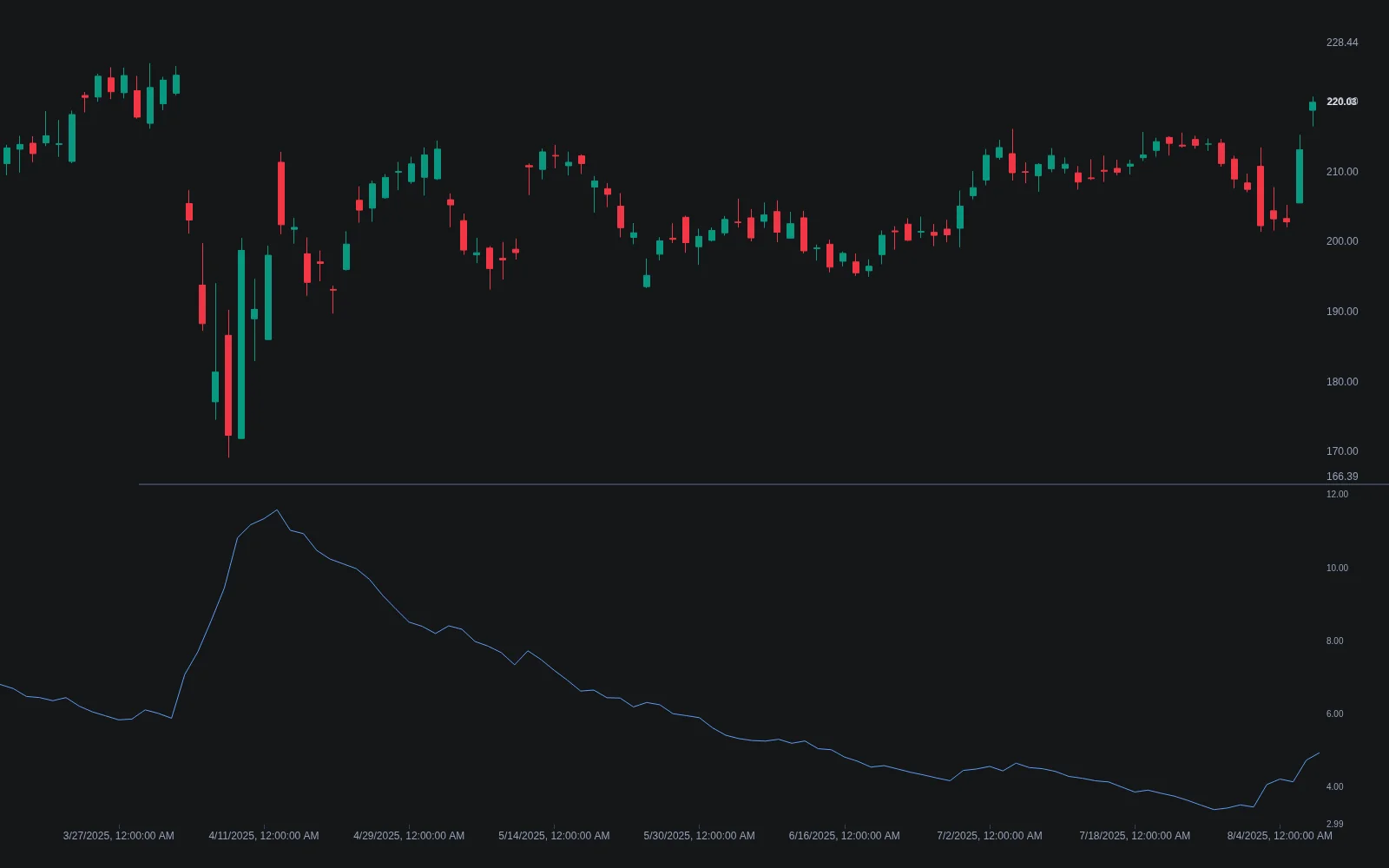
The Expert Advisor below trades a moving average crossover, acts only once per bar, sizes each position so that a two-ATR stop risks a fixed percentage of the balance, and places the order through the standard library's CTrade class with the return code checked. It is complete: every variable it uses is declared, and the handles it creates are released.
#include <Trade/Trade.mqh>

input int    InpFast        = 9;      // fast MA length
input int    InpSlow        = 20;     // slow MA length
input int    InpAtrLength   = 14;     // ATR length
input double InpAtrStops    = 2.0;    // stop distance in ATR multiples
input double InpRiskPercent = 1.0;    // risk per trade, % of balance
input ulong  InpMagic       = 20260910;

CTrade   trade;
int      fastHandle, slowHandle, atrHandle;
datetime lastBarTime = 0;

int OnInit()
{
   fastHandle = iMA(_Symbol, _Period, InpFast, 0, MODE_SMA, PRICE_CLOSE);
   slowHandle = iMA(_Symbol, _Period, InpSlow, 0, MODE_SMA, PRICE_CLOSE);
   atrHandle  = iATR(_Symbol, _Period, InpAtrLength);
   if(fastHandle == INVALID_HANDLE || slowHandle == INVALID_HANDLE || atrHandle == INVALID_HANDLE)
      return INIT_FAILED;
   trade.SetExpertMagicNumber(InpMagic);
   return INIT_SUCCEEDED;
}

void OnDeinit(const int reason)
{
   IndicatorRelease(fastHandle);
   IndicatorRelease(slowHandle);
   IndicatorRelease(atrHandle);
}

bool IsNewBar()
{
   datetime t = iTime(_Symbol, _Period, 0);
   if(t == lastBarTime) return false;
   lastBarTime = t;
   return true;
}

double LotsForRisk(double stopDistance)
{
   double riskMoney = AccountInfoDouble(ACCOUNT_BALANCE) * InpRiskPercent / 100.0;
   double tickValue = SymbolInfoDouble(_Symbol, SYMBOL_TRADE_TICK_VALUE);
   double tickSize  = SymbolInfoDouble(_Symbol, SYMBOL_TRADE_TICK_SIZE);
   double lotStep   = SymbolInfoDouble(_Symbol, SYMBOL_VOLUME_STEP);
   double minLot    = SymbolInfoDouble(_Symbol, SYMBOL_VOLUME_MIN);
   double maxLot    = SymbolInfoDouble(_Symbol, SYMBOL_VOLUME_MAX);
   if(tickValue <= 0 || tickSize <= 0 || stopDistance <= 0) return 0.0;

   double lossPerLot = stopDistance / tickSize * tickValue;     // money lost per lot if the stop is hit
   double lots = riskMoney / lossPerLot;
   lots = MathFloor(lots / lotStep) * lotStep;                   // round down to the broker's step
   return MathMin(MathMax(lots, minLot), maxLot);
}

void OnTick()
{
   if(!IsNewBar()) return;                                       // decide once per completed bar

   double fast[3], slow[3], atr[2];
   if(CopyBuffer(fastHandle, 0, 1, 2, fast) < 2) return;         // index 0 = bar 1, index 1 = bar 2
   if(CopyBuffer(slowHandle, 0, 1, 2, slow) < 2) return;
   if(CopyBuffer(atrHandle,  0, 1, 1, atr)  < 1) return;

   bool crossedUp   = fast[1] <= slow[1] && fast[0] > slow[0];   // completed bars only
   bool crossedDown = fast[1] >= slow[1] && fast[0] < slow[0];
   bool havePosition = PositionSelect(_Symbol);

   if(havePosition && crossedDown)
   {
      if(!trade.PositionClose(_Symbol))
         PrintFormat("Close failed: retcode %u (%s)", trade.ResultRetcode(), trade.ResultRetcodeDescription());
      return;
   }

   if(!havePosition && crossedUp)
   {
      double ask  = SymbolInfoDouble(_Symbol, SYMBOL_ASK);
      double stopDistance = atr[0] * InpAtrStops;
      double sl   = NormalizeDouble(ask - stopDistance, _Digits);
      double lots = LotsForRisk(stopDistance);
      if(lots <= 0) return;

      if(!trade.Buy(lots, _Symbol, ask, sl, 0.0, "MA cross"))
         PrintFormat("Buy failed: retcode %u (%s)", trade.ResultRetcode(), trade.ResultRetcodeDescription());
   }
}
Notice the details that separate this from a snippet. Decisions use bars 1 and 2, the last two completed bars, never the forming bar 0. The lot size comes from the symbol's tick value, tick size and volume step, not from a hard-coded formula, so the same code risks the same percentage on gold, an index CFD and a currency pair. The stop is placed with the order. And both trade calls report their return code, because a rejected order that nobody logs is the most expensive kind of silence. On a netting account PositionSelect finds the single position per symbol; on a hedging account you would iterate positions by magic number instead.
The Strategy Tester, Honestly
MetaTrader 5's Strategy Tester offers several tick-modelling modes, and the choice changes the result more than most parameter tweaks do.
| Mode | What it simulates | Use it for |
|---|---|---|
| Every tick based on real ticks | The broker's recorded tick history where available | Final validation of anything that depends on intrabar behaviour, such as stops and pending orders |
| Every tick | Ticks generated from 1-minute bars | Validation when real ticks are not available for the period |
| 1 minute OHLC | Four prices per minute bar | Faster runs for rules that act on closed bars |
| Open prices only | One price per bar of the tested timeframe | Quick parameter sweeps for bar-close rules; useless for stop placement |
| Math calculations | No price data; runs OnTester only | Optimising pure calculations |
A rule that decides once per completed bar, as the Expert Advisor above does, tests accurately in the faster modes, but its stop-loss does not: whether a two-ATR stop was hit inside a bar depends on the path of price within the bar, which only tick data shows. Run the sweep fast and the final test slow. Then split the history: optimise on one period, check on the tester's forward period or a manually chosen later range, and treat a large gap between the two as the overfitting it almost always is. Our MetaTrader backtesting guide covers the tester in more depth, and backtesting traps lists the errors that survive every platform.
Pitfalls Specific to MQL
| Pitfall | Symptom | Fix |
|---|---|---|
| Using bar 0 in decisions | Backtest signals that live trading never sees, because the forming bar changed | Read bars 1 and 2 from CopyBuffer; act once per new bar |
| Mixing MQL4 and MQL5 code | Compiles with warnings, trades incorrectly | One language per project; handles plus CopyBuffer in MQL5 |
| Ignoring return codes | The EA stops trading without any log line | Check CTrade result codes or MqlTradeResult after every request |
| Hard-coded lot maths | Correct on one symbol, wildly wrong on another | Size from SYMBOL_TRADE_TICK_VALUE, TICK_SIZE and VOLUME_STEP |
| Recalculating full history every tick | Indicator lags, terminal slows | Use prev_calculated to compute only new bars |
| Testing stops in open-prices mode | Stops never hit in the test, hit constantly live | Validate on real ticks |
| Optimising every input | A perfect equity curve that fails the next month | Fix most inputs, sweep few, verify on a forward period |
Where Quant Charts Fits
Before an idea becomes an Expert Advisor it should be a tested rule, and the fastest place to test a rule is a chart. On Quant Charts, describe the strategy to Quant, a moving average crossover with an ATR stop, exactly the rule coded above, and Quant writes it in Pine Script and plots it on the active chart. Open Code to read the logic, click Run, and the Backtest Summary reports net profit, trade count, win rate, maximum drawdown and profit factor with the commission and slippage you set in the strategy properties. If the rule does not survive there, you have saved yourself an afternoon in MetaEditor; if it does, the Pine Script is a precise specification for the MQL5 version, right down to which bars the signal reads. The Making Strategies with Quant guide shows the workflow, and the Library's Average True Range is the chart-side twin of the iATR handle.
Pine Script® and MQL5 share the bar-by-bar mental model, so a trader who learns one reads the other easily; PineTS, LuxAlgo's open-source runtime for Pine Script®, extends that logic to environments outside TradingView, and our guide to writing Pine Script® indicators is the companion to the indicator section above. One boundary: the LuxAlgo platform does not place orders for you, which is exactly what the Expert Advisor in this article does and why it belongs in your MetaTrader terminal.
Conclusion
MQL rewards precision. Learn the event model, keep MQL4 and MQL5 apart, read indicator values through handles and CopyBuffer, decide on completed bars, size positions from the symbol's own tick parameters, and check every trade's return code. Test in the tick-modelling mode that matches what the rule depends on, and confirm the result on a period the optimiser never saw. Do the strategy work first on Quant Charts, where Quant writes the Pine Script and the Backtest Summary judges the rule with costs included, and write the Expert Advisor for the rules that earn it.
Key Takeaways
- Event handlers, not a main loop. OnInit, OnTick, OnCalculate, OnTimer, OnDeinit; release handles in OnDeinit.
- MQL5 reads indicators through handles. iMA and iATR in OnInit, CopyBuffer in OnTick, bars 1 and 2 for decisions.
- Trade with CTrade and check return codes. A rejected order without a log line is the costliest bug.
- Size from the symbol. Tick value, tick size and volume step make one risk formula work everywhere.
- Test slow, then forward. Real ticks for stops, a forward period for honesty; prototype the rule on Quant Charts first.
FAQs
What is MQL and what can it build?
MQL is MetaQuotes' programming language for the MetaTrader platforms: MQL4 for MetaTrader 4 and MQL5 for MetaTrader 5. It builds custom indicators that draw on charts, Expert Advisors that trade automatically, scripts that run once, and in MQL5 background services and libraries. Programs are written and compiled in MetaEditor and tested in the Strategy Tester.
Should I learn MQL4 or MQL5?
MQL5. It is the current language, with an event-driven model, a C++-like feature set, a standard library including the CTrade class, and a far more capable Strategy Tester with real-tick modelling. MQL4 code remains common online but mixes badly with MQL5, so treat MQL4 snippets as historical unless your broker only offers MetaTrader 4.
How do I read an indicator value in MQL5?
Create a handle in OnInit with a function such as iMA or iATR, then in OnTick call CopyBuffer with the handle, the buffer number, the starting bar and the count to fill an array. Start from bar 1 to read completed bars only. Release the handle with IndicatorRelease in OnDeinit. In MQL4 the same functions return the value directly, which is the main reason the two languages' code cannot be mixed.
How do I size a position by risk in MQL5?
Compute the money you are willing to lose as a percentage of the balance, convert the stop distance in price into money per lot using SYMBOL_TRADE_TICK_VALUE and SYMBOL_TRADE_TICK_SIZE, divide, and round down to SYMBOL_VOLUME_STEP within the symbol's minimum and maximum volume. Using the symbol's own parameters is what makes the formula correct across currency pairs, indices and metals.
Which Strategy Tester mode should I use?
Sweep parameters in a fast mode such as open prices only if the rule decides on closed bars, then validate in "every tick based on real ticks" because stop-losses and pending orders depend on the path of price inside each bar. Always confirm on a forward period the optimiser did not see; a large gap between optimisation and forward results indicates overfitting.
How does Quant Charts relate to MQL programming?
Quant Charts is where the rule is tested before the Expert Advisor is written. Describe the strategy to Quant and it writes it in Pine Script, which you can read in Code and run with Run; the Backtest Summary reports the result with commission and slippage. A rule that passes becomes the specification for the MQL5 implementation. The LuxAlgo platform does not place orders for you, so the Expert Advisor stays in your MetaTrader terminal.
References
LuxAlgo Resources
- Quant Charts
- LuxAlgo Quant
- Making Strategies with Quant
- PineTS Documentation
- Average True Range Indicator
- How to Backtest Custom Indicators in MetaTrader
- Backtesting Traps: Common Errors to Avoid
- How to Write Pine Script for Trading Indicators
- Best Programming Languages for Algorithmic Trading
- C/C++ in Finance: Code Techniques Explained
External Resources
- MQL5 Reference
- MQL5 Reference — OnTick
- MQL5 Reference — OnCalculate
- MQL5 Reference — iMA
- MQL5 Reference — iATR
- MQL5 Reference — CTrade
- MQL5 Reference — OrderSend
- MQL5 Reference — Input Variables
- MetaTrader 5 Help — Strategy Testing
- MetaTrader 5 Help — Tick Generation Modes
- MetaEditor Help
- MQL4 Reference
- Darwinex — Advanced MQL Programming Examples
Read next