ICT Propulsion Block
 By LuxAlgoJun 25, 2024
ICT Propulsion Block is an indicator on Vela, our next-generation charting platform, written in Pine Script®.
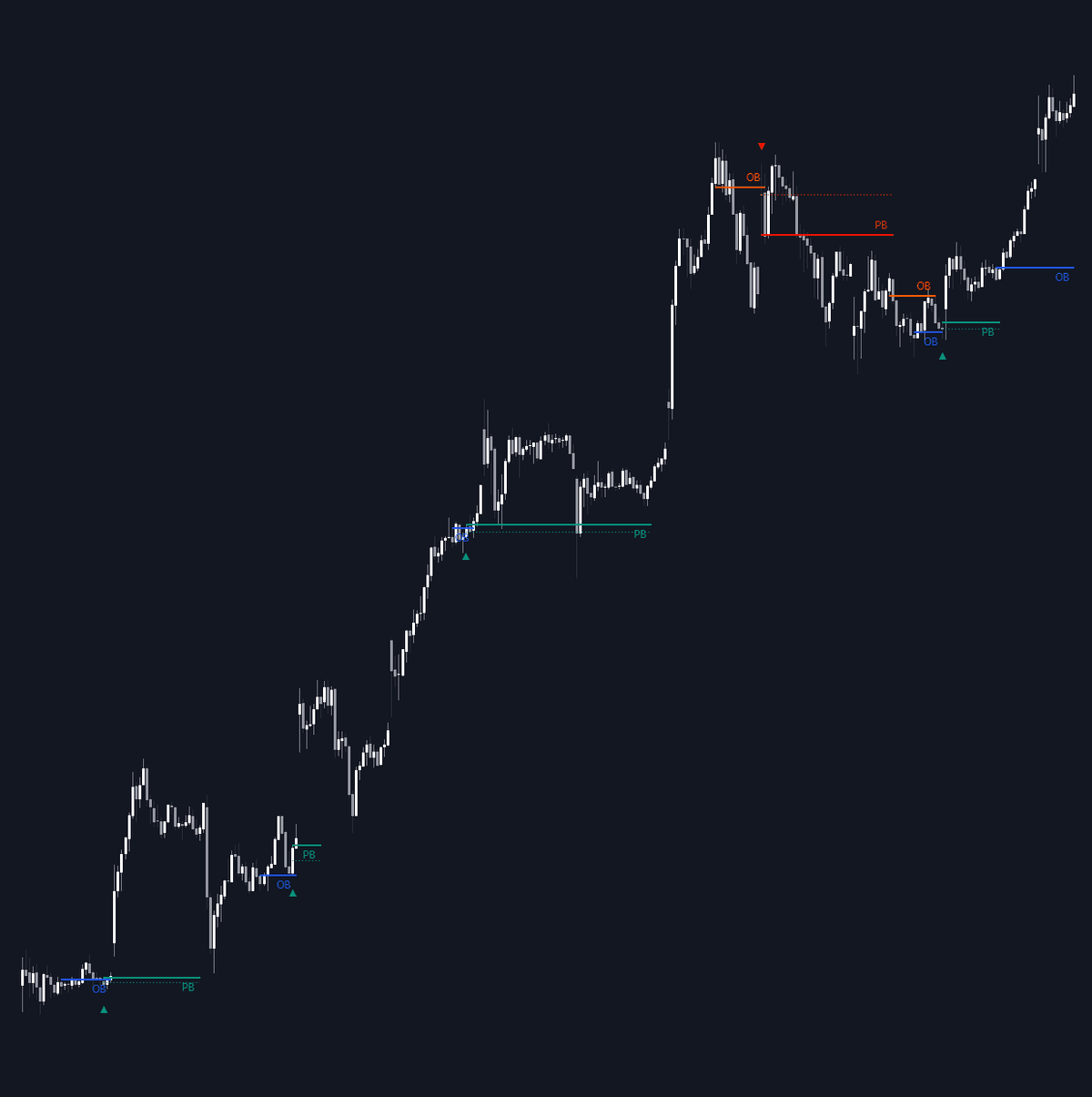
ICT Propulsion Block automates detection of the propulsion block, an ICT refinement of the order block: the candle printed when price revisits an earlier block, holds it, and pushes off, an interaction that makes that candle a zone worth watching by itself. The indicator maps these interactions as they occur, keeping parent order blocks, their propulsion candidates and mitigation status current on the chart.
How to Trade the ICT Propulsion Block?
- Propulsion zone retests: a block formed off a respected order block marks a potential turning point. Watch for price to react when it revisits the zone.
- Bullish vs. bearish blocks: bullish propulsion blocks frame areas of interest beneath price, while bearish ones cap rallies within a decline; both flag possible reversal points or market focal areas.
- Mitigation status: once later price action confirms or invalidates a block, its relevance changes. Spent zones can be dropped automatically to keep the read clean.
Signal highlighting makes propulsion interactions easier to spot in real time, and the engine can restrict itself to recent structures so attention stays on live zones rather than stale history.
ICT Propulsion Block Settings
- Swing Detection Length: the lookback used to find swing points significant for order and propulsion block formation.
- Mitigation Price: choose closes or wicks as the trigger for mitigation.
- Highlight Propulsion Block Signals: emphasizes qualifying interactions for quicker identification.
- Remove Unassociated Order Blocks: hides order blocks that never produce a propulsion interaction.
- Remove Mitigated Blocks: clears outdated zones from the chart.
- Most Recent Blocks (off by default; 30 per side when enabled, adjustable): focuses processing on the latest structures. With it off, up to 125 blocks per side are kept.
- Bullish and bearish block colors plus label visibility and sizing are adjustable.
Frequently Asked Questions
Free to use
Run it on Vela. Go further with a paid plan.
- Up to 500 strategy alerts, with webhook automation
- Up to 10× the chart history of Free
- Orderflow lookback up to full history
- More Quant usage to customize it, plus extra usage when you need it
- Futures data alongside crypto, stocks, forex and commodities
Also works on

Related indicators
.png&w=3840&q=75)
Run it on Vela. Make it yours with Quant.
Open this indicator free on Vela, our next-generation charting platform. Then ask Quant, our coding agent built into Vela, to retune it or turn it into a backtested strategy of your own.