Benzinga Pro Review: Is 'News Edge' Worth The Cost?
Benzinga Pro can be worth paying for when a filtered newsfeed, catalyst context, and audio updates remove a recurring research bottleneck. A faster headline does not automatically create a profitable trade: the price may already have moved, the story may need clarification, and spread or slippage can outweigh a small timing advantage.
This review examines documented features and how to evaluate their value. It does not report an independently measured news-speed advantage or a verified trading return. Product and pricing details were checked September 8, 2026. “News edge” here describes the potential value of information in a trading process; Benzinga Edge research is a separately named product included in the current Essential offering.
LuxAlgo complements this workflow with browser-based charts and Quant, our coding agent, for investigating price behavior and developing editable strategies. Benzinga Pro also offers charts and AI research, so the useful distinction is the job each tool performs—not a simple “news versus indicators” split.
Quick Comparison
| Research task | Benzinga Pro | LuxAlgo |
|---|---|---|
| Identify a catalyst | Filtered headlines, WIIM context, calendars, and squawk | Use chart and market context to investigate the selected instrument |
| Research a question | News tools and plan-specific Benzinga AI research | Quant assists analysis and custom indicator or strategy development |
| Test price rules | Evaluate available chart and scanner tools for the specific task | Review generated strategy code and simulated trades on the chart |
| Review activity | Use relevant watchlists and research tools | Integrated Journal for recorded trading activity |
Benzinga Pro: Newsfeed, Context, and Alerts
News Delivery and Source Verification
The official Newsfeed page lists sources including Benzinga Wire, Benzinga Signals, Jiji Press, press releases, partner links, and SEC filings. These sources are not interchangeable: a company release, an editorial report, and a rumor require different interpretation. Open the underlying material before treating a short headline as a complete explanation.
“Why Is It Moving?” (WIIM) supplies a concise explanation when available for a stock. It can shorten the search for context, but it is not a causal model or an entry signal. Check the timestamp, whether the development is new, and whether the explanation has been updated. A company can move for several reasons at once.

Custom Filters and Workspaces
Advanced Newsfeed filtering can narrow stories by source, category, sector, watchlist, ticker, keyword, and technical criteria such as price, market capitalization, volume, or float. The filtering guide explains these controls. Access to advanced filters depends on the subscription; the full Basic newsfeed should not be described as including every filter.
A useful layout separates a focused watchlist feed from a broader market feed. For an earnings workflow, start with the companies you actually follow and earnings or guidance categories. For an event-driven workflow, use the relevant catalyst categories and source checks. Avoid narrowing the feed so aggressively that you miss financing, regulatory, or market-wide information that changes the interpretation.
Desktop, email, and sound notifications are documented for news workflows. Configure the specific tool and delivery method deliberately, then check browser permissions and notification behavior during the trial. A sound alert, synthesized voice notification, and a human squawk broadcast are different mechanisms.
Audio Squawk, Signals, and Options Activity
Audio Squawk delivers selected spoken market updates. The feature page lists 6 a.m. to 6 p.m. Eastern Time and explains that it is not continuous commentary. Coverage includes breaking news, economic releases, earnings, calls, and market chatter. Confirm the current schedule and distinguish reported facts from rumors.
The Signals tool reports price or volume events such as spikes, blocks, halts/resumptions, opening gaps, and highs/lows. It offers browser, sound, and synthesized-voice notifications. Options-activity signals are listed as a separate data add-on; do not assume they are included simply because a plan includes Signals.
Unusual options activity is a research lead. A large trade may be part of a hedge, spread, roll, or closing transaction, and its bid/ask classification does not reveal the trader’s complete position. Investigate the contract, expiration, related activity, and underlying news before assigning a directional interpretation.
Current Benzinga Pro Pricing
The current pricing page lists three core plans. The old $27 Basic, $177 Essential, and $457 Options Mentorship comparison no longer describes the core plan lineup shown during this review.
| Plan | Monthly billing | Displayed monthly equivalent with annual billing | Main additions |
|---|---|---|---|
| Basic | $37 | $30.58 | Nasdaq Basic real-time quotes, full newsfeed without advanced filtering, chat, Movers, watchlist alerts, premium articles |
| Streamlined | $147 | $124.75 | Basic features plus Advanced Newsfeed and equity Audio Squawk |
| Essential | $197 | $166.42 | Streamlined features plus scanner, Signals, calendar, research tools, Benzinga Edge research, and Benzinga AI |
The annual figures are the page’s displayed monthly equivalents, not monthly-payment prices. Confirm the annual invoice, taxes, renewal terms, and any offer conditions at checkout. High Beta Squawk is listed as a $99-per-month add-on, distinct from the equity squawk included with Streamlined and inherited by Essential. Other data upgrades can add to the total.
Benzinga advertises a 14-day trial. Use it to confirm that the plan actually contains your required features and works on your devices. Trial access, a promotional rate, and an ongoing subscription are different commitments; compare the renewal cost rather than assuming an introductory offer continues.
Quotes, Mobile Access, and Learning Curve
The current plan page includes Nasdaq Basic real-time quotes with Basic. That corrects the old article’s blanket claim that Basic quotes are delayed. The quote-feed guide distinguishes US exchange-listed coverage from OTC quotes, which may be delayed. Check the displayed source and delay for the symbol; a fast newsfeed does not make every price feed real time.
Benzinga’s mobile-access guide recommends using Pro through a mobile browser and separately links the Benzinga app for news, watchlists, and notifications. Do not assume complete desktop-tool parity in the app. During the trial, verify the actual feed, audio, alerts, and layouts you need on the device you use.
The learning curve mainly involves configuring the information flow and understanding each tool’s meaning. Start with a small layout and a few alert types, then add tools when they solve a defined problem. Testimonials and headline speed claims are not substitutes for checking your own process.
Official Benzinga Pro Product Overview
This approximately two-minute overview is embedded on Benzinga’s current official homepage. It shows product concepts and selected historical examples. Its promotional stock-move figures are not returns achieved by subscribing, independently measured news advantages, or evidence that a viewer could have captured those moves. Use the plan table above for current pricing and access.
Where LuxAlgo Fits in a News-Driven Workflow
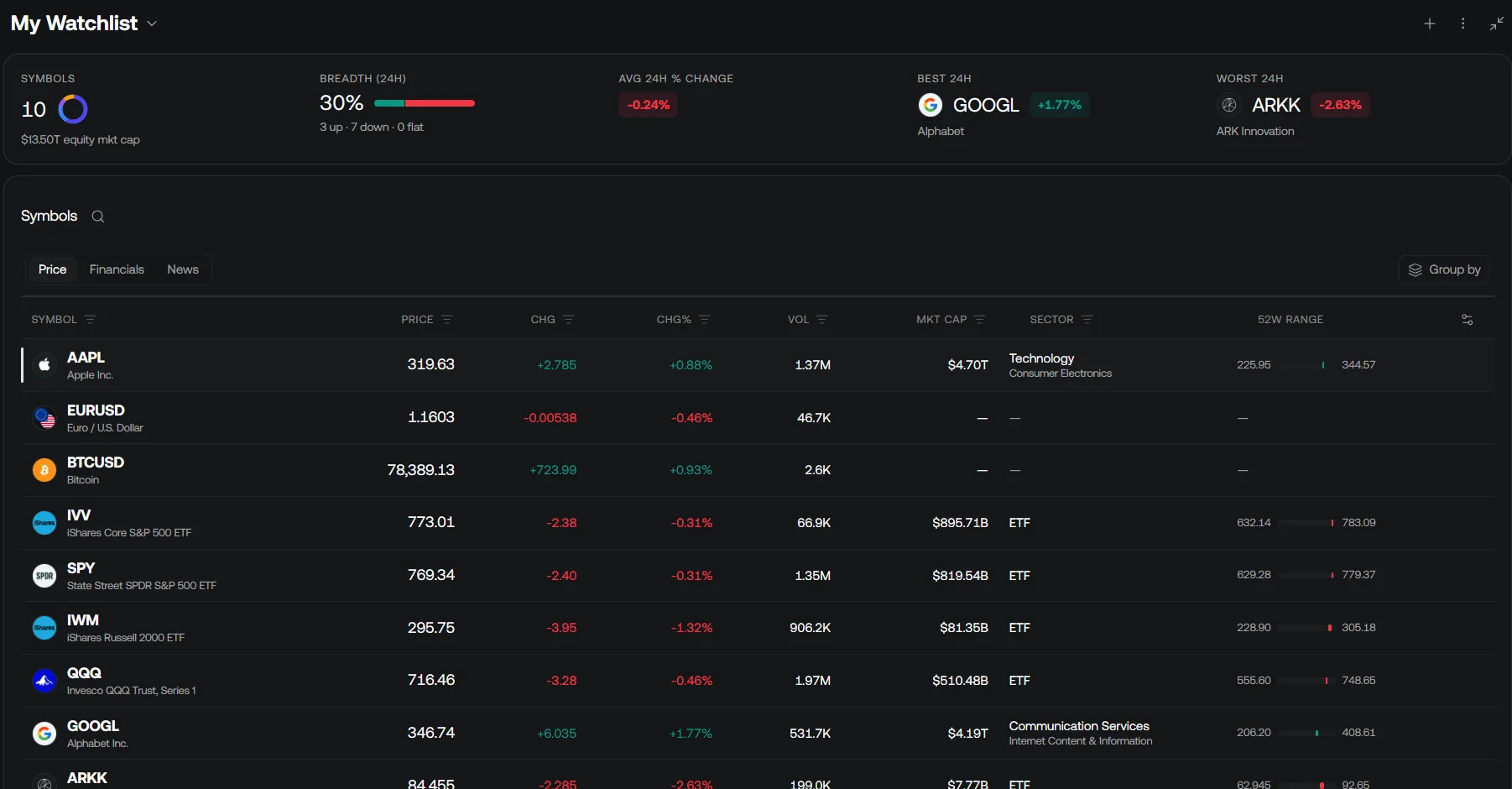
After identifying a relevant event, the next question is often how price and liquidity behaved around it. LuxAlgo charts let you inspect the intended symbol and timeframe, organize markets in a watchlist, and ask Quant for help with a clearly defined analysis. The platform’s chart, AI, and journal workflows can support that investigation without treating a headline as an automatic buy or sell instruction.
Turn an Observation into an Explicit Price Rule
Suppose you want to study price behavior after an opening gap. Ask Quant: “Create a strategy for the selected US stock that measures the regular-session opening gap against the previous regular-session close, waits for a completed 15-minute opening range, and tests a long entry after a later completed bar closes above that range. Make the gap threshold, exit time, and stop distance adjustable.”
This is an illustrative research specification. Define the exchange timezone, session boundaries, sizing, order timing, and costs before interpreting any result. A price-based opening-gap test does not identify the news event that caused the gap. A true event study additionally needs point-in-time news timestamps and a correctly constructed historical sample; do not imply that a generic chart strategy imports Benzinga’s historical newsfeed automatically.
- Use Quant’s strategy workflow to open Code, review the implementation, and click Run after signing in. A plotted indicator is not automatically a strategy with simulated orders.
- Set exposed parameters in Inputs and simulation assumptions in Properties. Check commission, slippage, position size, and available history.
- Inspect individual trades and compare them with the intended session rules. Check whether the data source and timeframe support the experiment.
- Keep a later evaluation period separate, test sensitivity to costs and parameters, and distinguish historical simulation from later paper or live results.
The strategy documentation explains result views and settings. The data guide describes supported markets and history limits. For example, an exchange-specific volume feed is not automatically consolidated market volume, and a historical chart does not contain every detail of order execution.
Review Decisions, Not Just Outcomes
Use the integrated LuxAlgo Journal to review recorded trades alongside your notes about the event, planned entry, invalidation, and actual execution. Keep the original headline timestamp and source in the research record. Compare the decision with the information available at that time, rather than judging it only from a later chart.
LuxAlgo Pricing and the Combined Cost
The following are standard LuxAlgo prices, excluding temporary introductory discounts. Paid tiers increase credits, history, layouts, and other limits; choose around the required workflow rather than an assumed skill level.
| Plan | Monthly billing | Annual total | Annual equivalent per month |
|---|---|---|---|
| Free | $0 | $0 | $0 |
| Premium | $67.99 | $479.88 | $39.99 |
| Ultimate | $119.99 | $719.88 | $59.99 |
| Ultra | $229.99 | $1,439.88 | $119.99 |
Free includes a limited Quant allowance for starting with supported charts and research. The lower annual equivalents should not be presented as month-to-month fees, and the current tier name is Ultra. Review the exact product access and usage limits before purchasing.
For a concrete monthly-billing example, Benzinga Streamlined plus LuxAlgo on the Premium plan totals $214.99 per month ($147 + $67.99). Benzinga Essential plus LuxAlgo on the Ultimate plan totals $316.99 per month ($197 + $119.99). These exclude taxes and add-ons and are examples, not recommended bundles. The old blanket $234–$257 estimate should not guide a purchase.
How to Test Whether a News Subscription Is Worth It
Define the question before starting a trial: does this service make a specific research task faster or more complete at an acceptable cost? A useful comparison records all relevant events during a fixed window, including missed stories, duplicate alerts, and occasions when taking no trade was appropriate.
| Measure | What to record | What it can establish |
|---|---|---|
| Relevance | Alerts matching the predefined universe and catalyst types | Whether filters reduce noise without hiding important context |
| Timing | Headline timestamp, local receipt time, first review time | The observed delivery and decision process, with consistent clocks |
| Accuracy and context | Original source, updates, corrections, and rumor status | Whether the short headline supports the intended interpretation |
| Execution feasibility | Price already moved, spread, liquidity, halt status, order assumptions | Whether a theoretical response was realistically tradable |
| Research time | Time spent locating and verifying the same information | Possible workflow savings, separate from trading profit |
| Total cost | Subscription, data upgrades, taxes, and renewal rate | Whether the measured benefit justifies the ongoing expense |
For illustration, a $197 monthly subscription would require $197 of additional net benefit merely to offset its fee. That does not mean the service will generate that profit. You may value saved research time instead, but keep time savings and trading P&L separate, and account for the cost of acting on noisy alerts.
A few favorable examples cannot establish a general speed advantage over another vendor or the rest of the market. Comparing Benzinga with an institutional terminal solely on sticker price is also misleading because data coverage, analytics, communication tools, licensing, and workflows differ. Compare the capabilities you actually require.
Final Assessment
Benzinga Pro is worth evaluating if timely catalyst research is central to your routine. Basic fits a full newsfeed and core tools; Streamlined adds advanced filtering and equity squawk; Essential adds scanners, Signals, calendar and research capabilities including Benzinga AI. Confirm required add-ons and device behavior before committing.
LuxAlgo is a strong choice when the next task is chart analysis, a custom indicator, editable strategy development with Quant, or reviewing recorded activity. You can use the platforms together when each has a clear role, but a combined subscription should earn its cost through a measured process. Start with a focused trial, verify the information, and expand only when the additional tools solve a recurring need.
FAQs
What are the key advantages of using Benzinga Pro's News Edge for staying updated on real-time market news?
Benzinga Pro combines a newsfeed, filters, notifications, WIIM context, and plan-specific audio squawk. These can reduce research friction, but faster information is not a guaranteed trading advantage. Verify sources, timestamps, and the price response before acting.
What are the subscription options for Benzinga Pro, and what features are included at each level?
The current core plans are Basic, Streamlined, and Essential. Basic includes the full newsfeed without advanced filtering; Streamlined adds advanced filtering and equity squawk; Essential adds tools including scanners, Signals, calendar, and AI research. Monthly billing is $37, $147, and $197 respectively, with separate annual pricing and optional add-ons.
Can Benzinga Pro's News Edge be customized to align with specific trading strategies?
Yes. Eligible Newsfeed plans support filters such as source, category, sector, ticker, watchlist, keyword, and technical criteria. Configure a focused feed for a defined research process, then verify that the filters and notification settings retain the events you need.
References
Read next