How to Run Pine Script® Outside of TradingView (2026 Guide)
Yes, you can run Pine Script® outside of TradingView. Pine Script® is a programming language; TradingView is one runtime for it. Today you can execute the same indicator or strategy code in Node.js, in a browser tab, on a server that sends webhooks, or on a chart you own, and you can do it without translating a line of it into Python.
This guide covers the four ways to do that, starting with the ones that run your original code unchanged: executing it with PineTS, drawing it on your own charts with Vela™, moving to a platform that already runs it, and, last, the manual Python rewrite most guides still recommend. LuxAlgo maintains PineTS and Vela and publishes this guide; the trade-offs below apply whichever route you take.
Quick answer: pick the route by what you want to do
| You want to | Do this | Your Pine code |
|---|---|---|
| Get indicator values into a bot, a spreadsheet, or a database | Run it with PineTS in Node.js | Unchanged |
| Fire your own alerts or webhooks, with no alert cap | PineTS streaming mode plus alert() | Unchanged |
| Backtest a strategy across many symbols at once | PineTS with strategy(), looped over symbols | Unchanged |
| Show the indicator on a chart inside your own app or website | Vela™ chart plus the Vela-PineTS engine | Unchanged |
| Keep charting as a trader, just not there | Paste it into LuxAlgo, or pick it from the Library | Unchanged |
| Live inside the Python data-science stack | Rewrite with pandas-ta or TA-Lib | Rewritten by hand |
Product details checked September 2026. Version numbers and API coverage move quickly; the linked documentation is the current source of truth.
Why traders and developers want Pine Script® outside TradingView
Most people who search for this are not trying to leave a chart. They have working logic and want to use it somewhere the chart cannot follow:
- Automation. A trading bot needs the indicator's value as a number, not as a line on a screen. Webhooks from chart alerts are a workaround with a per-plan cap on how many can exist at once.
- Research at scale. Backtesting one strategy on one symbol at a time is fine for a hypothesis. Testing it across 300 symbols, or with parameters swept programmatically, needs a runtime you can loop.
- Your own product. Fintech teams and indicator vendors want the scripts their users already know to run natively in their app, on their infrastructure, with their branding.
- Your own data. Broker feeds, internal databases, tick data, or markets the chart does not list.
- Ownership. The logic is yours. Being able to execute it anywhere is the difference between a script and an asset.
What running Pine Script® somewhere else actually requires
Pine Script® looks simple because the runtime does a lot of invisible work. Any environment that claims to run it has to reproduce all of the following, or your results drift from what the chart showed:
- The bar-by-bar execution model. A script runs once per historical bar, then on every update of the forming bar.
close[1]means "the previous bar's close at this point in history," not "the second-to-last element of an array." - Series semantics. Every variable is a time series.
var,varip,na,nz(), andbarstate.*all have precise meanings that a naive port gets wrong. - Stateful indicators.
ta.ema,ta.rsi,ta.atr, and friends carry state between bars and use specific smoothing (RSI is built on Wilder's RMA, not a simple average). Small differences here compound over thousands of bars. - Multi-timeframe data.
request.security()pulls another symbol or timeframe with lookahead and gap rules. - Outputs. Plots, shapes, lines, boxes, labels, tables, alerts, and strategy orders, each with its own semantics.
Keep this list in mind when evaluating any converter, library, or "Pine to Python" tool. The question is never "does it parse the code" but "does it reproduce the runtime."
Option 1: Run the original Pine Script® with PineTS
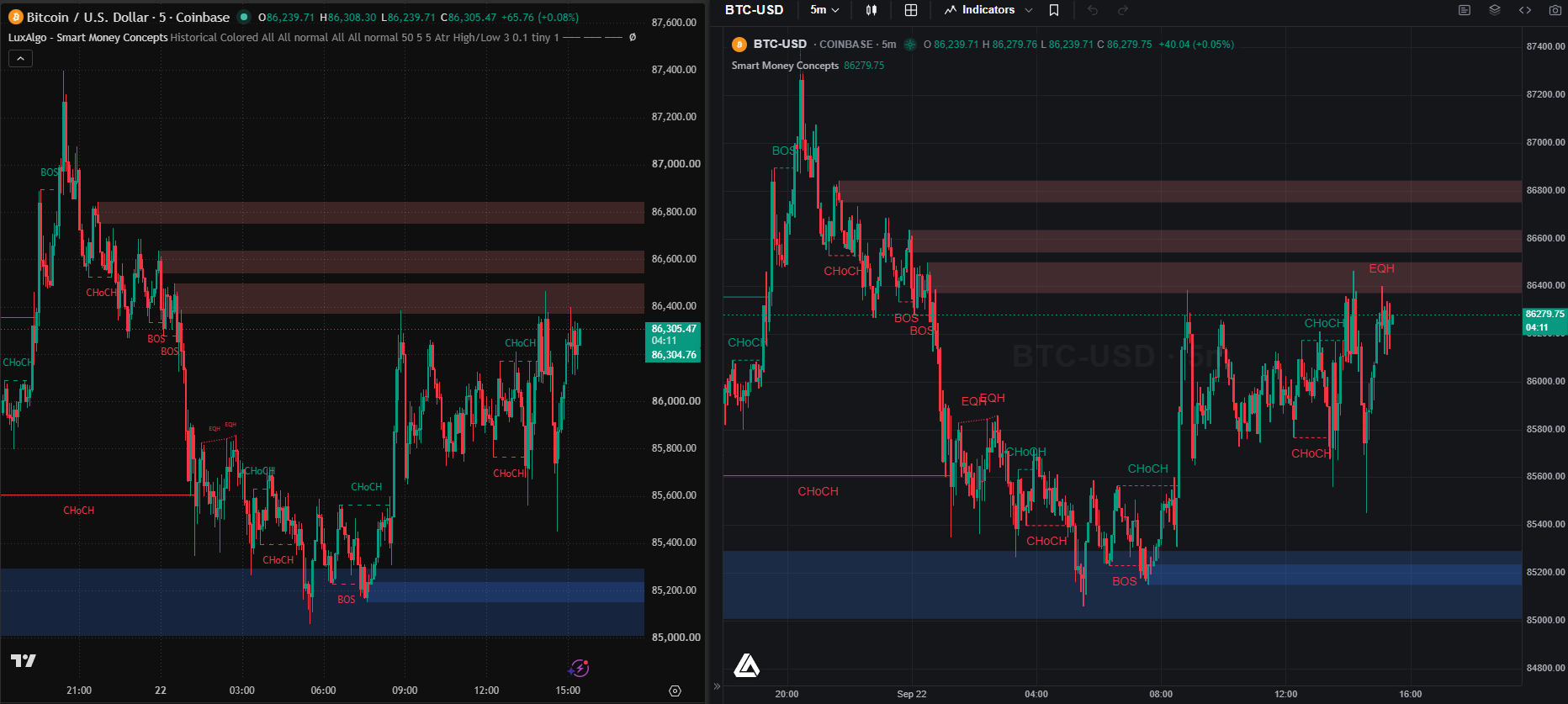
PineTS is our open-source Pine Script® runtime for JavaScript and TypeScript. It executes native Pine Script® v5 and v6 source in Node.js and the browser, reproduces the bar-by-bar execution model and series semantics described above, and hands you the results as plain JavaScript values. The API coverage pages list, function by function, what is implemented and tested: more than 800 entries across the ta, math, array, matrix, map, str, request, strategy, and drawing namespaces at the time of writing.
It is also the most heavily exercised Pine Script® runtime that is not TradingView's own. The LuxAlgo Library holds the most popular indicators ever published on TradingView, and every one of them already runs outside it, unmodified, through PineTS on LuxAlgo's charts and in Vela™ Pro. Hundreds of production scripts, the same source millions of traders learned the language on, executing bar by bar on an independent engine every day. That is the proof most people are looking for when they ask whether Pine Script® can leave TradingView.
Install and run your first script
npm install pinetsPaste the original code. No conversion step.
import { PineTS, Provider } from 'pinets';

// 200 daily BTC bars from the built-in Binance provider (no API key)
const pine = new PineTS(Provider.Binance, 'BTCUSDT', 'D', 200);

const { result, plots } = await pine.run(`
//@version=6
indicator("EMA Cross")
fast = ta.ema(close, 9)
slow = ta.ema(close, 21)
bullish = ta.crossover(fast, slow)
plot(fast, "Fast", color.yellow)
plot(slow, "Slow", color.red)
`);

console.log(result.fast.at(-1), result.slow.at(-1), result.bullish.at(-1));
console.log(Object.keys(plots)); // ["Fast", "Slow"]
Every top-level variable comes back as a series in result, and every plot() comes back under its title in plots, with the same values and the same colors the chart would draw.
Use your own market data
Providers are optional. Hand the constructor an array of OHLCV bars from any source, including a broker API, a CSV, or a database, and the script runs on that.
import { PineTS } from 'pinets';

const bars = await loadBarsFromMyDatabase('AAPL', '1h'); // [{ time, open, high, low, close, volume }, ...]
const pine = new PineTS(bars);
const { result } = await pine.run(myIndicatorSource);
Change inputs without editing code
Anything declared with input.* can be overridden at run time through the Indicator class, which is how you parameter-sweep a strategy or expose settings in your own UI.
import { Indicator } from 'pinets';

const indicator = new Indicator(source, { Length: 50, Source: 'hlc3' });
const { result } = await pine.run(indicator);
Run strategies and read the trades
The strategy.* namespace is implemented: strategy.entry, strategy.exit, strategy.close, position sizing, commission and slippage settings, and the closed-trade list with equity, drawdown, Sharpe, and Sortino. Loop that across a symbol list and you have a portfolio-wide backtest running on your own machine. The strategy reference documents the known divergences from the chart's tester so you can check them before trusting a result.
Alerts and webhooks, without a cap
alert() and alertcondition() fire as events your code receives. Combine that with streaming mode and you have a monitoring desk that recalculates on every new bar and calls whatever you like.
const stream = pine.stream(source, { live: true, interval: 1000 });

stream.on('alert', ({ message }) => fetch(MY_WEBHOOK, {
  method: 'POST',
  body: JSON.stringify({ message, symbol: 'BTCUSDT' }),
}));

stream.on('data', (ctx) => console.log('new bar', ctx.result.close.at(-1)));
Run the same loop over 50, 200, or 1,000 symbols. The limit is your server, not a plan tier.
What to check before you rely on it
- Coverage. Native Pine Script® execution is still marked experimental in the documentation. Check the API coverage tables for any unusual function your script uses; the common technical-analysis, math, array, and request functions are implemented and tested.
- Multi-timeframe.
request.security()is supported. Confirm your lookahead settings match, since that is the most common source of "why is this different" questions on any runtime. - Licensing. PineTS is AGPL-3.0: free for anyone who open-sources their stack, with a commercial seat for closed-source products. Your own Pine Script® remains yours either way.
Option 2: Draw it on a chart you own
Values in a terminal cover bots and research. If what you want is the indicator on a chart in your own app or website, pair PineTS with Vela™, our open-source charting library, through the Vela-PineTS engine. Vela™ draws the candles, drawings, and panes; the engine compiles your Pine Script® and plots it.
npm install @luxalgo/vela @luxalgo/vela-pinets pinetsimport { Vela } from '@luxalgo/vela';
import { PineWorkerEngine } from '@luxalgo/vela-pinets';
const chart = new Vela('#chart', { symbol: 'BTCUSDT', timeframe: '60', live: true })
.registerEngine('pine', new PineWorkerEngine());
chart.addIndicator(`//@version=6
indicator("EMA 20", overlay=true)
plot(ta.ema(close, 20), color=color.orange, linewidth=2)`);That is a live chart with a Pine Script® overlay, running in a Web Worker so heavy scripts never block painting. request.security() resolves through the chart's own cached data feed, drawings and the object tree come with the chart, and the whole thing is Apache-2.0 with a small attribution mark. The Pine Script® on Vela™ page walks through the full setup, and Vela™ Pro adds a built-in Pine Script® editor for teams shipping the editor itself.
Option 3: Change the platform, not the language
If you are a trader rather than a developer, the shortest route is a charting platform that already speaks Pine Script®. LuxAlgo is a full charting platform with state-of-the-art charts engineered in-house, and Pine Script® runs on it through PineTS. Paste an indicator you wrote and it plots. Open the Library and thousands of indicators are one click away, every one a single step from a backtested strategy. Ask Quant, our coding agent, to write or repair a script and it does so in Pine Script®, then proves it against history before you run it.
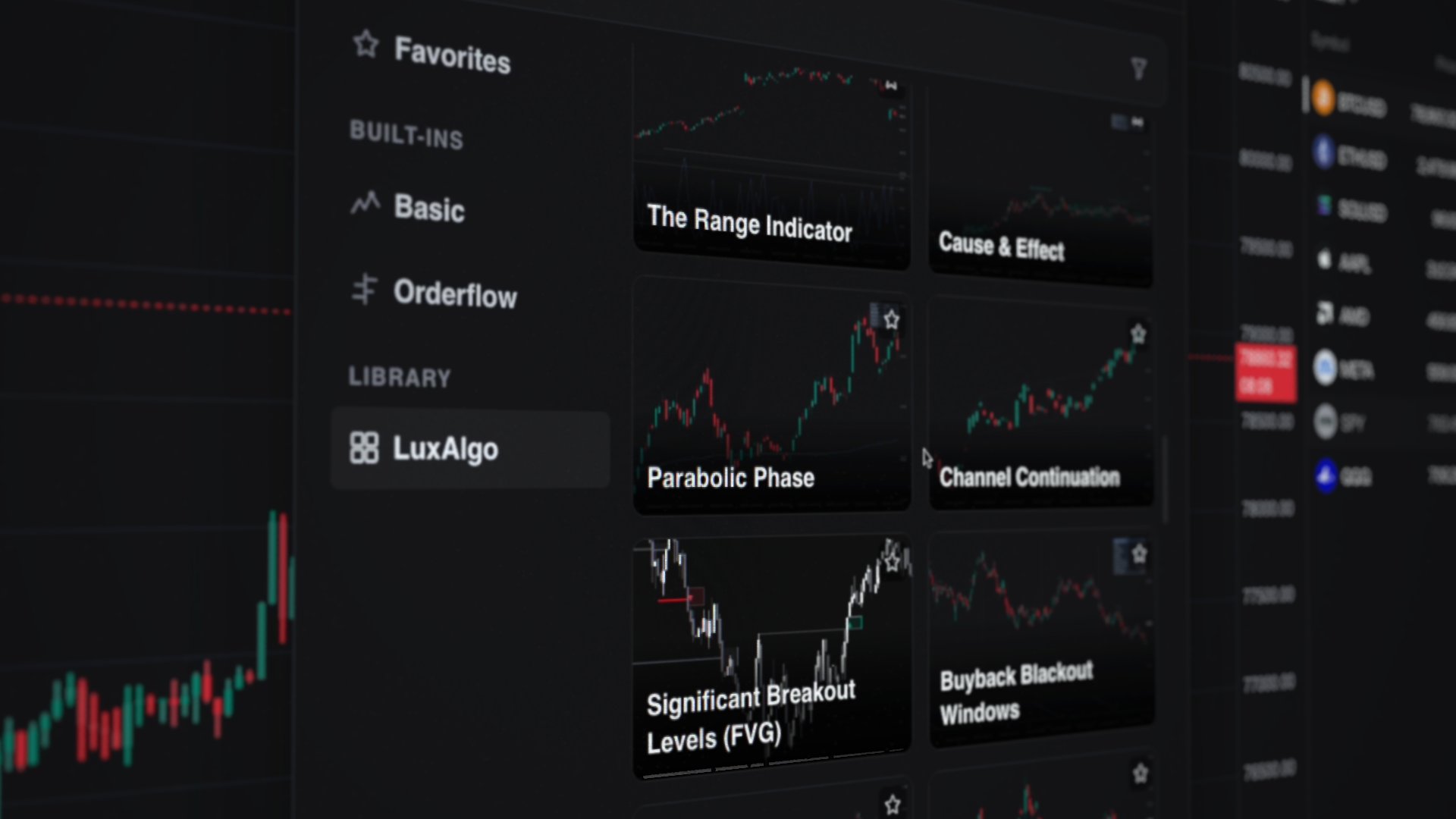
The platform is free to start, and it is the route that keeps you charting rather than configuring. Backtesting there, as anywhere, is research, not prophecy.
Option 4: Rewrite the script in Python, when you must
The old answer, and still the default advice on most forums. You read the Pine Script®, understand the math, and reimplement it with pandas-ta, TA-Lib, or plain NumPy, then backtest it in a framework like Backtrader or vectorbt.
Where it shines: you are already a Python shop, you want the full data-science toolbox around the results, and the script is short enough that a faithful rewrite is a day's work.
Where it hurts:
- You are translating semantics, not syntax. The Python EMA seeded with an SMA and the Pine
ta.emaseeded differently produce different values for the first hundred bars, and a strategy that entered on bar 40 in one version enters on bar 43 in the other. - Every update to the original script has to be re-ported by hand. Two codebases for one idea.
- Converters and LLM-generated ports give you a starting point, not a verified equivalent. Treat their output as a draft and diff it against the chart's values before trusting a backtest.
For a one-off study inside an existing pandas workflow, a careful rewrite is fine. For anything that must match the chart to the tick, or that you intend to keep maintaining, the three routes above run the original source and are the shorter path.
Comparing the four routes
| Route | Code changes | Fidelity to the chart | Runs where | License |
|---|---|---|---|---|
| PineTS | None; native v5/v6 source | Same execution model; verify unusual functions against the coverage tables | Node.js, browser, edge, serverless | AGPL-3.0, commercial seat available |
| Vela™ plus Vela-PineTS | None | Same engine as above, plotted on a chart | Any web app | Apache-2.0 chart; AGPL-3.0 engine |
| LuxAlgo platform | None | Same engine, on a chart we maintain | Browser | Free to start |
| Python rewrite | Full rewrite, maintained twice | Depends on the porter; seeding and smoothing differences are common | Anywhere Python runs | Your choice of libraries |
Common problems, and how to avoid them
The numbers are close but not identical. Almost always seeding or warm-up. Give the runtime the same history depth the chart had, and compare values well after the longest lookback in the script. With PineTS, also confirm the timeframe string matches ('D', '60', '15').
The script repaints. A script that reads request.security() with lookahead, or uses varip on intrabar ticks, behaves differently on closed history than live. This is a property of the script, not the runtime; run it in streaming mode and compare live output with the historical run before automating anything.
You want to run someone else's protected script. You cannot, and you should not try. Invite-only and protected scripts are the author's property and their source is not available to you. What you can run is code you wrote, code published open-source, and libraries like the LuxAlgo Library that are explicitly licensed for it.
Performance on many symbols. Run one runtime instance per symbol, page history with pageSize, and use the worker engine in the browser. Pine Script® is single-threaded by design; parallelism comes from running more instances.
Summary
Pine Script® is portable now. If you need values, alerts, or backtests in your own code, run the original source with PineTS. If you need it on a chart in your own product, add Vela™ and the Vela-PineTS engine. If you simply want to keep charting with the scripts you know, LuxAlgo runs them and is free to start. A Python rewrite remains the right call when the rest of your research lives in pandas and the script is small enough to port faithfully.
FAQs
Can Pine Script® run outside of TradingView?
Yes. Pine Script® is a language, and PineTS is an open-source runtime that executes native Pine Script® v5 and v6 in Node.js and the browser. You can also draw the output on your own charts with Vela™, or run the same scripts on LuxAlgo's charting platform.
Can I convert Pine Script® to Python automatically?
Converters and AI tools can produce a draft, but they translate syntax, not the runtime. Series semantics, indicator seeding, and request.security() behaviour are where ports diverge. Verify any converted script against the chart's values before using it, or skip the conversion and run the original code with PineTS.
Does PineTS give the same values as the chart?
PineTS reproduces the bar-by-bar execution model, series indexing, and the standard technical-analysis functions, and it is the engine behind the Pine Script® on LuxAlgo's charts and in Vela™ Pro. Native execution is still documented as experimental for uncommon functions; check the API coverage tables for anything unusual your script uses.
Is it legal to run Pine Script® outside of TradingView?
Running code you wrote, or code that is licensed for it, is your right; a language is not owned by one runtime. What you cannot do is extract or run protected and invite-only scripts whose source you do not have. PineTS and Vela™ are independently developed and are not affiliated with TradingView, Inc.
Can I backtest a Pine Script® strategy without TradingView?
Yes. PineTS implements the strategy.* namespace, including entries, exits, position sizing, commission, and the closed-trade list with equity, drawdown, Sharpe, and Sortino. Loop it over your own bars for any number of symbols, or use LuxAlgo's built-in backtesting from the chart.
Is PineTS free?
PineTS is open source under AGPL-3.0, which is free for anyone who open-sources their own stack. Closed-source commercial products use a published developer seat. Vela™, the charting library, is Apache-2.0 and free for commercial use with attribution.
References
- PineTS: getting started
- PineTS: API coverage tables
- PineTS: strategy namespace and known divergences
- PineTS: alerts
- PineTS: pagination and live streaming
- PineTS: using within charts (Vela-PineTS)
- PineTS on GitHub
- Vela™ quickstart
- LuxAlgo acquires PineTS
- How to write Pine Script® for trading indicators
- Pine Script® language reference
PineTS and Vela™ are independently developed open-source projects. LuxAlgo Global, LLC is not affiliated with, sponsored by, endorsed by, or in any way officially associated with TradingView, Inc. "Pine Script" and "TradingView" are trademarks or registered trademarks of TradingView, Inc. Sample output values are illustrative.
Read next