TradingView Just Hid Its #1 Publisher. Here's Where to Find Every LuxAlgo Indicator.
What happened
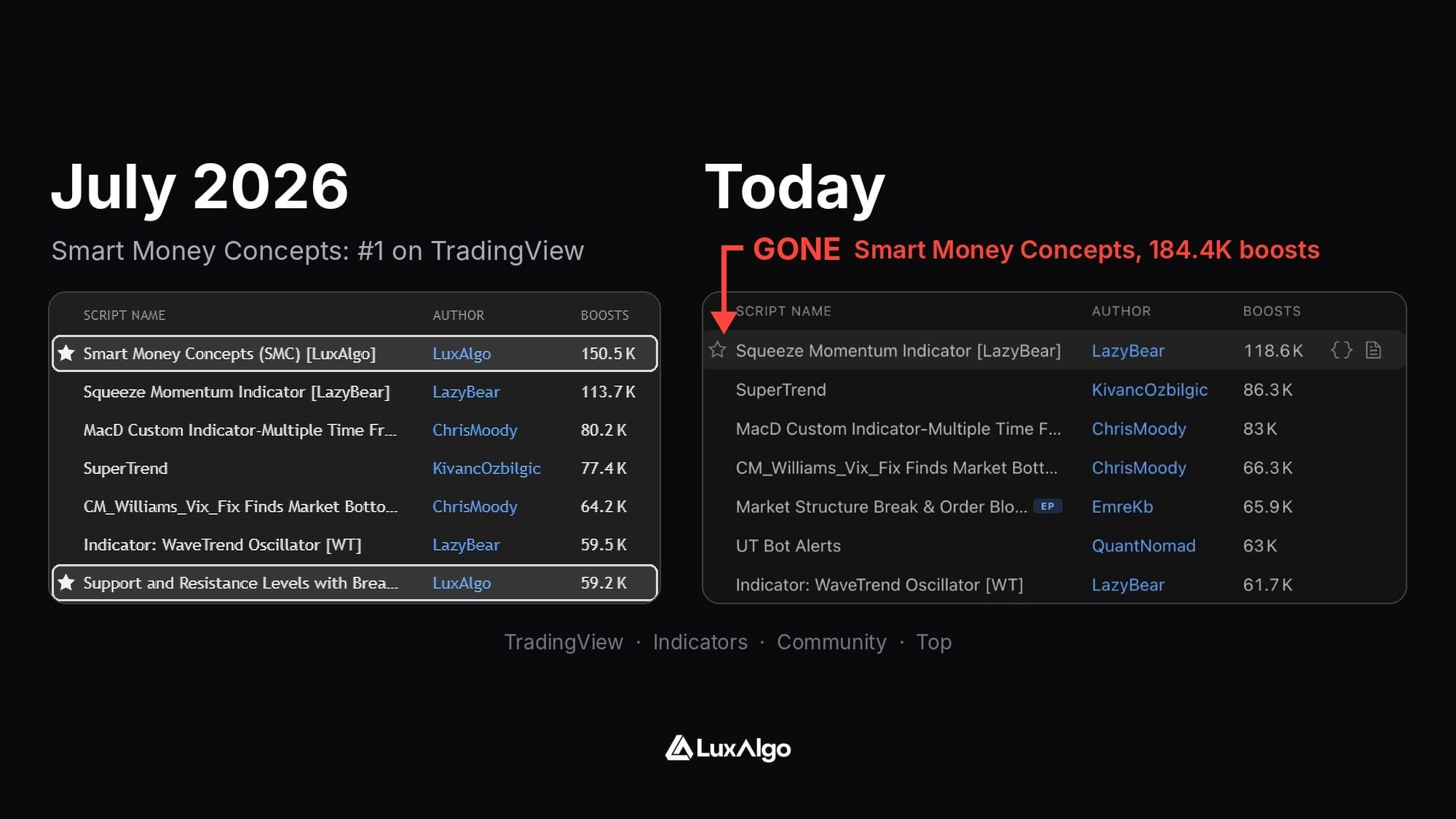
As of November 25, 2026, LuxAlgo indicators no longer appear in TradingView's Community Scripts. Search for Smart Money Concepts and it is not there. Open the Top list and none of our scripts are on it.
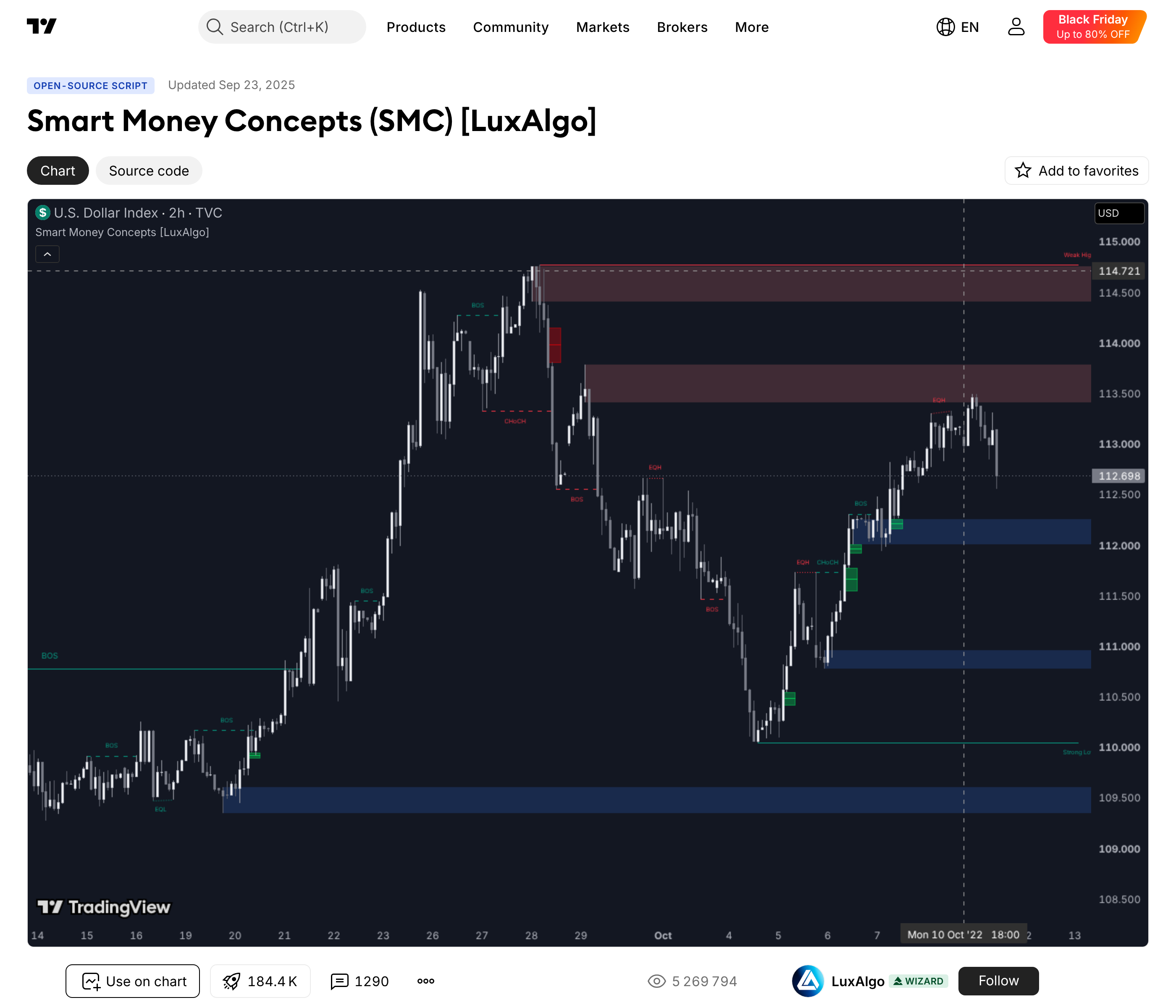
Nothing was deleted. Every script is still published, still open source, and still works on any chart where you already added it. They were removed from search and from the public lists, so a trader who does not already have them cannot find them.
We did not make this change. Here is what it covers:
- Smart Money Concepts. 184,000 boosts and 5.2 million views, the most-boosted indicator on TradingView. The script now listed first has 118,000.
- All 409 scripts on our profile, including the ones that sat in the Top list for years.
- The most-followed account on the platform. 1.5 million traders follow LuxAlgo on TradingView. TradingView's own account has 820,000.
If you came here looking for an indicator you used previously, the rest of this post is for you. You have not lost anything.
Where to find every LuxAlgo indicator
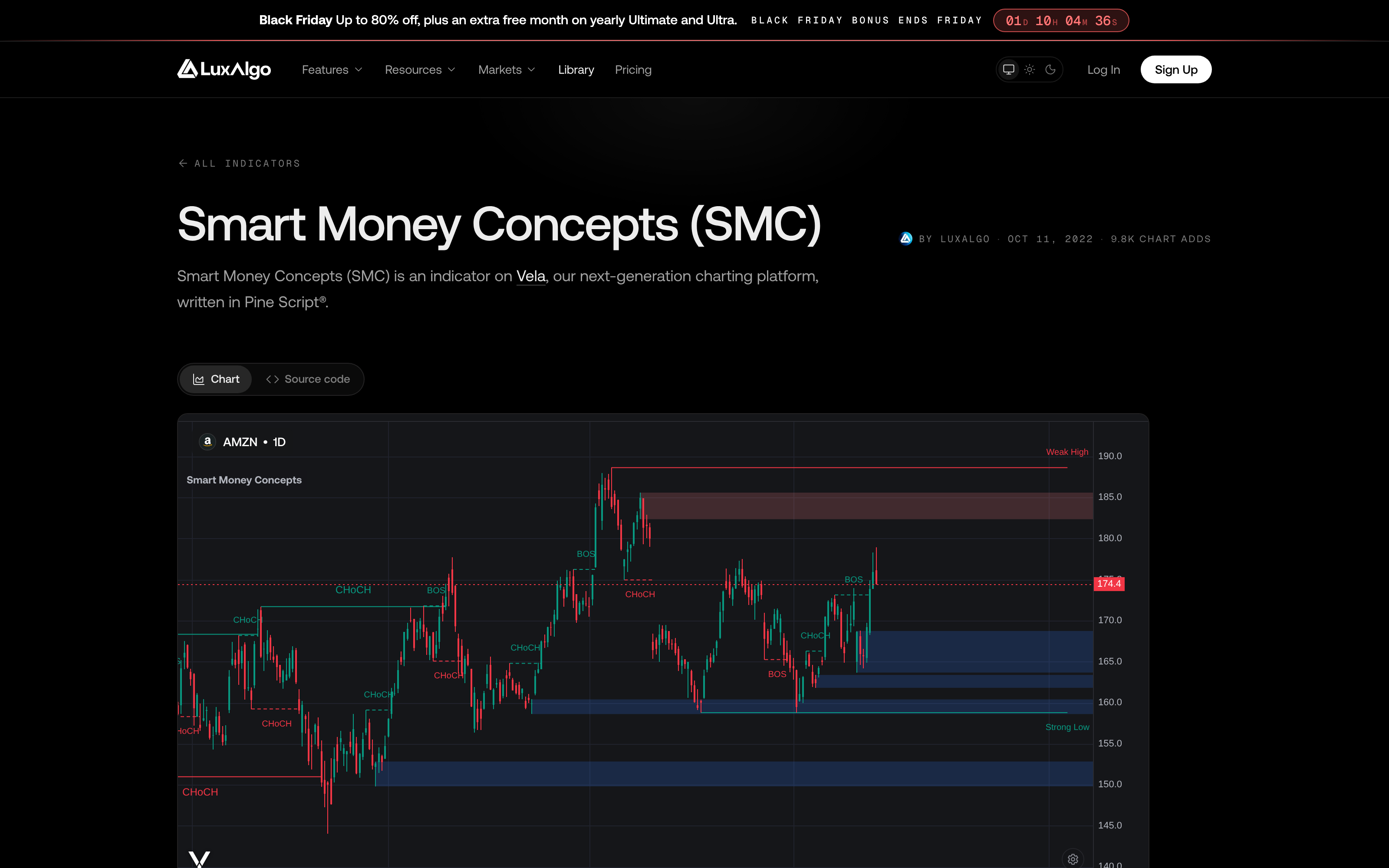
Every LuxAlgo indicator is in the LuxAlgo Library, free, with its source code. From there you can run it on Vela or keep using it on TradingView.
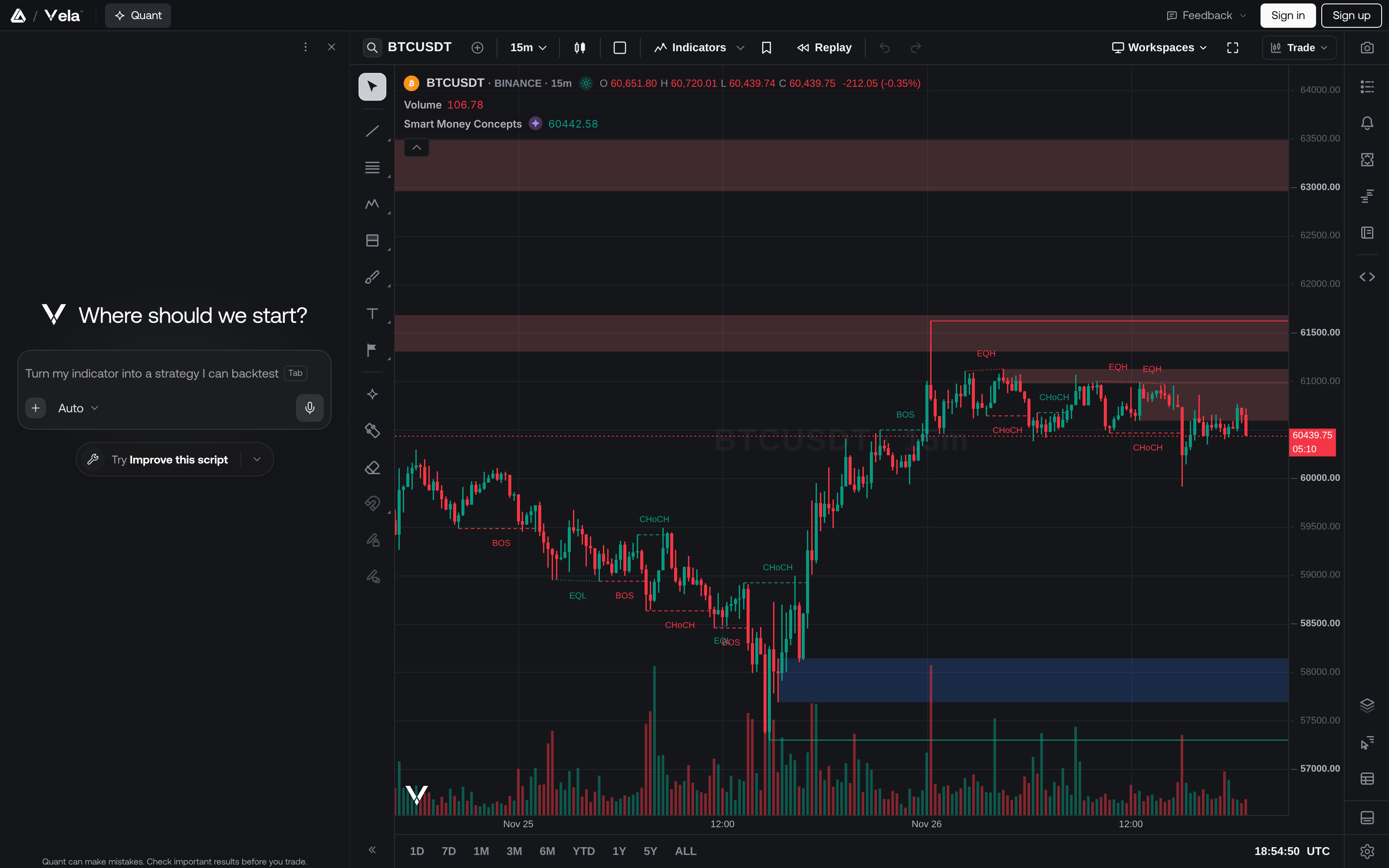
- On Vela: open the Library, pick an indicator, and open it on a Vela chart in one click. Free.
- Already on your TradingView charts: do nothing. Indicators on your charts, in your templates and in your favorites keep working.
- Anywhere else: copy the source code from the indicator's Library page into any editor that runs Pine Script®. Free with attribution.
The Library holds more than 800 indicators, each with a plain explanation of what it measures and how traders use it. Smart Money Concepts is here.
Looking for a specific indicator?
Popular LuxAlgo indicators, each on its own Library page with the chart, the source code and a button to open it on Vela:
- Smart Money Concepts (SMC)
- Support and Resistance Levels with Breaks
- Trendlines with Breaks
- Fair Value Gap
- ICT Concepts
- Order Blocks & Breaker Blocks
- Liquidity Swings
- Nadaraya-Watson Envelope
- SuperTrend AI (Clustering)
Looking for a different one? Search the whole Library.
The same code runs in both places
LuxAlgo indicators do not depend on any one platform, because we built the thing that runs them. PineTS is our open-source Pine Script® runtime. It takes the same code, unchanged, and runs it on Vela, our next-generation charting platform.
That means three things for you:
- No rewriting. The Smart Money Concepts you ran yesterday is the same script on Vela today.
- Your own scripts come too. Paste any Pine Script® you wrote or saved into Vela and it runs.
- You can change them. Quant, our coding agent, is built into Vela. Ask it to add a volume filter to an indicator or turn it into a strategy, and it writes and backtests the code.
This is already how traders use Vela.
What Vela has shipped this month
Vela has shipped 43 updates in November so far, 13 of them new features. If you last looked a few weeks ago, it is a different platform. The full list is on the changelog.
- Nov 25: Live trading from the chart. Connect your broker or exchange, place orders and set exits on the chart.
- Nov 24: Vela for iPhone and Android. The real Vela chart, your workspaces, a live watchlist and Alerts on your phone.
- Nov 24: Compare symbols and indicator labels. Overlay any symbol on a % scale, and read indicator values on the price scale.
- Nov 20: Indices in Symbol Search. S&P 500, Nasdaq-100, Nikkei 225 and more in their own tab.
- Nov 19: Quant in AI assistants. Write Pine Script® and run Backtest Loops from ChatGPT and other assistants.
- Nov 18: Drawing alerts. Set a Price Alert on a trend line, channel, rectangle or Fib level.
- Nov 16: Quant 2.0: Backtest Loop. Quant tests hundreds of strategies for hours and keeps the ones that hold up on unseen data.
- Nov 12: Economic data. FRED and other economic series, charted like any symbol.
- Nov 3: Vela for desktop. An app for macOS, Windows and Linux, with up to 16 linked charts.
- Oct 28: Alerts. Price Alerts and Custom Alerts from any indicator, sent to your phone, email, Telegram, Discord or a webhook.
Traders are noticing. Tens of thousands have joined Vela in the past few days alone.
Start in one screenshot
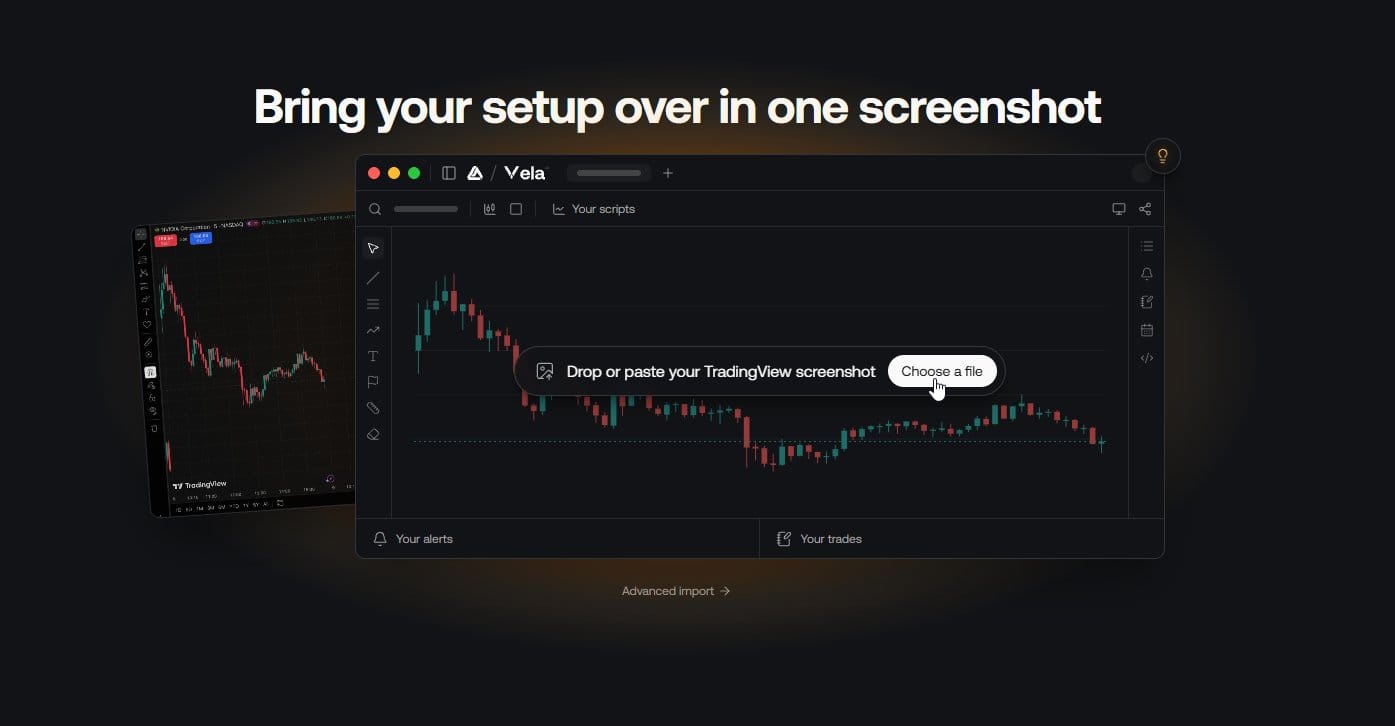
You do not have to rebuild your setup to try Vela. Take a screenshot of your current chart, upload it at luxalgo.com/switch, and Vela rebuilds your chart from it.
The Free plan has no limit on tools per chart and includes Price Alerts, so the indicators you came looking for all fit on one chart.
- Browse every indicator: luxalgo.com/library
- Open Vela: vela.luxalgo.com/chart
Wherever you chart, the indicators are yours to use. That part has not changed.
Frequently asked questions
Why can't I find LuxAlgo indicators on TradingView?
As of November 25, 2026, LuxAlgo scripts no longer appear in TradingView's Community Scripts search or its Top list. They were not deleted.
Was Smart Money Concepts deleted from TradingView?
No. Smart Money Concepts by LuxAlgo is still published. It was removed from search and from the Top list, so it can no longer be found by browsing.
Do my LuxAlgo indicators still work on TradingView?
Yes. Indicators already on your charts, in your templates and in your favorites keep working.
Where can I get LuxAlgo indicators now?
In the LuxAlgo Library. Every indicator is there with its source code, and each one opens on a Vela chart in one click.
Are LuxAlgo indicators still free?
Yes. The indicators in the Library are free, and Vela's Free plan has no limit on tools per chart.
TradingView and Pine Script® are trademarks of TradingView, Inc. LuxAlgo is not affiliated with, endorsed by or sponsored by TradingView.
Read next