TradersPost: AutoTrading Platform Reviewed
TradersPost is a cloud service for routing trading signals to connected brokerage and exchange accounts. It is useful when you already have rules to execute and want to configure automation without building every broker connection yourself. LuxAlgo addresses the research side: Quant Charts, technical analysis, and Quant, our coding agent, help you turn an idea into a strategy you can inspect and backtest.
The practical choice depends on the missing part of your workflow. Start with LuxAlgo when you need to investigate and build a strategy; evaluate TradersPost when you need managed execution of an existing signal source. They can serve complementary roles, but a chart, an alert, and a filled broker order are separate stages.
Reviewed against official product pages and documentation on September 8, 2026. This comparison assesses documented capabilities and pricing, not measured live-trading performance.
Quick Comparison
| Question | TradersPost | LuxAlgo |
|---|---|---|
| Main job | Route incoming signals to supported accounts | Chart markets, build strategies with Quant, and evaluate historical results |
| Where rules come from | External signals, such as TradingView or TrendSpider alerts, or your configured inputs | Your instructions, chart research, indicators, and generated strategy code |
| Backtesting | Use an external research platform | Run reviewed strategy scripts on Quant Charts; separate TradingView backtesters also exist |
| Execution | Managed broker and exchange connections, subject to integration limits | Use an appropriate execution service or the separately deployed Trade Relay project |
| Starting point | Seven-day trial; paid live auto-submit plans | Free charting and Quant access within plan limits |
TradersPost Review: How the Platform Works
The official TradersPost walkthrough, published November 1, 2025, introduces the setup. Use it to understand connections, strategies, and subscriptions, then check the current documentation for your broker and account. Demonstration settings are examples, not a trading recommendation.
Core Platform Features
According to TradersPost’s getting-started guide, a strategy defines settings such as the asset class and allowed symbols and provides a webhook address. A subscription connects a broker account to that strategy and applies account-specific settings, including position sizing and automatic submission preferences. Incoming messages are processed using those settings.
This reduces the need to write separate broker-integration code. It does not remove the need to define a valid signal or understand order behavior. TradersPost runs its routing service in the cloud, so keeping your own browser open is not required for that service to process signals. The signal source and broker must still work as intended.

Connections and Asset Coverage
Separate signal sources from execution destinations. TradingView and TrendSpider can generate alerts; brokers and exchanges receive orders. A market available in charting software is not automatically tradable through every TradersPost connection. Check the current connection matrix and the documentation for the exact integration.
- TradeStation: documented support includes stocks, stock options, index options, and futures. Confirm permissions and order types for your account.
- Interactive Brokers: the TradersPost integration is labeled beta and documented as stocks only, despite the broker’s broader product range. Its orders are processed one at a time per account.
- Coinbase: crypto support includes a configured quote-currency choice. Check supported markets and what currency an exit converts into.
- Forex: TradersPost’s documentation says forex is not currently supported. Viewing a forex chart in another platform does not change this.
Backtesting and Operational Limits
TradersPost’s backtesting guide directs traders to research tools such as TradingView and TrendSpider. Treat simulated results as an input to your automation decision, then separately test the alert message, subscription settings, and resulting orders. An external backtest is not a test of every failure that can occur in live routing.
Its documentation says the service is not intended for high-frequency or sub-minute strategies. The getting-started guide also explains that it does not supply broker position state or order IDs back into external strategy logic. Plan how that logic will remain consistent with the actual account.
The known-limitations page warns about delayed or missing third-party webhooks, conflicting signals, and failed orders. Do not assume that an order will be automatically recovered or that a notification confirms a fill. A webhook response time measures one part of the path; it is not an end-to-end execution guarantee.
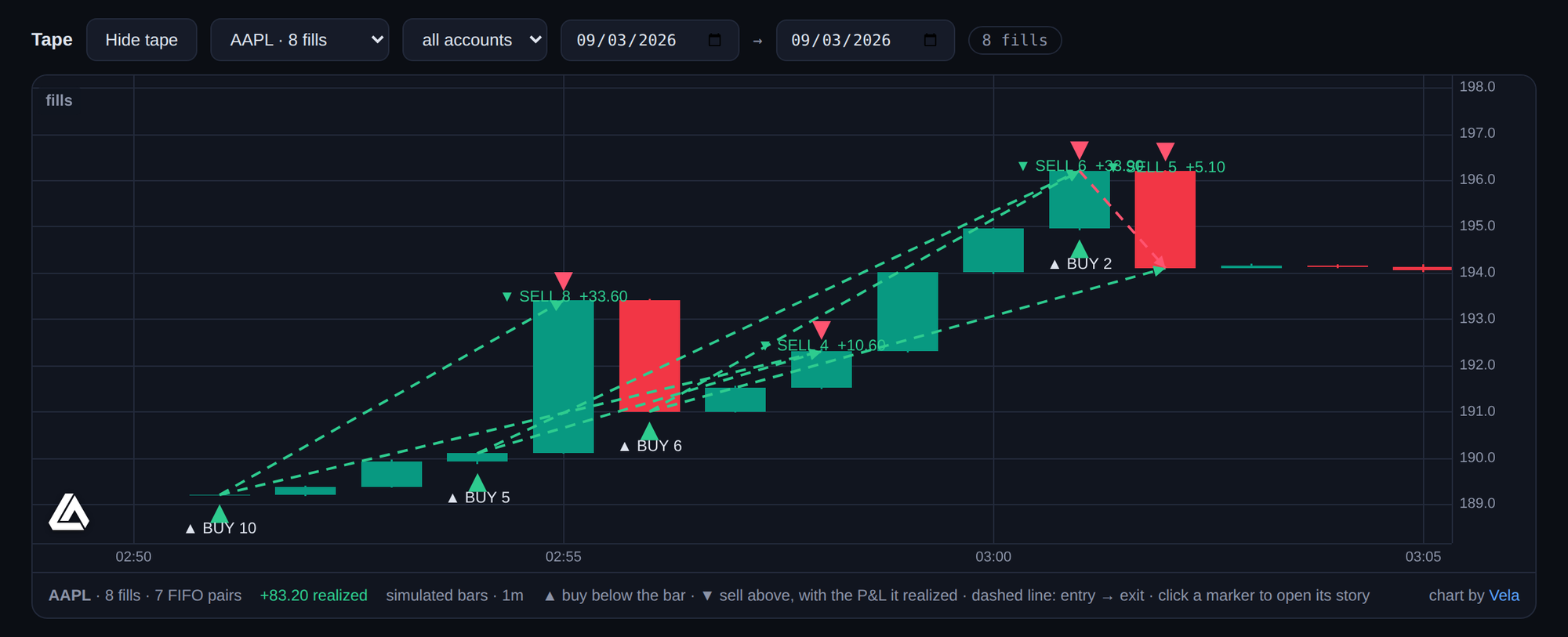
Example: your signal requests ten shares, but an order remains unfilled when an exit signal arrives. The next action should depend on the actual pending order and position, not only the chart’s simulated trade. Paper-test that sequence, along with duplicate signals and rejected orders, before considering live use.
TradersPost Pricing and Support
The pricing page lists these U.S. dollar rates. Annual equivalents require yearly billing; they are not month-to-month prices.
| Plan | Monthly billing | Annual equivalent / month | Included live / paper accounts | Asset classes |
|---|---|---|---|---|
| Starter | $49 | $41.65 | 1 / 4 | 1 |
| Basic | $99 | $84.15 | 2 / 6 | 2 |
| Pro | $199 | $169.15 | 3 / 8 | 3 |
| Premium | $299 | $254.15 | 6 / 10 | All supported |
The seven-day trial permits automatic submission on paper accounts and manual approval of live trades; paid plans enable live auto-submit. Additional accounts cost extra. In-app and email support are listed across plans, with scheduled video support from Basic upward. Verify the billing total, account requirements, and current terms before subscribing.
LuxAlgo Overview: Charts and Strategy Research
Quant Charts and Quant
LuxAlgo brings charting and AI-assisted strategy development into the same research workflow. Use Quant Charts to inspect the relevant market and timeframe, add indicators, and organize chart layouts. The Library supplies trading concepts and indicator implementations for further study.
With Quant, our coding agent, describe the entry, exit, and risk rules you want to test. Review the generated script in Code, sign in, and click Run on the intended chart. An indicator displays calculations; a strategy script can simulate entries and exits. Converting one into the other still requires explicit trading rules.
For example, investigate a moving-average crossover with a defined exit, fixed position size, and no repeated entries while already invested. Specify whether the rule waits for a completed bar. Ask Quant to explain the code, then compare plotted trades with the written conditions. This makes the idea reviewable before choosing an execution route.
Use the strategy viewer to inspect net profit, drawdown, trade count, profit factor, and the Trades Log. Set commission and slippage, use appropriate standard price bars, and reserve a separate test period. A good-looking backtest does not establish that alerts will arrive, orders will fill at those prices, or future returns will match.
LuxAlgo Pricing
The current LuxAlgo pricing page distinguishes monthly billing from annual equivalents. The table shows standard rates displayed on September 8, 2026, excluding the temporary introductory sale.
| Plan | Standard month-to-month | Standard annual total | Annual equivalent / month | Monthly Quant credits |
|---|---|---|---|---|
| Free | $0 | $0 | $0 | 500 |
| Premium | $67.99 | $479.88 | $39.99 | 5,000 |
| Ultimate | $119.99 | $719.88 | $59.99 | 25,000 |
| Ultra | $229.99 | $1,439.88 | $119.99 | 100,000 |
The Free plan offers charts and limited Quant usage; paid tiers expand tools, history, layouts, and other limits. Check the exact order-flow lookback, data access, and automation entitlements you need. Promotional first payments can differ from renewal prices. Broker, data, signal-source, and execution-service costs may be separate.
Using LuxAlgo with an Execution Workflow
TradersPost and TradingView Signals
TradersPost publishes a LuxAlgo Smart Money Concepts signal example for TradingView. This documents a specific signal-source workflow; it does not establish that every Quant Charts strategy is automatically connected to TradersPost. Choose the intended alert condition, construct the required message, and test it against a paper subscription.
Trade Relay: A Separate Self-Hosted Option
Trade Relay is LuxAlgo’s free, open-source execution-relay project. You deploy and operate it yourself. It accepts webhook signals and applies configured controls such as symbol restrictions, position limits, duplicate protection, and a kill switch, with an execution record for inspection.
Its published execution paths include a built-in simulator, Alpaca paper and live, and a sandbox-pinned Tradier connection. Other displayed connections may be watch-only. It is not a universal replacement for TradersPost’s broker coverage or managed hosting. Check the exact adapter and mode, and account for hosting, maintenance, credentials, and monitoring.
Direct Comparison: Which Setup Fits?
For beginners: start by defining and testing one strategy. LuxAlgo’s free charts and Quant allowance support that research. TradersPost’s paper workflow can then help you learn how a signal becomes an order. Ease of configuration does not make an untested rule ready for live money.
For intermediate traders: TradersPost is worth evaluating when a working TradingView or TrendSpider signal needs broker routing. LuxAlgo is useful when you want to refine the logic, inspect indicators, or compare backtests. Check the total cost of the combined setup instead of comparing two subscription prices in isolation.
For advanced traders: compare managed multi-account routing with the control and operating work of a self-hosted relay. Verify exact broker support, order sequencing, reconnect behavior, and records. Neither a large user count nor a customer testimonial establishes execution quality for your strategy.
A Practical Evaluation Checklist
- Write the entry, exit, position-size, session, and maximum-exposure rules before configuring automation.
- Verify the intended symbol, asset class, order type, and account permissions through the chosen connection.
- Backtest the rules with realistic assumptions, then test the signal-to-order path separately in paper mode.
- Compare the alert log, relay or subscription log, and broker state after entries, exits, duplicates, and failures.
- Choose a monitoring and stop procedure, and review costs and plan renewals before enabling a live workflow.
Choose LuxAlgo when your main need is a coherent charting and strategy-research environment. Choose TradersPost when your main need is managed execution of configured signals on supported accounts. Combining research and routing can be useful, provided you verify the connection between them and continue reviewing what actually happens.
References
Read next