Vela by LuxAlgo Comes to iPhone and Android
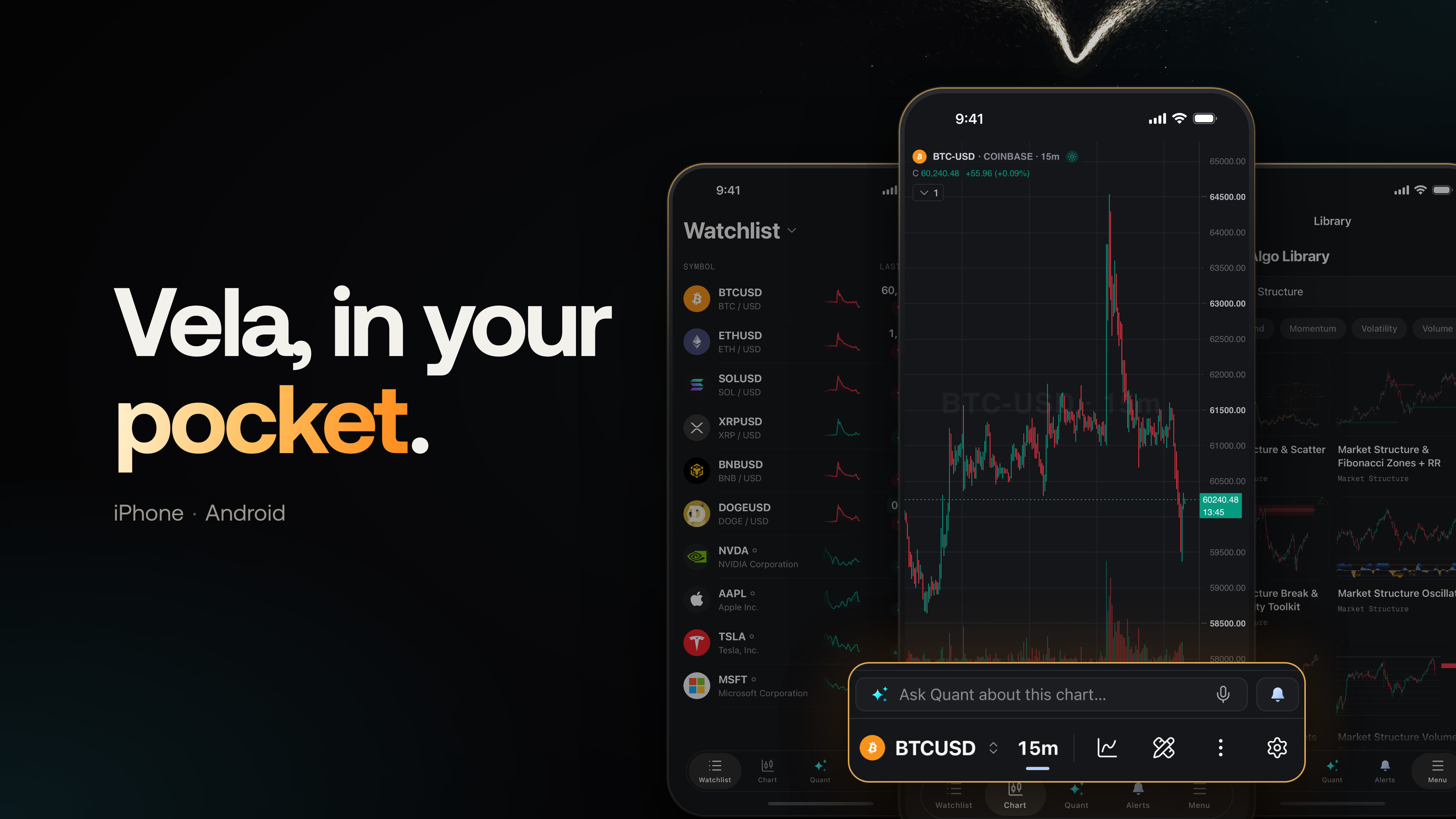
Vela, our next-generation charting platform, is now an app for iPhone and Android. It is the same Vela you already use: the same account, the same watchlists and chart workspaces, the same Quant, our coding agent. What changes is where it lives: in your pocket, one tap away whenever you want to check the market.
On your phone, Vela opens on a live watchlist, one tap takes you to the real Vela chart with your tools and drawings, Price Alerts and Custom Alerts reach you as notifications, and Quant writes, fixes and backtests strategies beside the chart.
Vela is free to download on the App Store and Google Play.
A live watchlist, never blank
Vela opens on your watchlist. Prices stream live, flash on every change and come with sparklines, so you see the move before you read the number. If your connection drops, your last prices stay on screen with the time they were taken.
With a free LuxAlgo account, keep as many watchlists as you like. Group symbols into sections, flag the ones you are watching closely, sort by change or volume, or drag rows into your own order.
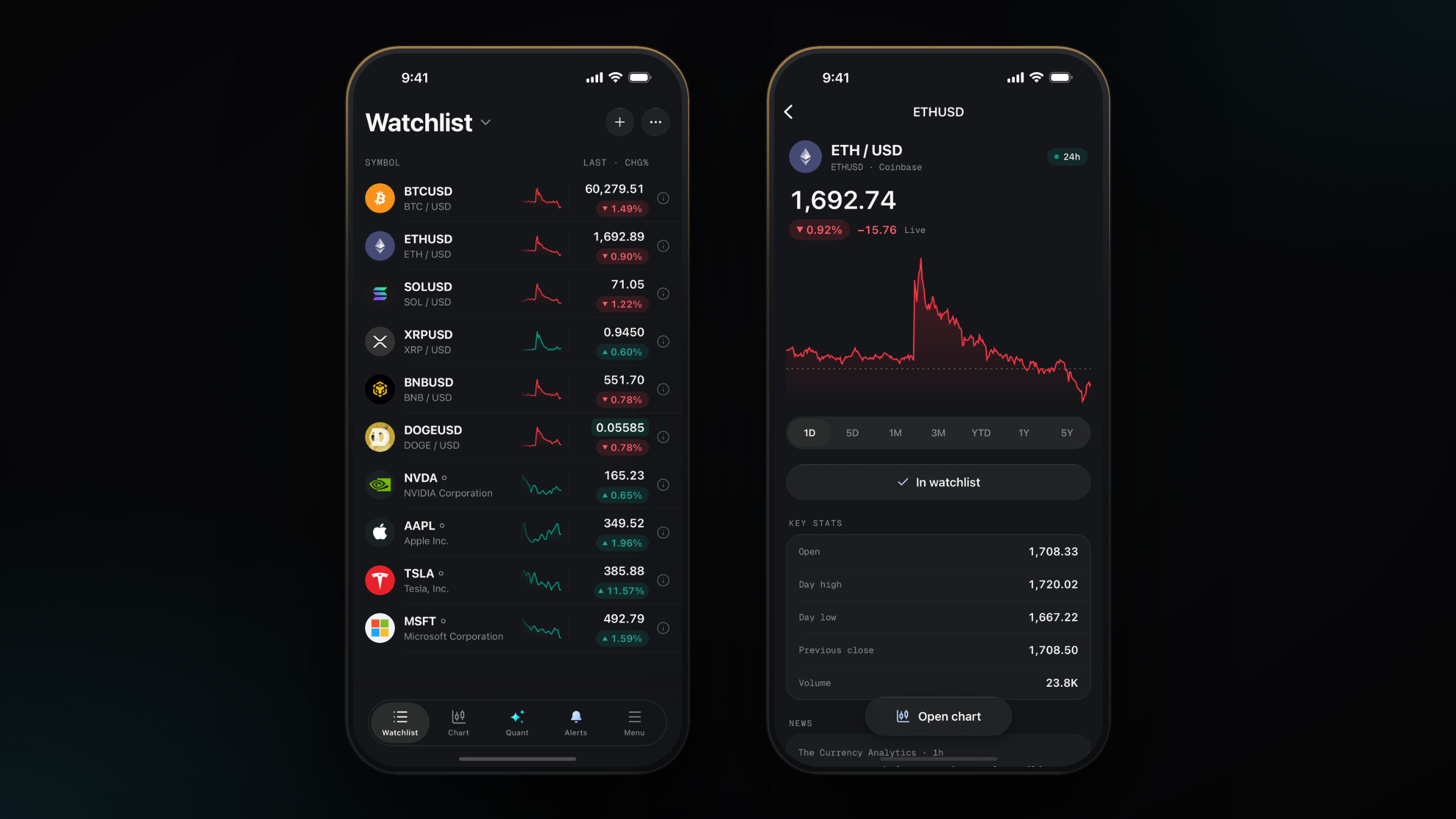
One search covers every market: stocks, ETFs, crypto, forex and commodities. Every symbol has an overview with its price history and key stats, plus news, the company profile and upcoming events where they apply. Add it to a watchlist, or open it on the chart.
The real Vela chart, one tap away
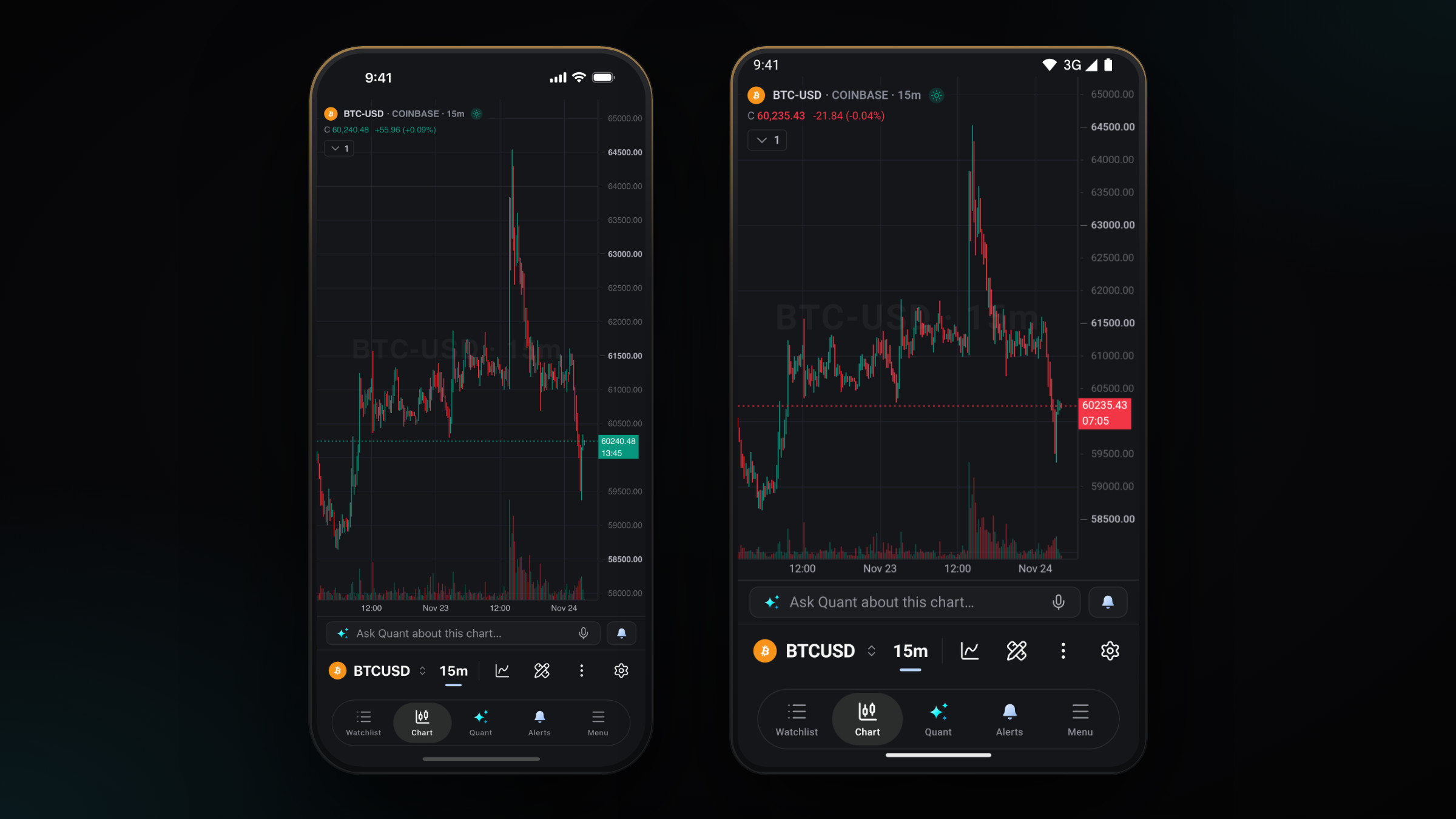
Tap a symbol and Vela opens with your workspace, tools and drawings from the web. These are the same state-of-the-art charts, not a simplified copy. A level you drew at your desk this morning is on your phone this afternoon, exactly where you left it.
The chart stays ready in the background, so switching symbols doesn't reload it. Add unlimited tools per chart with any LuxAlgo account, and turn your phone sideways to give the chart the whole screen. Orderflow sits on the same chart, built from real trades.
When you want to practise an idea, the chart's Trade button opens paper trading: virtual money, no real money and no broker.
Quant, our coding agent, built in
"Ask Quant about this chart" sits right under every chart, and Quant has its own tab for longer conversations. Ask it to write, fix or backtest a strategy. Quant reads your chart, writes the code, runs the backtest and shows the strategy report, trade by trade. The code runs on your chart through PineTS, our open-source Pine Script® runtime.
Dictate instead of typing, or attach a photo, a PDF or a spreadsheet to give Quant context. Your chats sync with your account, so a strategy you started on the web is there to check on your phone. Backtesting is research, not prophecy: it shows you how an idea performed on historical data.
Price Alerts and Custom Alerts on your phone
Set a Price Alert on any market, straight from the chart. For a Custom Alert, tap the bell on an indicator and choose Auto-create with Quant: Quant picks the alert the indicator is made for and tests it on recent history, so you see how often it would have fired before you create it.
When an alert triggers, your phone is notified. Open the alert, and Vela takes you to the chart at the moment it fired. Alerts work once you are signed in.
The Library in your pocket
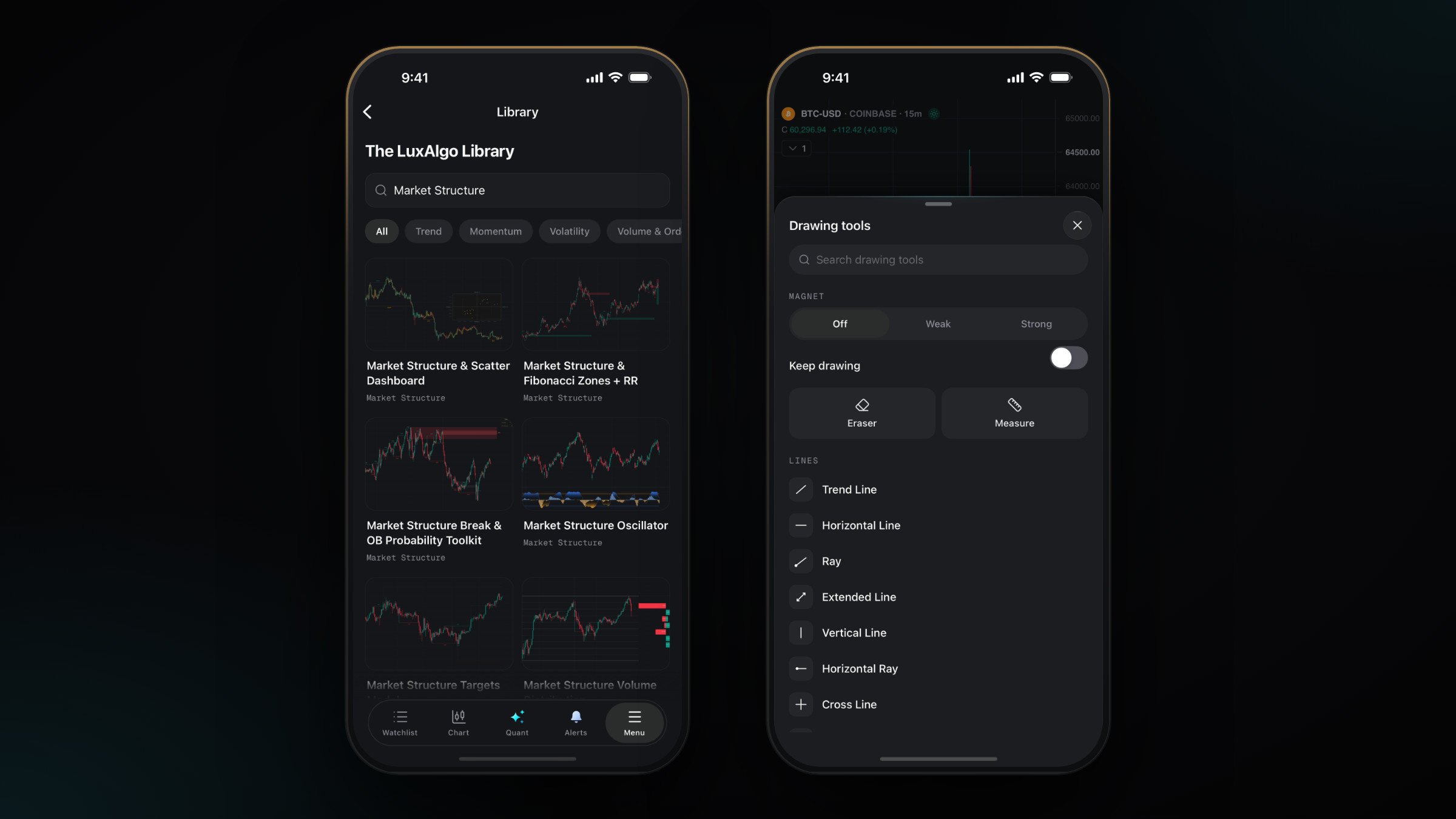
Search the Library's 800+ advanced tools from your phone, browse them by family, add them to your chart and keep your favorites close.
One account, every screen
Your watchlists, chart workspaces and chats with Quant sync with your LuxAlgo account, so you pick up on your phone where you left off on the web or the desktop. Explore without an account, or sign in with your LuxAlgo account, or with Apple on iPhone.
Make it yours with dark and light themes, compact or regular rows, your choice of colors for up and down, and haptics. There are no ads.
Platforms
- iPhone and iPad, on iOS and iPadOS 16.4 or later, from the App Store.
- Android phones, from Google Play.
On a computer? Open luxalgo.com/mobile and scan the code with your phone's camera.
Also on your desktop
Vela is also an app for macOS, Windows and Linux. Download Vela for desktop for free, or open Vela in your browser with one click.
Get Vela on your phone
Download Vela for free on the App Store or Google Play. Sign in with the account you already use, and your charts will be waiting.
Free to start, wherever you trade.
Read next