Vela by LuxAlgo Comes to macOS, Windows and Linux
Vela, our next-generation charting platform, is now an app for macOS, Windows and Linux. It is the same Vela you already use: the same account, the same saved workspaces, the same Quant, our coding agent. What changes is everything a browser tab could not do for you.
On the desktop, each saved workspace opens in its own chart window, one window can hold up to 16 linked charts, live prices sit in your menu bar or system tray, and your alerts arrive as notifications on your computer. Spread your workspaces across every monitor you own, and they come back where you left them.
Download Vela for desktop for free.
A window for every workspace
Signed in, each saved workspace opens in its own chart window. A workspace is no longer a tab you switch to; it is a window you place. Put your main workspace on the centre screen, a second one on the monitor beside it, and a third on your laptop display.
Vela remembers the layout. Close it at the end of the day, open it the next morning, and your windows return to the same places. There is nothing to rebuild before you look at the market.
Up to 16 linked charts in one window
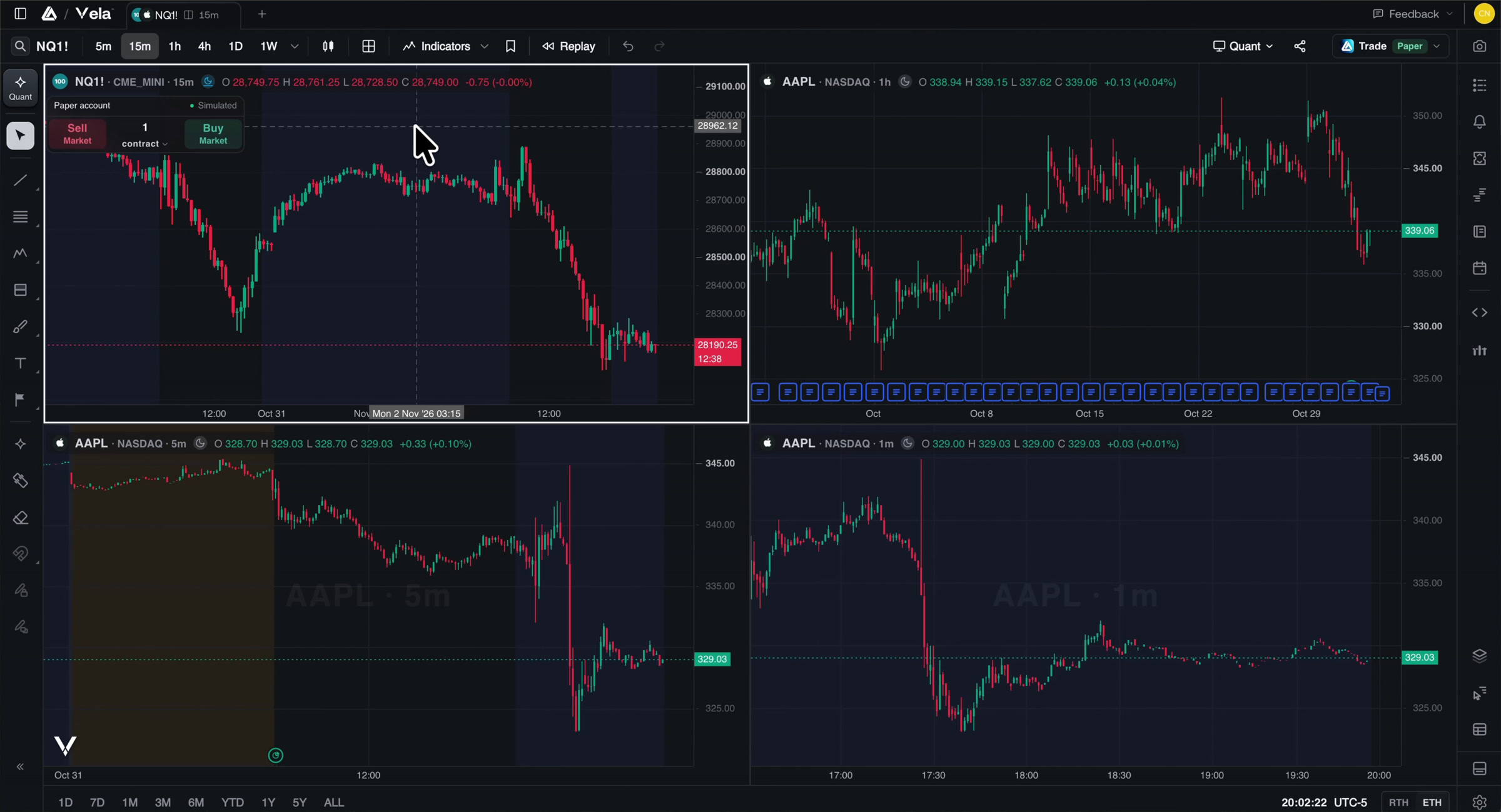
Any chart window can be split into as many as 16 charts, linked together. Move the crosshair on one chart and every linked chart follows. Change the symbol or the interval, and the linked charts change with it. With drawing sync enabled, draw a line and it appears on each linked chart.
A common setup is one market across several intervals: a higher timeframe for structure, a middle one for the swing, a lower one for timing. Draw a level on the higher timeframe and it carries to the others. With symbol sync on and interval sync off, switch the symbol once and the whole stack moves to the new market.
Multiple windows and multi-chart layouts come with a free LuxAlgo account. Without one, Vela opens a single chart window.
Prices in your menu bar, alerts on your desktop
Vela keeps a live watchlist in your menu bar on a Mac, and in the system tray on Windows and Linux. Pin up to three markets in the Mac menu bar, Windows tray tooltip or Linux tray menu, and click a row to open that market on your chart.
Your alerts reach you the way the rest of your computer does. When a Price Alert or a Custom Alert that notifies you in-app fires, your computer shows it as a notification with the alert's name, the market and the price. Click it, and the chart opens on that market and interval at the moment it fired. This works while Vela is running and you are signed in.
Quant, our coding agent, built in
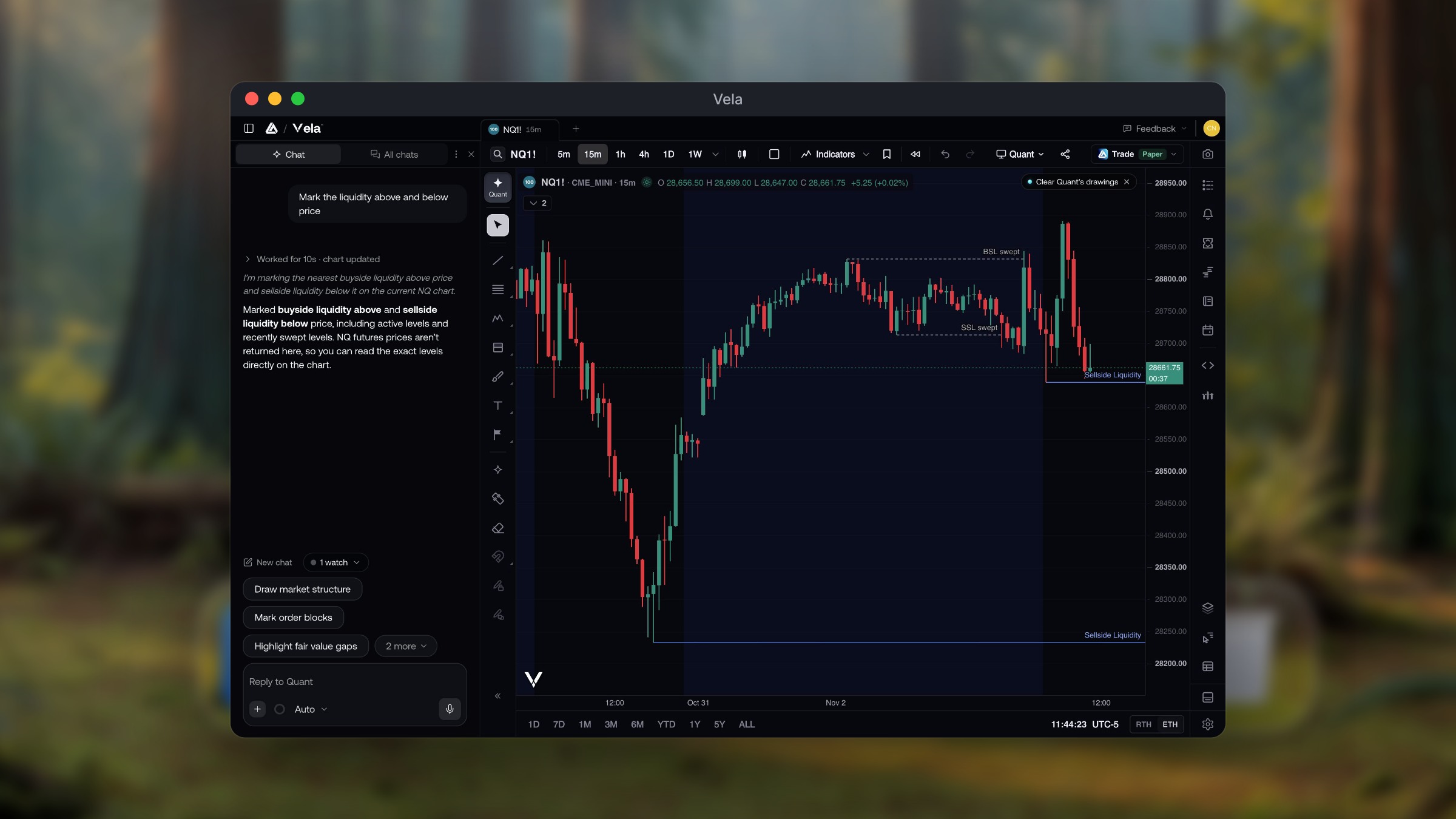
Quant comes with Vela for desktop, exactly as it does on the web. Ask it for an indicator or strategy beside the chart, and the code it writes runs on your chart through PineTS, our open-source Pine Script® runtime. On the desktop that chart can be one of 16 in a linked window, so a new indicator can be checked across several intervals at once.
Once it is on the chart, an indicator or strategy can also power a Custom Alert, which now lands as a notification on your computer. Backtesting is research, not prophecy: it shows you how an idea performed on historical data.
Keyboard first, and always current
Every Vela shortcut works in the app, and so do the keys a browser keeps for itself. Press ? on any chart for the full list.
Vela also keeps itself up to date. New versions download in the background and install when you restart or quit, never in the middle of your session.
Platforms
- macOS 13 or later, on Apple silicon and Intel.
- Windows 10 or later, on x64 and Arm64.
- Linux as an AppImage, .deb or .rpm, on x64 and Arm64.
Your account, plan and workspaces are the same ones you use on the web, so there is nothing to move or set up twice.
Coming soon to your phone
The Vela apps for iPhone and Android are on their way.
Download Vela for desktop
Download Vela for desktop for free. Sign in, open a workspace, and give it a window of its own. Rather stay in the browser? Open Vela in your browser with one click.
Free to start, on every screen you trade from.
Read next