Zig Zag Channels
 By LuxAlgoJul 5, 2021
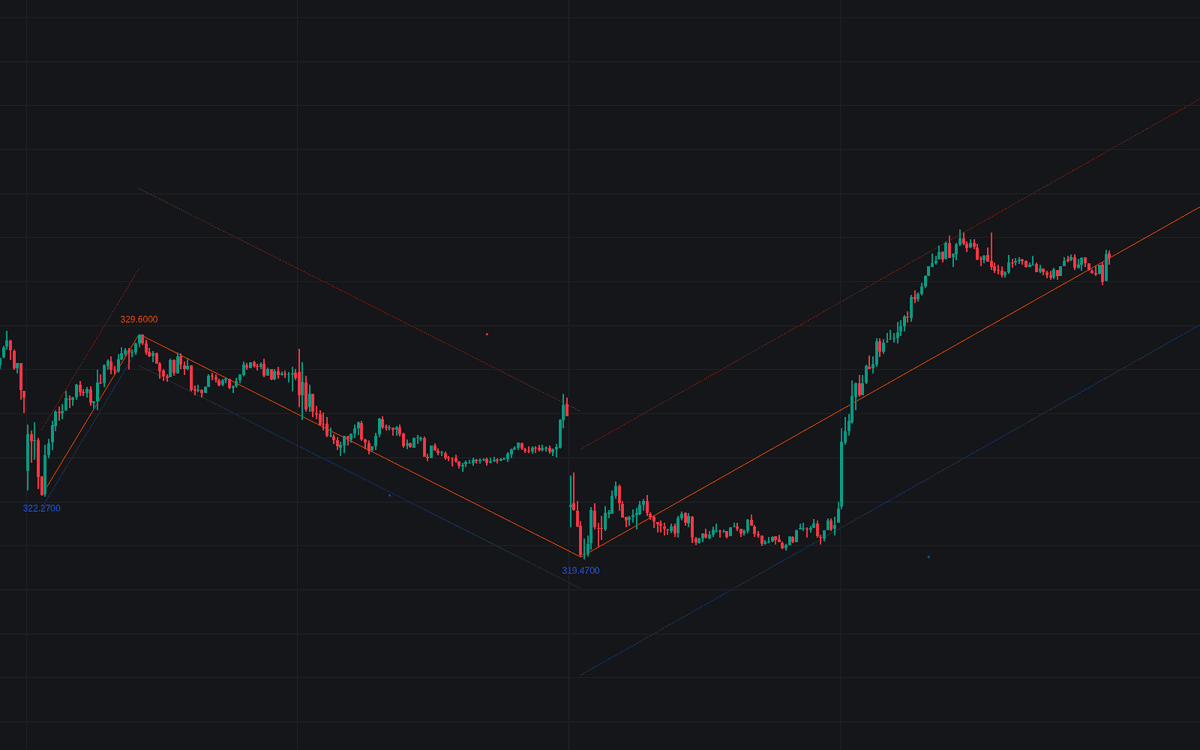

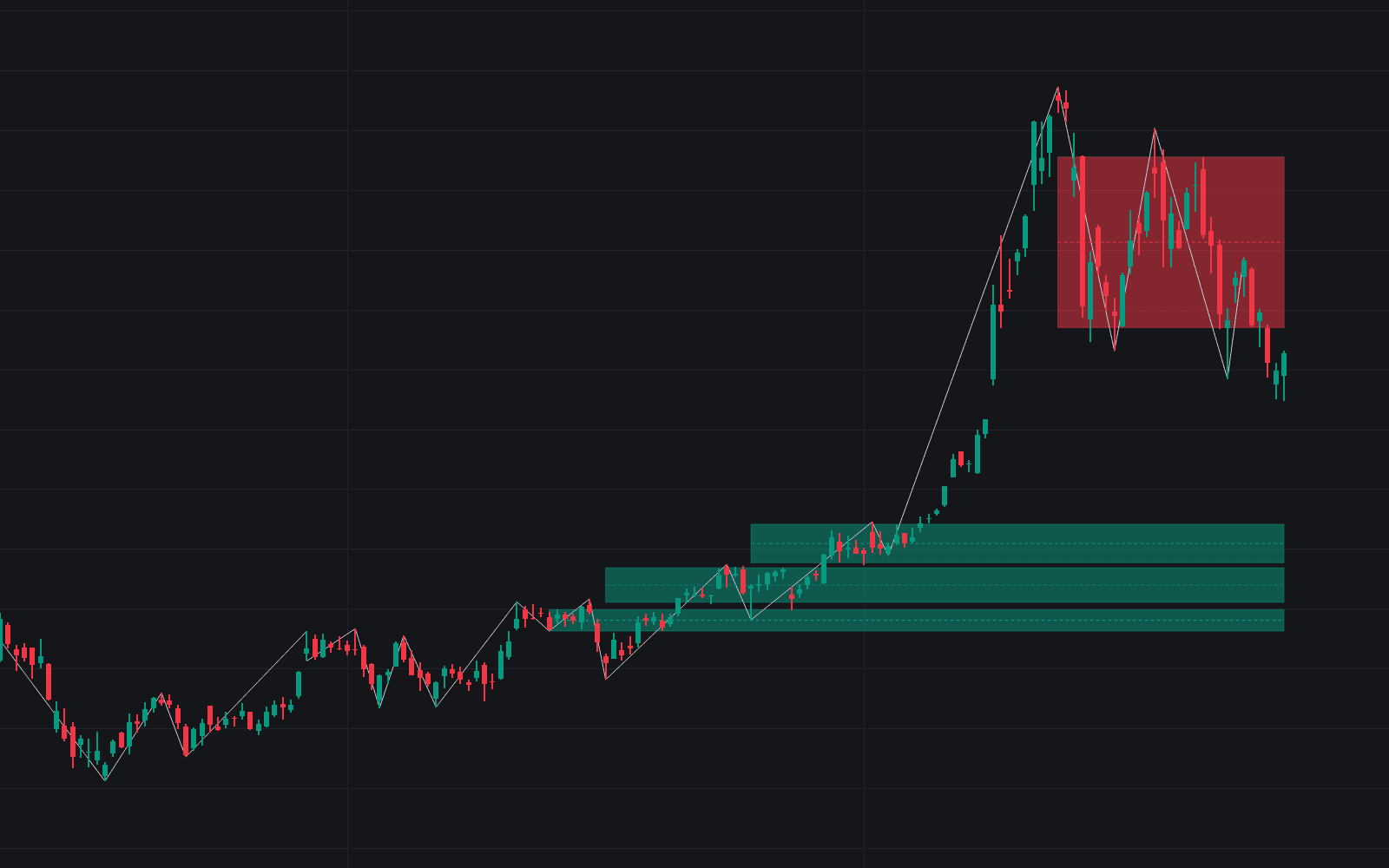
Zig Zag Channels rebuilds the classic swing outline with a twist: peaks and troughs are detected from rolling maximums and minimums over a configurable window (keeping pivot detection regular across price scales), and the resulting zigzag structure is wrapped in upper and lower extremities that show where price stretched furthest from its legs. The indicator backpaints, meaning plotted components are offset backwards on the chart: an honest picture of when each swing was actually confirmed.
How to Trade the Zig Zag Channels?
- Pivot anchors: use confirmed highs and lows as reference points for Fibonacci retracements, fans, squares and similar drawing tools.
- Extremity spacing: a narrow gap between the zigzag and one extremity means price action leaned to that side of the swing line; even spacing suggests a more uniform trend.
- Extended extremities: carried to the latest bar, the extremity levels become potential support and resistance for anticipating reactions.
- Wave reading: the simplified swing sequence makes motive and corrective moves easier to pick out.
Together the zigzag and its extremities behave like a swing-defined channel, adding an anticipation layer to a tool traders usually reserve for describing the past.
Zig Zag Channels Settings
- Length: the detection window. Larger values keep only the more significant peaks and troughs.
- Extend To Last Bar: stretches the final line to the latest closing price.
- Show Extremities: toggles the channel extremities.
- Show Labels: prints high and low values at each pivot.
- Style inputs set the Zig Zag, upper extremity and lower extremity colors.
Frequently Asked Questions
Free on Vela
Run it on Vela. Go further with a paid plan.
- Up to 500 strategy alerts, with webhook automation
- Up to 10× the chart history of Free
- Orderflow lookback up to full history
- More Quant usage to customize it, plus extra usage when you need it
- Futures data alongside crypto, stocks, forex and commodities
Also works on

Related indicators
All 9 Zigzag Structure indicators
Run it on Vela. Make it yours with Quant.
Open this indicator free on Vela, our next-generation charting platform. Then ask Quant, our coding agent built into Vela, to retune it or turn it into a backtested strategy of your own.