TraderSync: Trade Journal Review
TraderSync is a trading journal and analysis platform for reviewing recorded trades, strategy adherence, and historical market scenarios. Its offering combines reports, Cypher AI assistance, and market replay. It supports several asset classes, but the import method and available data depend on the broker, instrument, and plan.
The most useful way to evaluate a journal is with your own records. Confirm that fills import correctly, reports answer a specific question, and the review process fits your routine. Neither an AI explanation nor a strong historical result guarantees better live performance.
Key Features
- Trade records: supported imports and synchronization bring trading activity into the journal.
- Reports: analyze performance by setup, time, asset, and other filters.
- Strategy review: compare recorded behavior with the plan you intended to follow.
- Cypher: ask questions about trading data and investigate patterns.
- Market replay: practice against historical scenarios, with detail and tools varying by plan.
TraderSync currently lists Pro, Premium, and Elite monthly plans at $29.95, $49.95, and $79.95 respectively. A seven-day trial is advertised. Annual promotions change, so check the current pricing page for the billed amount and included limits.
Main Features of TraderSync
Trade Tracking and Imports
Start with TraderSync’s supported-broker directory and the instructions for your account. Support for a platform should not be interpreted as automatic synchronization for every account or export it produces. Confirm whether the intended workflow uses a connection, file upload, or manual input.
Import a representative sample before relying on the analytics. Compare timestamps, symbols, quantities, fees, partial exits, and open positions against the broker’s record. A broad integration count does not prove that a particular file was interpreted correctly.
Keep the original export and note the account and date range used. This makes it easier to resolve duplicates, missing fills, or differences in trade grouping. Once the records reconcile, the journal becomes a more useful basis for reviewing decisions.
Analytics and Reporting
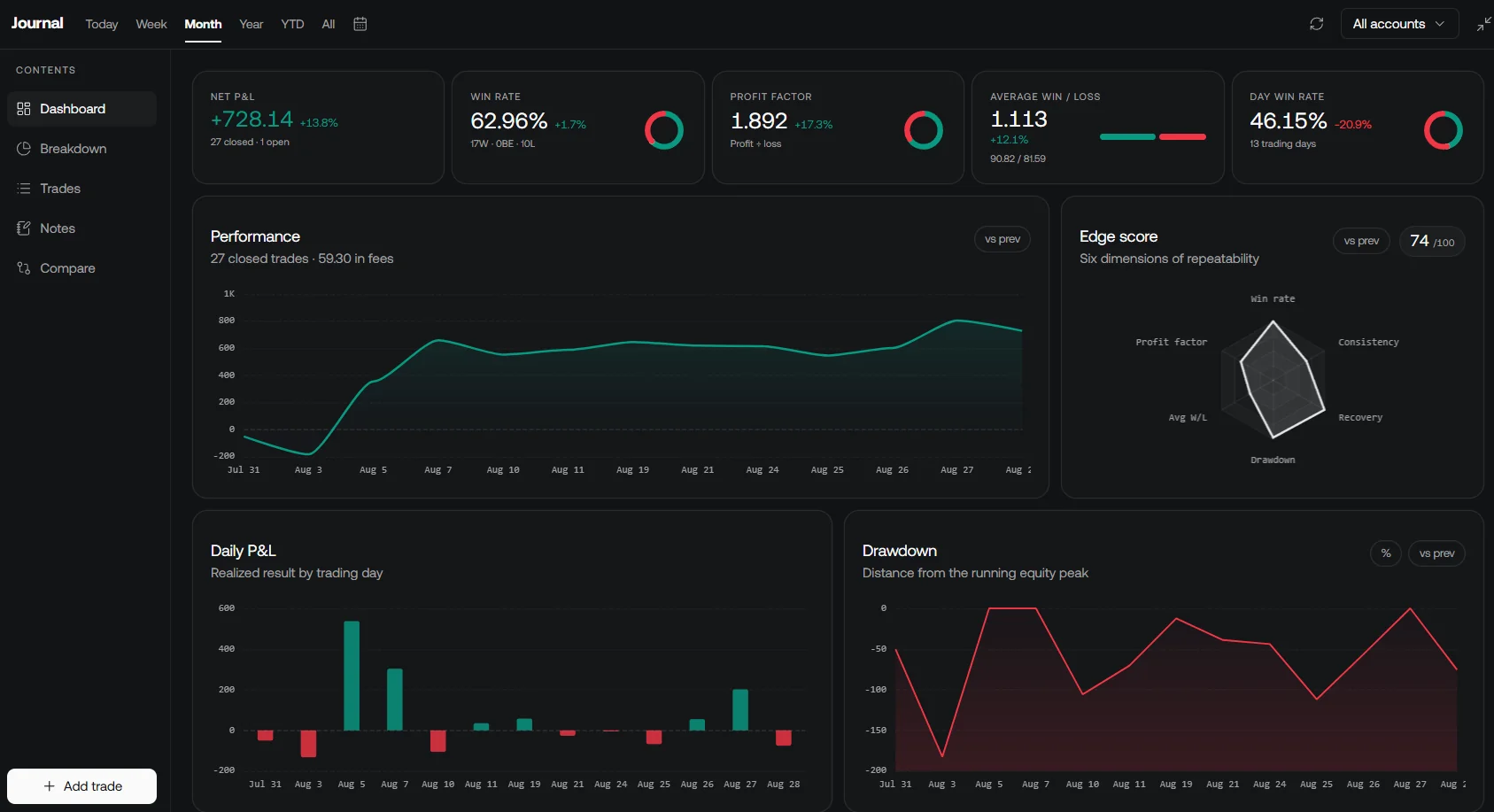
TraderSync’s feature overview describes reporting and trade-analysis tools. Use them to investigate a defined question, such as whether a setup’s outcomes differ by session or whether unusually large losses coincide with a rule deviation. A filtered report describes the sample you selected; it does not establish that the same pattern will persist.
| Report item | What to check | Common interpretation error |
|---|---|---|
| Net P&L | Fees, currency, open versus closed trades, and date range | Comparing totals from different account definitions |
| Profit factor | Gross profits divided by the absolute value of gross losses | Treating it as a signed return; a negative profit factor is not valid under this definition |
| Results by weekday | Trade count, setup mix, and exceptional trades | Assuming the best historical day is inherently superior |
| Strategy breakdown | Stable tag definitions and consistent trade grouping | Relabeling only losing trades after seeing the outcome |
| Drawdown | The equity series, period, and calculation convention | Assuming every platform measures an identical quantity |
If gross losses are zero, profit factor cannot be interpreted as an ordinary finite ratio. Review the trade count and distribution instead of treating an extreme headline metric as proof of a reliable edge.
Risk Management and AI Feedback
TraderSync describes tools for tracking targets, stops, and adherence to a trading plan. These are useful for post-trade review. A report that identifies a breached rule is different from a broker control that prevents an order.
Cypher can help explore performance and formulate follow-up questions. Check the underlying trades, filter settings, and assumptions behind its response. A retrospective “what if” can suggest a hypothesis, but applying a new filter to the same data that suggested it is not independent validation.
How TraderSync and LuxAlgo Can Work Together
From an Idea to Reviewable Results
LuxAlgo Quant is the coding agent built into LuxAlgo charts. Describe the intended entry, exit, sizing, and timing rules, inspect the generated Pine Script® code, and select Run. Review individual trades alongside the summary before revising the strategy.
Native backtest controls let you inspect Inputs and Properties, including relevant capital, commission, and slippage assumptions. Star a run to preserve its script and configuration. That gives you a defined research baseline to compare with later tests or recorded outcomes.
LuxAlgo also has a native Journal. Its account workflows include manual records, supported file imports, and broker connections when available. The Journal remains attached to the account across workspaces and is distinct from the simulated backtest trade list.
If you use TraderSync for actual trade review, keep the same strategy version, dates, instrument, and cost definitions when comparing it with a LuxAlgo backtest. Confirm the import or synchronization route rather than assuming a direct automatic connection between the products. LuxAlgo’s separate open-source Trade Journal is also distinct from its native Journal.
User Experience and Accessibility
Interface and Device Workflow
Evaluate the tasks you perform most often: importing a session, finding a trade, applying a tag, checking a report, and comparing the result with your plan. A review score is less informative than whether these tasks work well with your own account and data.
TraderSync advertises a mobile app alongside its web product. Check the features available on the device you intend to use. An app wrapper does not establish that every desktop function has a native equivalent, and the journal’s currency or date settings should not be confused with a tax-compliance service.
Customization and Review Habits
| Tag or review field | Purpose | Keep it consistent |
|---|---|---|
| Strategy or setup | Compare trades following the same rules | Record the strategy version when rules change |
| Market condition | Investigate context such as session or volatility | Define the condition before judging the result |
| Execution note | Explain deviations from the plan | Separate an observed fact from a later interpretation |
Use the official tutorials and help material for current setup instructions. Begin with a compact review process, then add reports or tags when they answer a specific question.
Pricing and Plans
The following monthly prices were verified on TraderSync’s pricing page. Select the billing option before comparing offers; an advertised monthly equivalent for an annual subscription is not a month-to-month charge.
| Plan | Monthly price | Current plan-card emphasis |
|---|---|---|
| Pro | $29.95 | Journaling, limited Cypher usage, and entry-level market replay |
| Premium | $49.95 | Expanded usage and more detailed market replay |
| Elite | $79.95 | Cypher Coach, advanced market tools, and higher replay precision |
The current cards show Cypher Assistant and market replay across the tiers, so the older description that reserves all AI assistance or replay for higher plans is incomplete. Confirm precise limits and asset coverage on the pricing page, particularly where card summaries and comparison tooltips differ.
Use the advertised seven-day trial to test the workflow you need. Check renewal, cancellation, and any promotional conditions before subscribing. For LuxAlgo, compare the current charting and research plans separately; overlapping features do not automatically justify maintaining both subscriptions.
TraderSync Video Overview
Conclusion
TraderSync is worth evaluating for organized trade review, AI-assisted analysis, and historical practice. LuxAlgo offers native chart-based strategy creation with Quant, backtesting, and journaling. Start with the workflow you need, validate the records and assumptions, and use the results to ask better questions about your trading process.
FAQs
How can TraderSync’s AI analytics help with trade review?
Cypher can help investigate recorded performance, identify patterns, and review adherence to a plan. Verify the trades and filters behind its answers. A suggested improvement is a hypothesis to test, not proof of future profitability.
What are the differences between Pro, Premium, and Elite?
The current monthly prices are $29.95, $49.95, and $79.95. The tiers vary in usage allowances, replay detail, and advanced tools. Check the current pricing page for precise limits and annual offers.
How does TraderSync handle user privacy?
TraderSync’s privacy policy describes TLS protection for certain transmitted information, access controls, data collection, and specified third-party uses. It also covers public trade sharing and account deletion. Review the policy and connection permissions; it does not establish that third-party sharing is limited to broker integrations or guarantee absolute security.
Read next