TradeZella Review: Journaling and Backtesting Platform
TradeZella combines a trading journal, analytics, replay, and backtesting tools. Its current product offering also includes Zella AI for reviewing trading data and organizing parts of a trader’s routine. The strongest reason to consider it is a need to bring trade records, strategy notes, and performance review into a consistent process.
This review examines documented capabilities and the checks that matter when choosing a journal. TradeZella is not a brokerage: trades are executed through your broker and then recorded for analysis. Historical simulations and journal reports can inform a decision, but neither establishes future profitability.
- Core workflows: trade import, tagging, notes, strategy review, replay, and historical testing.
- Import methods: supported broker connections, file uploads, and manual entries have different requirements.
- Current plans: Essential, Pro, and Ultra replaced the older pricing structure for new subscriptions in July 2026.
- Best fit: traders who will regularly reconcile their records and use the resulting reports to review decisions.
For traders researching ideas alongside their charts, LuxAlgo Quant provides a coding agent inside LuxAlgo’s charting workspace, with native strategy testing and an account-wide Journal. There is overlap between the platforms. Compare the specific coding, testing, import, and review workflow you need rather than assuming one product only creates strategies and the other only journals them.
TradeZella Video Review
TradeZella Features
Trade Logging: Sync, File Upload, and Manual Entry
TradeZella’s supported-broker guide separates accounts that can connect and sync from platforms supported through file upload. For example, Interactive Brokers and Robinhood appear in the sync list, while the upload list includes formats from platforms such as Sierra Chart and TradingView. Some entries are marked as coming soon, so the exact method matters more than a headline integration count.
Check the instructions for your broker, account type, and export format before subscribing. A recognized platform name does not mean every account supports automatic synchronization. File import also depends on the contents of the export; a screenshot or a differently formatted statement is not automatically interchangeable with a supported trade-history file.
After importing a representative sample, reconcile the journal against the broker’s record. Check dates and timezones, symbols, quantities, entry and exit prices, commissions, partial fills, and open positions. Resolve missing or duplicated activity before using the reports to compare strategies. This is a practical validation step, not a claim that every import will fail.
Backtesting and Replay
The current TradeZella backtesting page describes guided scenarios, manual replay, and automated tests from plain-English rules. It advertises historical coverage beginning in September 2014 across futures, stocks, forex, and crypto. Confirm coverage for the exact instrument and period you need; a platform-level history claim does not establish identical data for every symbol.
For an automated test, inspect the rules extracted from the description before interpreting its results. For manual replay, record the decision before revealing later price action. Both approaches need clear order timing, sizing, and cost assumptions.
The same product page labels forward testing, automated multi-instrument runs, side-by-side strategy comparison, and weekly backtest-versus-live drift reporting as roadmap items. They should not be treated as available features merely because related replay or analysis tools already exist.
Performance Analytics and Zella AI
TradeZella’s journal workflow brings trade records, reports, and strategy review together. Use filters to ask a defined question, such as whether a particular setup behaves differently by session or whether planned risk matches actual losses. A report is easier to interpret when its account, date range, fees, and sample size are explicit.
Zella AI’s documentation describes analyzing account data, summarizing performance, creating and applying tags, reviewing strategy rules, and helping with daily planning. It can also make changes within supported workflows. Inspect the records and actions behind an answer rather than assuming an AI explanation is correct because it sounds plausible.
Keep different questions separate. “Did I follow the entry rule?” concerns execution discipline. “Did that rule have favorable results after costs?” concerns the strategy and sample. A loss can occur after a correctly followed rule, while a profitable trade can still violate the plan.
How Journaling Supports Trading Discipline
Trade Tags and Categories
Tags help organize a review when their meaning stays consistent. A compact set might record the setup, session, planned versus unplanned entry, and whether an exit followed the rule. Avoid changing a tag’s definition halfway through a comparison without recording the change.
For example, define “late entry” by an observable condition in the trading plan rather than applying it only to losing trades. Otherwise, the journal risks documenting the outcome you already know instead of the decision you intended to evaluate.
Playbooks and Trading Notes
A useful playbook states what must happen before entry, when the setup is invalid, how risk is sized, and what ends the trade. Notes can then explain what was observed, what was planned, and why a decision differed from the plan. TradeZella’s strategy and journal tools support this kind of organized review.
Review at a regular interval and choose one testable improvement. If the evidence suggests that a filter should change, preserve the original rules and test the revision separately. Rewriting the strategy after every losing trade makes it difficult to determine what was actually evaluated.
TradeZella Pricing, Advantages, and Limitations
Current Pricing
TradeZella’s July 2026 pricing announcement lists the following standard prices for new subscriptions. Annual totals below are the billed amounts, rather than rounded monthly equivalents.
| Plan | Monthly billing | Annual billing | Active accounts |
|---|---|---|---|
| Essential | $35/month | $315/year | 1 |
| Pro | $59/month | $531/year | 50 |
| Ultra | $99/month | $891/year | Unlimited |
Existing subscribers may retain earlier pricing while keeping their subscription unchanged, according to the announcement. Changing the plan or billing cycle can move the subscription to current pricing. Confirm the amount and included features on the current pricing page before purchasing or changing a subscription.
Feature limits matter as much as the price. Compare active-account capacity, AI allowances, replay access, and automated backtest limits. The pricing page and help material differ on some Essential-level trial or replay allowances, so verify those details directly rather than assuming all testing features are unlimited.
Pros and Cons Summary
| Potential advantage | Decision to check |
|---|---|
| Journal and analysis in one workflow | Can you reconcile your own records accurately and find the reports you need? |
| Several import methods | Does your account support sync, or will it require file uploads or manual entry? |
| Manual and automated historical testing | Does the chosen plan support the required mode, instrument, and number of runs? |
| AI-assisted review and organization | Can you verify the underlying trades, tags, and any changes the assistant makes? |
| Notes and strategy review | Will you use a consistent tagging and review routine? |
| Different subscription tiers | Does the extra capacity justify the recurring cost for your workflow? |
Older ratings, isolated bug reports, and total trades journaled are weak substitutes for this evaluation. A platform’s aggregate usage does not prove that a particular import or metric is correct. Test the functions that will matter in your own routine, and distinguish a documented limitation from a reviewer’s preference.
Where LuxAlgo Fits Alongside TradeZella
LuxAlgo starts with native charts and Quant strategy creation. Describe the rules, review the generated Pine Script® code, and select Run. Inspect the trade list, configure relevant costs and sizing in Properties, and star a backtest run to retain its script, symbol, interval, inputs, and settings.
The native LuxAlgo Journal sits beside the charts and remains attached to your account when workspaces change. It supports review of fills, derived trades, notes, and performance. Sharing a workspace does not include journal data.
Its account documentation describes manual accounts, supported file imports—including TradeZella and Tradervue exports—and broker connections when available on the account. Connected fills refresh daily or through Refresh. File support does not imply every field in another journal transfers, and broker synchronization is different from placing orders.
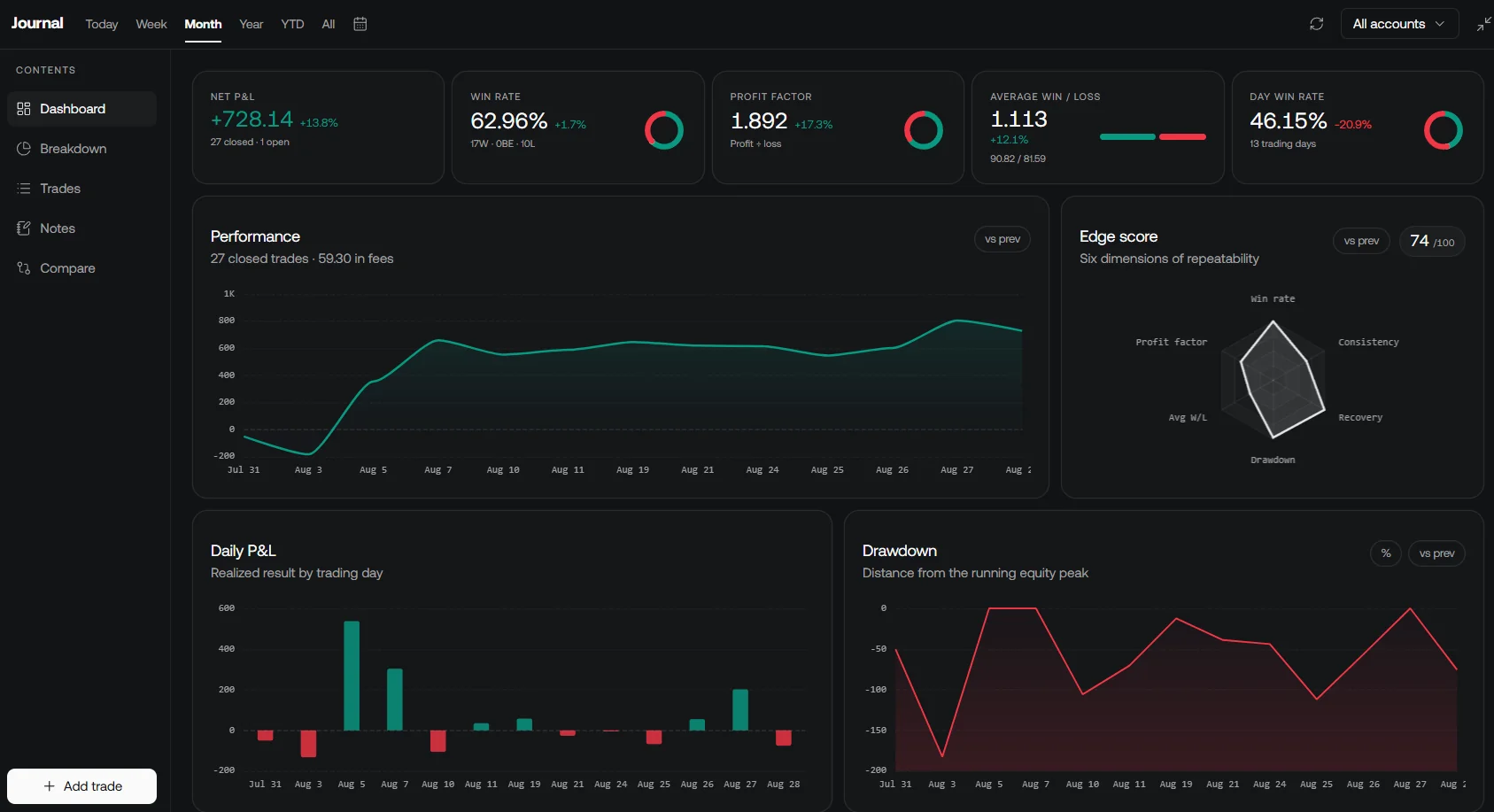
Choose a single source of truth for actual fills, then keep strategy versions and review notes consistent across tools. If you use both platforms, compare the same dates, symbols, costs, and trade definitions. Buying two subscriptions is useful only when each supports a task you actually need. LuxAlgo’s current plans describe its charting and research allowances.
Is TradeZella Right for You?
TradeZella is worth evaluating if you need an organized journal with supported imports, historical review, and AI-assisted analysis. Begin with your actual broker records and a short list of questions you want the software to answer. Confirm that the relevant features are included in the plan you would use.
If your priority is creating inspectable strategy code directly on a chart, LuxAlgo Quant offers that workflow alongside native testing and journaling. In either platform, accurate inputs and a repeatable review process are more useful than a collection of unexplained scores.
FAQs
How does TradeZella backtesting differ from live trading?
TradeZella describes manual replay, guided scenarios, and automated historical tests. These let you examine rules against past data, while live trading involves actual broker orders and uncertain execution. Review the simulated assumptions and keep historical results separate from evidence about live fills.
What resources help beginners get started with TradeZella?
The TradeZella Help Center provides setup and import guides, and the platform offers Zella University and community resources. Start with the guide for your broker or file format, reconcile a small sample of trades, and establish a simple review routine before expanding the workflow.
How does TradeZella handle privacy when recording trades?
TradeZella’s privacy policy describes encrypted transmission of sensitive information, data-use practices, and requests for deletion through support. It also explains that publicly sharing a trade makes some information visible. Review the current policy and the permissions requested by your chosen connection; the policy is not an independent security audit.
Read next