16 linked charts per tab, free.
Every Vela plan opens 16 charts in one tab, Free included, while TradingView opens 1 on its free plan and reaches 16 only on Ultimate.
Quick answer
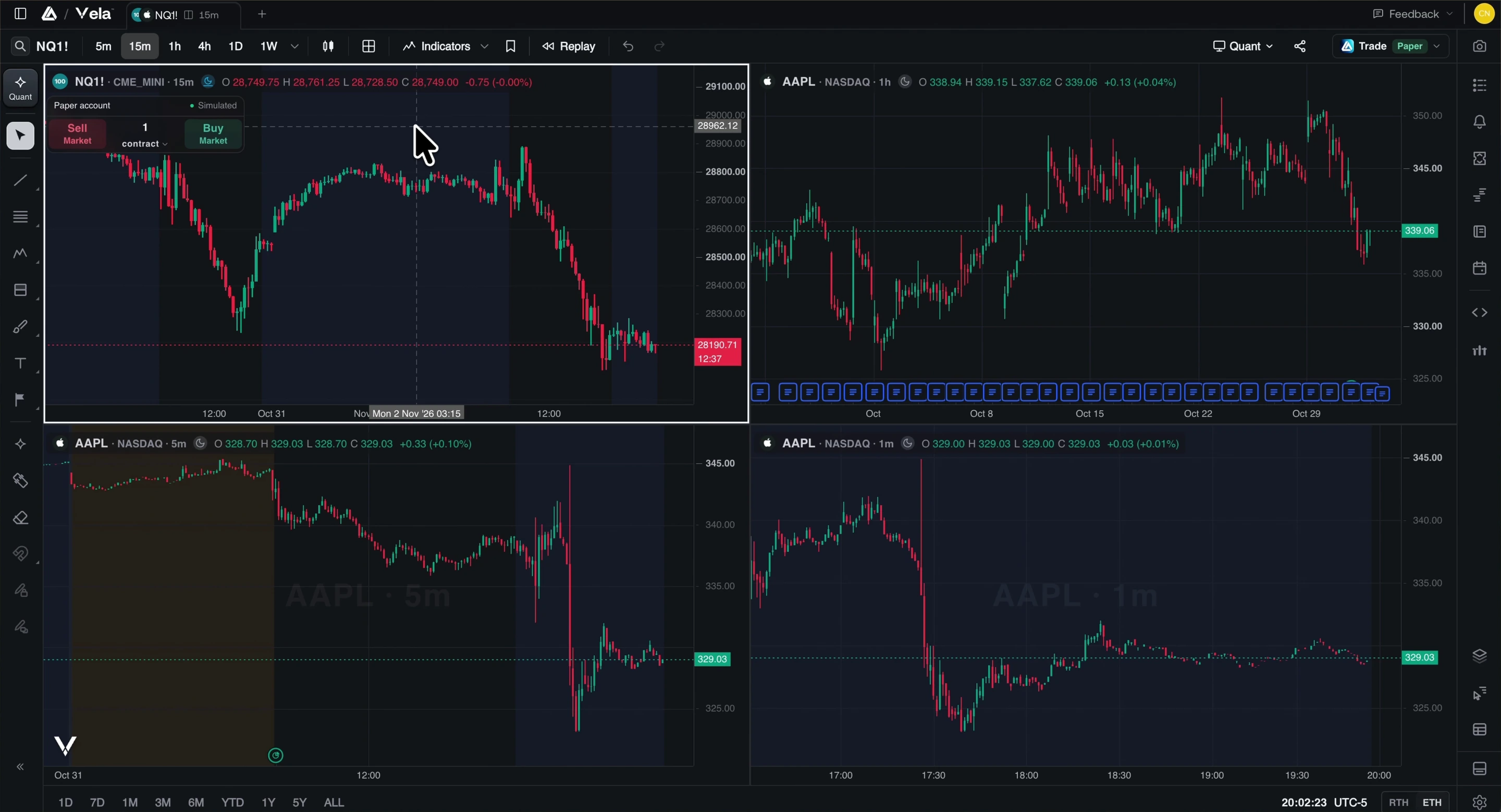
Every Vela plan opens up to 16 charts per tab, Free included, with a free account: link them by symbol, interval, crosshair or time, and keep up to 10 saved workspaces on Free. On TradingView, charts per tab are 1 on the free Basic plan, then 2 on Essential, 4 on Plus, 8 on Premium and 16 on Ultimate.
Charts per tab, plan by plan
Free plan first, on both. Vela from its plan limits, TradingView from its pricing page, both checked November 3, 2026. No prices: they change.
| Velaby LuxAlgo | Free16 | Essential16 | Premium16 | Ultimate16 | AI Ultra16 |
|---|---|---|---|---|---|
| TradingViewfrom its pricing page | Basic · free1 | Essential2 | Plus4 | Premium8 | Ultimate16 |
| Velaby LuxAlgo | Free10saved workspaces | Essential20saved workspaces | Premium50saved workspaces | Ultimate100saved workspaces | AI Ultra200saved workspaces |
|---|---|---|---|---|---|
| TradingViewfrom its pricing page | Basic · free1saved chart layouts | Essential5saved chart layouts | Plus10saved chart layouts | PremiumUnlimitedsaved chart layouts | UltimateUnlimitedsaved chart layouts |
Vela: saved workspaces. TradingView: its “Number of saved chart layouts” row.
Where TradingView is ahead
- TradingView has iOS and Android apps on every plan, and on its paid plans a desktop app with native multi-monitor support; Premium and Ultimate link tabs by symbol between windows.
- At the top, the two match: TradingView Ultimate opens 16 charts per tab, as every Vela plan does.
- TradingView Premium and Ultimate save unlimited chart layouts. Vela saves 10 to 200 workspaces, by plan.
How to do it in Vela
Sign in
Multi-chart layouts take a free LuxAlgo account. Without one, Vela opens a single chart.
Pick a layout
Open Layout in the topbar and choose a grid or a preset, up to 16 charts in one tab. Drag the dividers to resize.
Link the charts
Under Sync, link symbol, interval, crosshair or time, and turn on Sync drawings on all charts to copy a line to every cell.
Open a window per workspace
In the free desktop app for macOS, Windows and Linux, each saved workspace opens in its own window.
Questions
Can you have multiple charts on TradingView for free?
On Vela, yes: every plan opens up to 16 charts per tab, Free included, with a free account. TradingView’s free Basic plan opens 1 chart per tab; Essential opens 2, Plus 4, Premium 8 and Ultimate 16.
Can I link the charts in a layout?
Yes. Under Sync, link symbol, interval, crosshair and time independently, and copy drawings across every chart with Sync drawings on all charts.
Can I replay several charts at once?
Yes. Replay a layout of up to 16 charts and they all move on one clock: the finest timeframe sets the pace.
Does Vela have a desktop app?
Yes, free for macOS, Windows and Linux: split a window into up to 16 linked charts, and open each saved workspace in its own window.
More TradingView limits, answered
- Free plan limitsVela Free against TradingView Basic, limit by limit.
- Indicator limitNo cap on the indicators and strategies one chart runs.
- Alerts limitUnlimited Price Alerts that run until you end them.
- Footprint chartsFootprint charts on every plan, from real bid and ask prints.
- Volume profile and TPOSession, rolling and visible-range profiles, and TPO, on Free.
- Bar replayReplay minute charts and trade them, on every plan.
- Vela vs TradingViewEvery row, charts to plans, with TradingView’s wins marked.
- Switch from TradingViewWatchlists, layout and Pine Script® code, moved in minutes.
Vela sources · checked November 3, 2026
TradingView sources · checked November 3, 2026
The easiest charts you’ll ever switch to.
Free to start, no credit card: open a chart and see it for yourself.
LuxAlgo is an independent company and is not affiliated with, sponsored by, or endorsed by TradingView, Inc. Vela™ is a trademark of LuxAlgo Global, LLC. Vela runs Pine Script® through the independently developed PineTS engine and is not affiliated with, sponsored by, endorsed by, or in any way officially associated with TradingView, Inc. “Pine Script”, “TradingView” and “Lightweight Charts” are trademarks or registered trademarks of TradingView, Inc. Third-party details are taken from the vendors' public documentation and may change; corrections are welcome at LuxAlgo.