Extrapolated Previous Trend
 By LuxAlgoJul 25, 2023
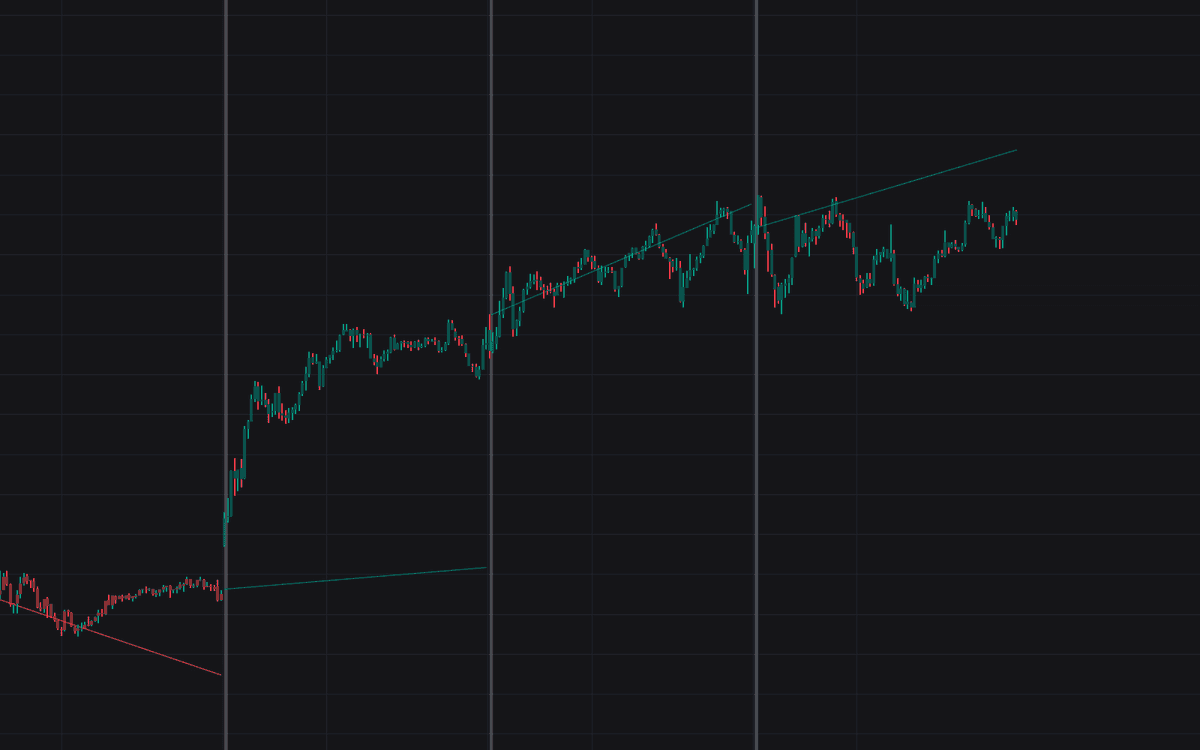

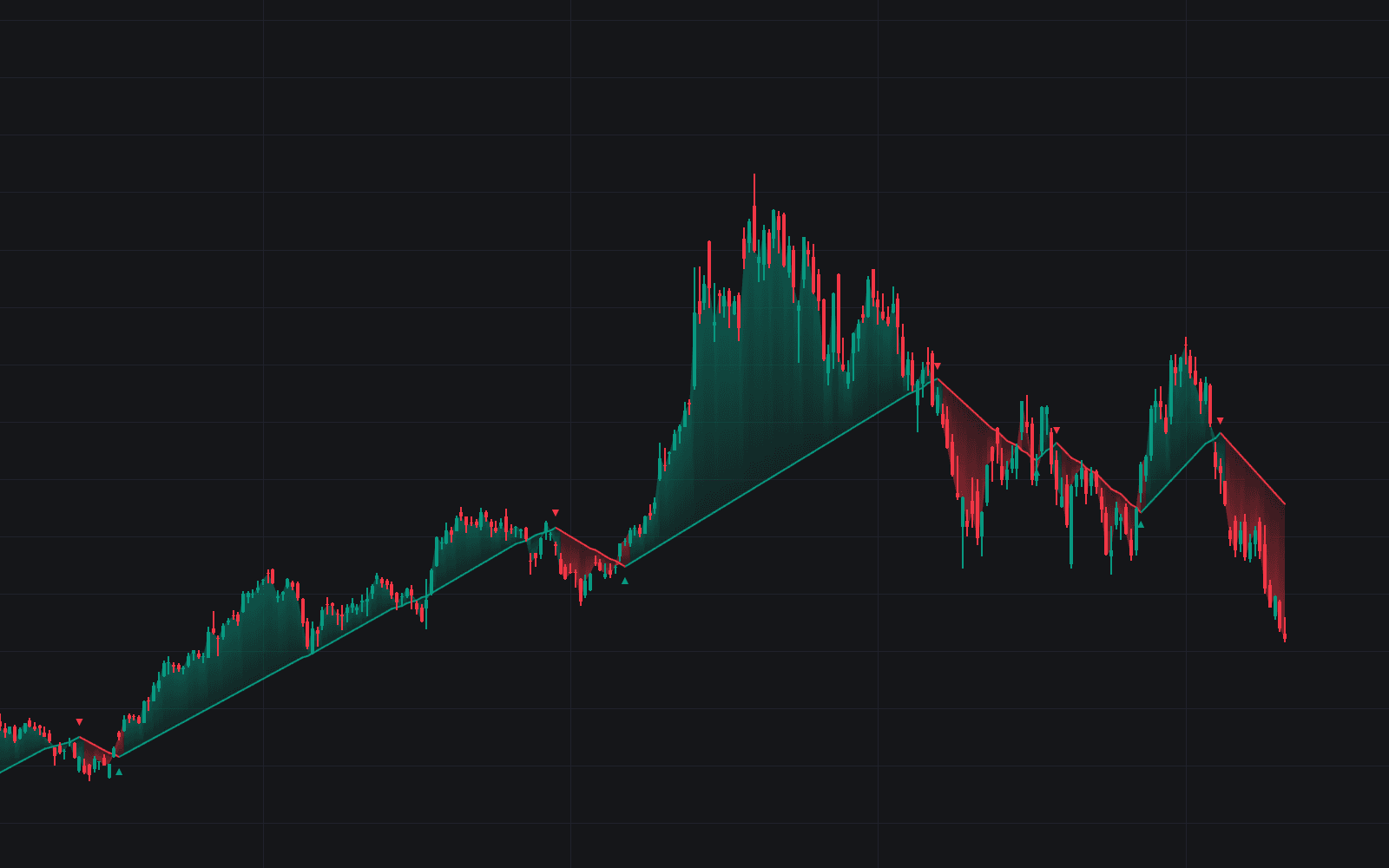
Extrapolated Previous Trend fits a linear regression to the last completed interval and extends that line across the current one. The bet is persistence: if trend sign and slope tend to carry from one interval to the next, the projection becomes a usable forecast, and because every coefficient is computed on an already-closed interval, the model is immune to lookahead bias by construction.
How to Trade the Extrapolated Previous Trend?
- Projected line as forecast: when persistence runs high, trade in the direction of the extrapolated slope and let the line define the expected path.
- Line as support or resistance: even when the new interval disagrees with the old one, the projection often behaves like a pre-drawn trendline where reversals and continuations resolve.
- Persistence dashboard: separate readings for uptrends and downtrends. High values mean successive intervals keep reinforcing each other, while low values warn that projections are flipping and a reversal mindset pays better.
Under the hood the indicator is a segmented linear model, a(n)t + b(n) for each interval n, whose coefficients come strictly from the previous segment. The steadier those coefficients stay over time, the more literally the projection can be taken.
Extrapolated Previous Trend Settings
- Timeframe: the interval each trend is fitted on and projected from. Larger intervals track slow structural trends; smaller ones re-anchor the projection more frequently for faster tactical reads.
Frequently Asked Questions
Free on Vela
Run it on Vela. Go further with a paid plan.
- Up to 500 strategy alerts, with webhook automation
- Up to 10× the chart history of Free
- Orderflow lookback up to full history
- More Quant usage to customize it, plus extra usage when you need it
- Futures data alongside crypto, stocks, forex and commodities
Also works on

Related indicators
All 8 Linear Regression indicators
Run it on Vela. Make it yours with Quant.
Open this indicator free on Vela, our next-generation charting platform. Then ask Quant, our coding agent built into Vela, to retune it or turn it into a backtested strategy of your own.