ICT Immediate Rebalance
 By LuxAlgoApr 30, 2024
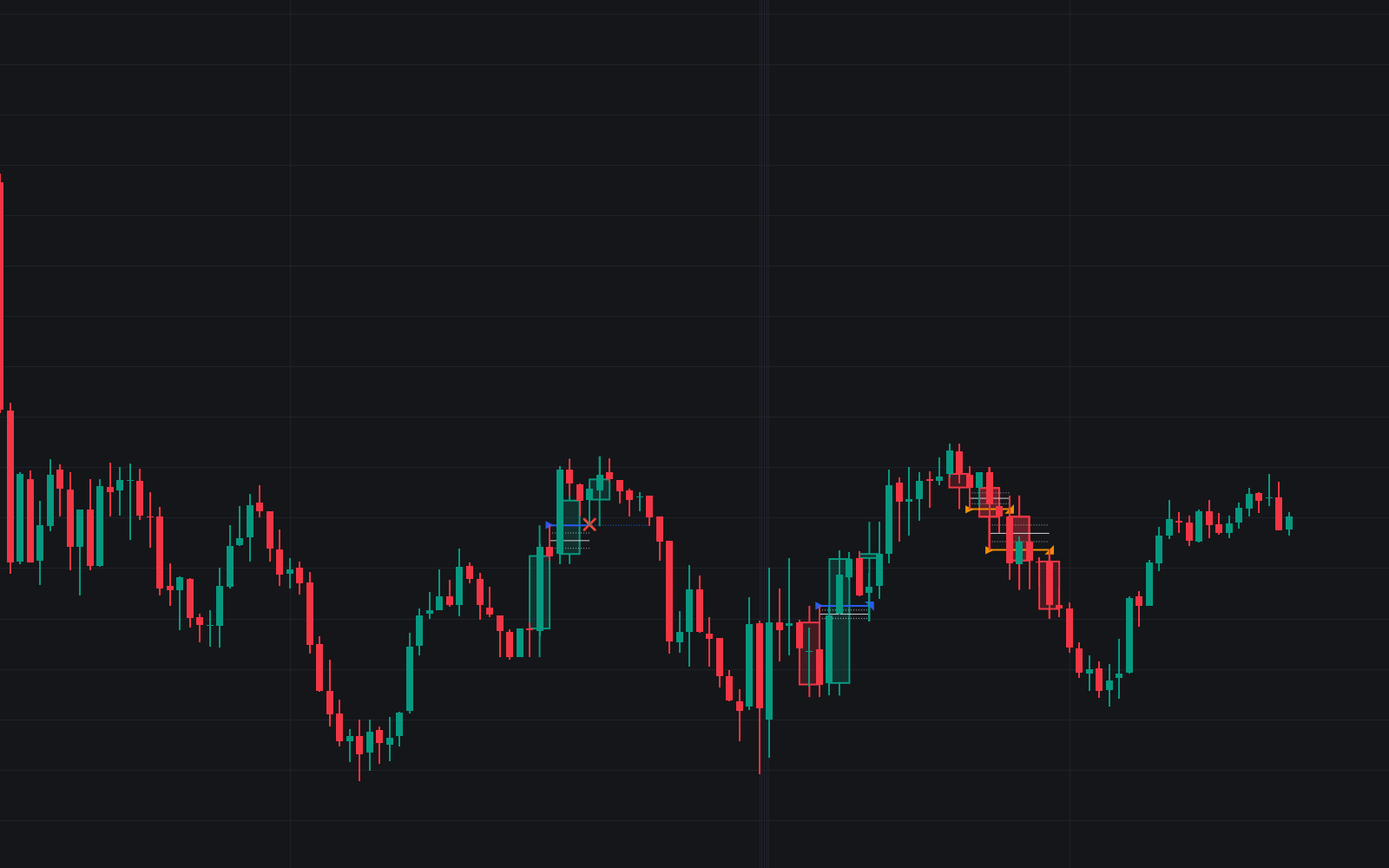

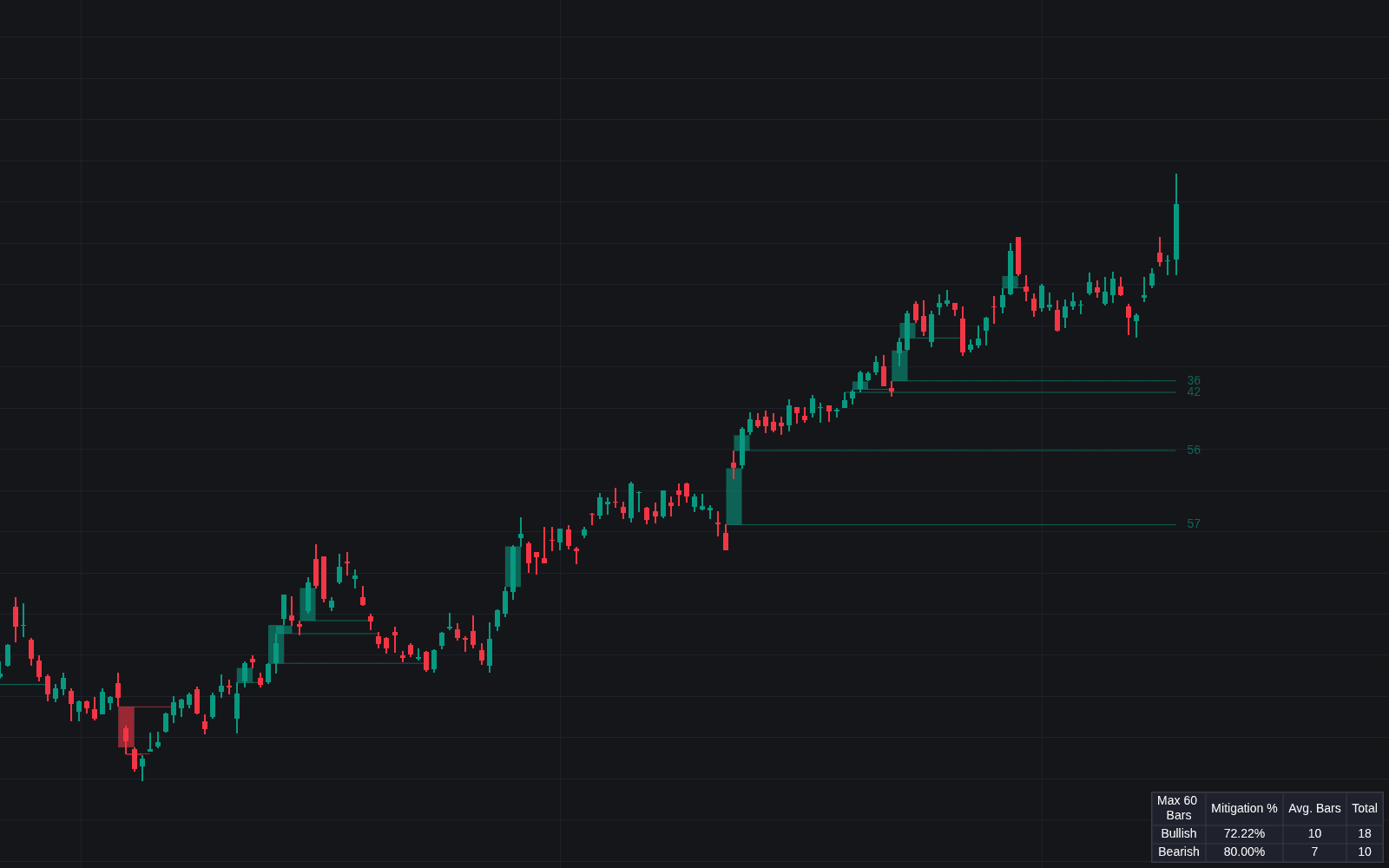
ICT Immediate Rebalance detects the pattern that mirrors a fair value gap: instead of leaving an inefficiency behind, price fills the gap at once, producing a balanced state with nothing owed to retracement. The indicator marks each occurrence, plots 75%, 50%, and 25% wick levels around it, and tracks whether the expected follow-through arrives, with a dashboard collecting the statistics as they accumulate.
How to Trade the ICT Immediate Rebalance?
- Rebalance marked: an immediate rebalance says the market cleared its imbalance instantly: efficiency, and often one-sided intent.
- Two extension candles: the follow-through that defines success; when they fail to form, the rebalance is considered ineffective.
- Failed vs successful: both matter. A failure at a meaningful level says as much about intent as a clean continuation, so read each in context.
- Wick levels: the 75/50/25% wick prices give reference levels for how deep any reaction runs.
- Higher timeframe detection: spot rebalances on a larger timeframe and optionally display the HTF candles where they formed.
The pattern shows up on any market and timeframe, which is exactly why the dashboard exists: its occurrence statistics let you study how immediate rebalances have behaved on your chart before you lean on them.
ICT Immediate Rebalance Settings
- Timeframe: detect on a higher timeframe; calculations default to the chart's timeframe if a lower one is selected.
- Confirmation (Bars): the number of bars required to validate a detected rebalance.
- Immediate Rebalance Candles: toggle the higher timeframe candles carrying detections.
- Immediate Rebalance Icon: adjusts the marker size.
- Dashboard: display, position, and size of the statistics panel; wick level and bullish/bearish colors round out the styling.
Frequently Asked Questions
Free on Vela
Run it on Vela. Go further with a paid plan.
- Up to 500 strategy alerts, with webhook automation
- Up to 10× the chart history of Free
- Orderflow lookback up to full history
- More Quant usage to customize it, plus extra usage when you need it
- Futures data alongside crypto, stocks, forex and commodities
Also works on

Related indicators
Run it on Vela. Make it yours with Quant.
Open this indicator free on Vela, our next-generation charting platform. Then ask Quant, our coding agent built into Vela, to retune it or turn it into a backtested strategy of your own.