AMD FVG Trade Setup
 By LuxAlgoJun 3, 2026
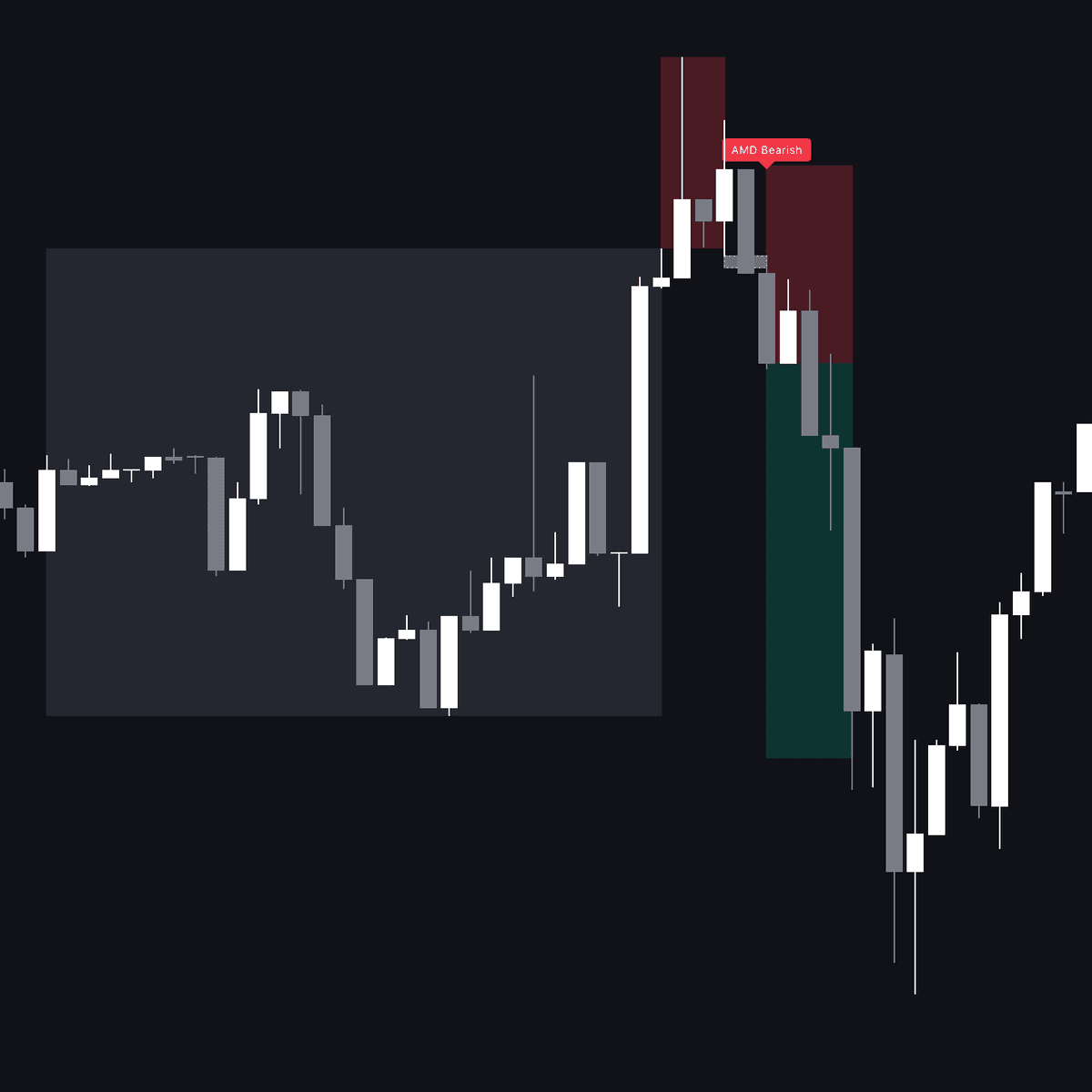
AMD FVG Trade Setup automates the Power of Three: it detects the accumulation-manipulation-distribution cycle inside your chosen sessions and signals only once the reversal leg prints a fair value gap large enough to clear an ATR threshold. Each qualifying sequence is boxed on the chart with a projected risk/reward zone.
How to Trade the AMD FVG Trade Setup?
- Bullish sequence: price consolidates in a narrow range, breaks below the range low to collect sell-side liquidity, then reverses hard back above it leaving a bullish gap. The tool draws the phase boxes and a long risk/reward zone.
- Bearish sequence: the mirror image: a push above the accumulation high to grab buy-side liquidity, followed by an aggressive rejection back below with a bearish gap and a short zone.
- Displacement filter: only gaps exceeding the user-defined ATR multiple qualify, so signals demand genuine momentum rather than drift.
Accumulation itself is defined by a percentage-based width test, meaning the logic arms only when the market is truly sideways, and the manipulation leg is validated only when price exits the range and returns. Stops and targets derive from ATR and your chosen reward-to-risk ratio.
AMD FVG Trade Setup Settings
- Accumulation Length: bars required to define the consolidation phase.
- Accumulation Range Max %: maximum width of the accumulation zone relative to price.
- Max Search Window: how many bars the script hunts for a manipulation move after accumulation ends.
- Min FVG Gap (ATR Multiplier): minimum gap size needed to trigger a signal, scaled by volatility.
- ATR Length / ATR SL Multiplier / Reward-to-Risk Ratio: volatility lookback, stop distance, and take-profit projection.
- Sessions: toggle Sydney, Tokyo, London, and New York windows, plus active-session highlighting; colors and label offset cover styling.
Frequently Asked Questions
Free indicator
Get free access to this indicator on the platforms below.

The Library is free. Quant makes it yours.
Pull any concept or indicator into Quant: rebuild it, retune it, or turn it into a backtested strategy of your own.